Error Message: "failed to get provider token for 'pinnacle': GetProviderToken: failed to refresh provider cache: mongo: no documents in result"
This error typically occurs when there is a mismatch in the provider configuration.
In most cases, it happens when the provider name has been updated at Tellephant’s end, but the same is not updated in the ClickPost gateway configuration.
How to Resolve This
Follow the steps below to update the provider configuration:
- Navigate to Menu → Settings → Notifications → Overview
- Click on the Edit button next to the configured gateway
- Go to the Credentials section
- Locate the Provider field
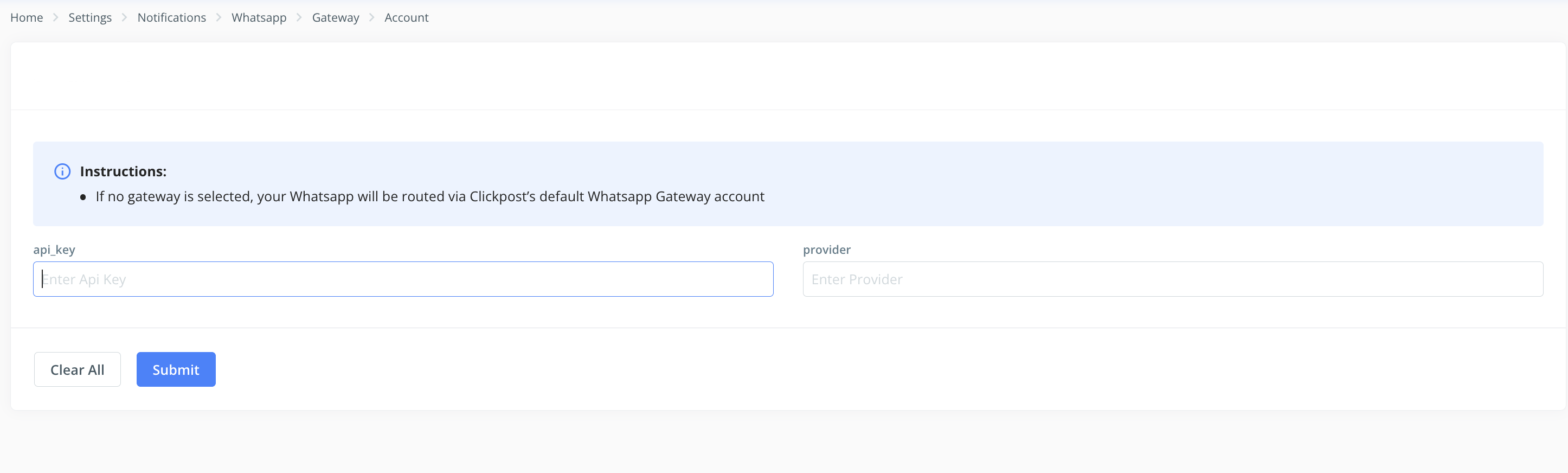
- Update the provider name (e.g., Pinnacle or Routemobile)
- Save the changes
Once updated, you can run an instant test to verify the setup following the below steps
https://clickpost.freshdesk.com/a/solutions/articles/43000722687
Was this article helpful?
That’s Great!
Thank you for your feedback
Sorry! We couldn't be helpful
Thank you for your feedback
Feedback sent
We appreciate your effort and will try to fix the article