- Login into New ClickPost Dashboard ( Link: https://dashboard.clickpost.ai/ )
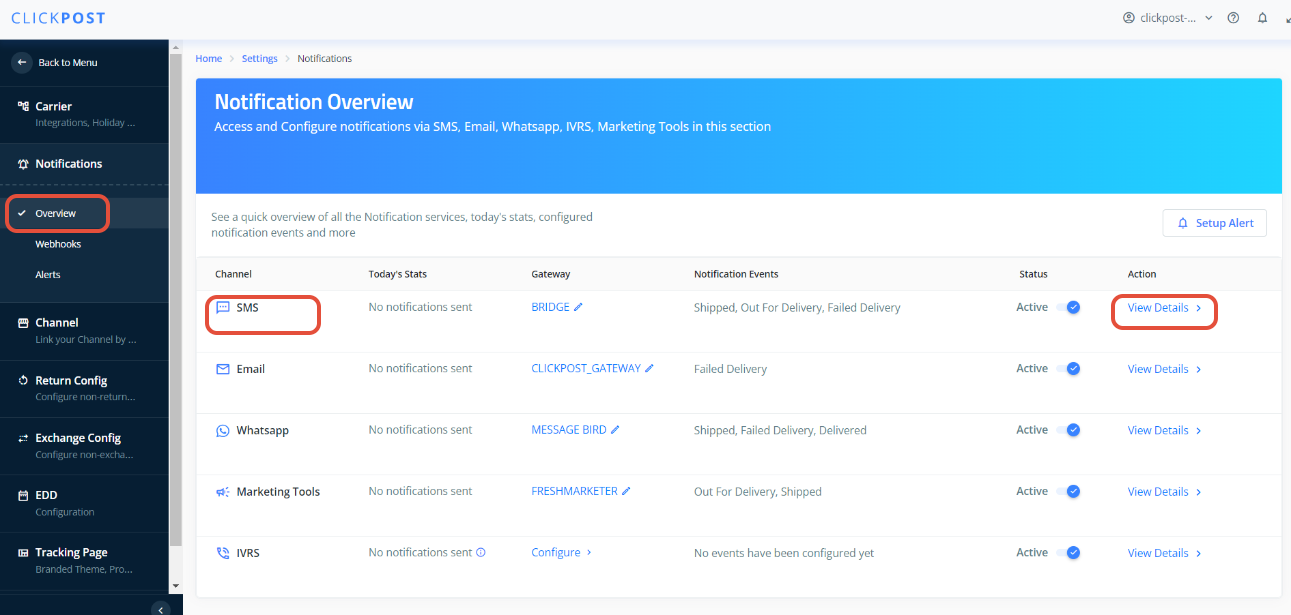
- Go to Settings --> Notifications --> Overview
- Go to SMS ( Click View Details )
- Go to any Milestone you want to configure template for, Click on the View Template (Also you can select the flow (Forward or reverse) from top to configure notification for specific flow)
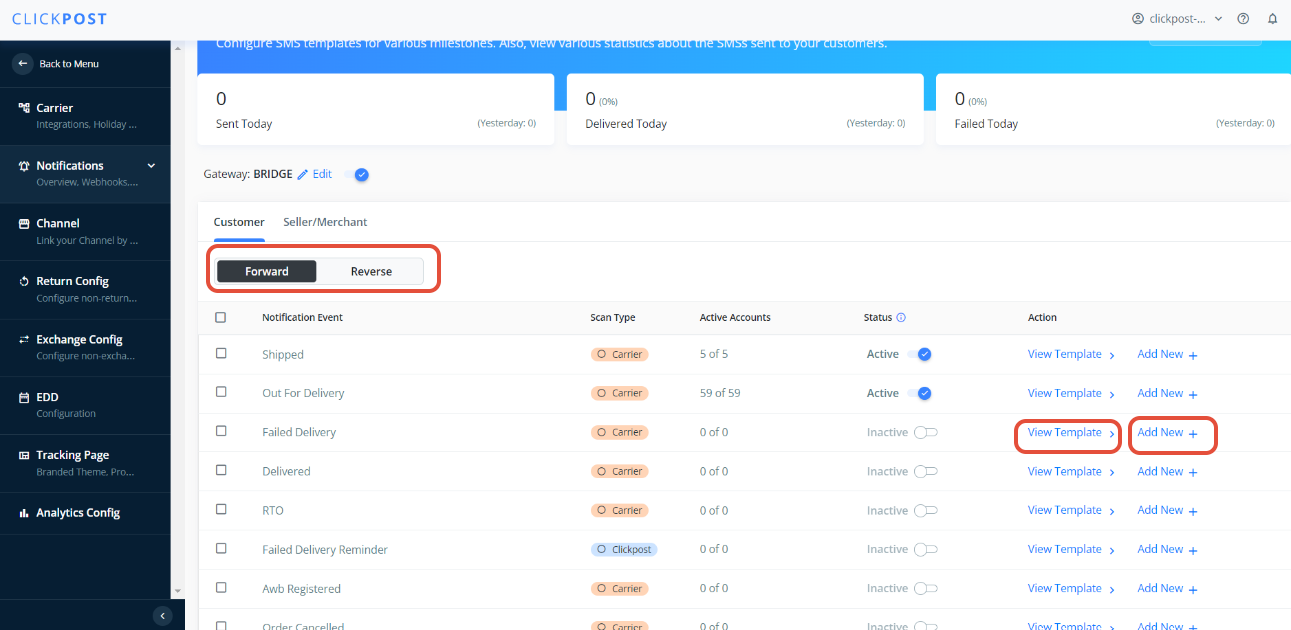
- If you are configuring a template for the first time for any milestone :
After Clicking on View Template --> Click on Add new Notification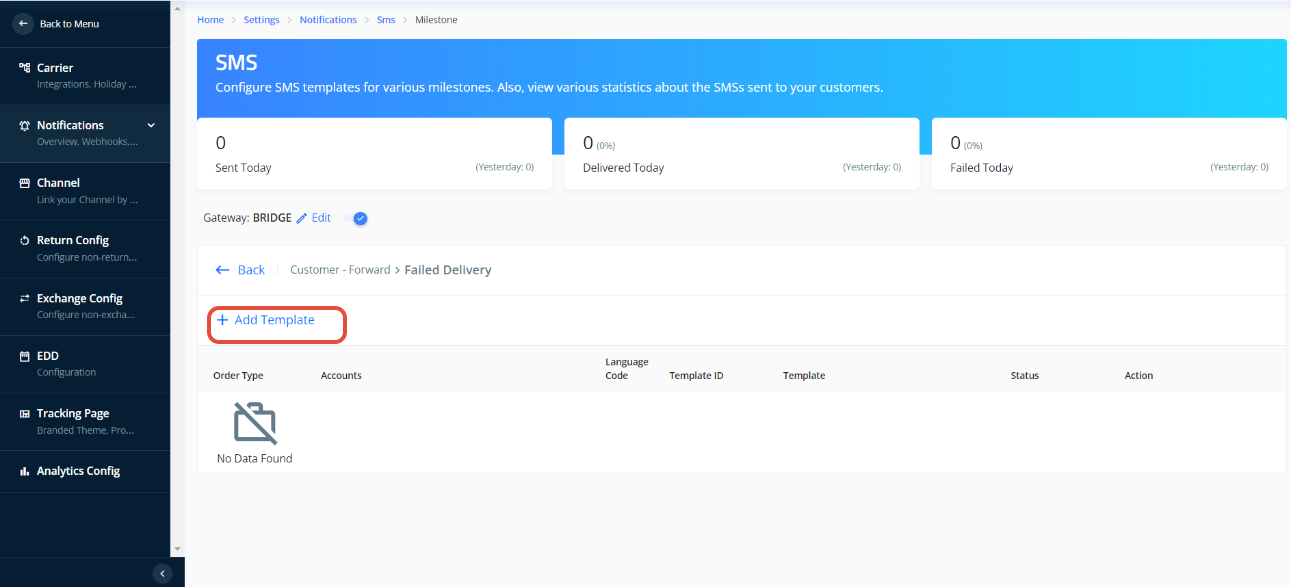
- Fill in all the below details :
- Order Type : All, Prepaid, COD (For what order type you need to send the SMS)
- Language : eng
- Template ID : Registered Template ID no. received from DLT
- Account(s) : Courier Partner accounts for which you want to enable the SMSs
- Template : Registered Template for Milestone received from DLT
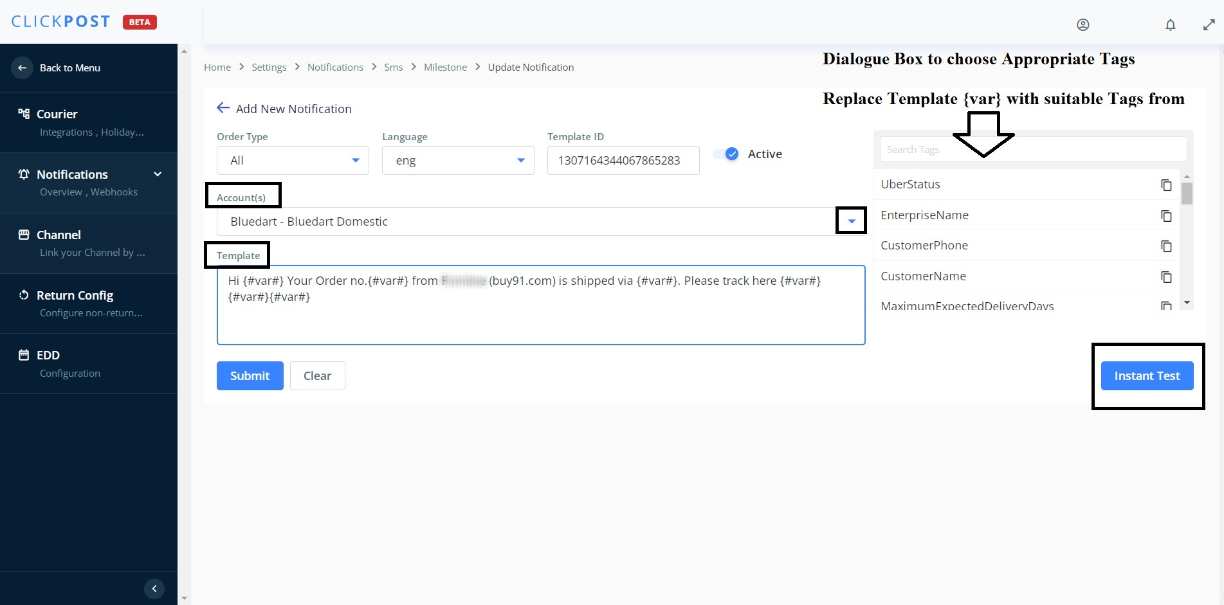
7. Replace your DLT Registered template {#var#} with suitable Tags from the dialogue box on your right.
8. Once you have filled in all the details hit Submit.
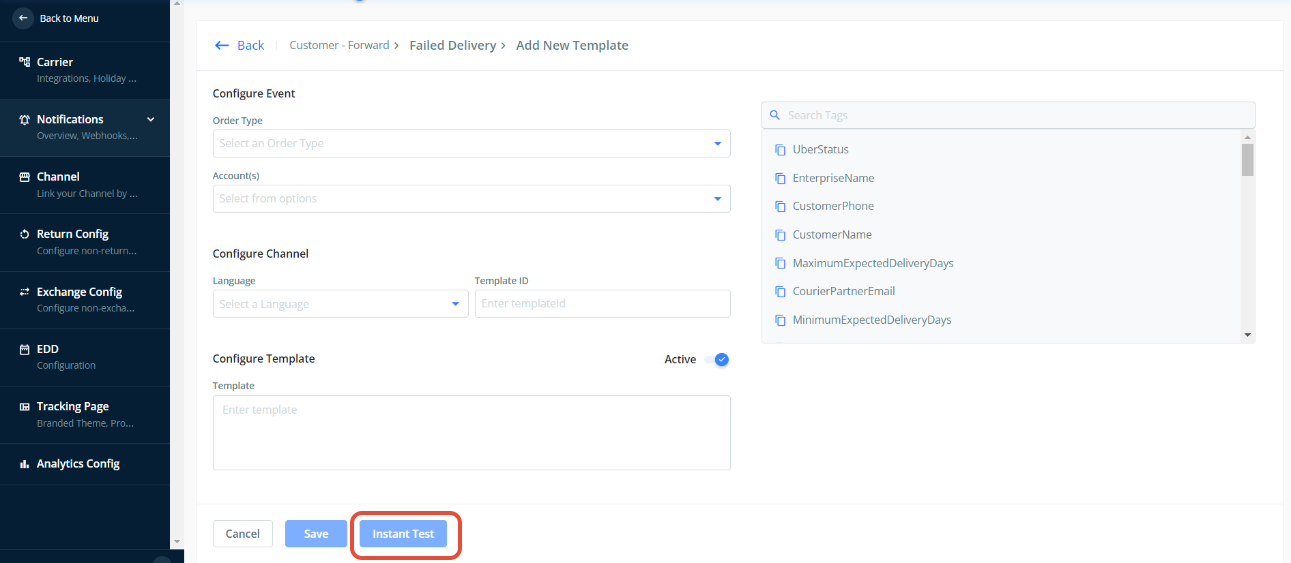
9. Once you submit, click on the Instant Test (To check if the configured template is working fine or not) .
Please Note:
1. Whenever you make any changes to Template make sure you submit and save the changes and after that you perform Instant Test.
2. To check notifications for reverse flow , please use AWB number which was registered in you dashboard with "reverse courier partner", for forward flow , please use AWB number which was registered in you dashboard with "forward courier partner" for "Instant Test"
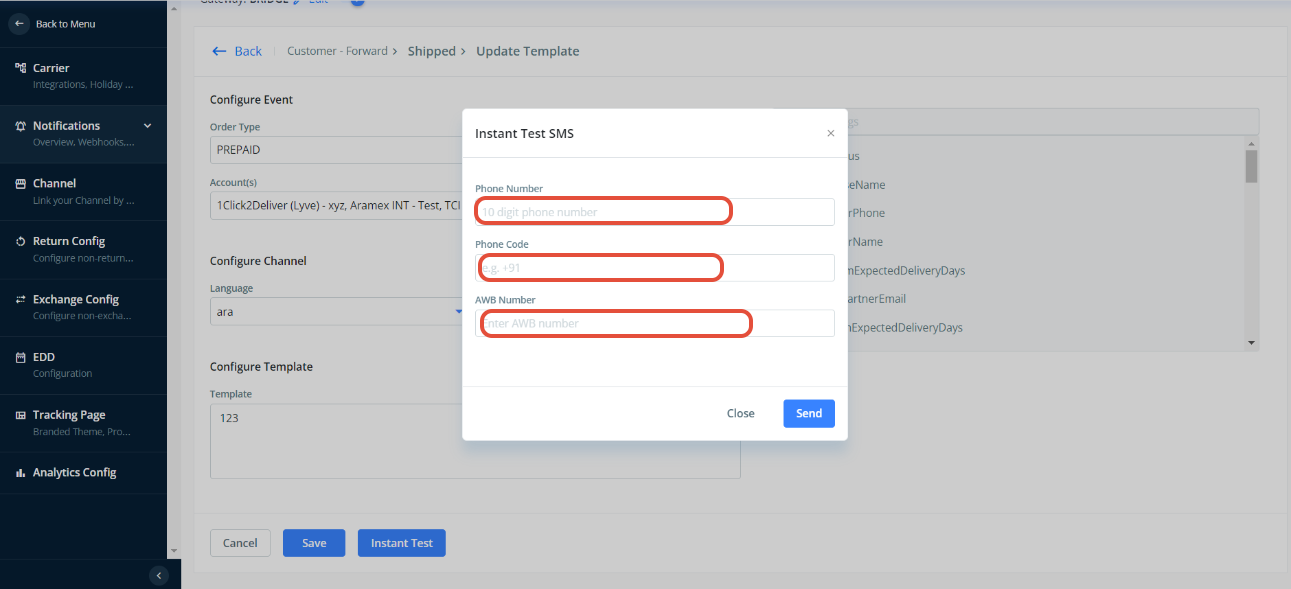
10. Click on the Instant Test tab and put in a sample mobile no. with +91 (country code) you shall receive a success message with status 200 and a text message on the entered mobile number.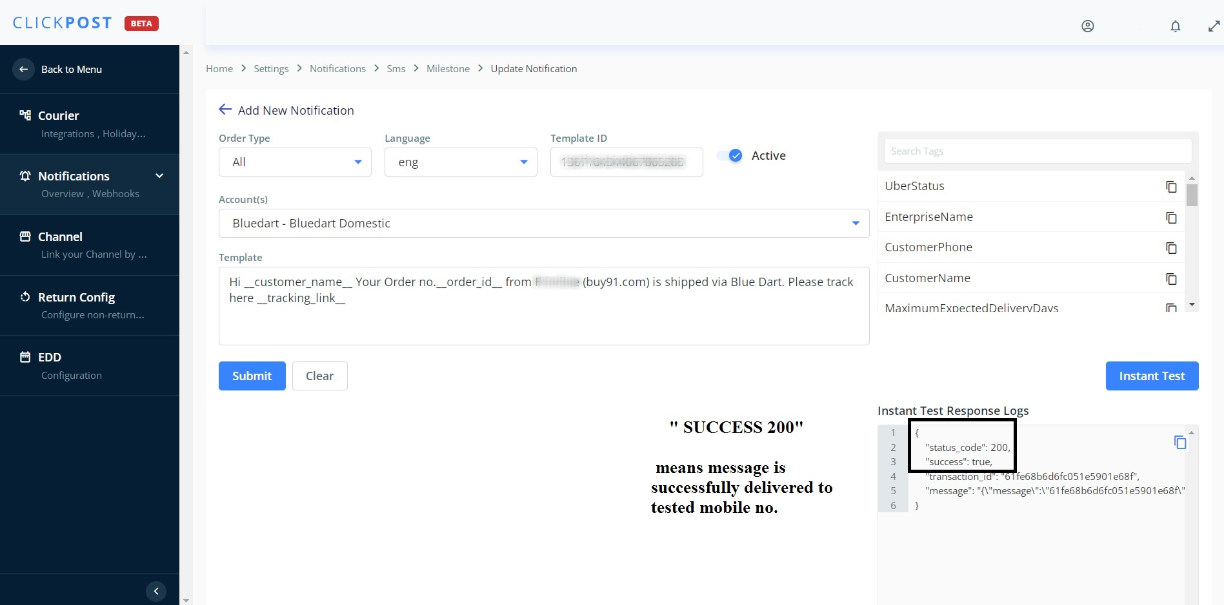
11. If you are facing any issues here, kindly raise a mail to "support@clickpost.in"
Was this article helpful?
That’s Great!
Thank you for your feedback
Sorry! We couldn't be helpful
Thank you for your feedback
Feedback sent
We appreciate your effort and will try to fix the article