You can enable survey notifications to capture customer feedback on key factors like product quality, shopping experience, packaging, and delivery experience. These notifications are triggered after the shipment is delivered, with flexible scheduling options to suit your brand’s needs.
Feature Highlights
Customizable Notification Timing
Choose the number of days after the ‘Delivered Scan’ to send survey notifications.
This ensures feedback is collected at the most relevant moment, aligned with your product/service.
Multichannel Notification Delivery
Send survey notifications through your customers’ preferred channels: WhatsApp, Email, or SMS.
Enhanced Customer Engagement
Tactically scheduled surveys reduce notification fatigue, increase participation, and build stronger customer-brand engagement.
How to Set Up
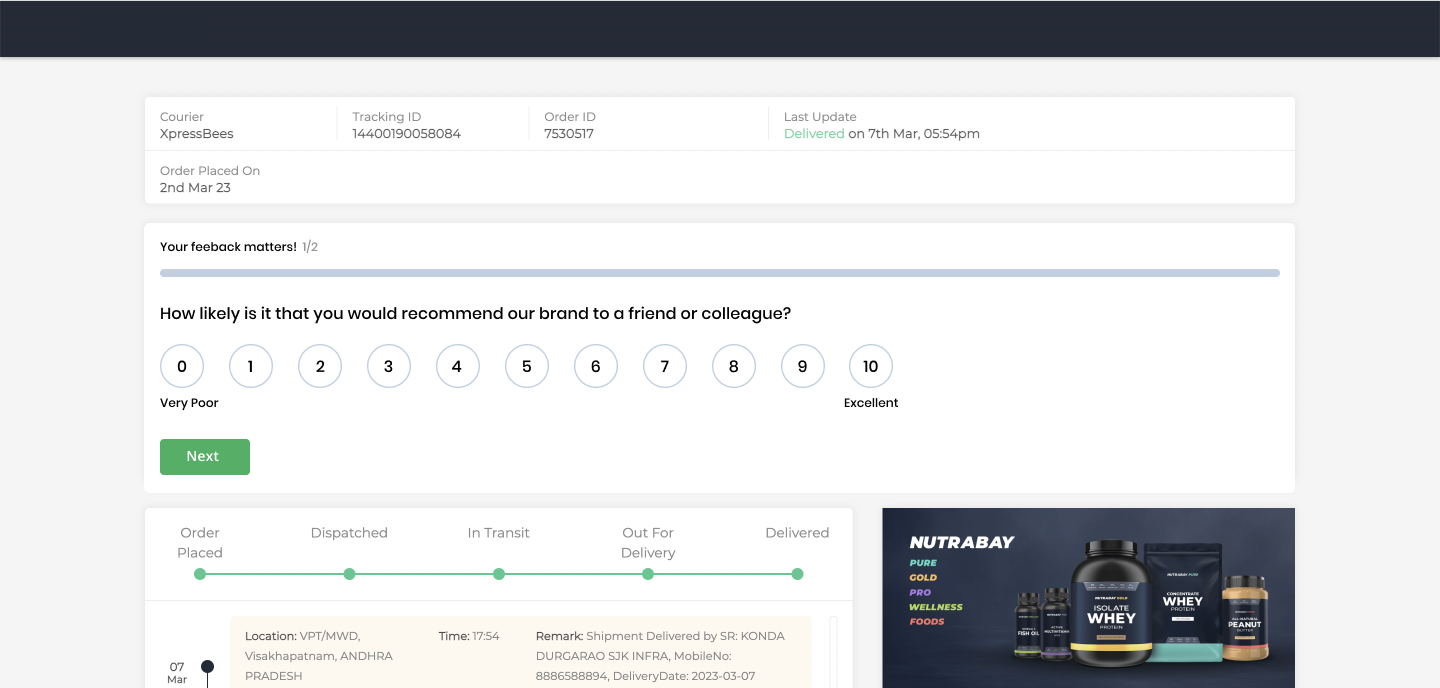
Default NPS Question
The Clickpost team will enable the following standard NPS question:
“How likely is it that you would recommend us to a friend or colleague?”Follow-Up Review Questions
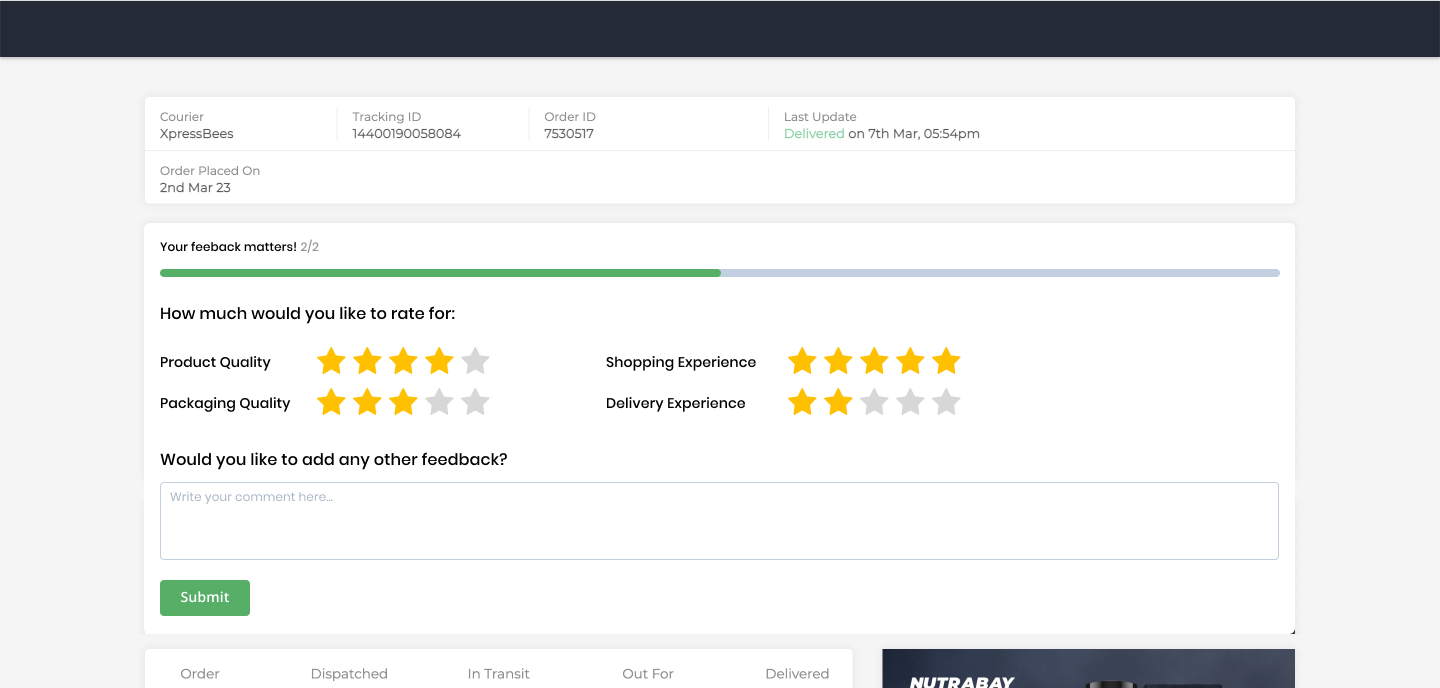
Customers will also be asked to rate their experience on:Product Quality
Shopping Experience
Packaging Quality
Delivery Experience
| Question | Scale | Compulsory |
| How likely is it that you would recommend us to a friend or colleague | 0-10, 0 being not at all likely 10 being extremely likely | Yes |
| Product Quality | Rating out of 5 stars | Yes |
| Quality of Packaging | Rating out of 5 stars | Yes |
| Shopping Experience | Rating out of 5 stars | Yes |
| Delivery Experience | Rating out of 5 stars | Yes |
Note: If the enterprise want to change the above questions, they can reach out to support@clickpost.in.
How to Setup the Notification:
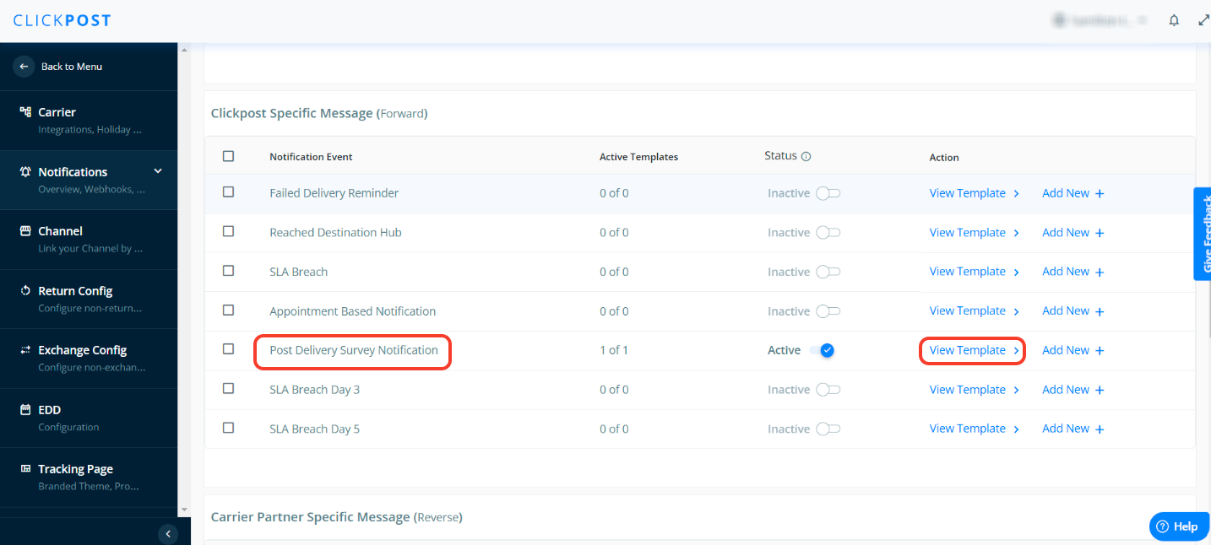
Go to the notifications section and click on “View template” for “Post Delivery Survey Notification” event.
Then click on “No of Days delay” to configure the days after which you want to trigger the notification post successful delivery.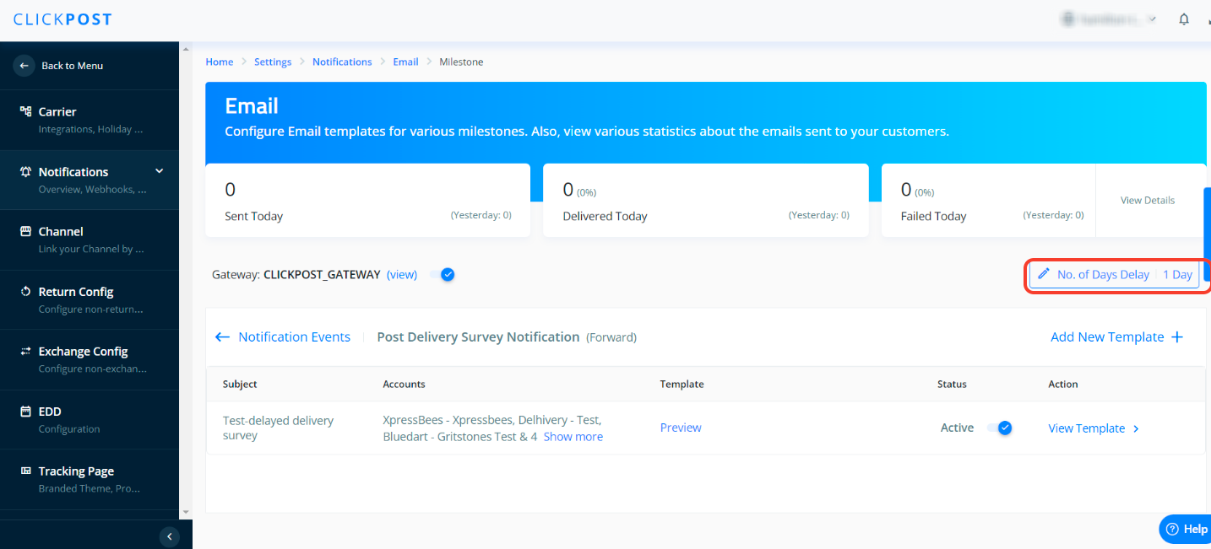
Select the number of days and click on “Submit”
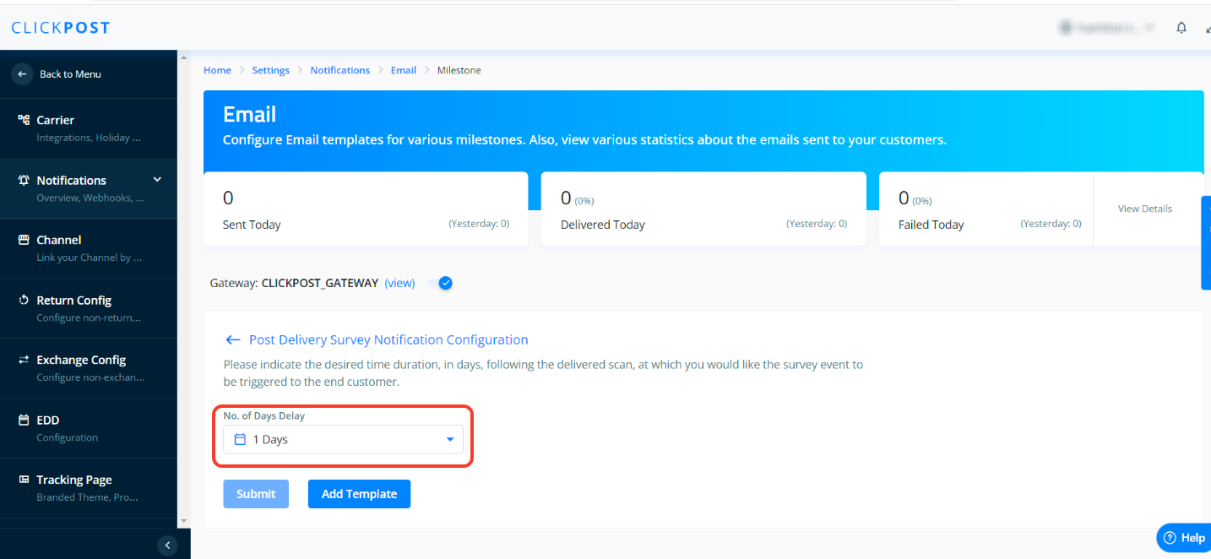
Configure the template:
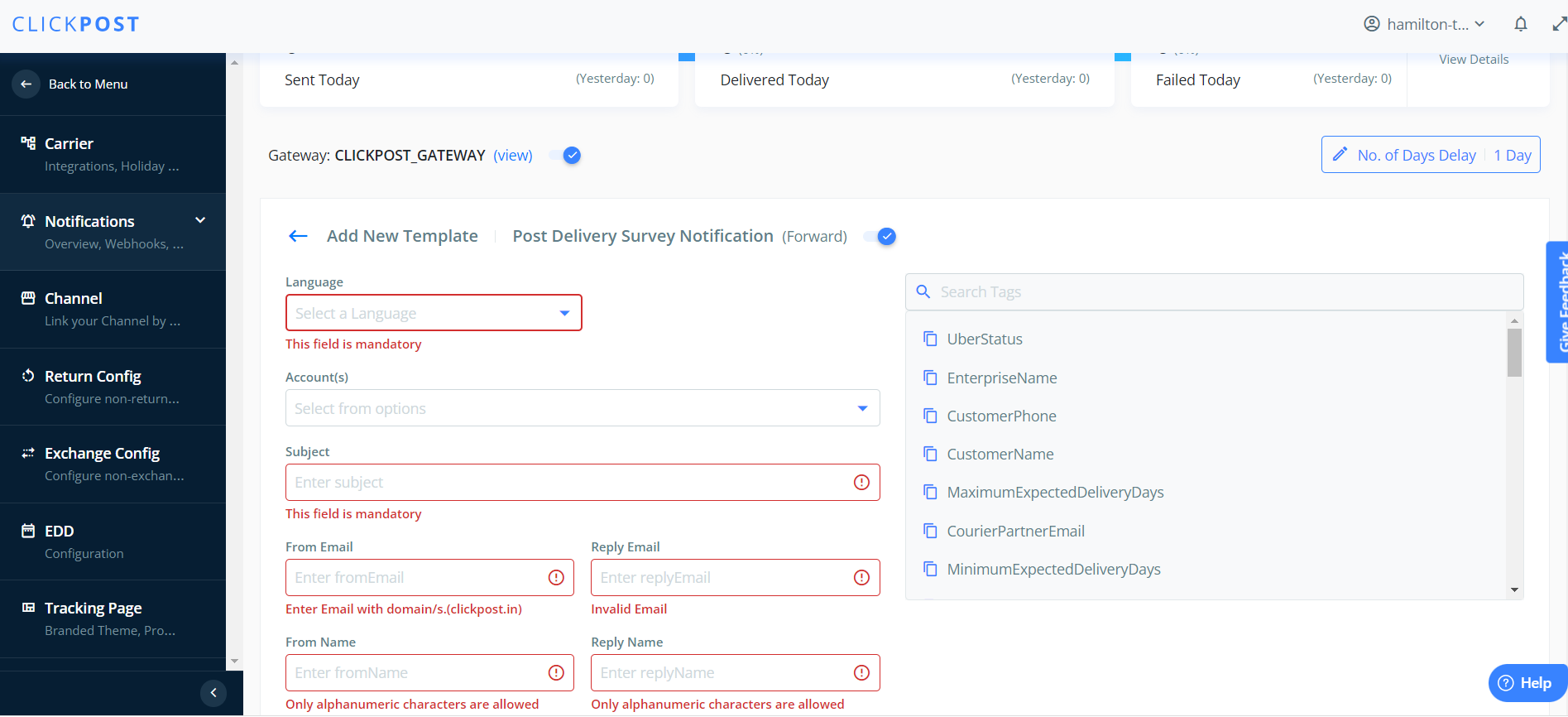
Sample Template for SMS or Whatsapp notification:
(Note: For SMS notifications, only two variables are allowed)
Sample 1:
Hey __customer_name__, your recent {enterprise name} purchase lights up our day!
We're curious to understand your journey from ordering to unboxing. Your perspective helps us shine. Could you spare a moment to share your experience ordering __order_id__? from here: __tracking_link__
Sample 2:
Hi __customer_name__,
Your order from {enterprise name} with Order Id __order_id__ was successfully delivered. Please rate your delivery experience from here __tracking_link__
Was this article helpful?
That’s Great!
Thank you for your feedback
Sorry! We couldn't be helpful
Thank you for your feedback
Feedback sent
We appreciate your effort and will try to fix the article