Overview: The gateway to be used is Contlo for Email/ SMS/ Whatsapp notifications.
Pre-requisites: The enterprise is having an active account with Contlo for triggering notifications based on the tracking statuses received from Clickpost.
Steps to complete the Clickpost <> Contlo Setup:
1. Download the Clickpost app on your Contlo Panel
In Contlo, go to App Store > Integrations >ClickPost >Add integration.
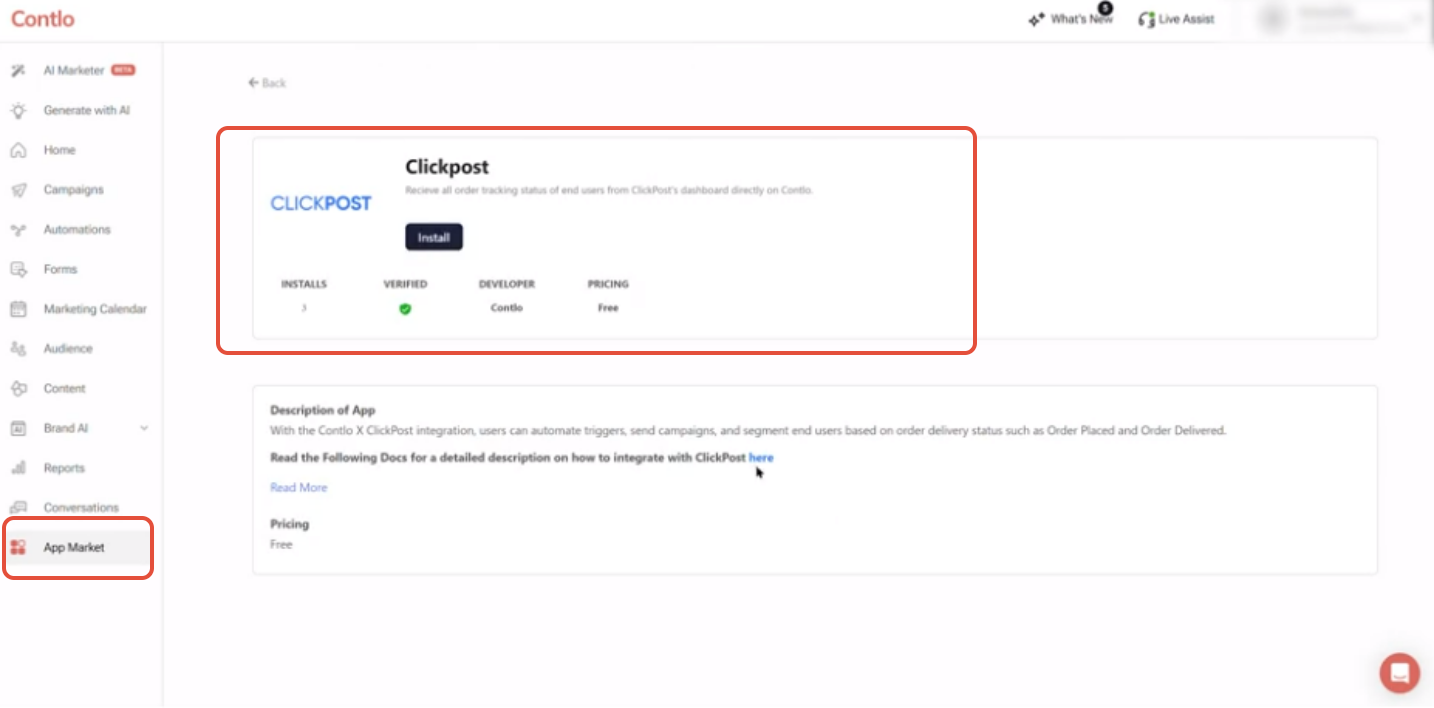
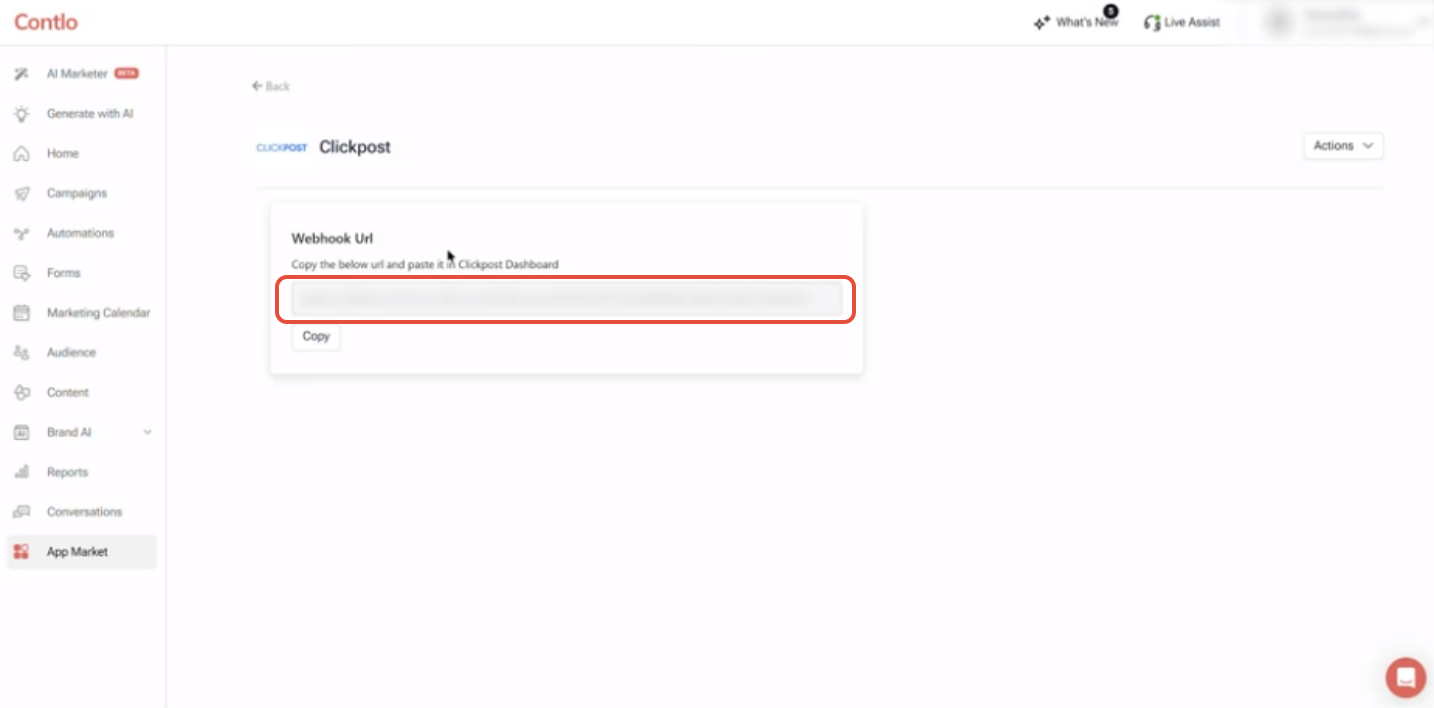
2. Once installed on the Contlo App Market, a webhook link will be received that will have to be pasted on your ClickPost Dashboard under the WebHook section.
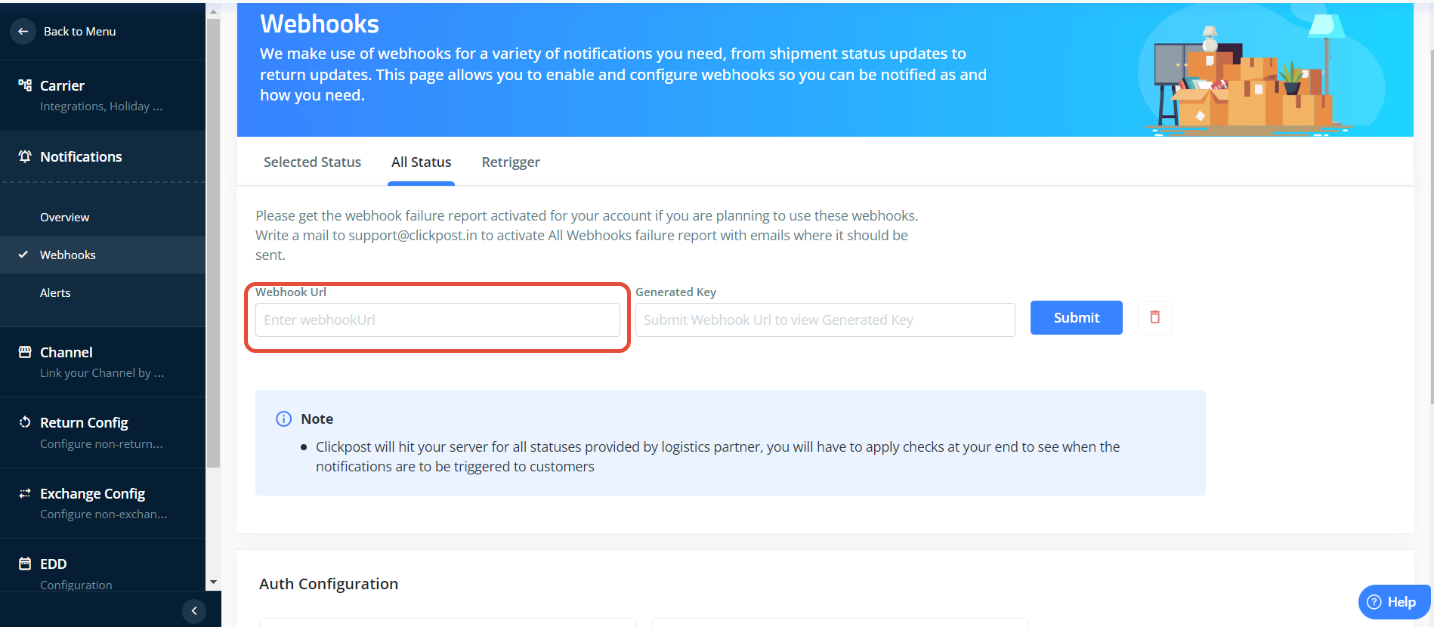
 3: On Clickpost dashboard, go to settings>Notifications>Webhooks>All statuses and paste the URL taken from Contlo dashboard there and click on Submit
4. Create a new automation flow in Contlo that uses the events received from the ClickPost WebHook.
Currently, Contlo team has added triggers for the following events.
Event Received | Description |
| Clickpost Order Placed | Triggers when AWB is registered for an order placed. |
| Clickpost In Transit | Triggers when status of an order is moved to order in transit. |
| Clickpost out for Delivery | Triggers when status of an order is out for delivery. |
| Clickpost Delivered | Triggers when status of an order is delivered |
| Clickpost Delivery Failed | Triggers when status of an order is delivery failed |
| Clickpost Cancelled Order | Triggers when status of an order is cancelled. |
| Clickpost RTO Requested | Triggers when status of an order is RTO requested. |
| Clickpost RTO Delivered | Triggers when status of an order is RTO delivered. |
| Clickpost Lost | Triggers when status of an order is lost. |
| Clickpost Damaged | Triggers when status of an order is damaged. |
| Clickpost Shipment Delayed | Triggers when status of an order is shipment delayed |
| Clickpost Out For Pickup | Triggers when status of an order is out for pickup. |
Please refer following Contlo’s document to finish the steps:
https://docs.contlo.com/docs/clickpost
Was this article helpful?
That’s Great!
Thank you for your feedback
Sorry! We couldn't be helpful
Thank you for your feedback
Feedback sent
We appreciate your effort and will try to fix the article