1. Login into ClickPost Dashboard ( Link: https://dashboard.clickpost.ai/ )
2. Go to Settings --> Notifications --> Overview
3. Go to Whatsapp ( Click View Details )
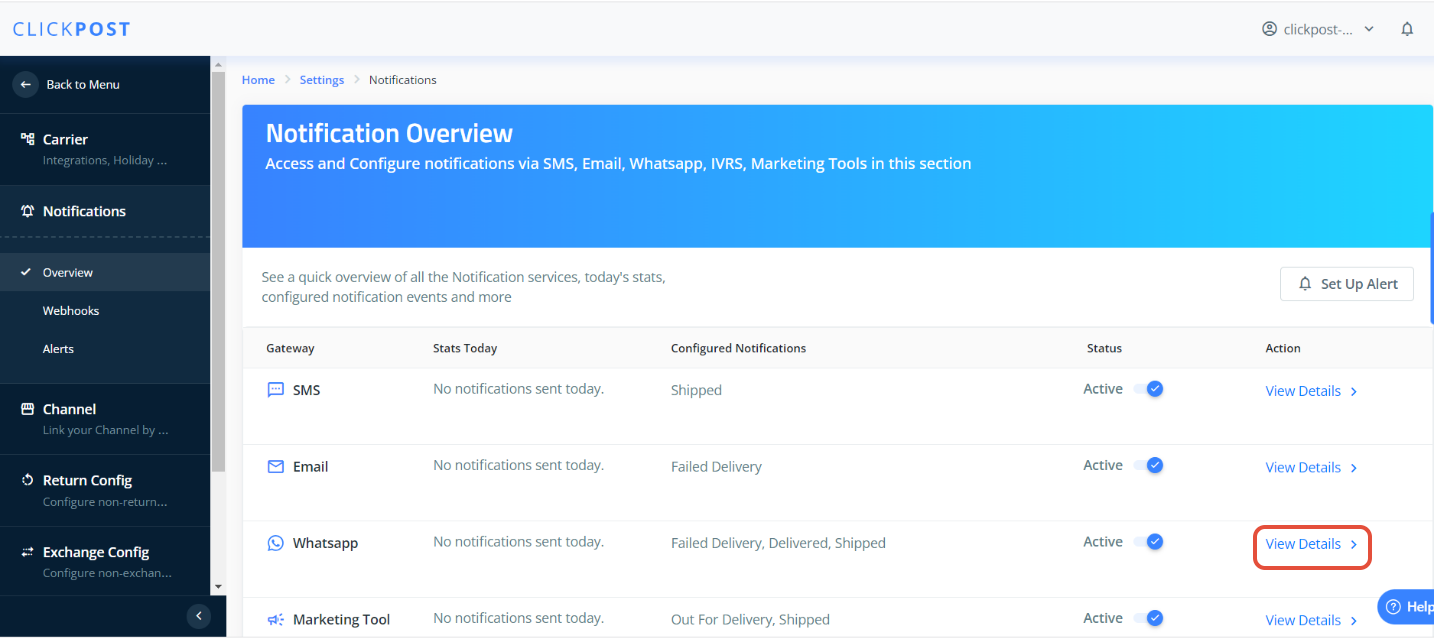
4. Go to any Milestone you want to configure the template for, Click on the View Template
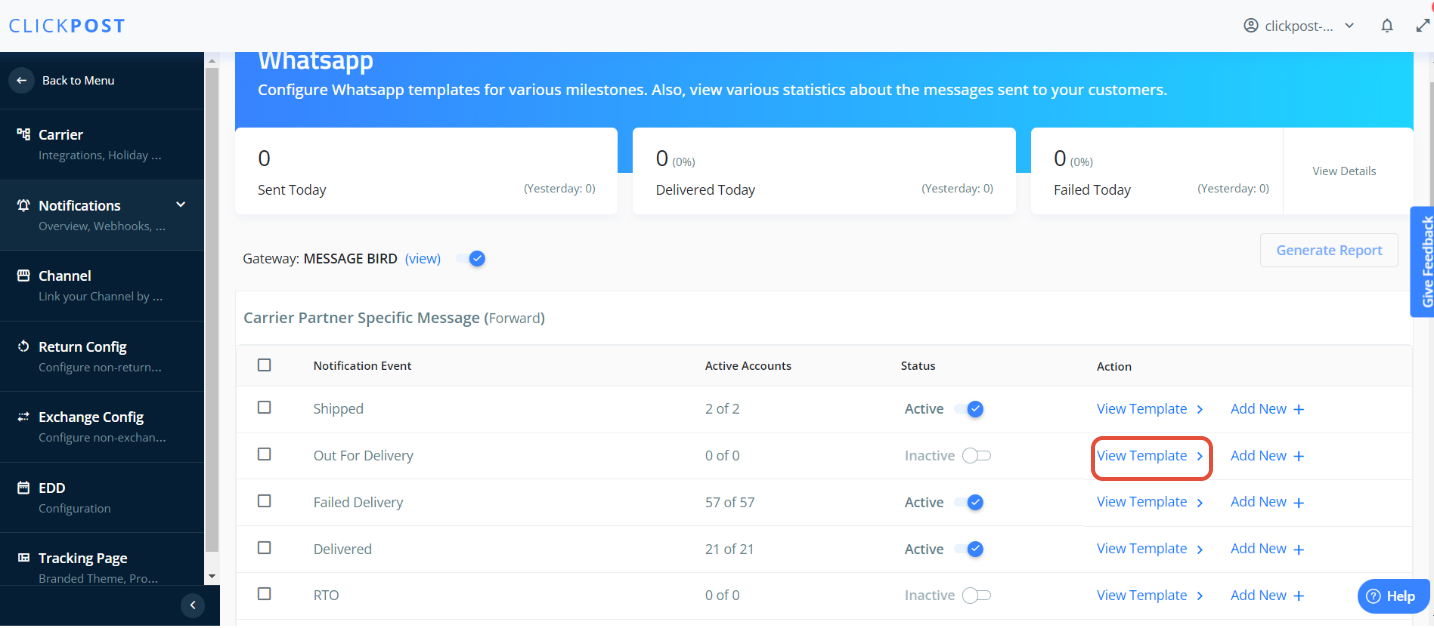
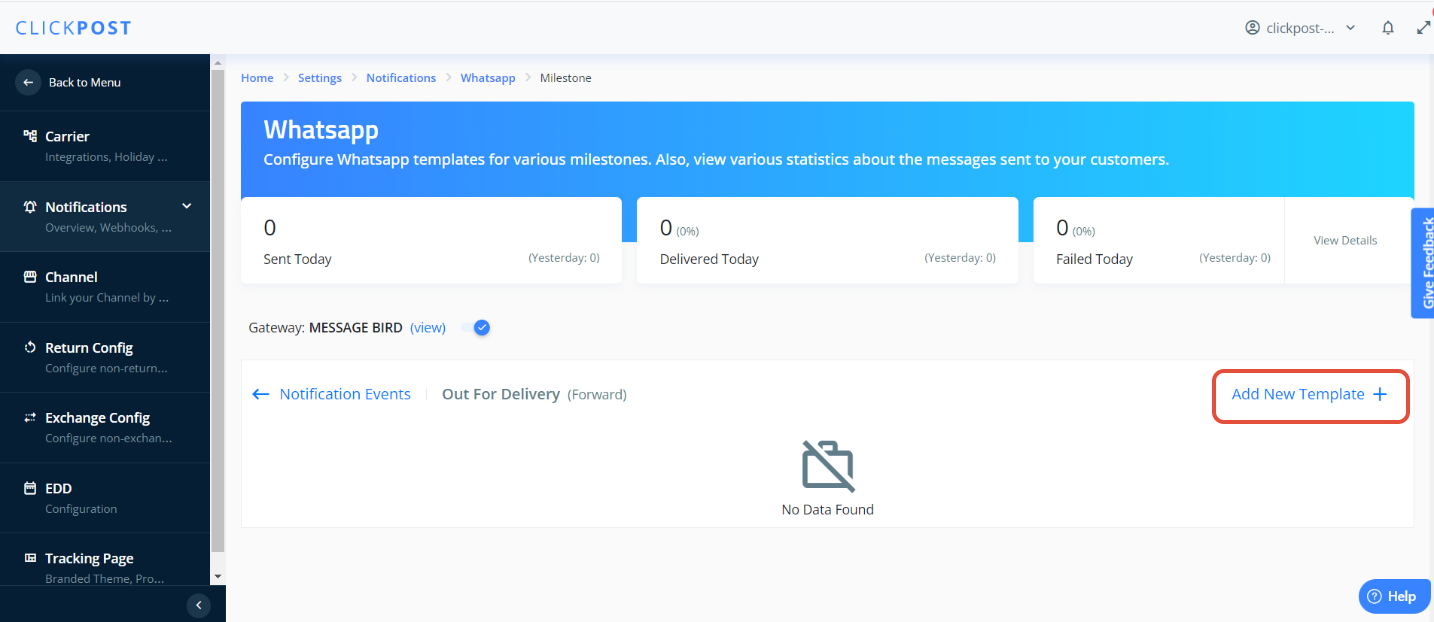
5. If you are configuring a template for the first time for any milestone :
After Clicking on View Template --> Click on Add new Notification
6. Fill in all the below details: If you have any doubts or issues while adding details ., please reach out to our Support team on https://clickpost.freshdesk.com/support/home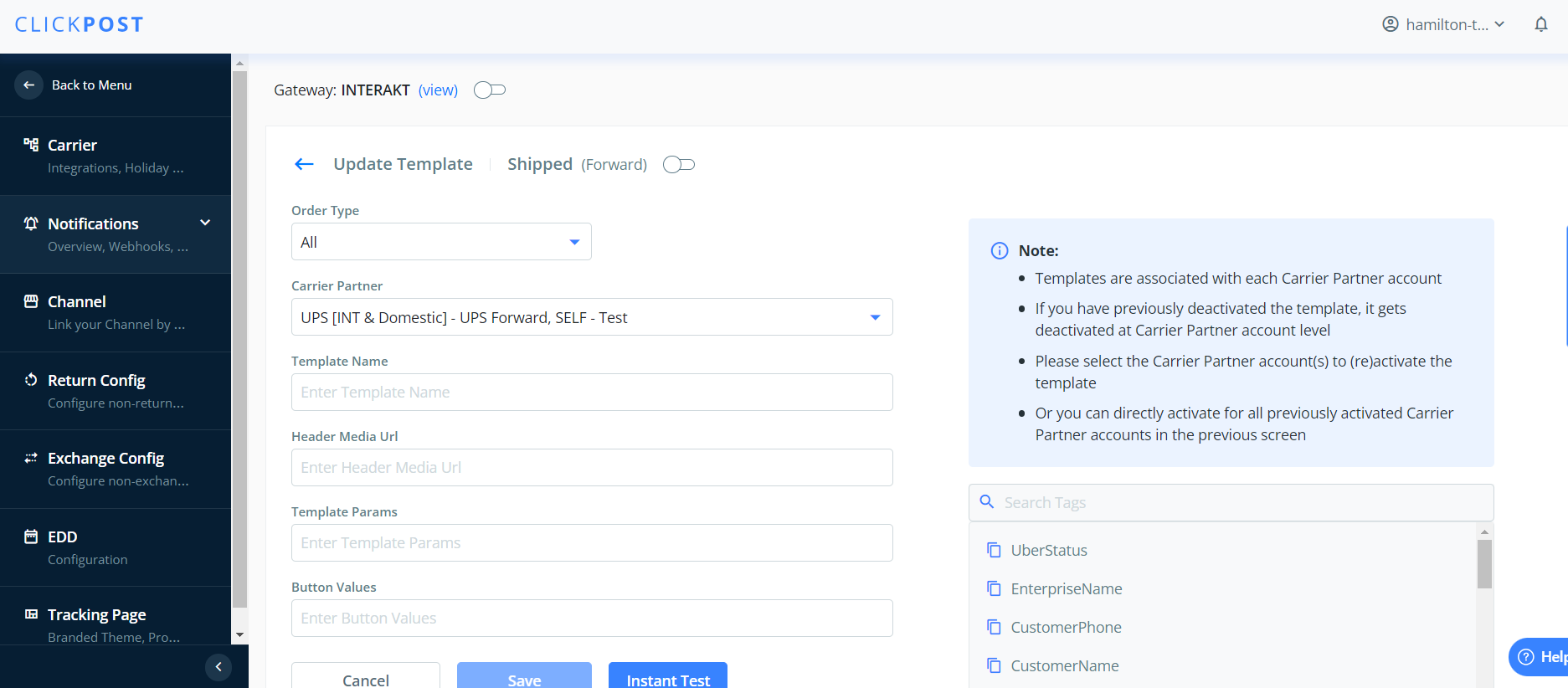
If you are facing issue to whitlist the templates and want sample templates to review , pleaase check the link below for sample templaes.
https://docs.google.com/spreadsheets/d/1skB_jOe-E1jzzmF9pkDyZxNYXacqEsw3Ox9_TsDmhl8/edit?usp=sharing
Was this article helpful?
That’s Great!
Thank you for your feedback
Sorry! We couldn't be helpful
Thank you for your feedback
Feedback sent
We appreciate your effort and will try to fix the article