Overview: Enterprise is having existing account with Interakt and want to integrate the same on Clickpost to enable the milestone based notifications.
How to configure the Gateway:
On Clickpost dashboard:
1.Settings> Notifications> Overview> Cick on 'Configure' next to Whatsapp
2. Click on 'Configure' on Interakt
3. For 'Authkey' follow below steps on Interakt panel.
a. Login to your Interakt panel
b. Go to your profile (top left corner)> Developer Settings
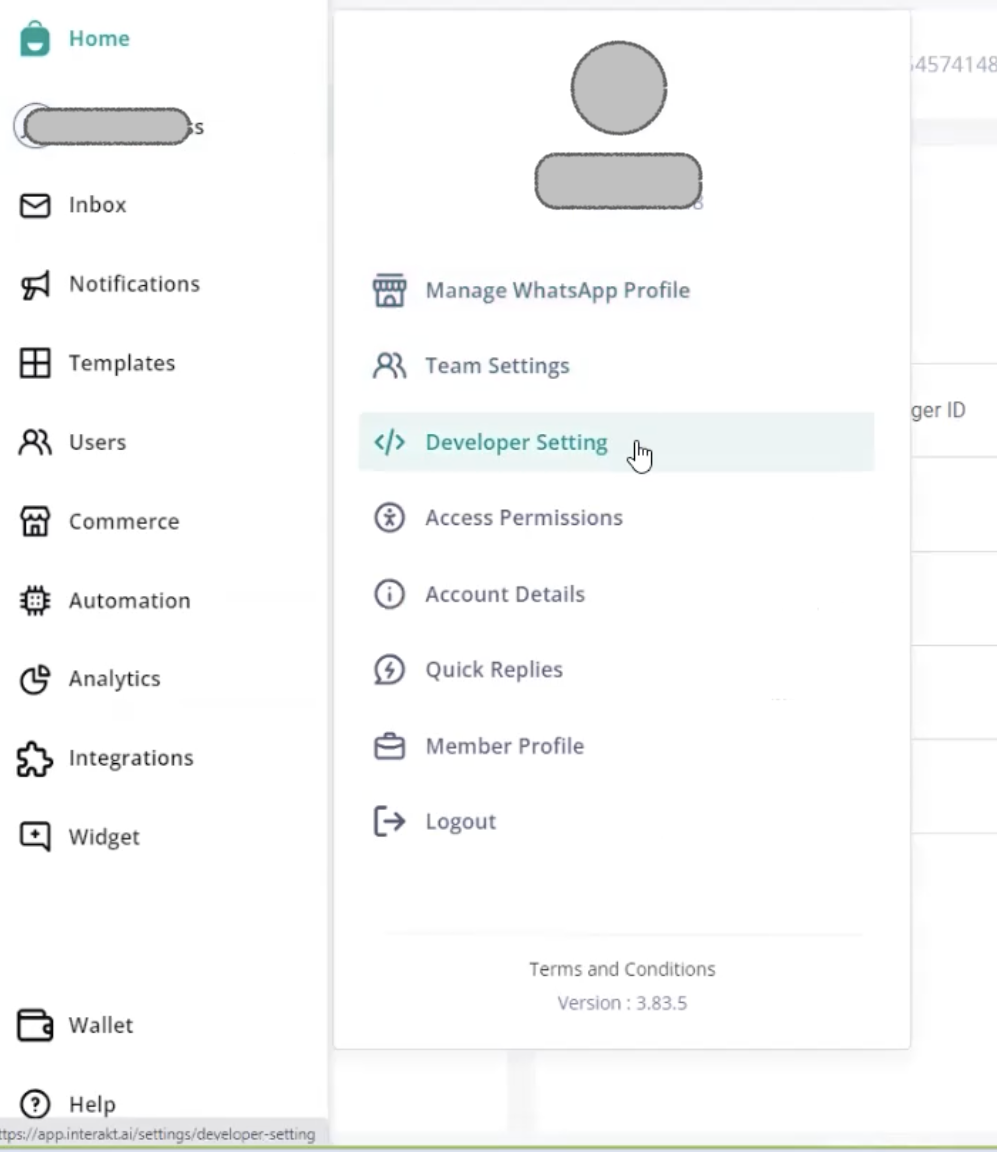
c. Copy the Secret Key.
4. Paste the Secret key in 'Authkey' field to finish the gateway configuration.
How to configure the templates:
1. Get the templates whitelisted on Interakt platform
2. Click on 'View details' 
3. Click on 'Add New' for the checkpoint you want to enable
4. Fill in all the fields as below:
a. Order type - Prepaid/ COD/ All
b. Carrier Partner - Select the carriers from the drop down for which you want to enable that notification
c. Template Name - Should be same as that on Interakt panel
d. Header Media URL (Optional) - Enter the url of the header, if entered on Interakt panel
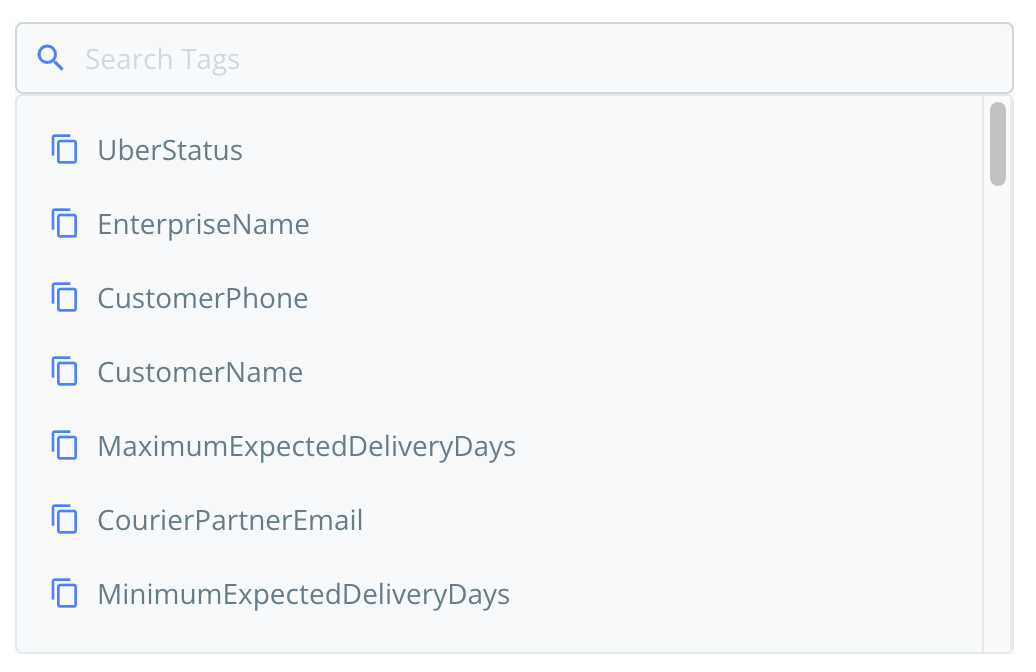
e. Template Params - Enter the tags for every variable added in the template. The tags should be in correct order. You will find the tags from right side of the template. The tags should be pasted comma separated and without any spaces.
e. 'Save' the template
Instant test:
Test the template only after saving the template.
1. Take any AWB number (forward AWB for forward notifications and reverse AWB for return notifications).
2. Click on 'Instant test':
a. Phone number - Your 10 digit phone number where you want to receive the message
b. Phone code - +91
c. AWB number - AWB copied as per point 1.
Was this article helpful?
That’s Great!
Thank you for your feedback
Sorry! We couldn't be helpful
Thank you for your feedback
Feedback sent
We appreciate your effort and will try to fix the article