Overview: Steps to configure gateway and add whitelisted templates on Clickpost for Milestone based notifications and Chatbot.
Pre-requisites:
Templates are created and whitelisted on Limechat. For sample templates, refer the attached document.
Chatbot - the bot is enabled by Limechat team
Gateway configuration:
(I) For Chatbot:
1. Go to NDR> NDR Notifications Workflow> Notification Templates> Whatsapp> 'Edit' in 'Please configure a gateway
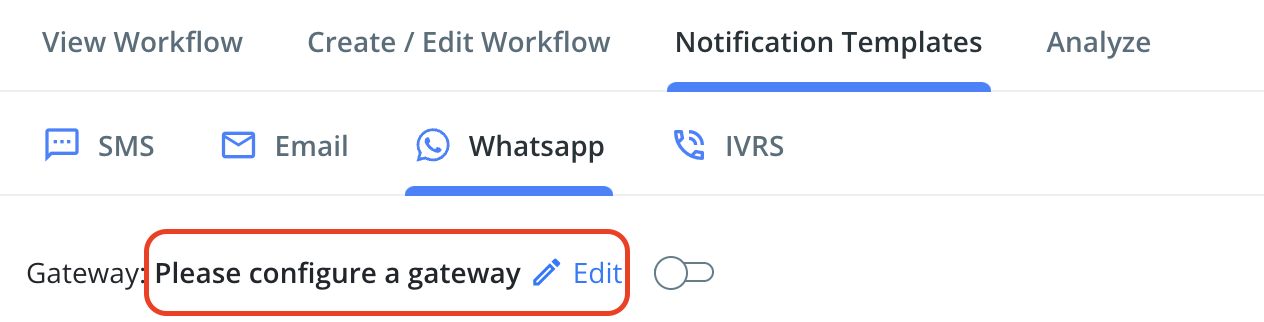
3. Enter the "api_access_token" and "account_id". These details you will get from your Limechat POC.
How to integrate Clickpost on Limechat:
a. Login to your Limechat account
b. Go to Settings> Integrations> Select 'Clickpost' and enter the username and API key provided by Clickpost.
(II) For milestone based notifications:
1. Go to Settings > Notifications> Overview> Whatsapp> 'Please configure a gateway'
Refer point no. (I) 2 & (II)3 for further steps.
Templates configuration:
1. 'Add New Template' for every template addition. Follow below steps to add
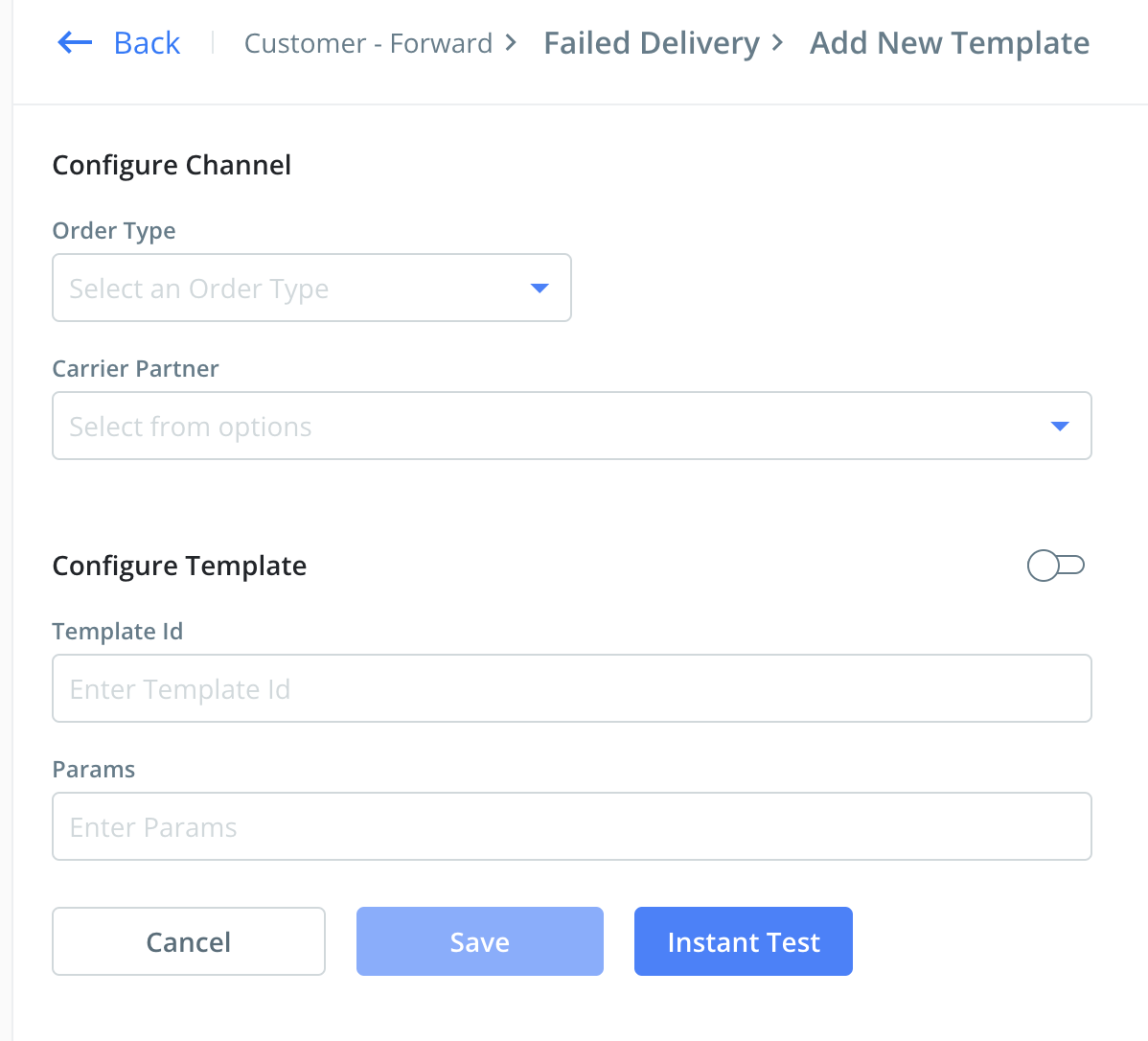
Order Type: COD/ Prepaid/ All based on your requirement
Carrier Partner: Select the carriers for which you want to enable the notifications
Template Id: id of the whitelisted and synced template on Limechat
To check the template ids go to Settings on Limechat dashboard> Templates> you will get the list of templates along with their respective ids.
Params: Replace the variable added in the template with the tags available in the right side of the template. Parameter should be comma separated, without any spaces and in the correct sequence.
Eg: 
Save the template and open again to 'instant test'
Testing:
Enter 10 digit phone number
Enter the code - +91
Enter the AWB (forward only for forward and reverse AWB for reverse checkpoints testing)
Incase you dont receive the message, scroll down and share the response log with the Clickpost team for them to check for the error.
Was this article helpful?
That’s Great!
Thank you for your feedback
Sorry! We couldn't be helpful
Thank you for your feedback
Feedback sent
We appreciate your effort and will try to fix the article