This error usually occurs when the domain of the email ID used to download reports is not whitelisted on the account.

To resolve this, the domain needs to be whitelisted by the account admin. Please follow the steps below:
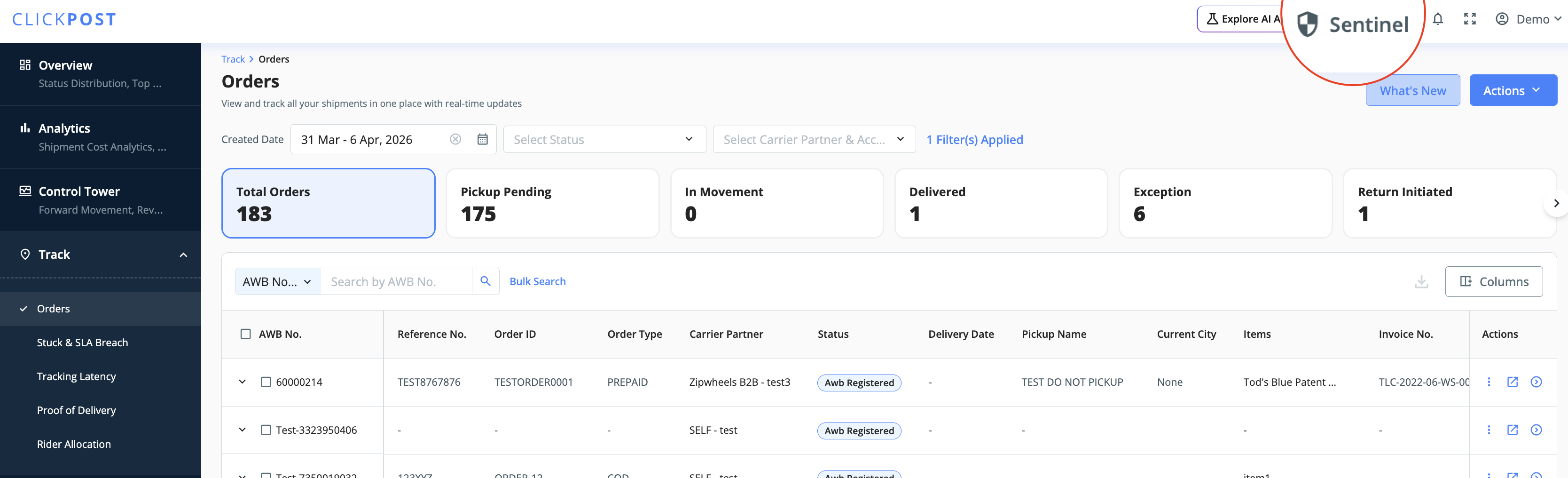
- Go to the dashboard and search for “Sentinel” in the top-right section of the header or visit this url: https://dashboard.clickpost.ai/sentinel
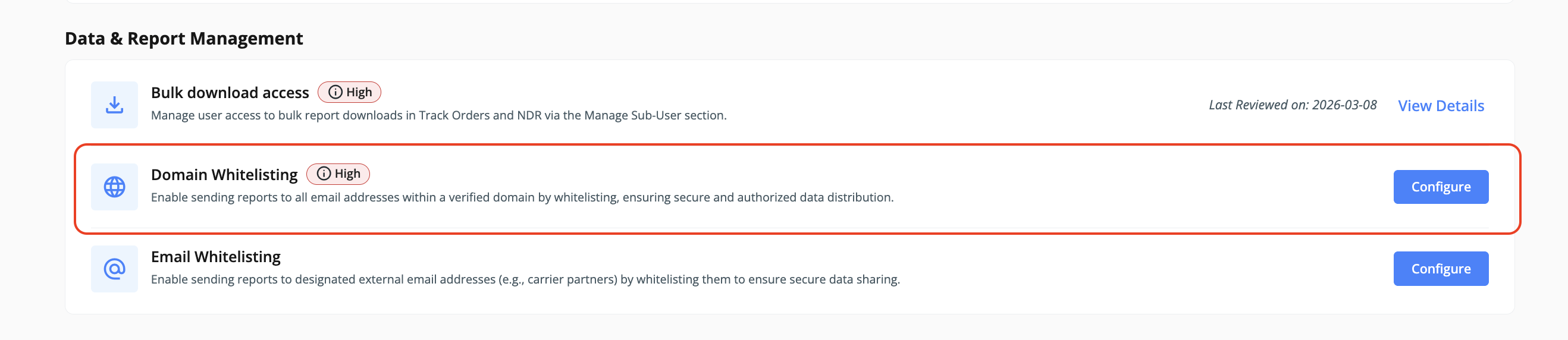
- Navigate to the “Data & Report Management” section
- Click on Domain Whitelisting → Configure
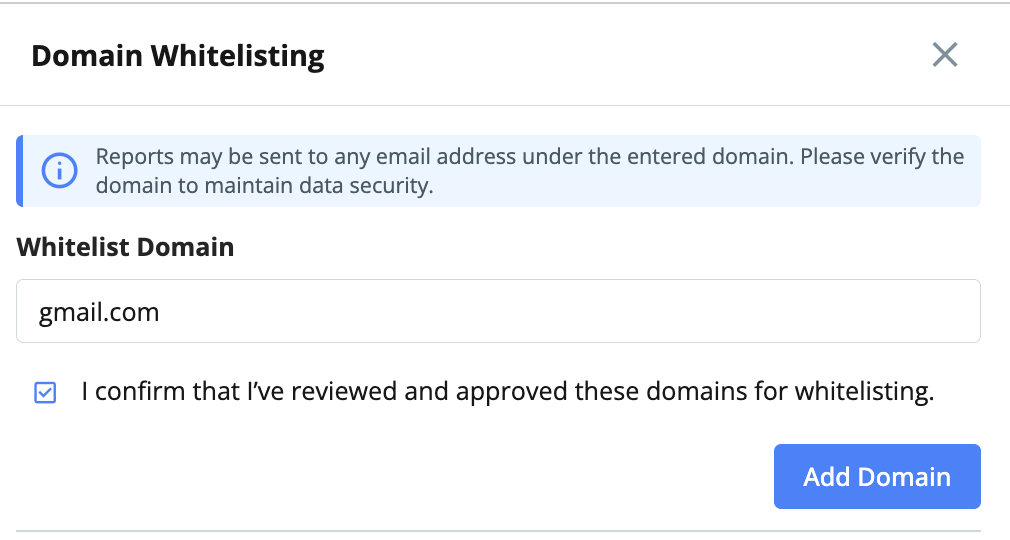
- Add your organization’s domain in the required format
- Select the checkbox to confirm and click on “Add Domain”
Only users with admin access to the Clickpost dashboard can whitelist domains.
Once the domain is successfully whitelisted, users with email IDs from that domain will be able to download reports without encountering this error.
Was this article helpful?
That’s Great!
Thank you for your feedback
Sorry! We couldn't be helpful
Thank you for your feedback
Feedback sent
We appreciate your effort and will try to fix the article