Steps to Configure Domain Whitelisting
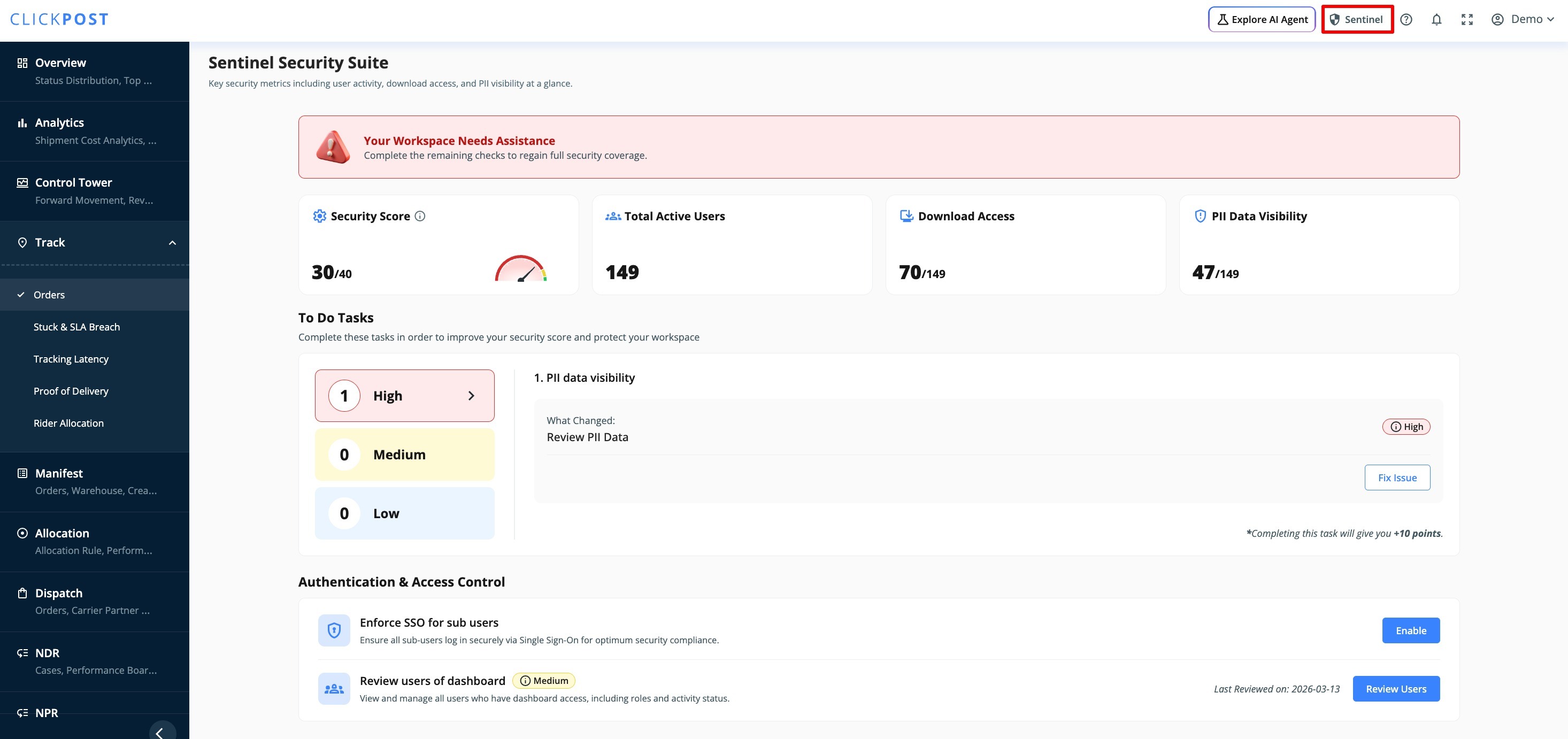
- Navigate to the “Sentinel” option, as shown in the screenshot below.
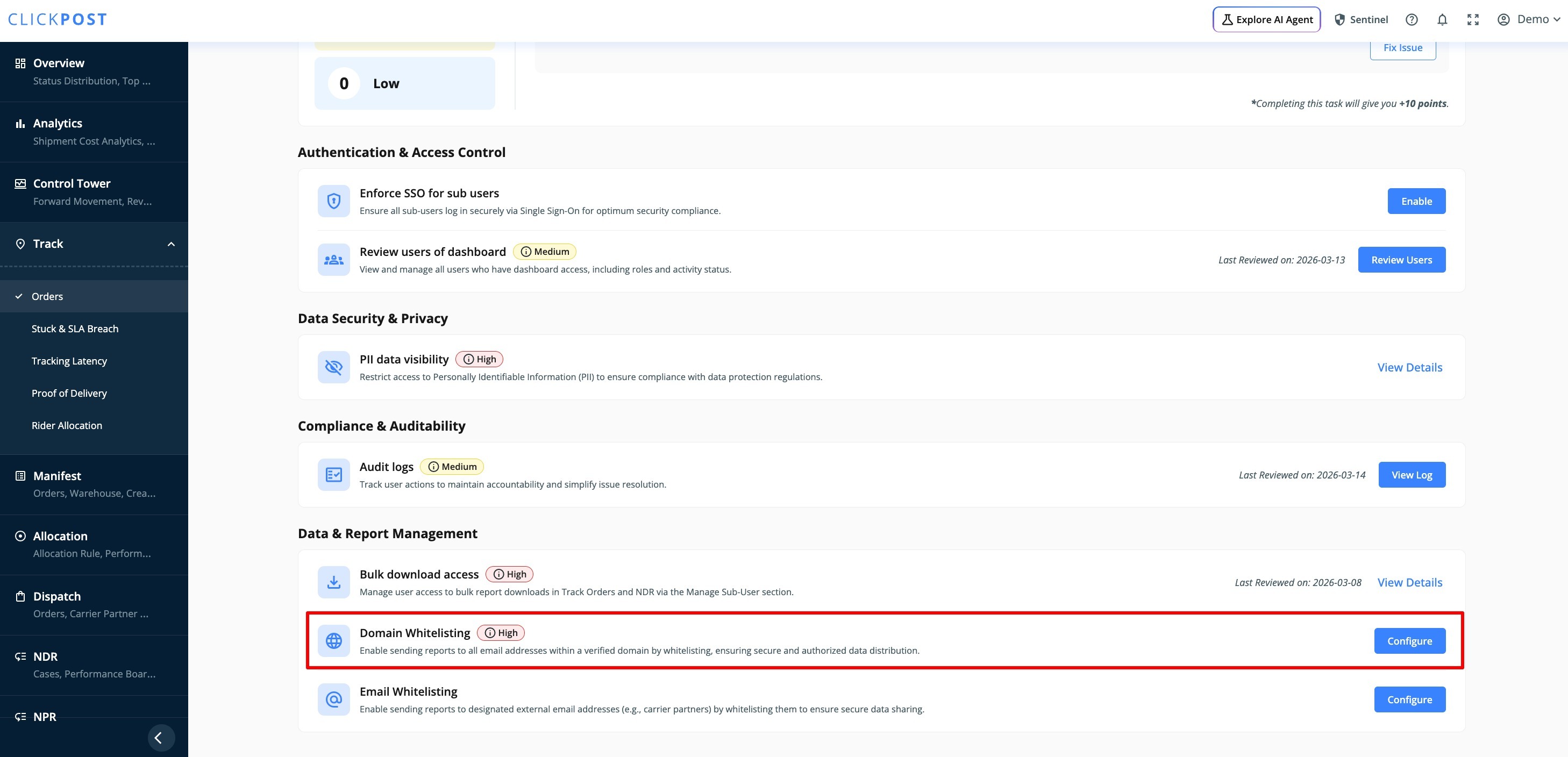
2. Scroll down to the Domain Whitelisting section and click on “Configure.”
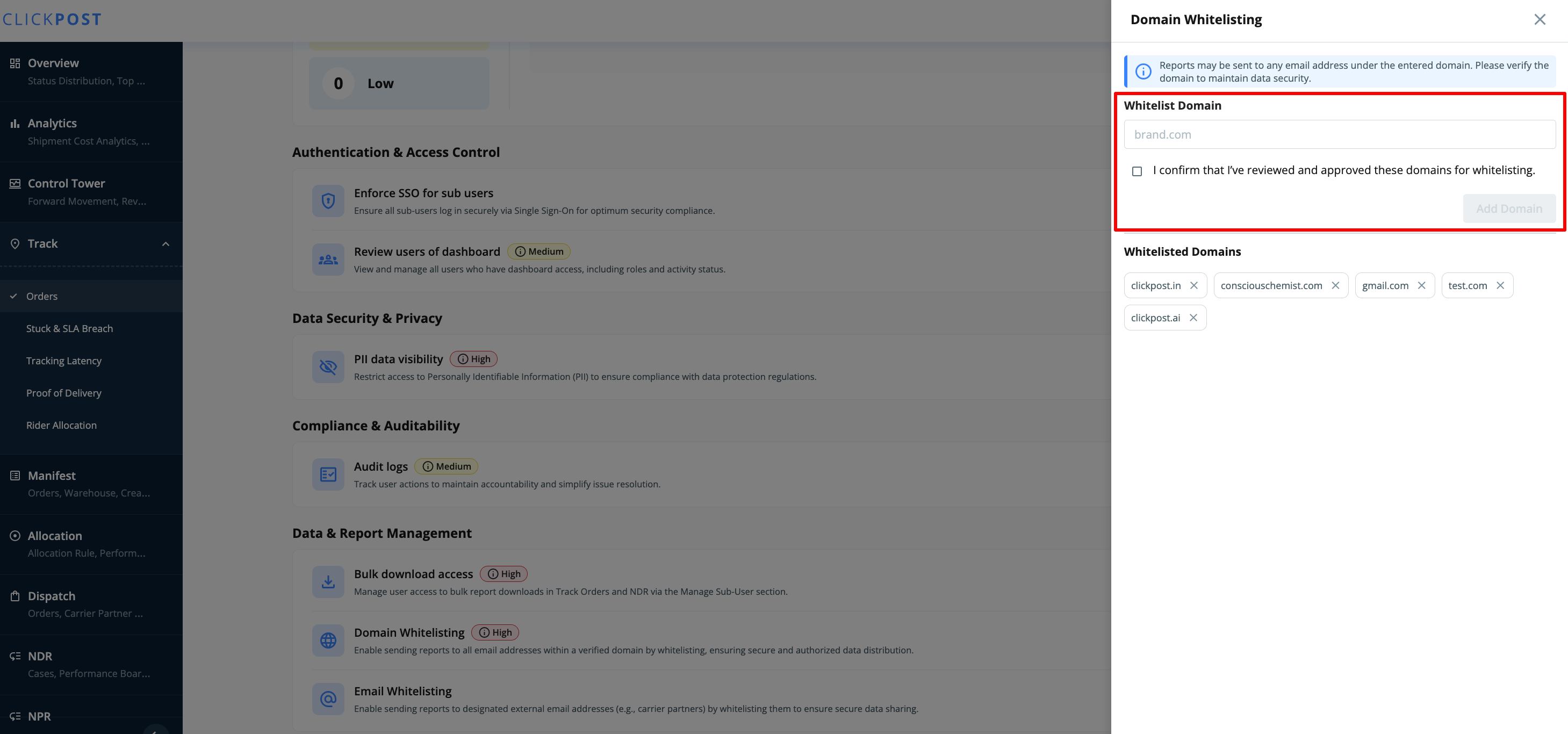
3. Enter the required domain name. Once configured, users associated with the specified domain will be able to log in to Clickpost.
Was this article helpful?
That’s Great!
Thank you for your feedback
Sorry! We couldn't be helpful
Thank you for your feedback
Feedback sent
We appreciate your effort and will try to fix the article