Use case: In order to check the notification logs to ensure for all the configured events, the notifications are triggering as expected below steps can be followed
1. Visit the Dashboard using the link. >> https://dashboard.clickpost.ai/track/orders
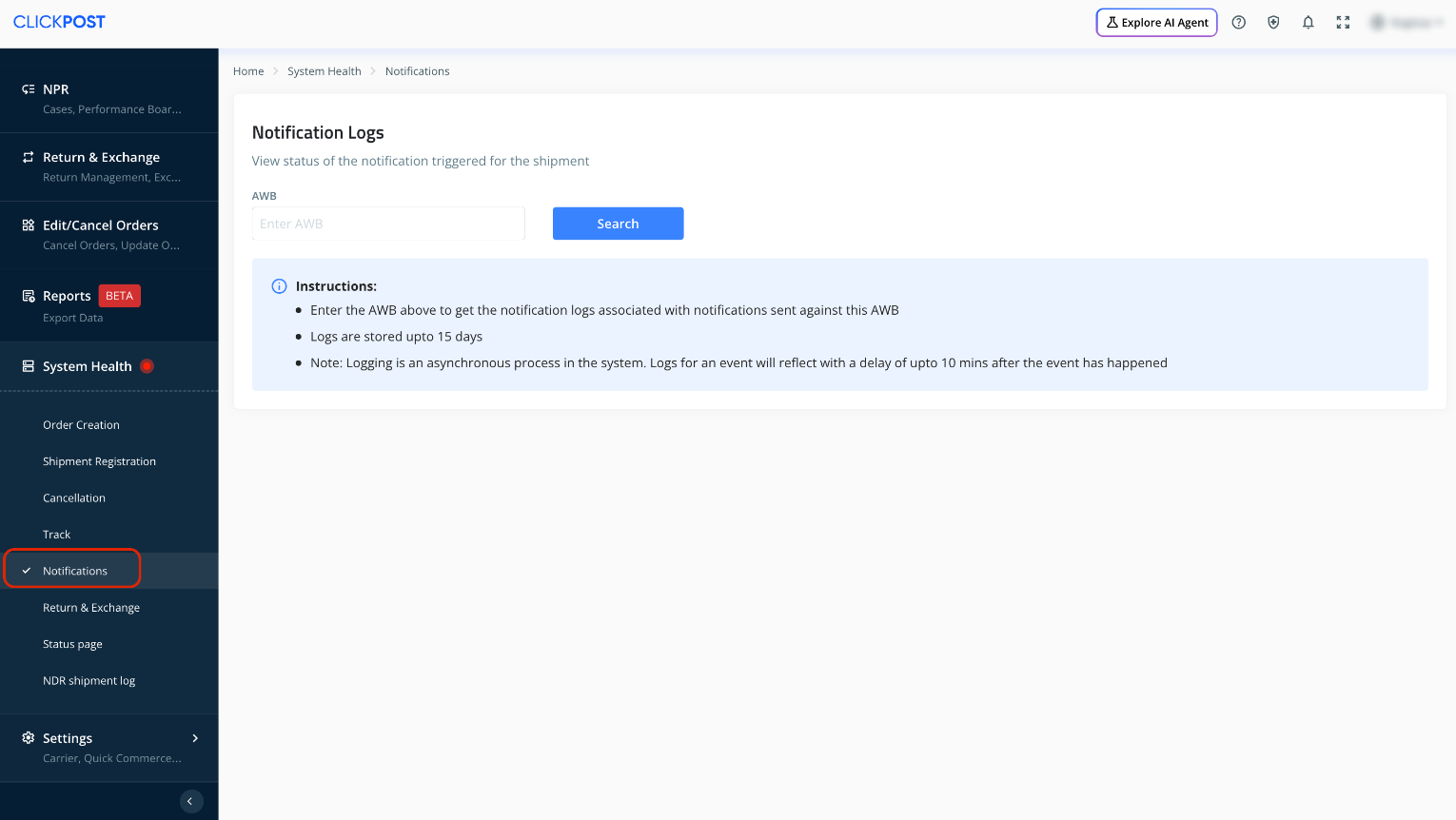
2. Scroll down the Menu Bar on the left, Go to System Health >> Notifications.
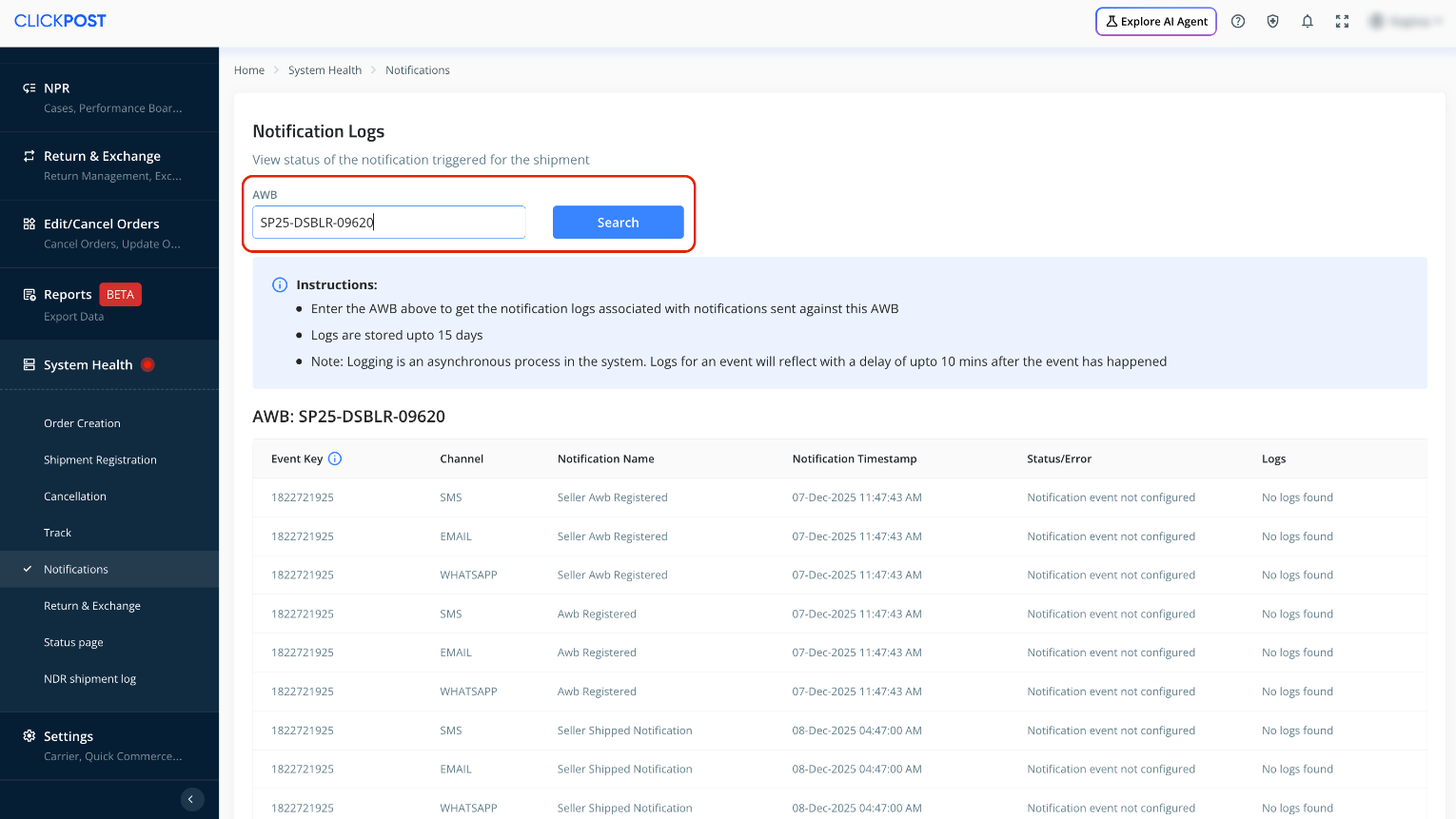
3. Enter the AWB in the "Enter AWB" field and Click on "search" to find the logs of all the notifications triggered.
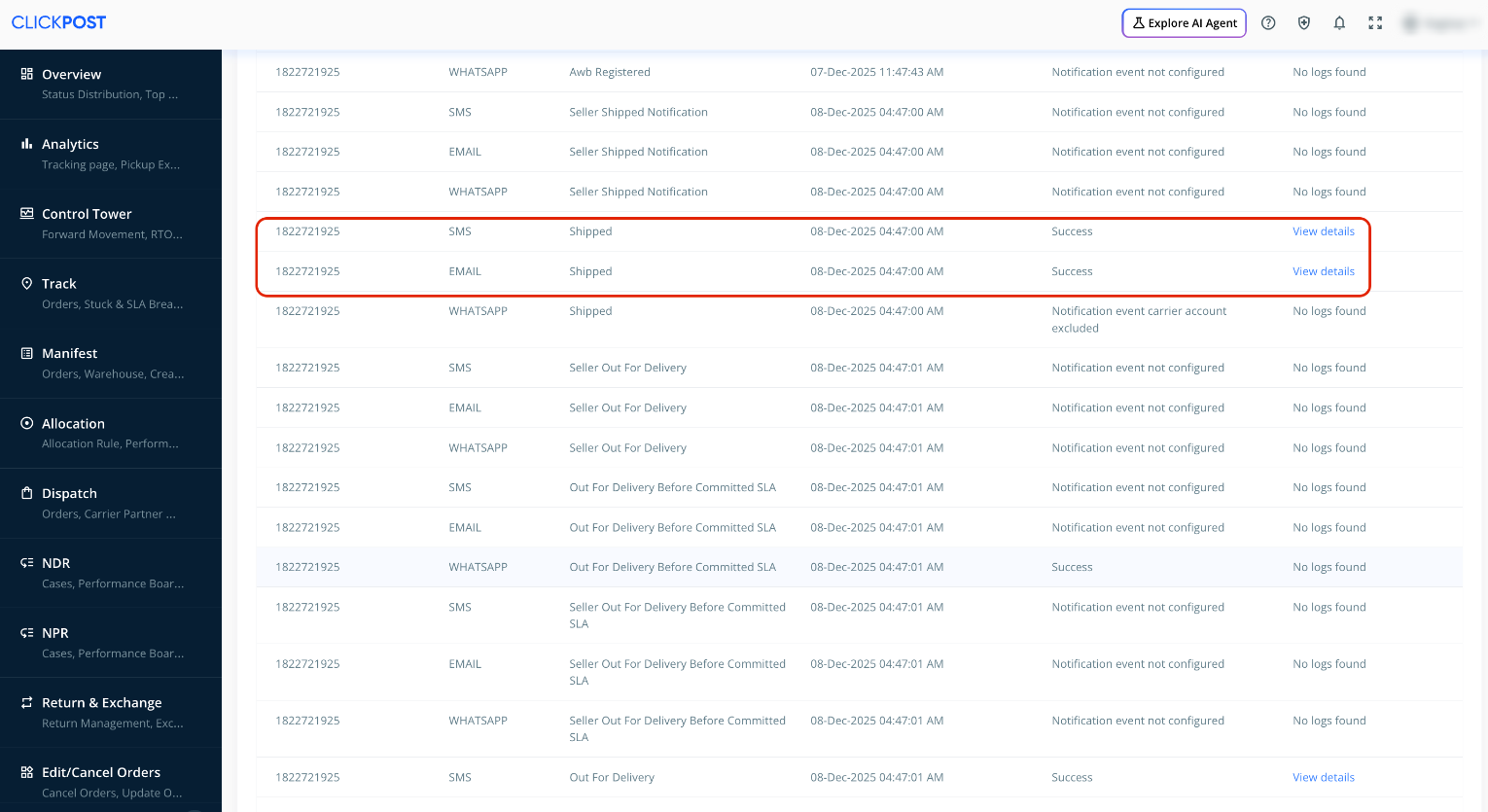
4. Click on "view details" to view the logs corresponding to any event.
Was this article helpful?
That’s Great!
Thank you for your feedback
Sorry! We couldn't be helpful
Thank you for your feedback
Feedback sent
We appreciate your effort and will try to fix the article