Kindly refer to the below steps to download the Notification Report on the Dashboard :
1) Login to New Dashboard (Link: https://dashboard.clickpost.ai/ )
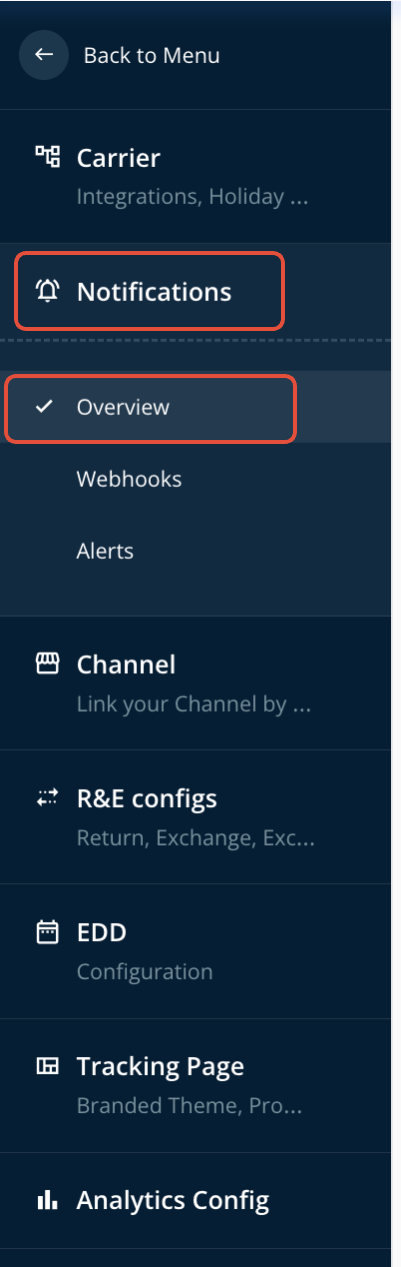
2) Go to Settings --> Notification --> Overview
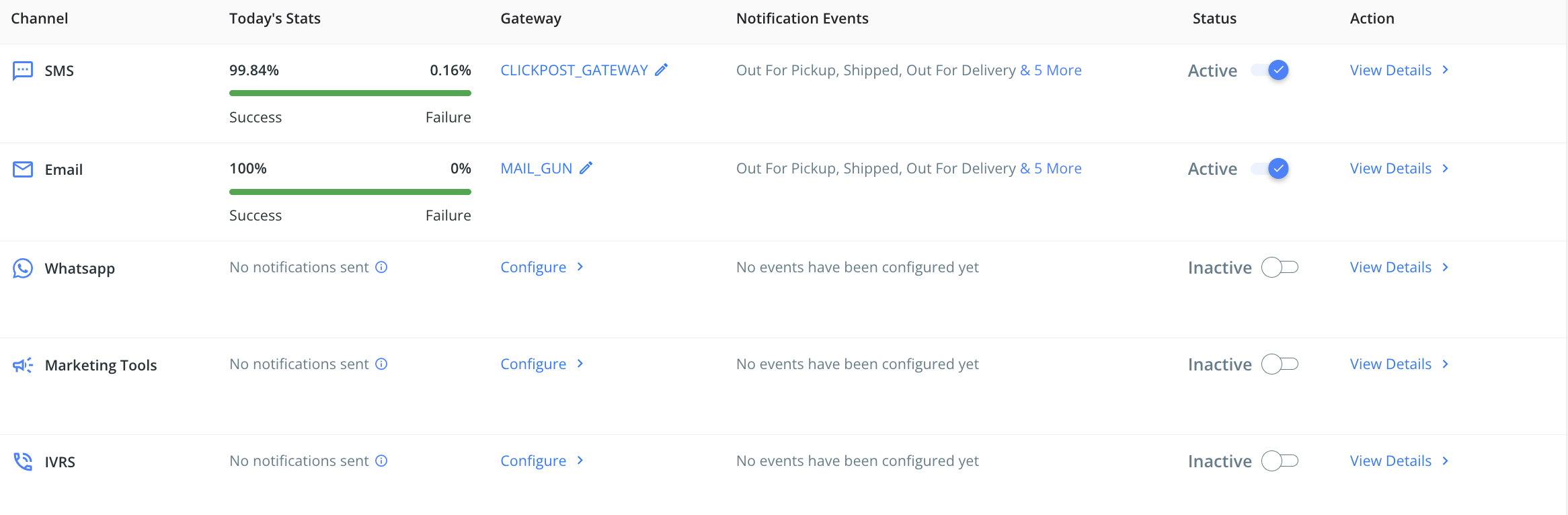
3) Click on View Details corresponding the mode of communication for which you want to download the report.
4) Under the "View details" please select the checkpoint corresponding to which you want to generate the report.
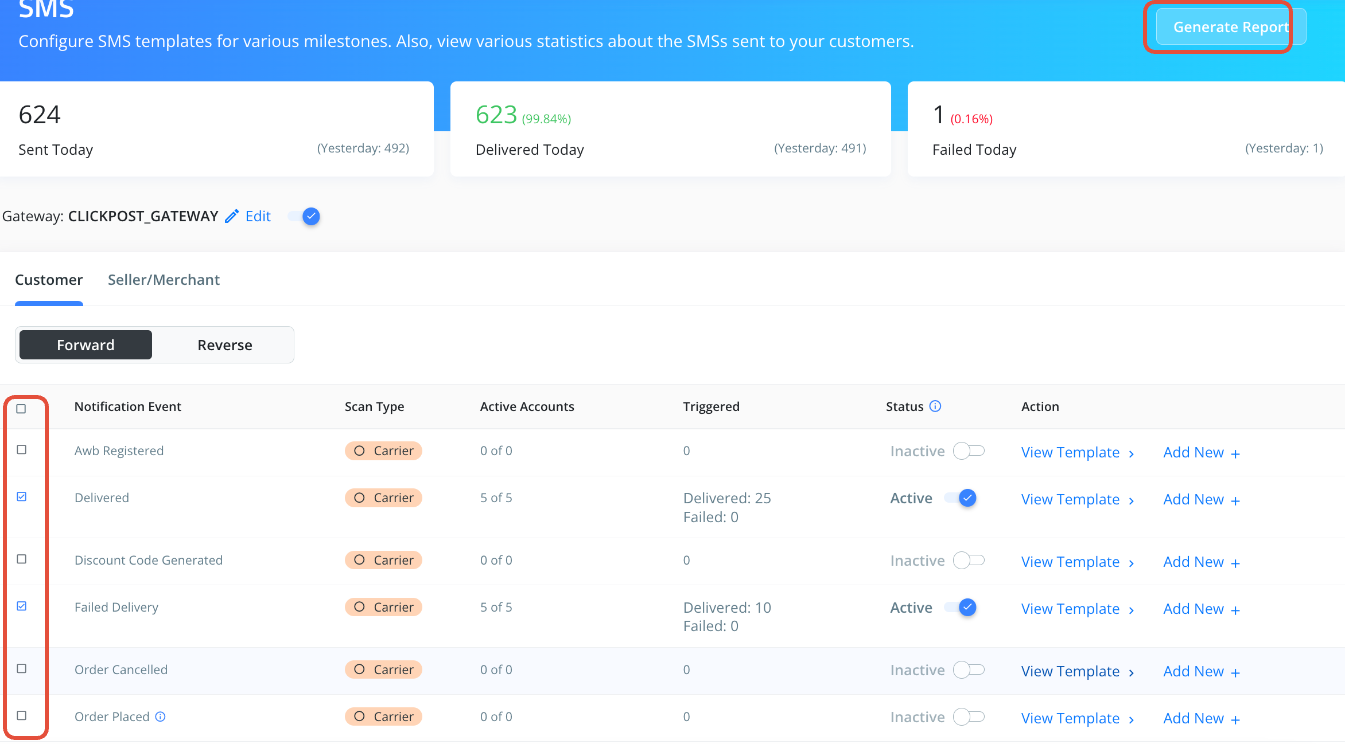
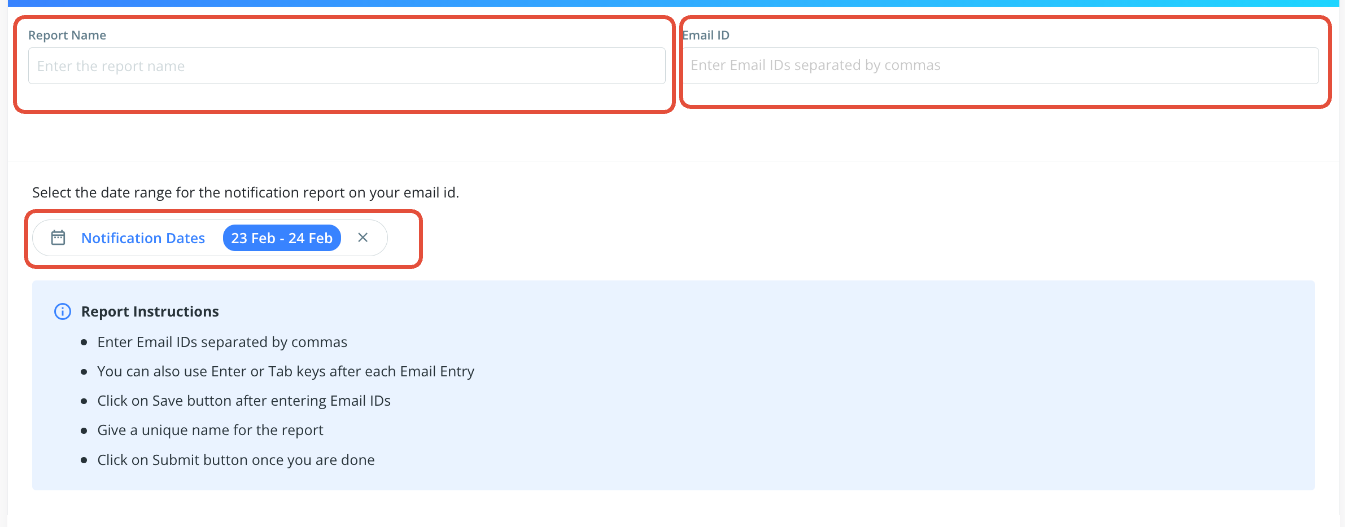
5) Click the "Generate Report" option displayed in the snapshot provided earlier. Input the "Report Name" and "Email ID", and then choose the date interval for analyzing the data. Once all the necessary information is entered, click on the "Submit" button, and the report will be generated and sent to the specified Email ID.
Was this article helpful?
That’s Great!
Thank you for your feedback
Sorry! We couldn't be helpful
Thank you for your feedback
Feedback sent
We appreciate your effort and will try to fix the article