When triggering notifications via Clickpost, you can configure failure alerts. These alerts are sent as automated emails whenever notification failures exceed a defined threshold. This helps your team stay informed in real-time and take corrective action quickly.
Please find the steps below to enable it:
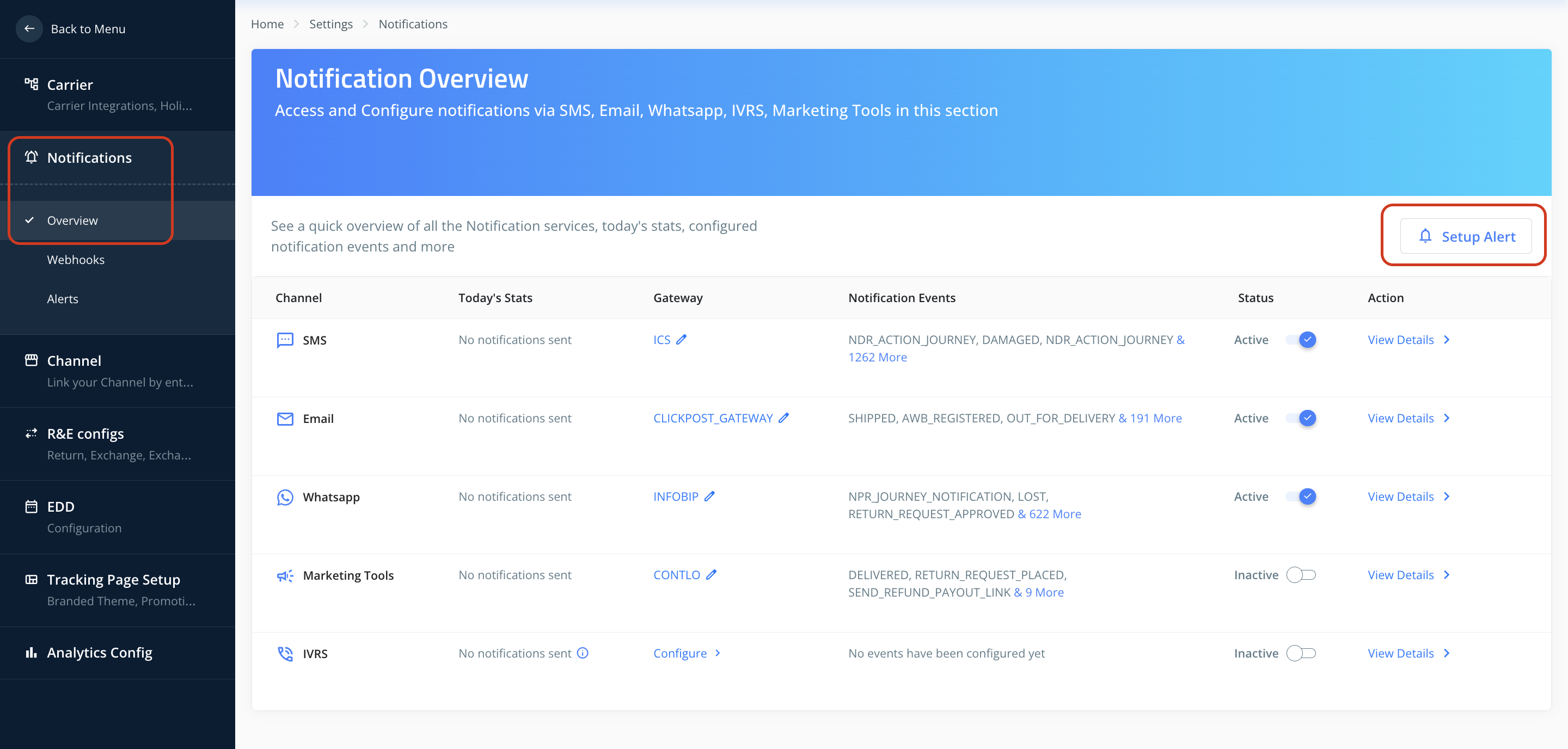
1. Navigate to Settings → Notifications → Overview → Setup Alerts.
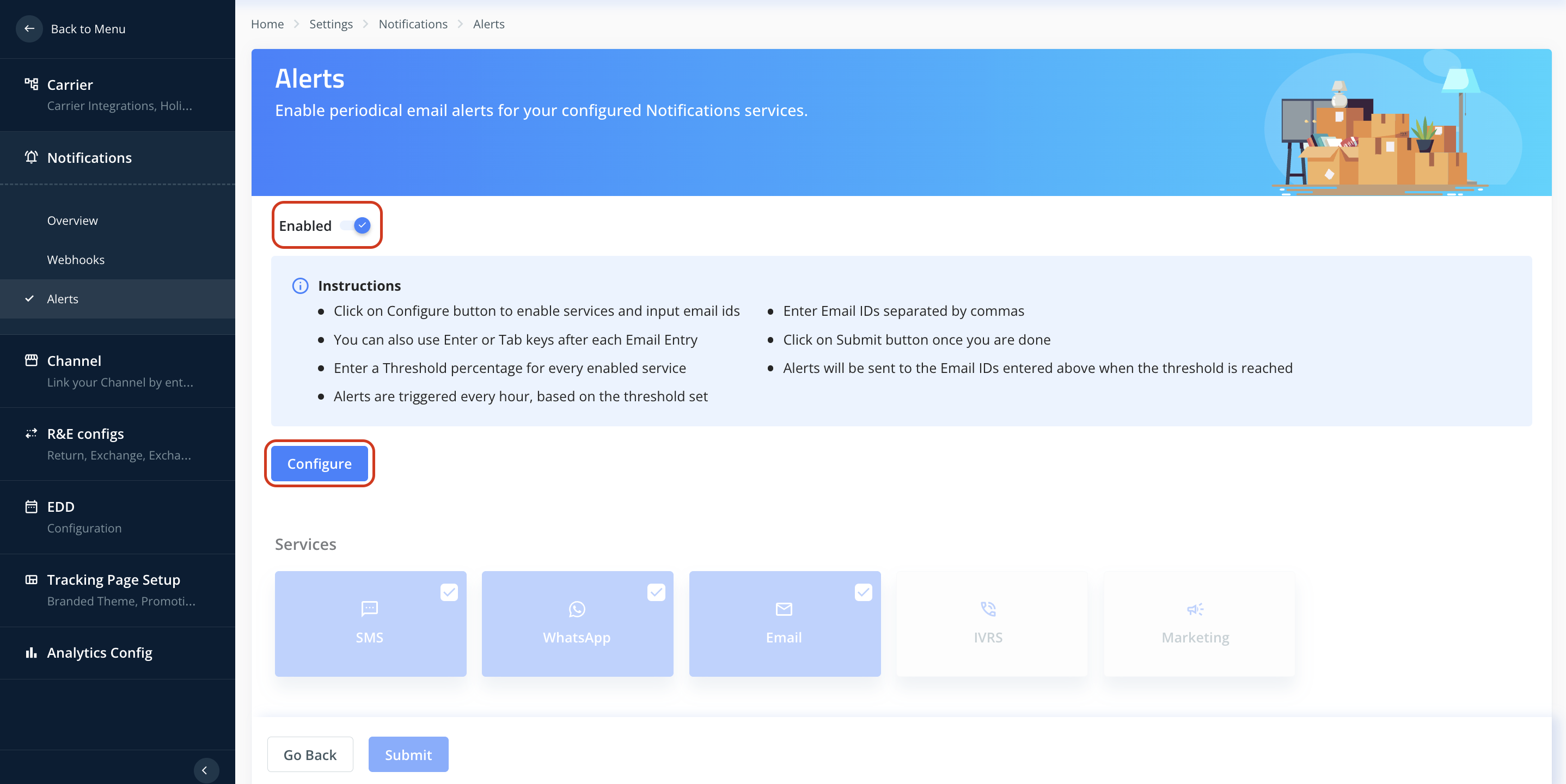
2. Switch the toggle to Enabled and click on Configure.
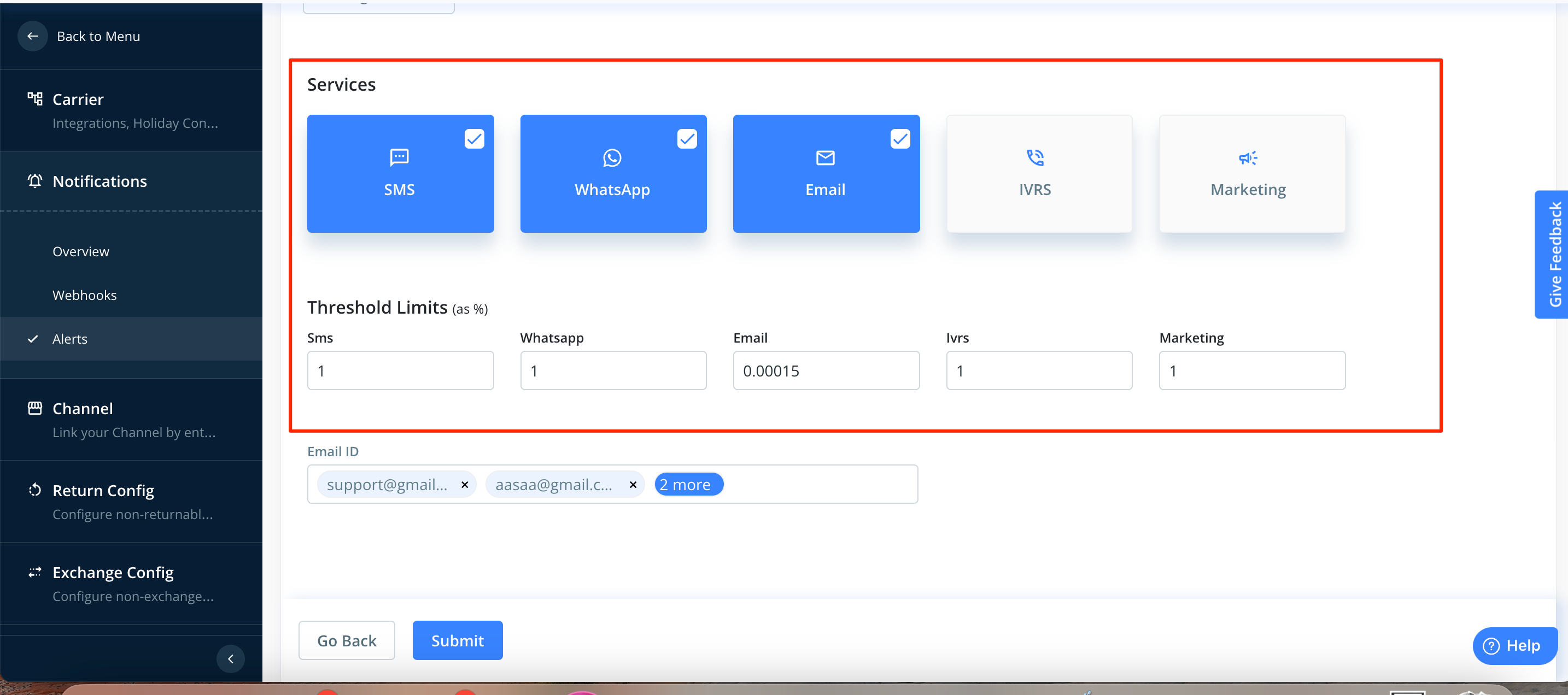
3. Set Services & Thresholds
Select the services for which alerts should be enabled.
Input the threshold percentage (alerts are triggered every hour based on this threshold).
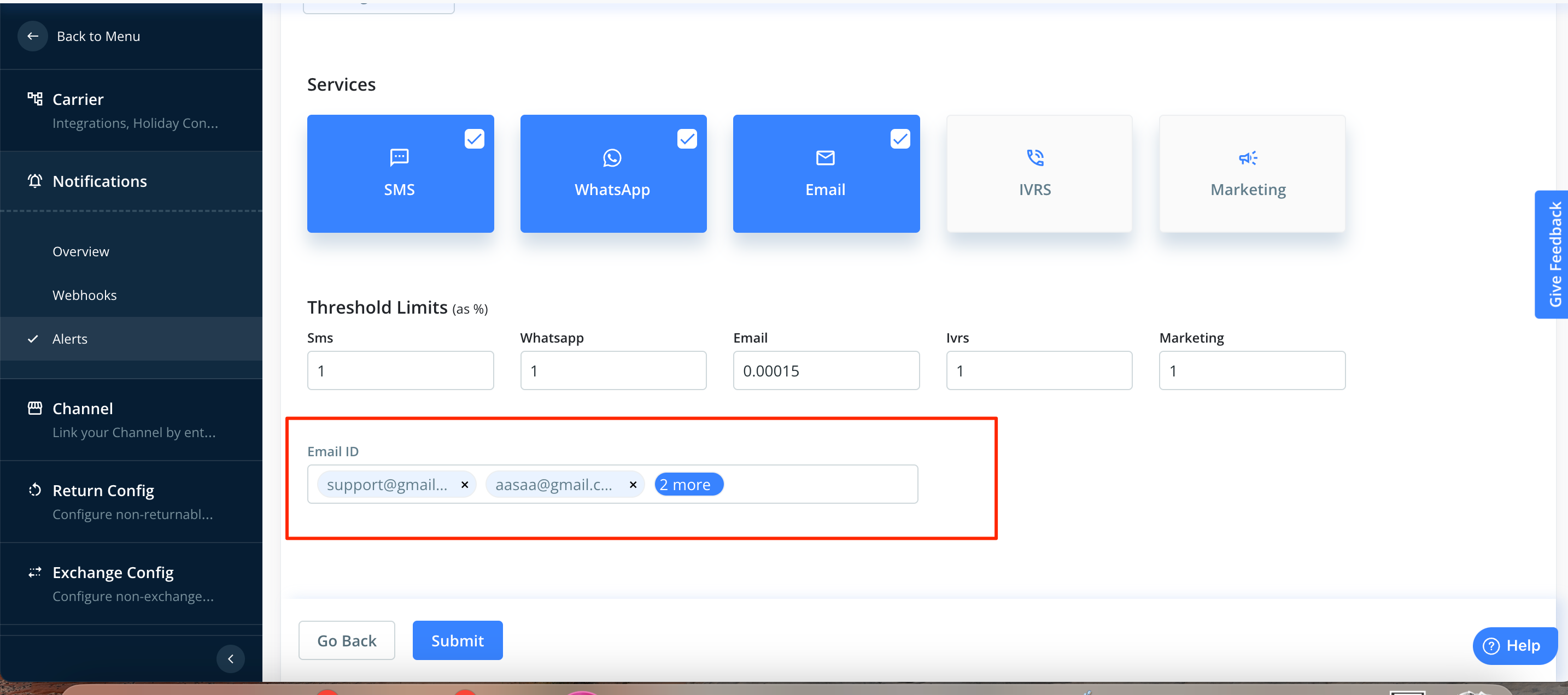
4. Add Recipients
Enter the email IDs (separated by commas) of recipients who should receive alerts.
Click Submit.
Once configured, automated email alerts will be sent to the listed recipients whenever failures cross the set threshold.
Was this article helpful?
That’s Great!
Thank you for your feedback
Sorry! We couldn't be helpful
Thank you for your feedback
Feedback sent
We appreciate your effort and will try to fix the article