Usecase:
If you want to make items as non-returnable/non-exchangeable based on shipment attributes like Order date, Discount, Tags etc, then you can use these configs.
Steps
1. Go to Dashboard > Settings > Returns Config / Exchange Config.
Click on "Non returnable rule" in returns section
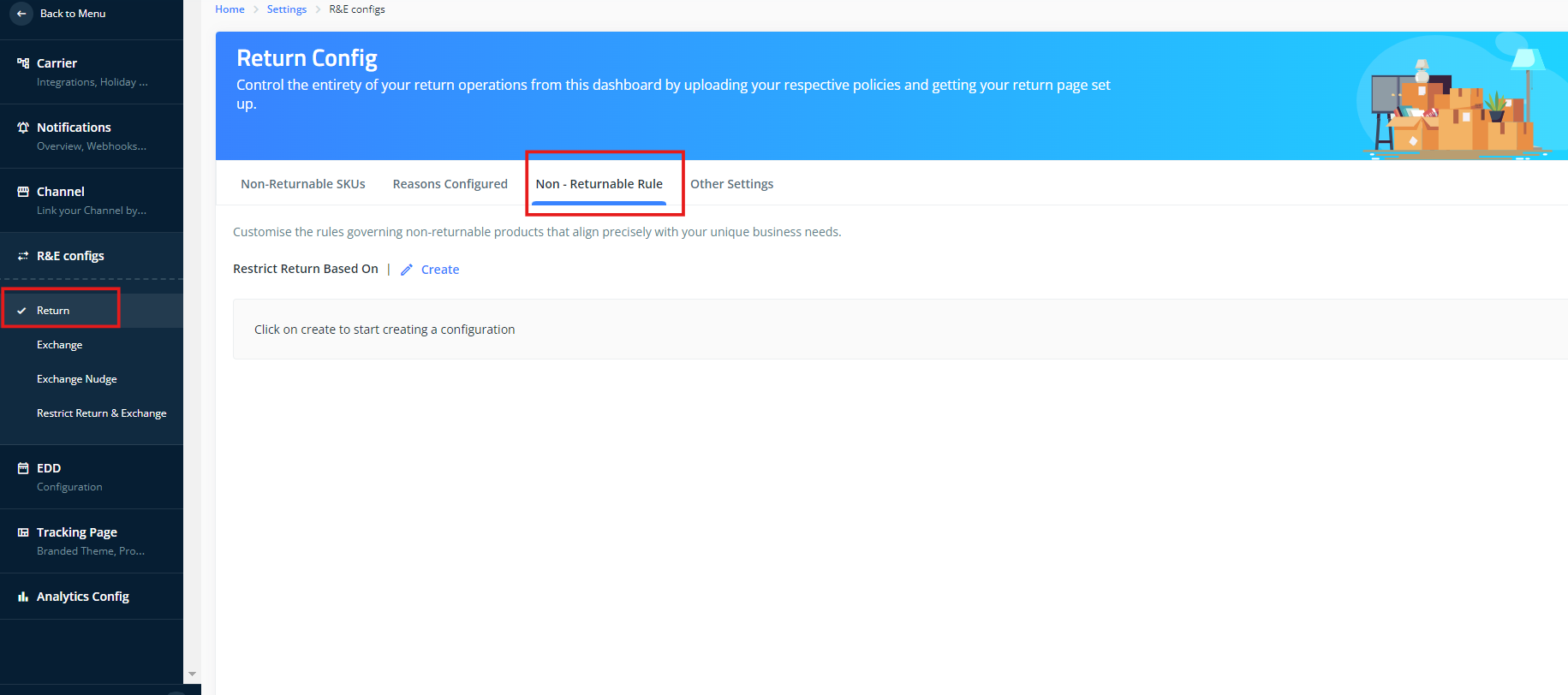
2. Updating the Conditions: You can assign a rule based on the following criteria:
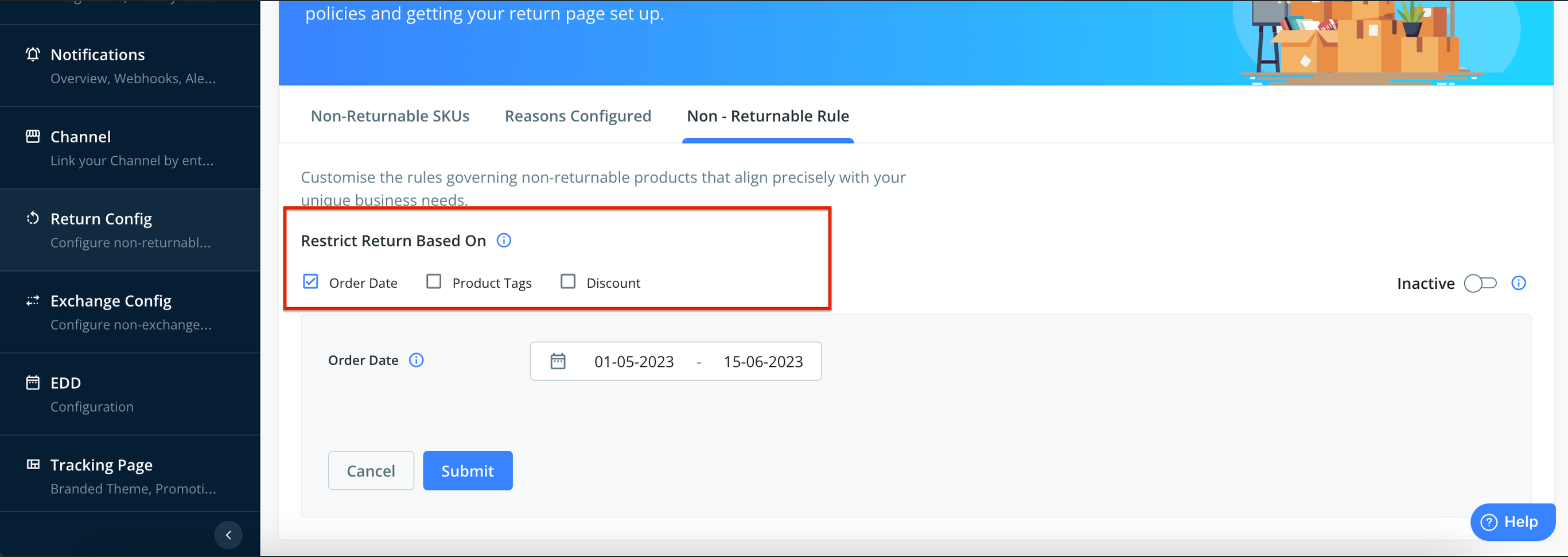
a. Order Date: This refers to the date when the order was created in Shopify.
Please note that Once an order is registered as non-returnable during sync, it cannot be reversed even when the configuration is deleted.
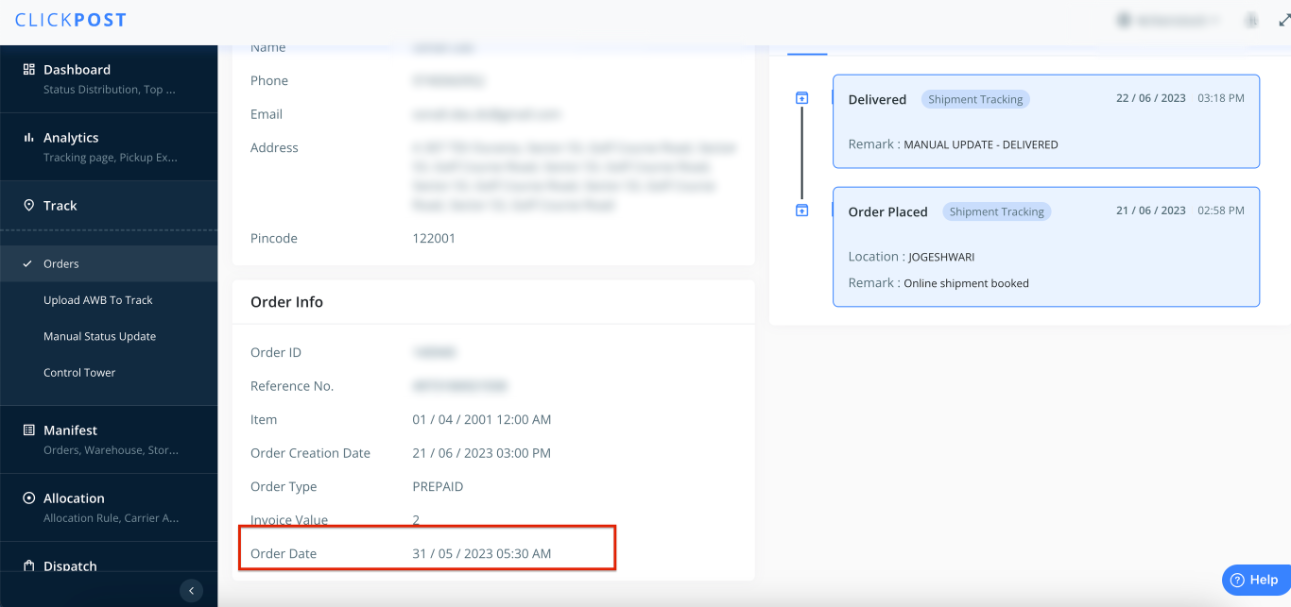
b. Order Tags: These are tags used when creating/fulfilling an order.
Please note that order tags will sync only when at least one order with the tag is created in the Clickpost system. We recommend creating test orders with the specific tags intended for defining rules.
c. Discount: Assign non-returnable/non-exchangeable status to orders where a "discounted" line item is present.
Using AND/OR Condition: For conditions involving multiple return criteria, select the "AND" condition when both criteria need to be fulfilled to deem an item/order as non-returnable/non-exchangeable. Choose the "OR" condition when at least one of the two criteria needs to be satisfied to deem a product/order as non-returnable/non-exchangeable
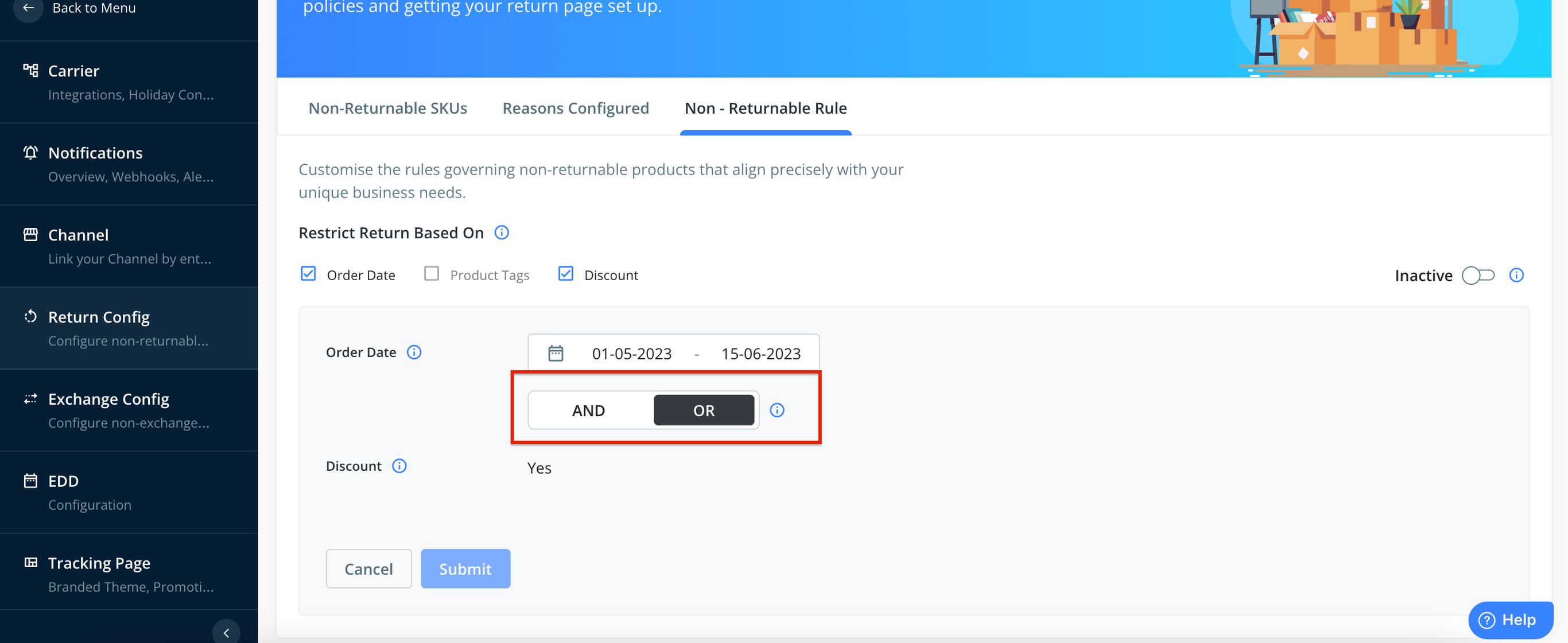
You can follow the same steps for
Importart notes:
1. Only one rule can be set up for Non-returnable/ Non-exchangeable items.
2. Only order-level tags (tags added to the order) will sync in Clickpost and can be used to define rules. Tags used at the product level won't sync and cannot be used to define rules.
3. To enable this feature please ask support@clickpost.in to enable service from backend.
4. We can enable this feature if you have Shopify as Shopfront and post dispatch flow is enabled for Shopify channel.
Was this article helpful?
That’s Great!
Thank you for your feedback
Sorry! We couldn't be helpful
Thank you for your feedback
Feedback sent
We appreciate your effort and will try to fix the article