Use Case: When using the Clickpost returns-exchange UI to allow end customers to create return or exchange, there can be a few products {SKUs} for which returns/exchange is not allowed.
In order to make the SKUs non-returnable/ exchangeable, the SKU list can be uploaded in the Clickpost system.
Here are the steps involved:
1. Login into the Clickpost dashboard.
URL: https://dashboard.clickpost.ai/
2. Go to return config or exchange config.
Return config URL: https://dashboard.clickpost.ai/settings/return-config/skus
Exchange config URL: https://dashboard.clickpost.ai/settings/exchange-config/skus
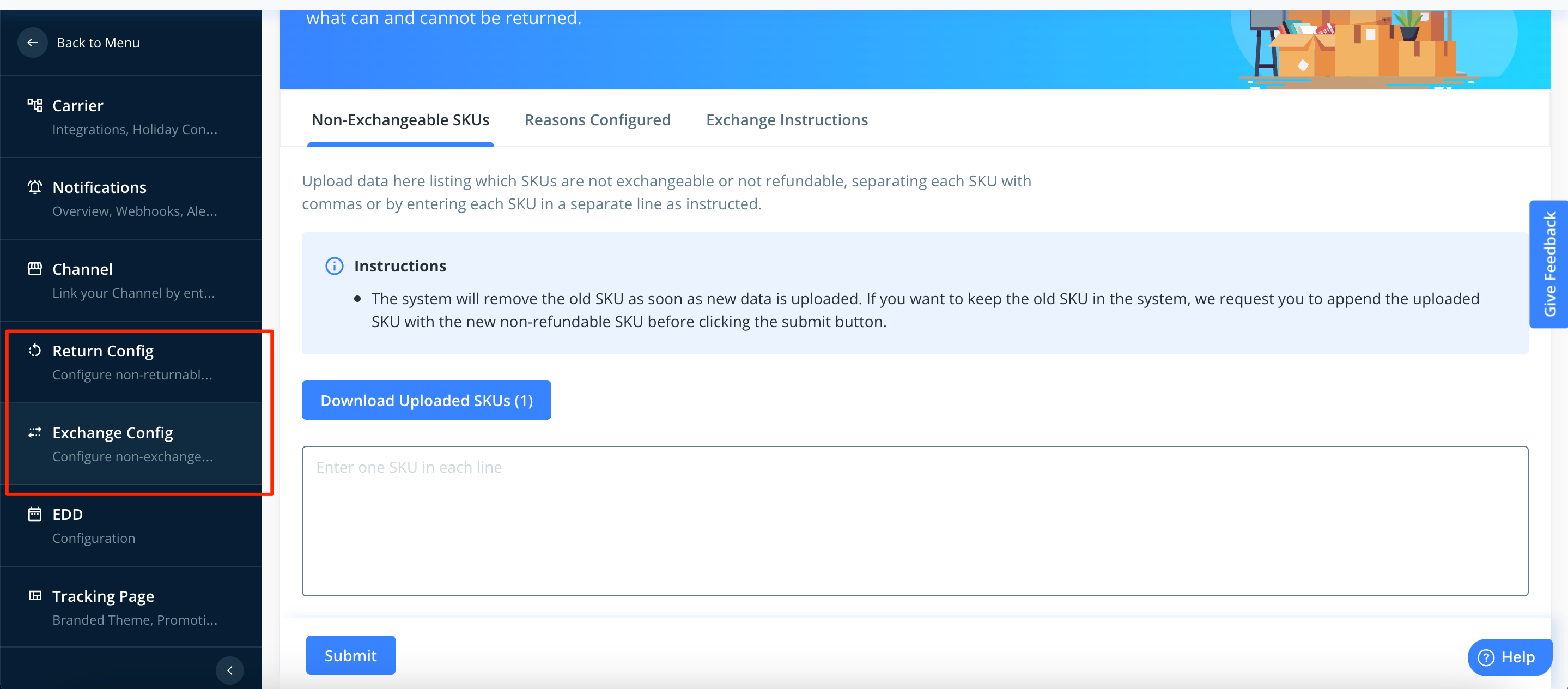
3. If you want to make the SKUs non-returnable then upload it in the Non-returnable section of return config.
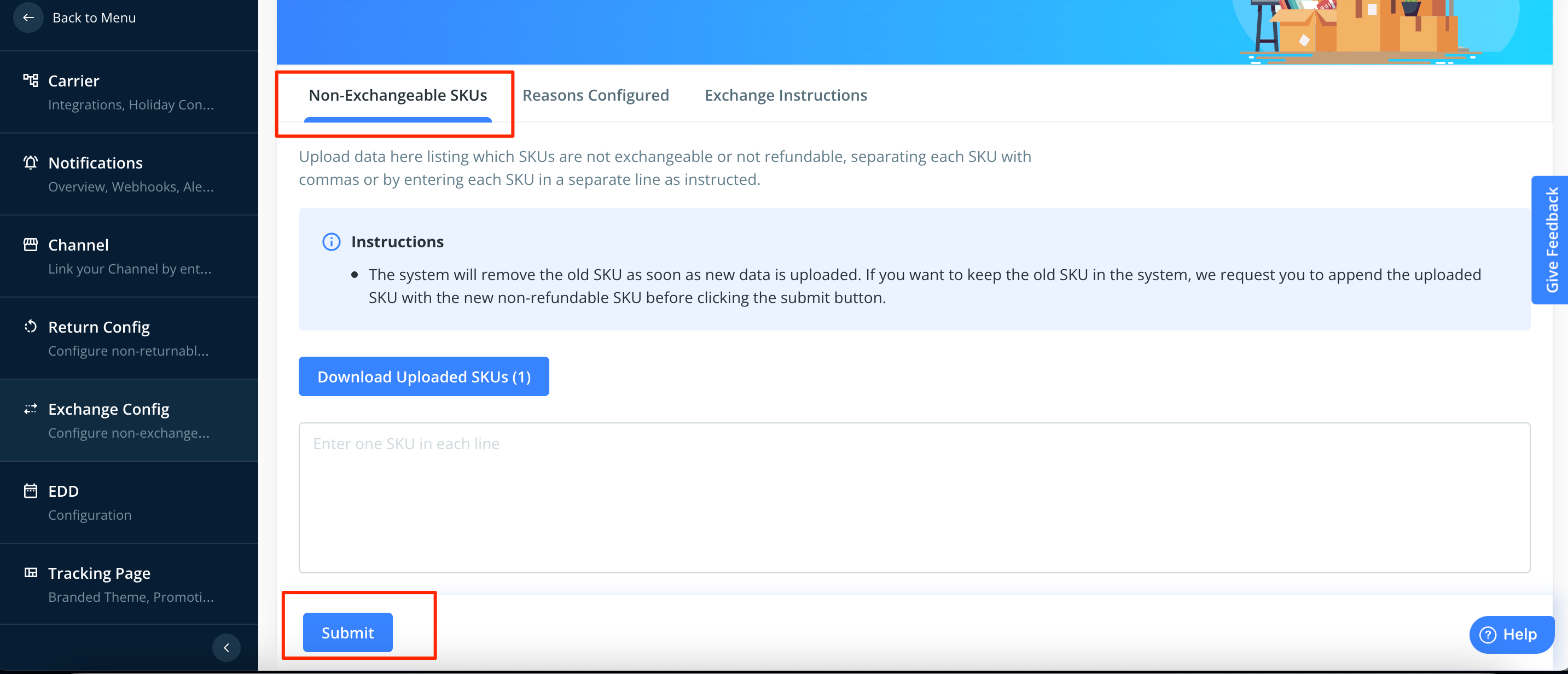
If the SKUs need to be made non -exchangeable then upload the SKU list in the Non-exchangeable section of the Exchange config.
4. Click on "Submit" button once the list is uploaded.
Was this article helpful?
That’s Great!
Thank you for your feedback
Sorry! We couldn't be helpful
Thank you for your feedback
Feedback sent
We appreciate your effort and will try to fix the article