Use case: If you do not want to allow end customers to select pickup date on the reutnrs UI, the date selector widget can be removed by following the simple steps below:
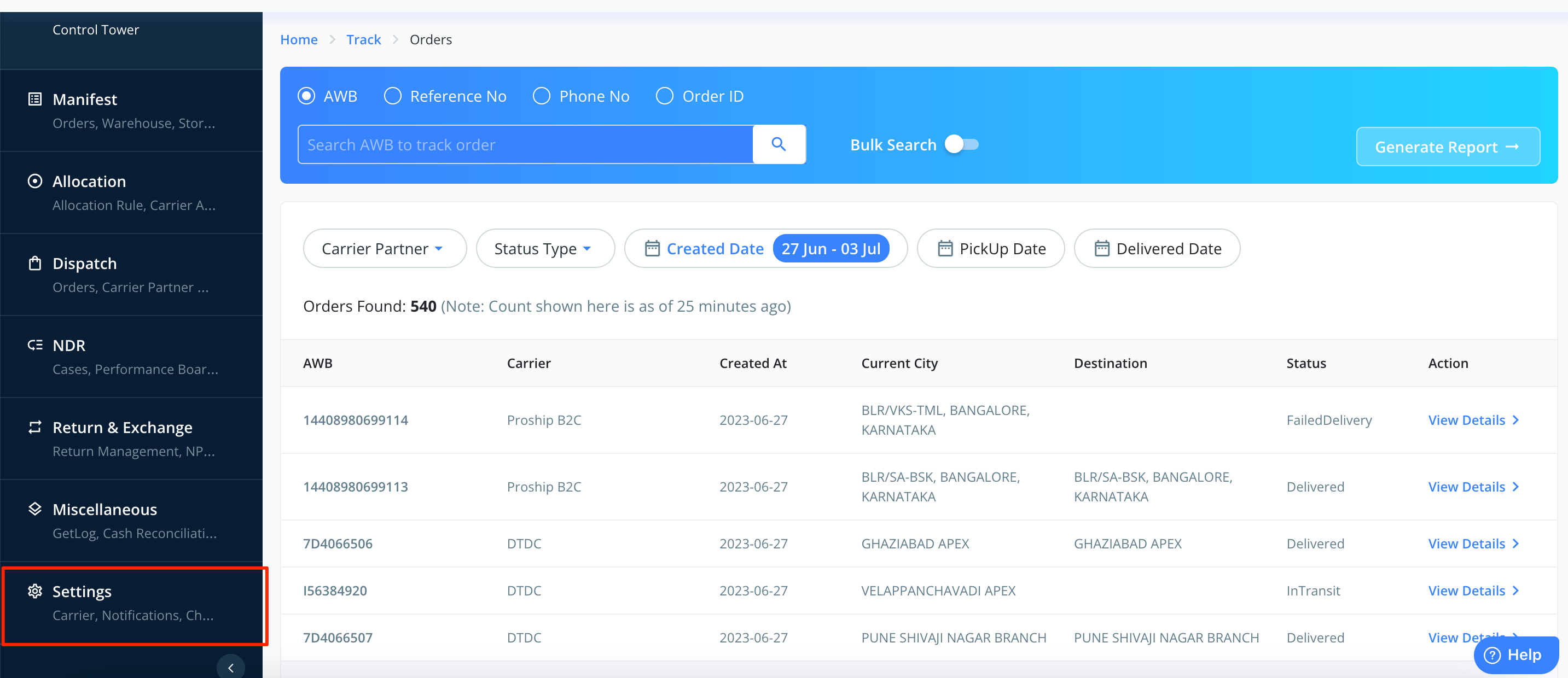
1. Login into the Clickpost dashboard using the URL: https://dashboard.clickpost.ai/ and go to settings.
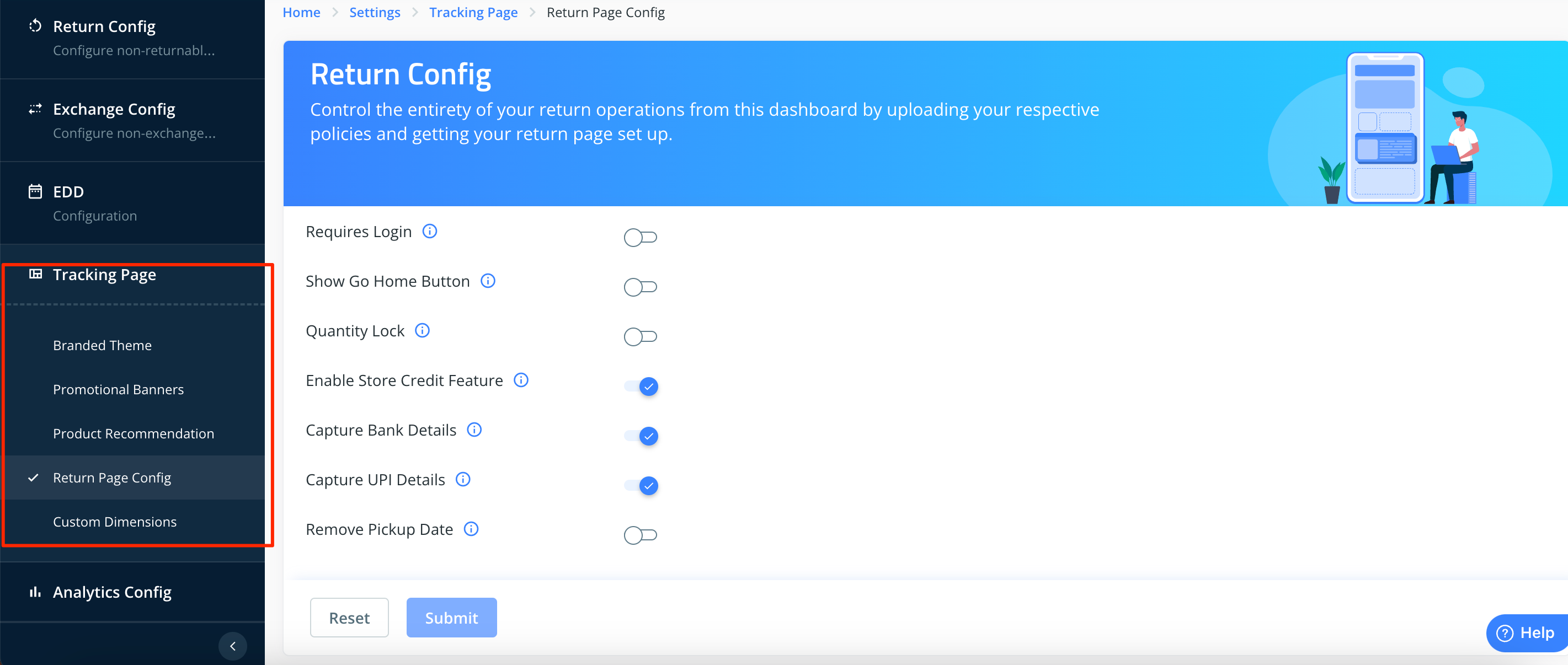
2. Go to tracking page and click on return page config.
3. Enable the toggle corresponding to "remove pickup date option" and click on "submit"
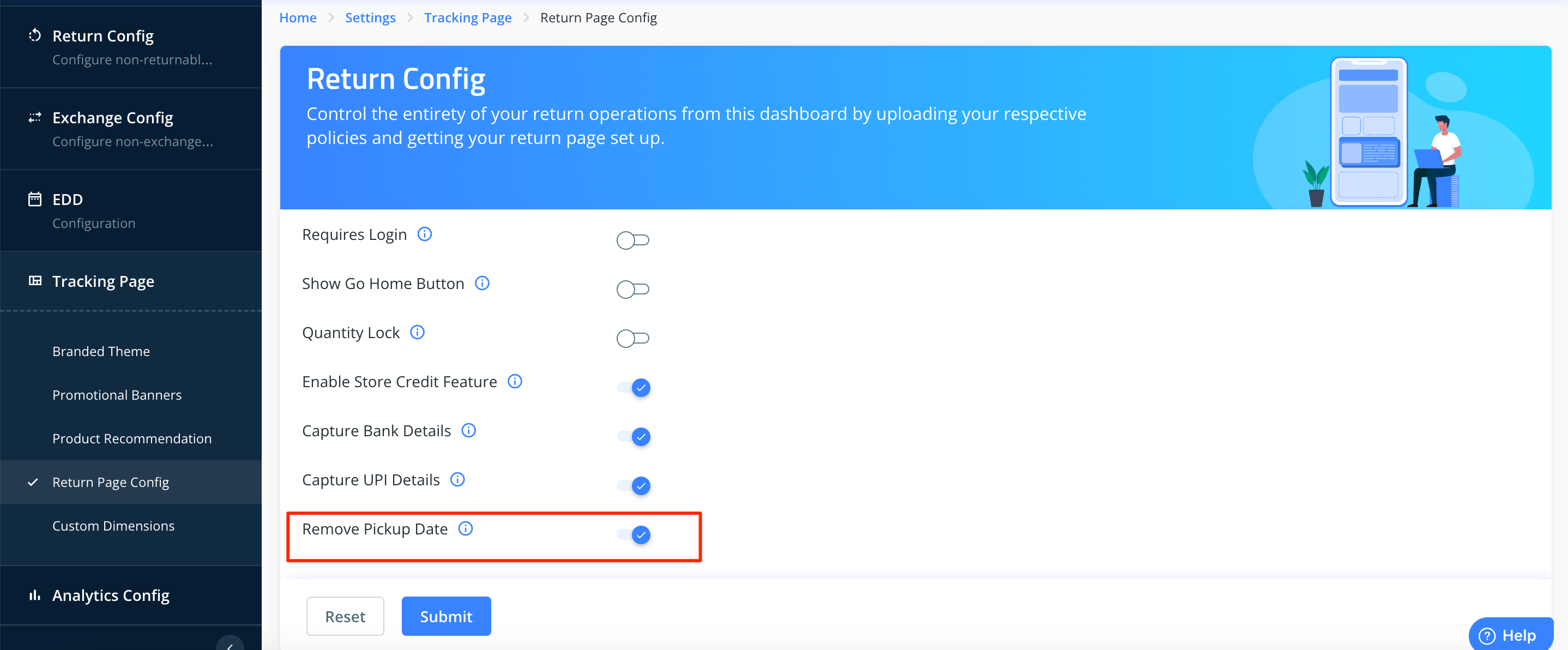
Wait for 5-10 minutes and check it by reloading the returns UI page.
Was this article helpful?
That’s Great!
Thank you for your feedback
Sorry! We couldn't be helpful
Thank you for your feedback
Feedback sent
We appreciate your effort and will try to fix the article