We have a dedicated section on the ClickPost dashboard's Analytics page where you can quickly review all the information pertaining to your returns within the designated time periods.
Together with a general view, it also includes information on everything from the most returned products to the most common returns causes.
Following is the screenshot of the default view when you visit the Return section under Analytics.
https://dashboard.clickpost.ai/analytics/returns
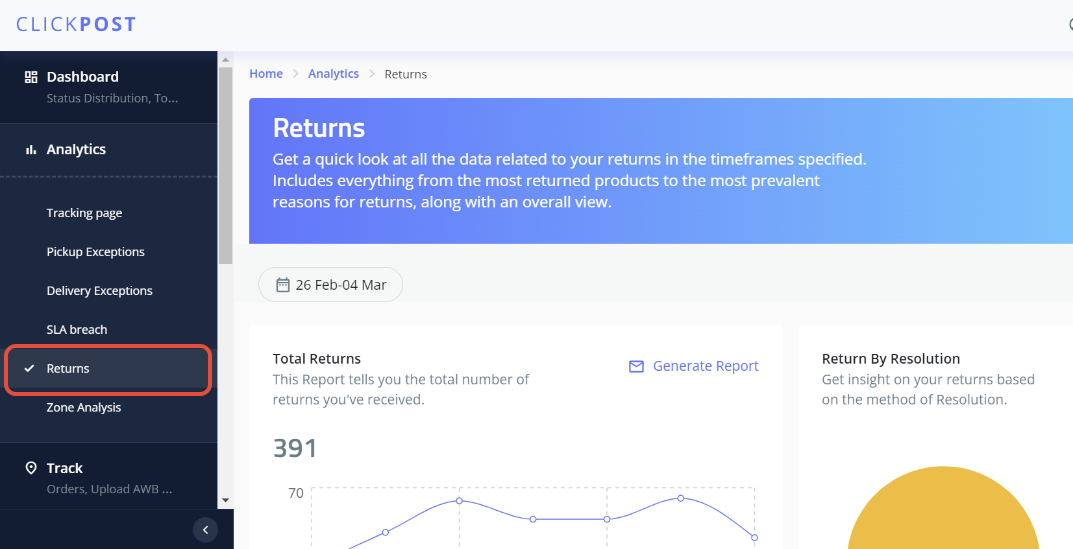
1) Total Returns: This part will provide you with a clear image of the total number of returns that were received through the ClickPost return Interface(return UI). In order to obtain the data in.csv format, we can also download a report for the same.
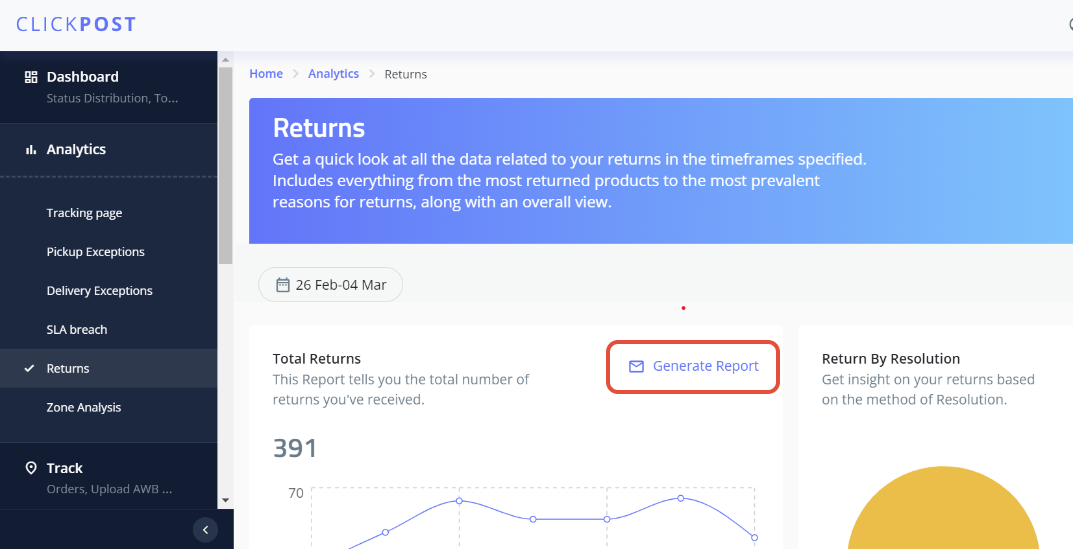
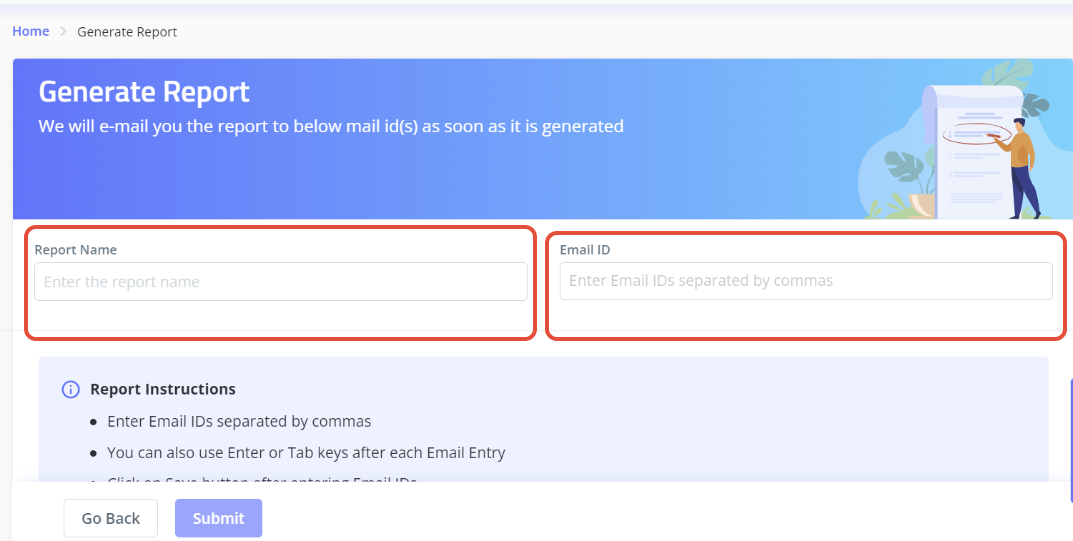
You must input a report name (which can be arbitrary) and the email addresses on which you want the report to be triggered under the "Generate Report" section. It is possible to use multiple email addresses, but please make sure they are all comma separated.
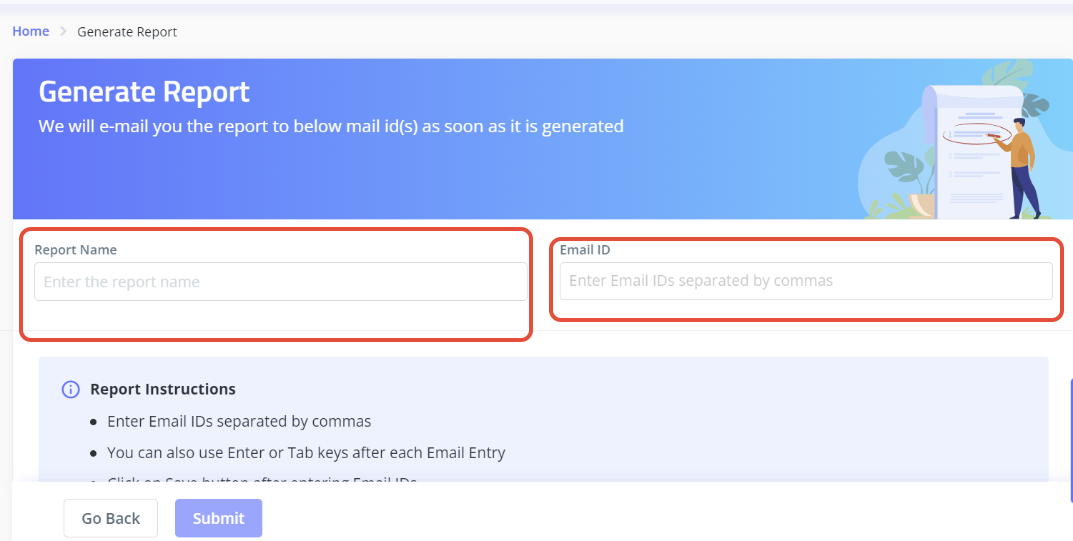
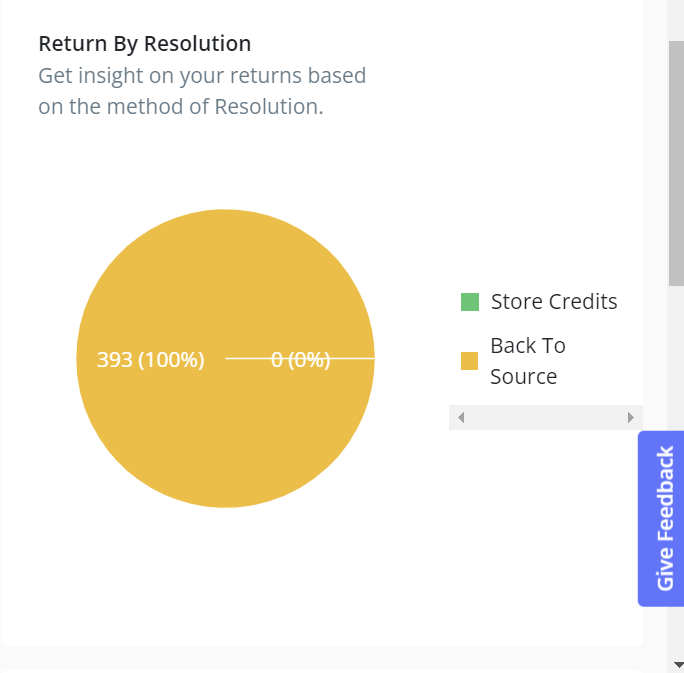
2) Return By Resolution: This section is intended to provide insight into your returns according to the resolution method. The number of orders for which the refund was started as Store Credit will be shown if you have that option. The data for the mode of refund will be reflected if it has been started on the source account from which the payment was made during the transaction.
3) Most Returned SKUs: This section will help you in keeping track of the SKUs that correspond to the areas of your inventory that see the most returns.
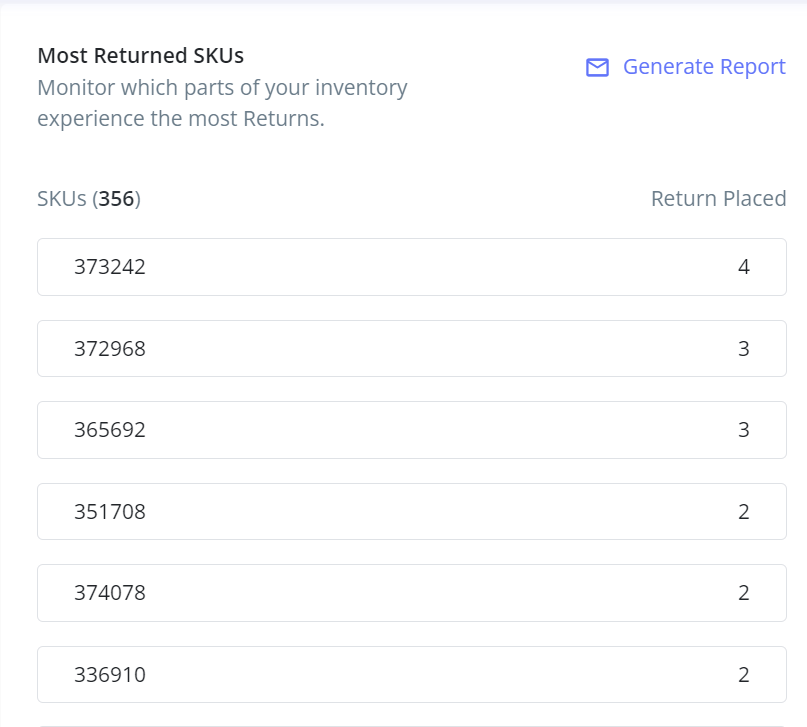
In order to obtain the data in.csv format, we can also download a report for the same. You must input a report name (which can be arbitrary) and the email addresses on which you want the report to be triggered under the "Generate Report" section. It is possible to use multiple email addresses, but please make sure they are all comma separated.
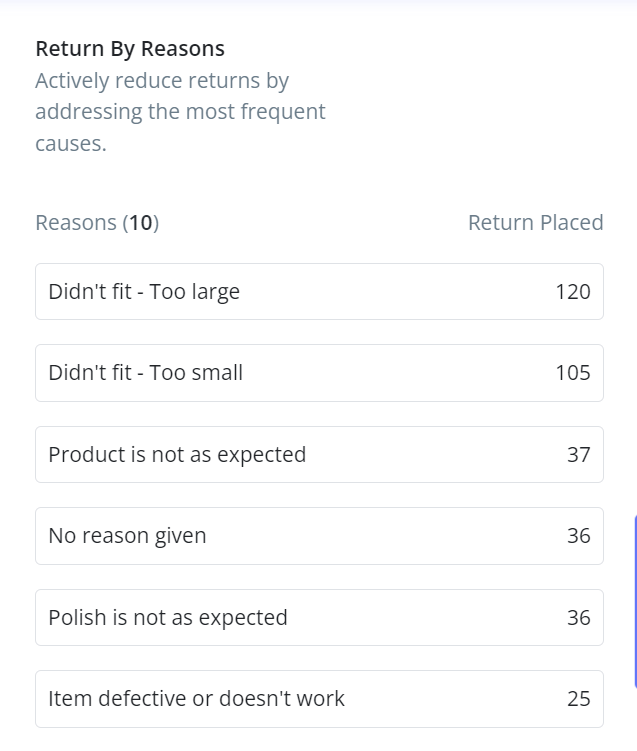
4) Return By Reasons: This section will help you to actively reduce returns by addressing the most frequent causes.
Was this article helpful?
That’s Great!
Thank you for your feedback
Sorry! We couldn't be helpful
Thank you for your feedback
Feedback sent
We appreciate your effort and will try to fix the article