We have a dedicated section on the ClickPost dashboard's Analytics page where you can quickly review all the information regarding failed delivery and RTO cases. You need this page to comprehend and evaluate how successfully your failed deliveries are being turned into successes because NDRs are a little glitch in obtaining maximum fulfillment.
- In order to access the NDR setion, you need to follow the below steps.
Dashboard login>>Analytics>>NDR
Link -https://dashboard.clickpost.ai/analytics/ndr/delivery-exceptions
Following is the screenshot of the default view when you visit the NDR section.
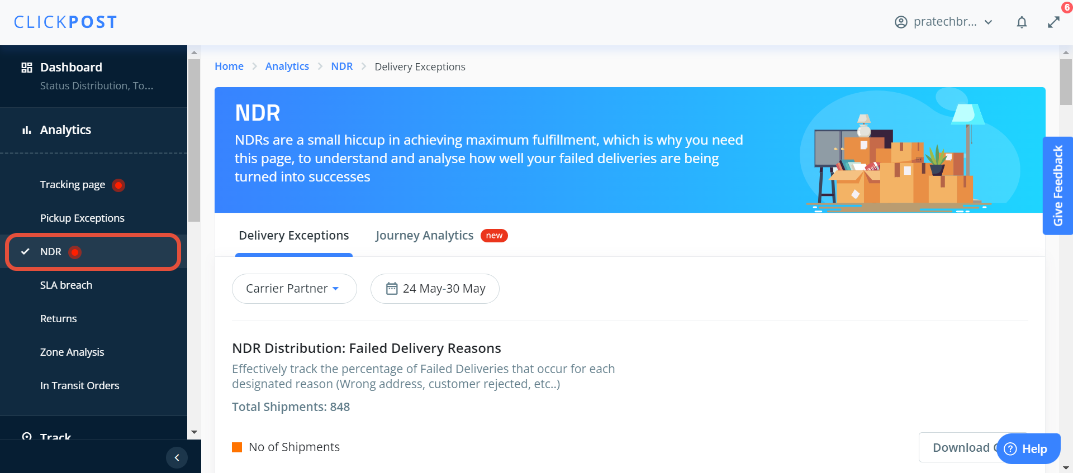
- Under the Delivery Exceptions section there is an option to filter the courier partner and date for which you want to get the analytics data.
There are multiple options that will give richer analytics for the failed delivery cases. Listing them and briefing each of them below.
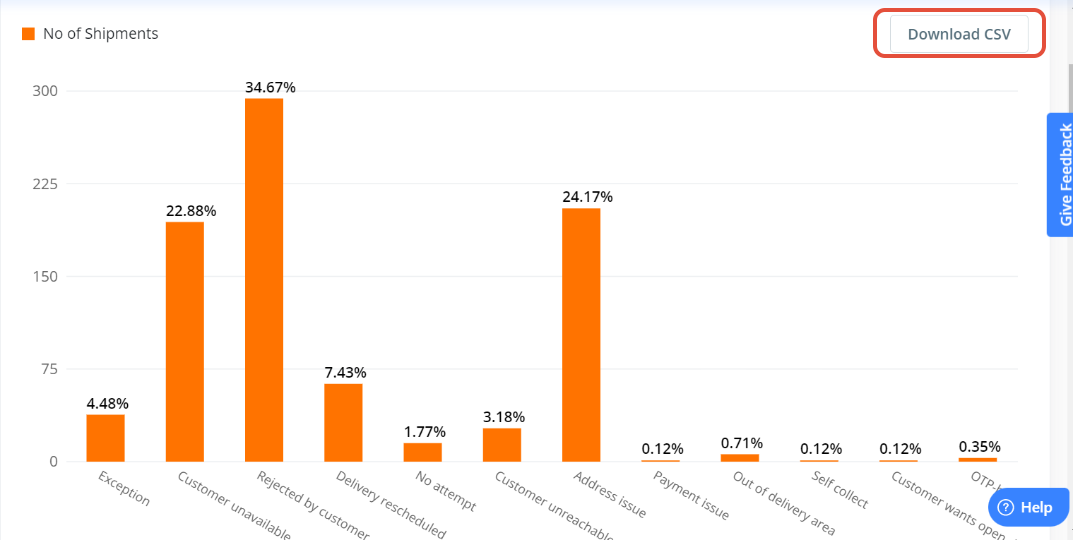
- NDR Distribution: Failed Delivery Reasons - With the help of this section, you will be able to effectively monitor the percentage of deliveries that fail for each specified reason, such as a wrong address or a rejected customer. Additionally, you will be able to download the data in the CSV format. Sharing the snapshot below for reference.
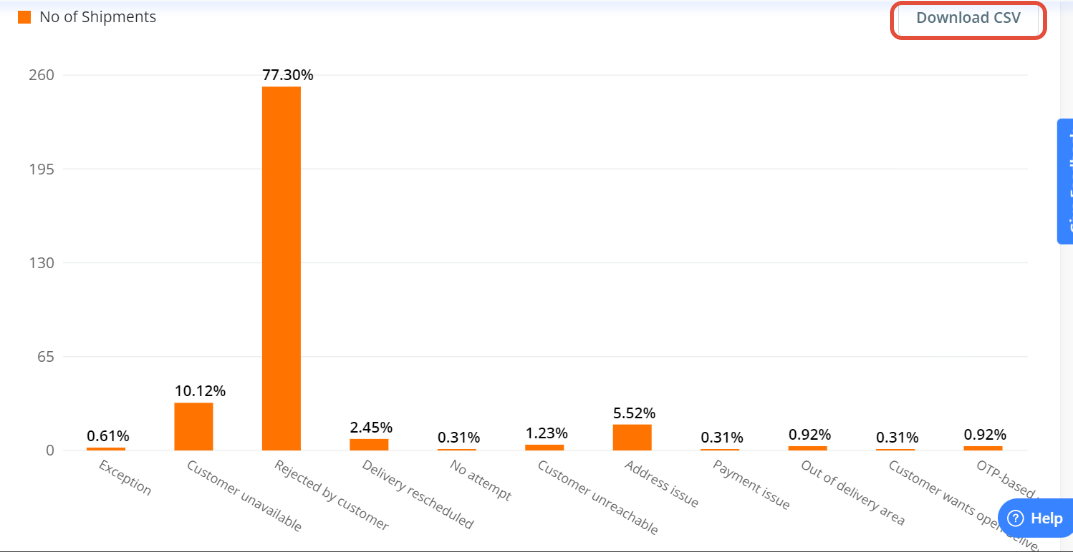
- NDR Distribution: RTO Reasons - This section will help you to actively lower the number of RTOs, and ascertain which of the aforementioned causes contributes the most. You will be able to get the analytics of the RTO data based on the reasons as shared in the snapshot below. Also, you will be able to download the data in the CSV format. Sharing the snapshot below for reference.
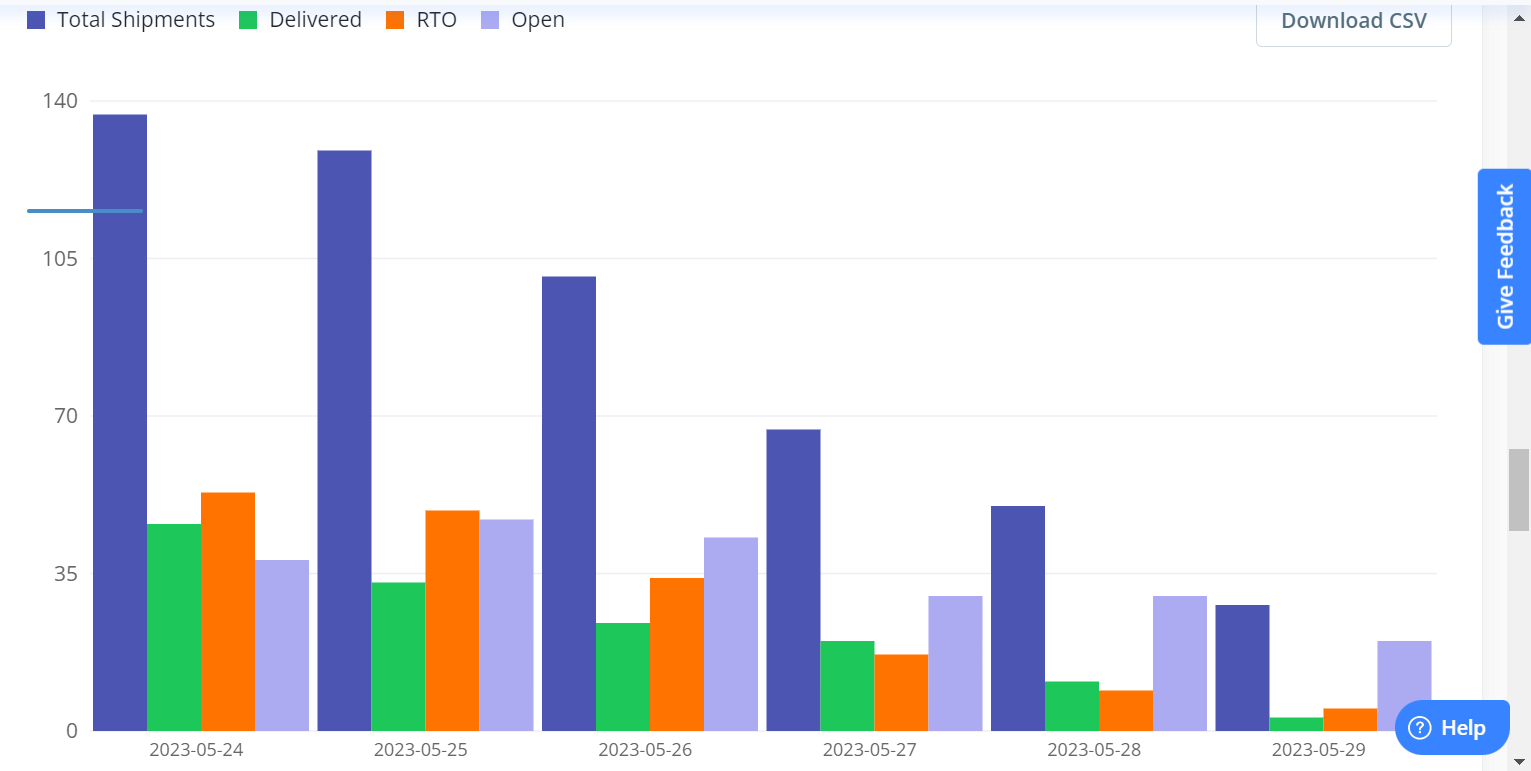
- Overall Shipment Performance Trend: From the Overall Shipment Performance Trend, you will get an overview of the data on a daily basis, and within any specified timeframe, you will receive a summary of all of your shipments and their present condition. If you will hover over the chart then you will be able to the analytics of the data as mentioned below:
a) Total Shipments - This will help you to give an overview of total shipments
b) Delivered - Out of the total shipments, how many shipments have been delivered
c) RTO - It will provide you an overview of the RTO cases from the total number of shipment
d) Open - It will provide an overview of the shipments which are yet to be delivered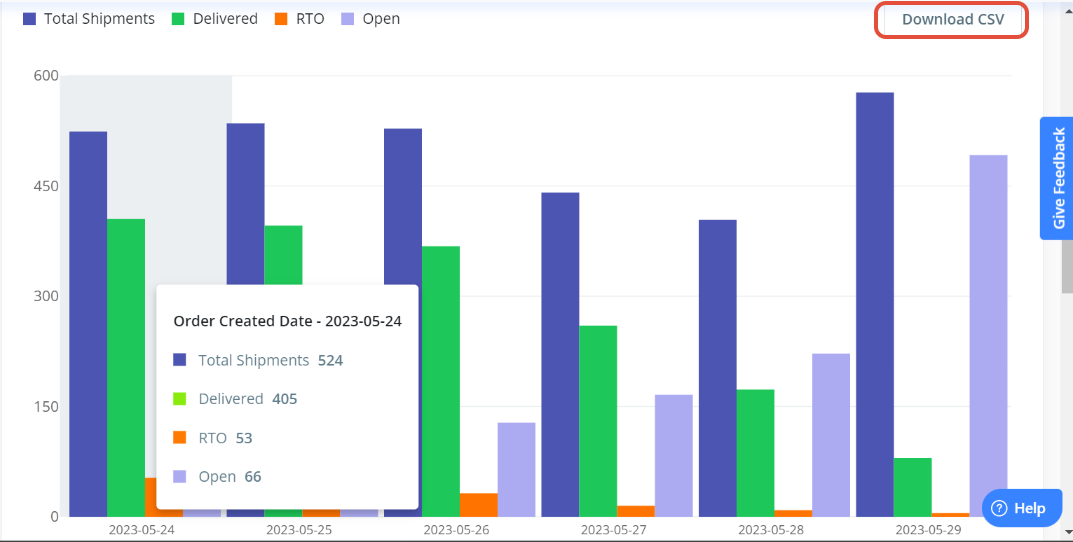 Please note, with the help of date filter, you will be able to filter out the date and also, a specific courier partner can be selected from the courier partner section. Also, the CSV file of the data can be downloaded as highlighted in the above snapshot.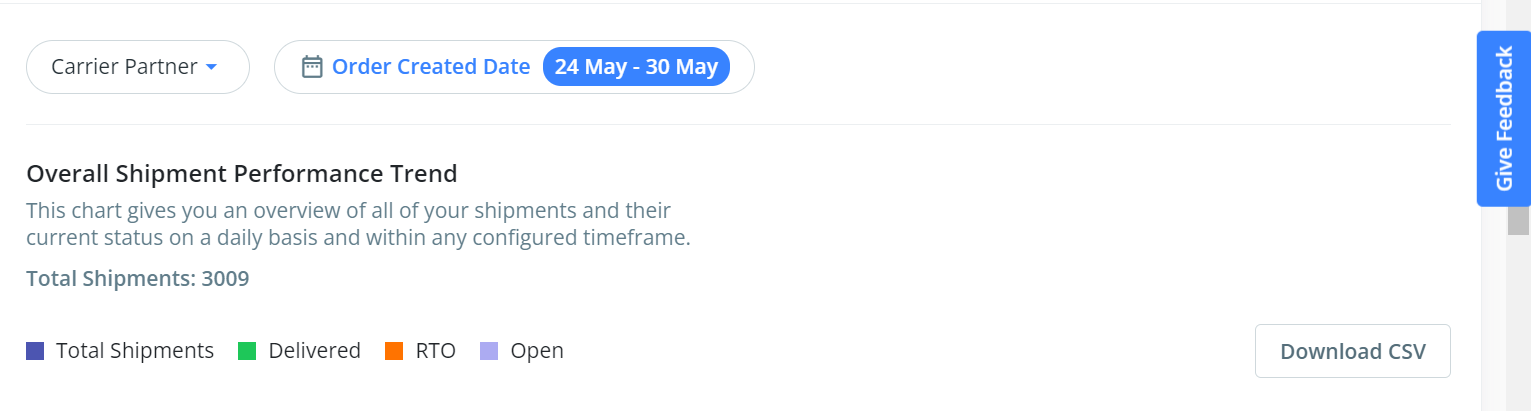
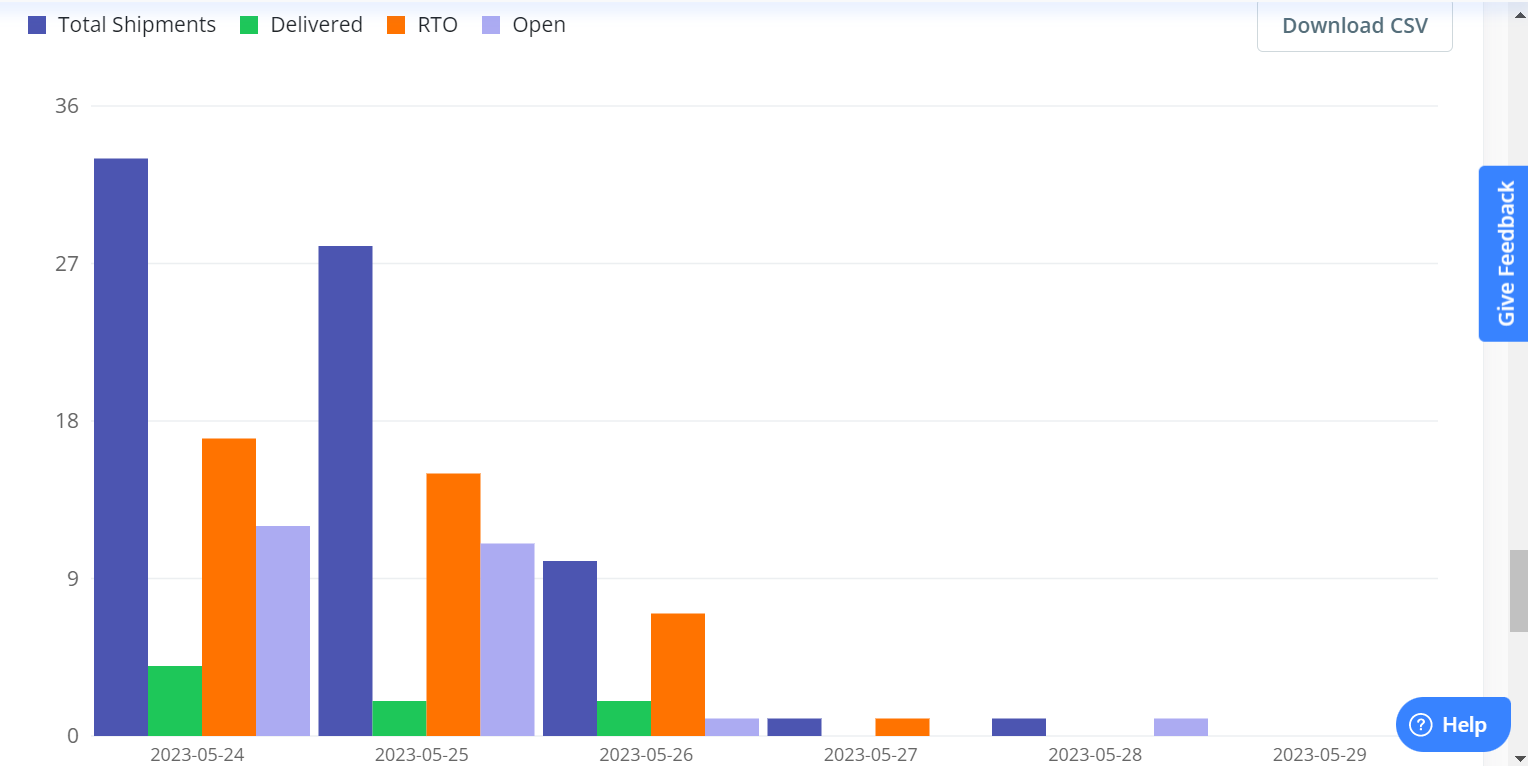
- NDR Shipment Performance Trend: This section will help you to look more closely at your NDRs to determine which have been completed, which could not be completed, and which are still in progress.
If you will hover over the chart then you will be able to the analytics of the data as mentioned below:
a) Total Shipments - This will help you to give an overview of total shipments
b) Delivered - Out of the total shipments, how many shipments have been delivered
c) RTO - It will provide you an overview of the RTO cases from the total number of shipment
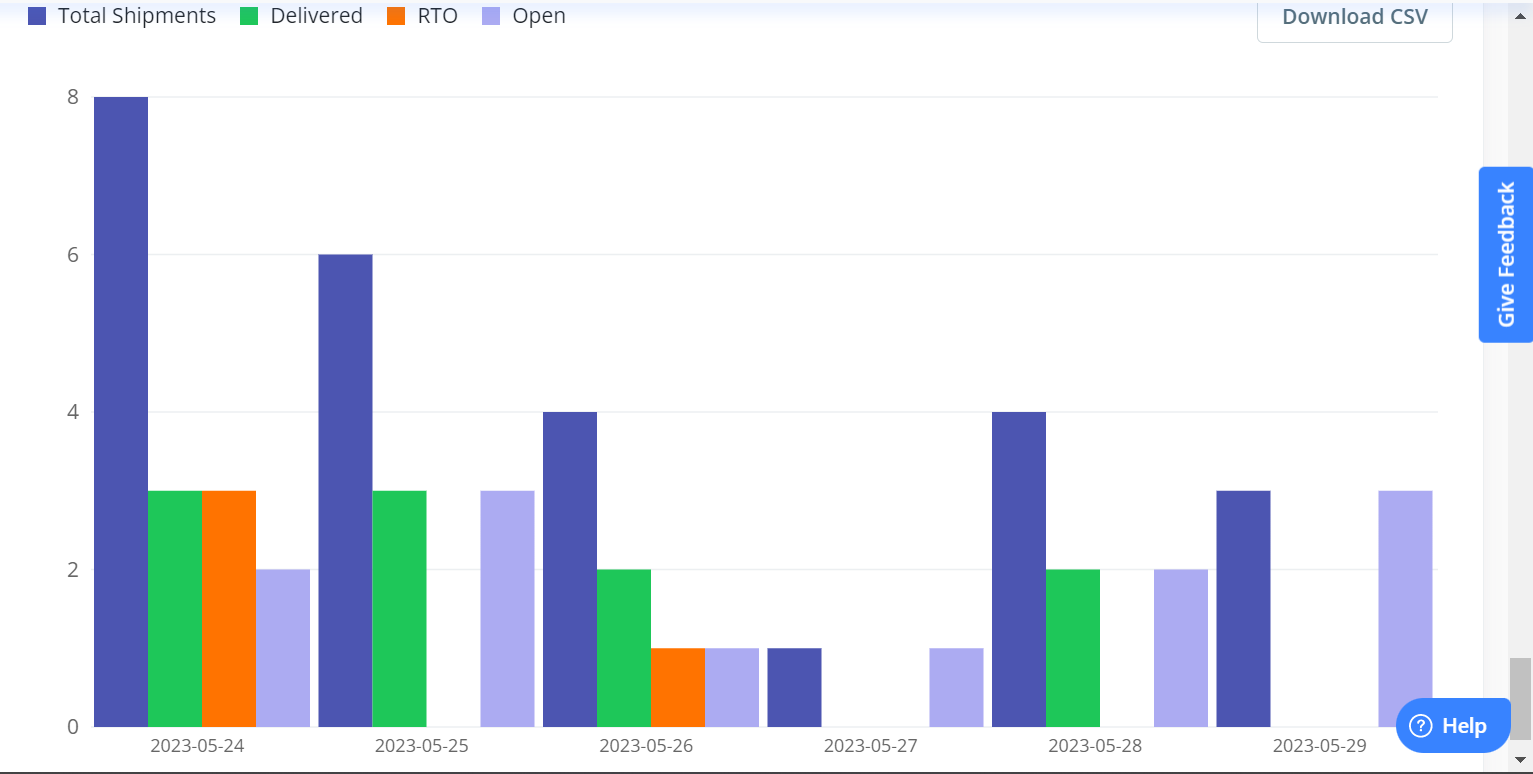
d) Open - It will provide an overview of the shipments which are yet to be delivered - Ops Feedback Performance Trend: This section will help you in gathering and analyzing information about the effectiveness of your operational trends in light of the location of your shipments.
- Customer Feedback Performance Trend: This section will provide you an understanding of what customers are saying about NDRs. The following graph shows how they reacted to each delivery method.
Was this article helpful?
That’s Great!
Thank you for your feedback
Sorry! We couldn't be helpful
Thank you for your feedback
Feedback sent
We appreciate your effort and will try to fix the article