The Tracking Page provides a comprehensive view of customer activity and engagement on the tracking page designed by ClickPost.
To access it, navigate to Dashboard → Analytics → Tracking Page
The analytics are divided into two sections:
Overview
NPS & Customer Review
Overview
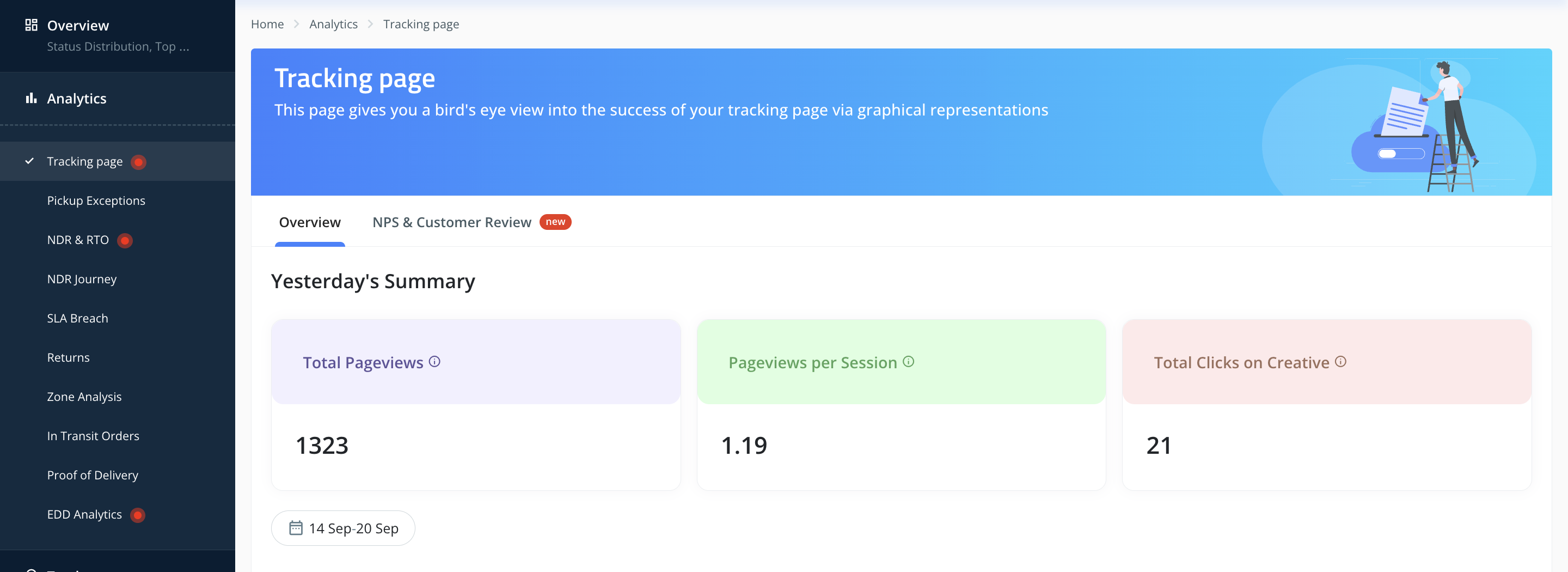
Yesterday’s Summary
Key performance metrics related to tracking page engagement:
Total Pageviews → Number of times the tracking page was viewed.
Pageviews per Session → Average number of pages viewed per session.
Total Clicks on Creative → Total clicks on marketing tiles/ads on the tracking page, useful for cross-sell and upsell opportunities.
Clicks on Tracking Page Ads
Displays insights on the number of clicks received across different ads.
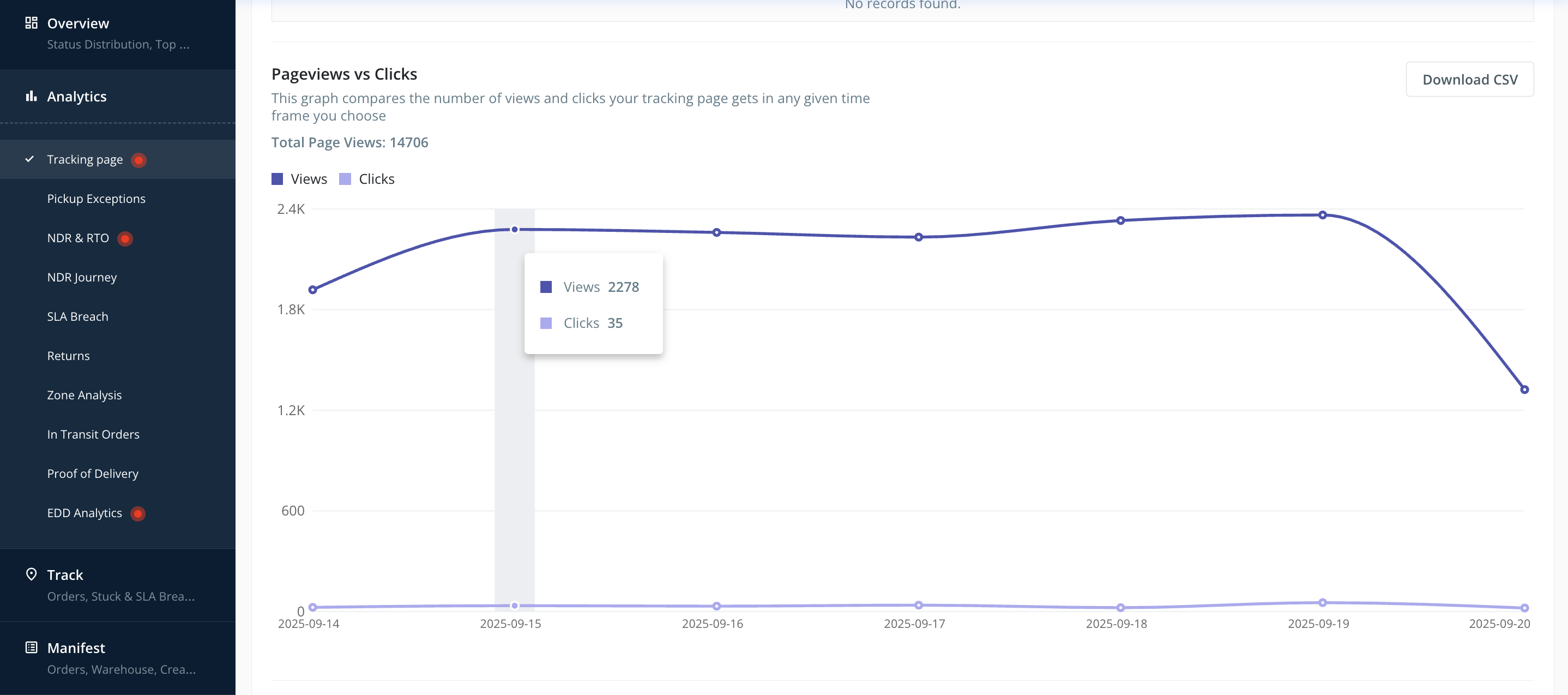
Pageviews vs Clicks
Graphical comparison between total pageviews and clicks for a selected time period.
Y-axis → Number of views/clicks
X-axis → Timeline
Data can be downloaded as a CSV file.
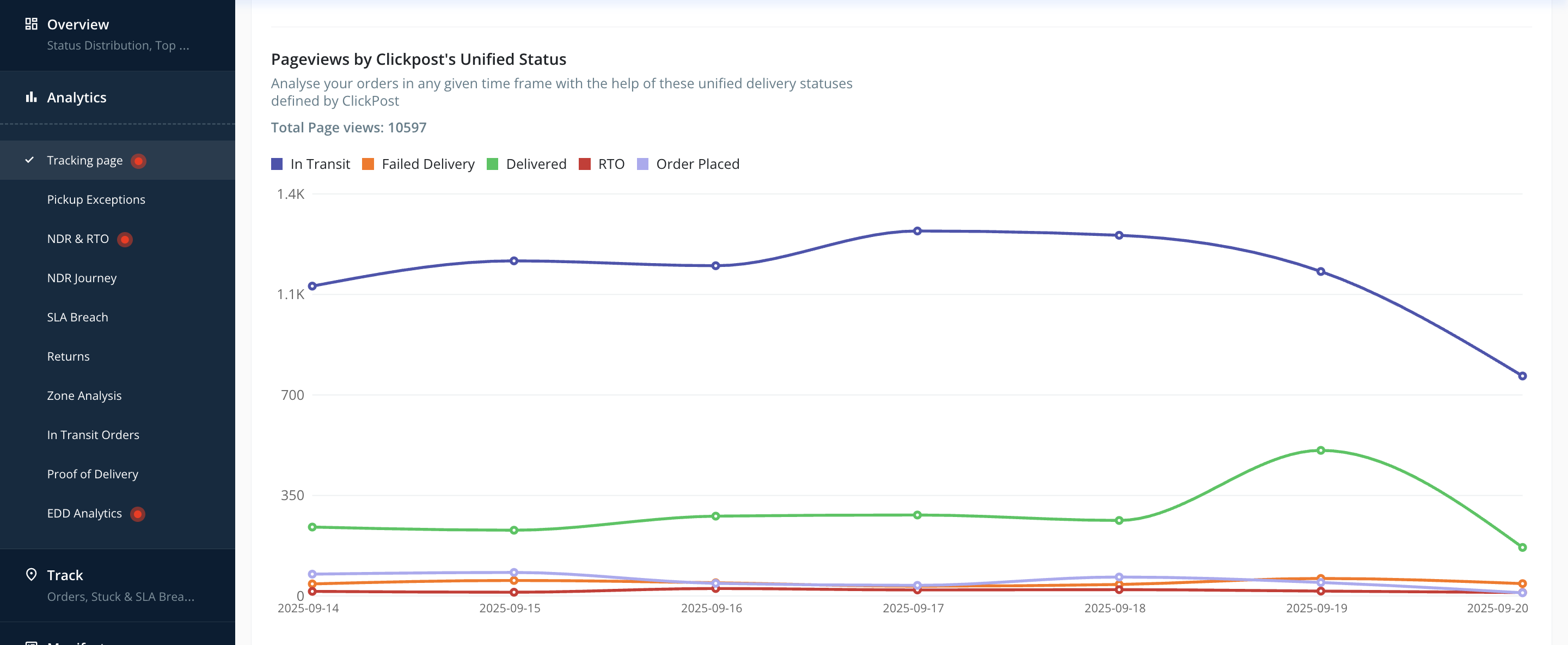
Pageviews by Unified Shipment Status
Visualizes the distribution of tracking page views by shipment status. Filters allow you to select specific statuses:
RTO → Shipments returned to sender.
Failed Delivery → Delivery attempt failed.
Delivered → Successfully delivered shipments.
Order Placed → Order confirmed by logistics partner.
In Transit → Shipments currently moving through the network.
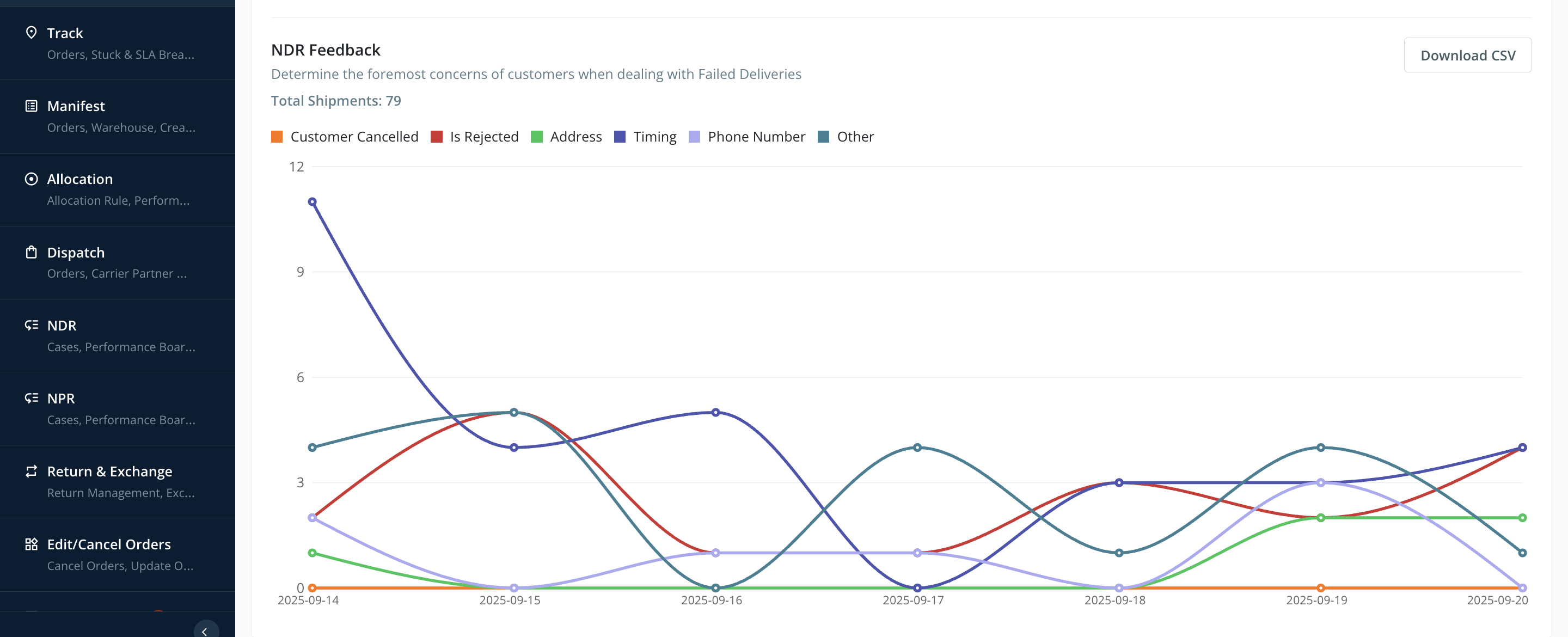
NDR Feedbacks
Assessment of Non-Delivery Report (NDR) feedback across 5 parameters.
A graphical representation shows feedback trends.
Data is available for CSV download.
NPS & Customer Review
This section helps enterprises measure customer sentiment and loyalty through Net Promoter Score (NPS) and customer ratings.
Learn how NPS is calculated: Click here
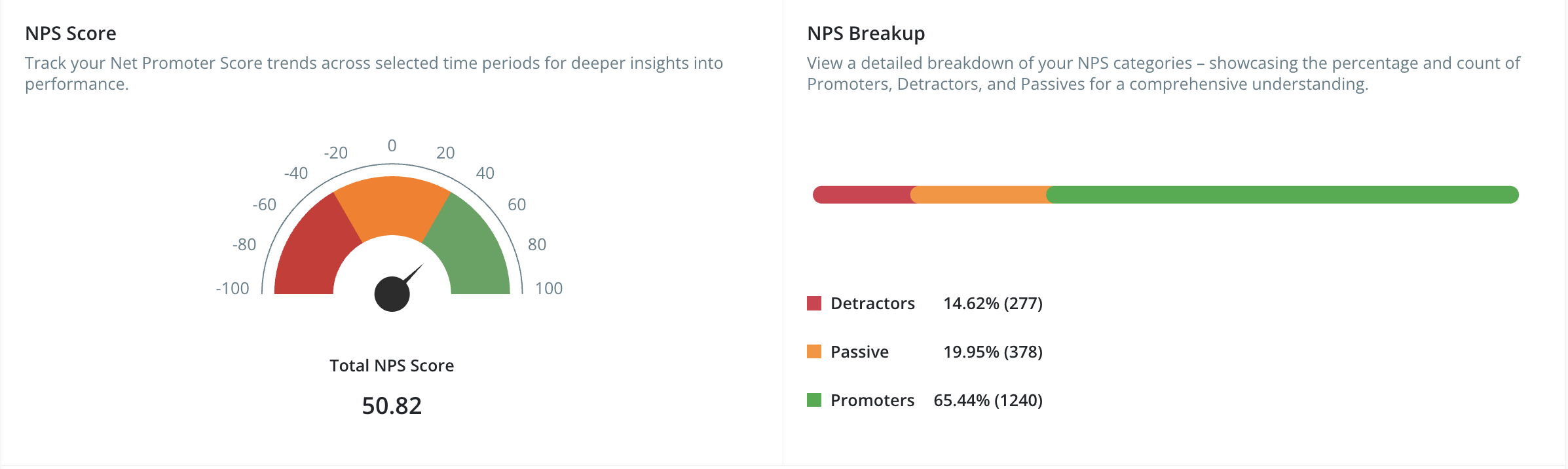
Available Metrics
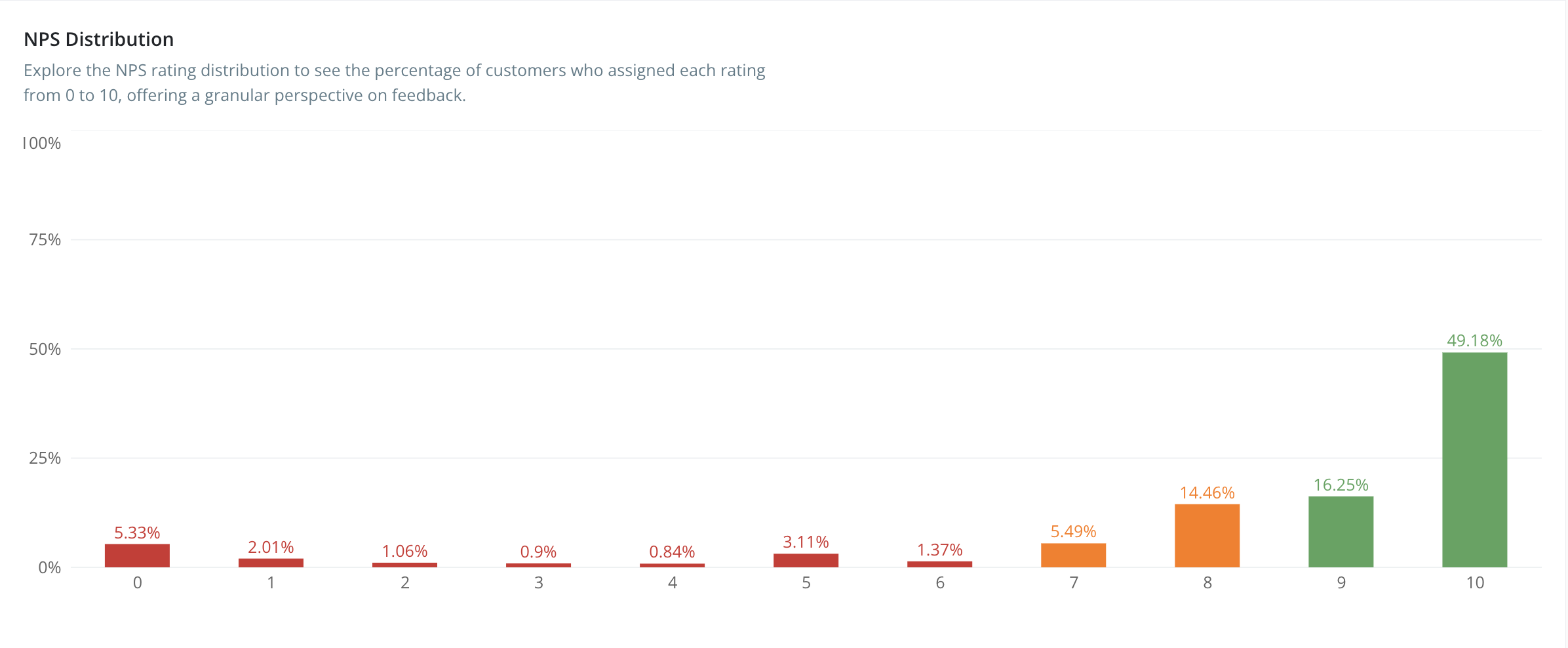
NPS Distribution → Shows customer rating distribution (0–10) for detailed sentiment insights.
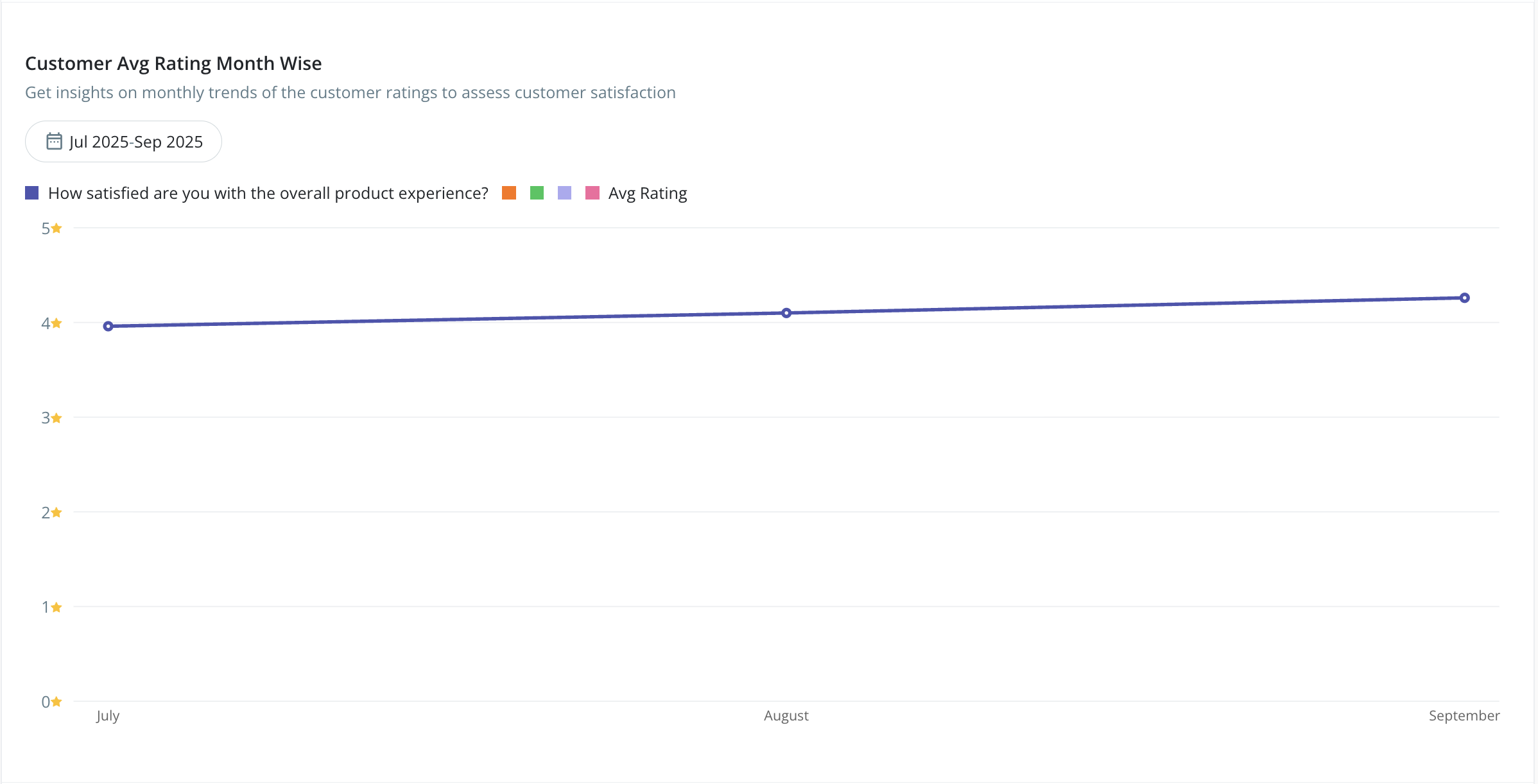
Customer Avg Rating Month-Wise → Tracks trends in customer satisfaction across months.
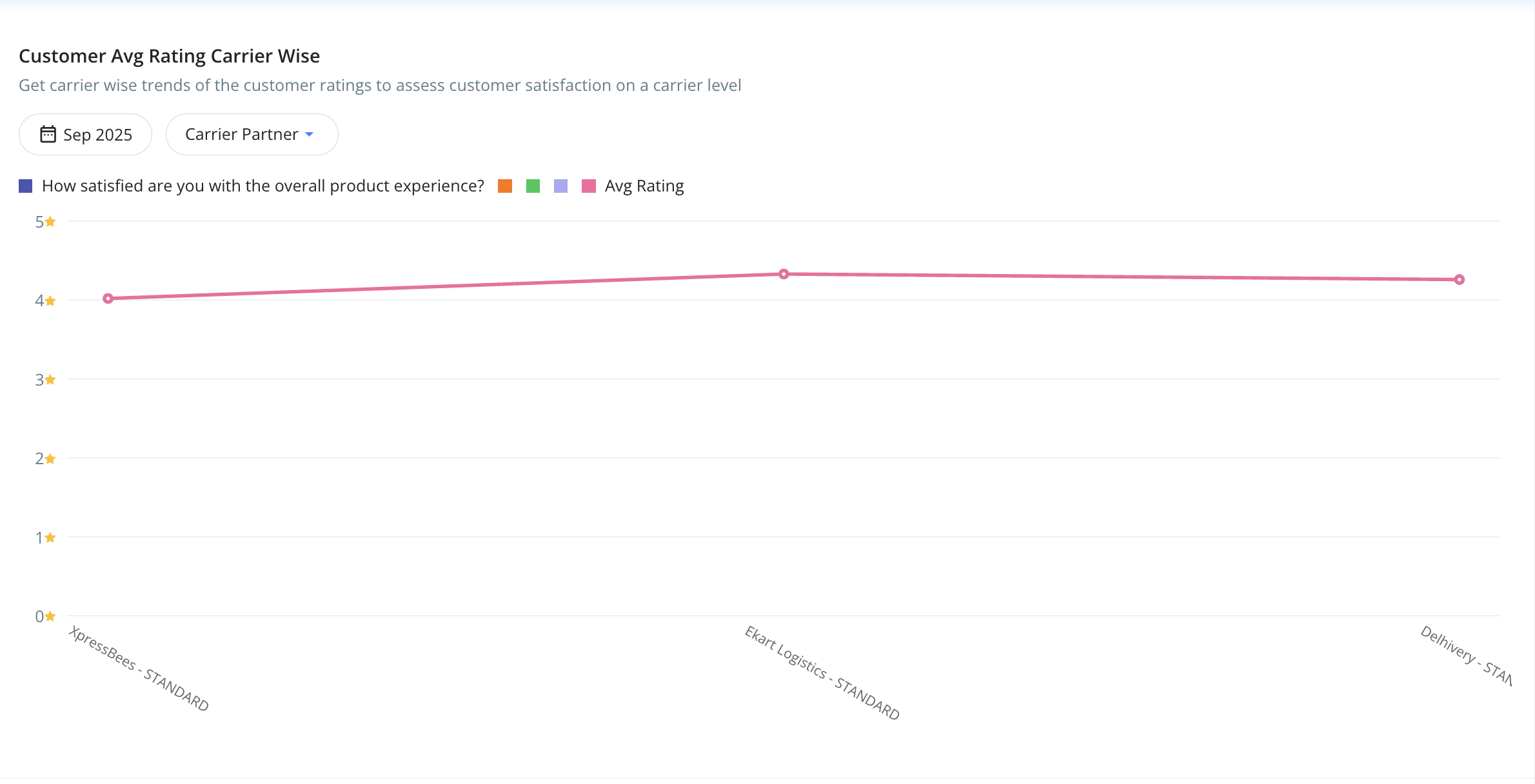
Customer Avg Rating Carrier-Wise → Compares average ratings across carriers.
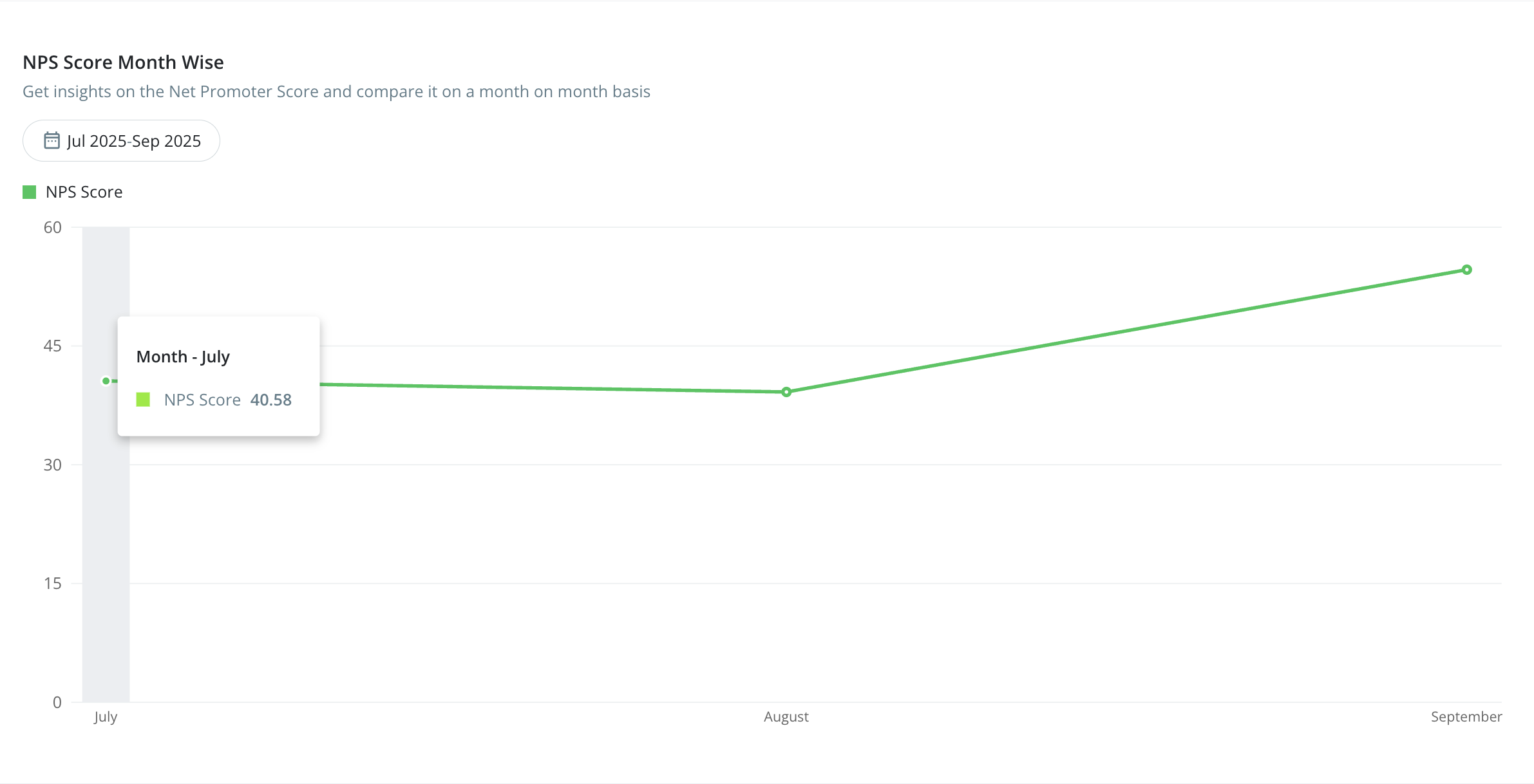
NPS Score Month-Wise → Month-on-month comparison of overall Net Promoter Score.
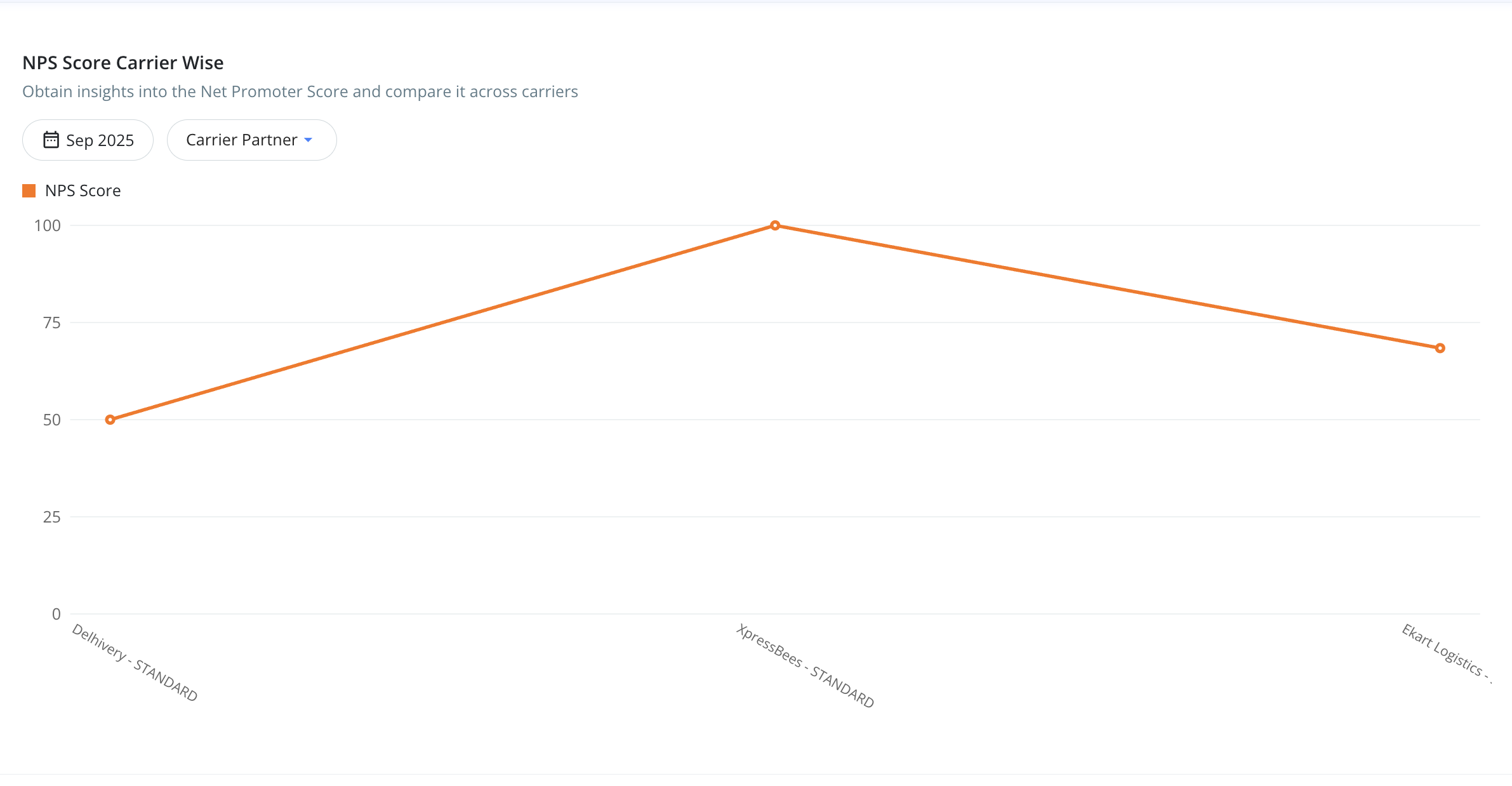
NPS Score Carrier-Wise → Comparison of NPS across different carriers.
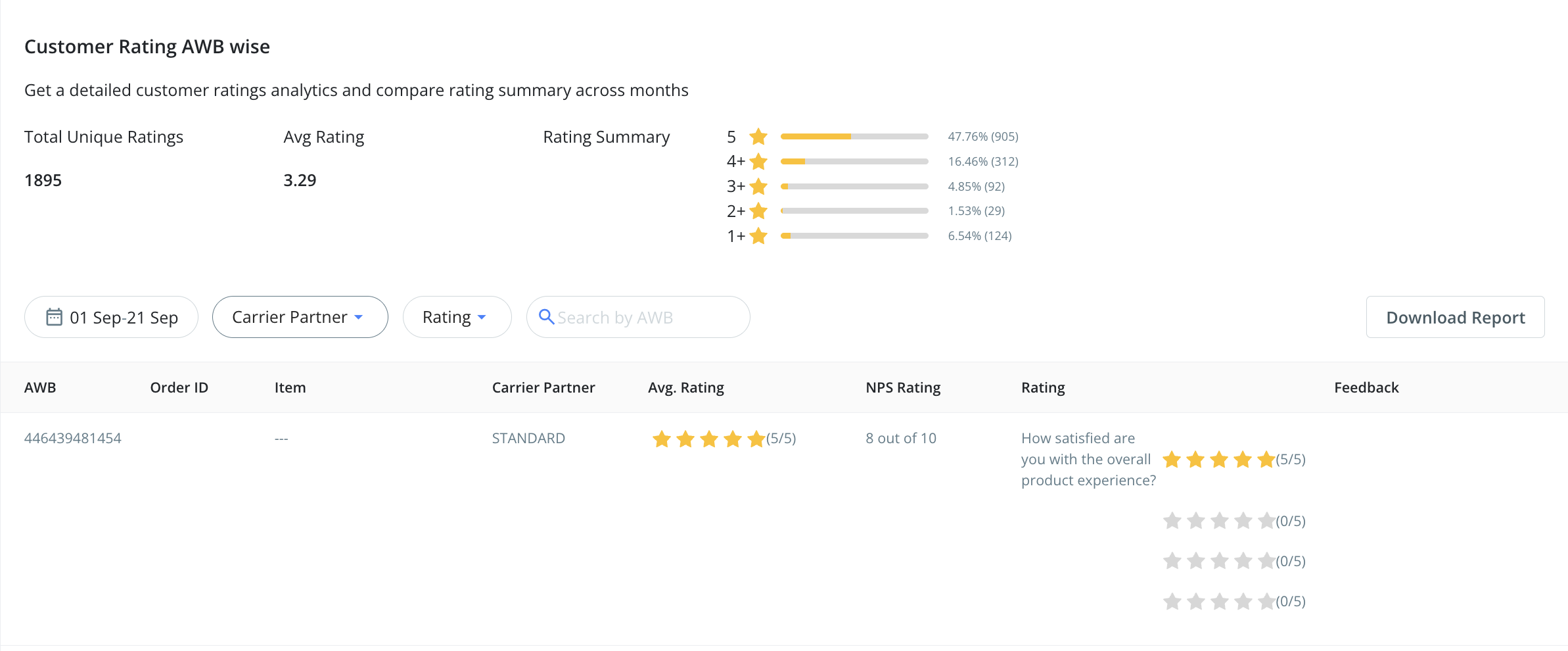
Customer Rating AWB-Wise → Detailed analysis of customer ratings received at an AWB level, with summary comparison across months.
These analytics not only help brands track performance but also uncover opportunities to boost engagement, improve delivery experiences, and strengthen customer loyalty - all in one place.
Was this article helpful?
That’s Great!
Thank you for your feedback
Sorry! We couldn't be helpful
Thank you for your feedback
Feedback sent
We appreciate your effort and will try to fix the article