We have a dedicated section on the ClickPost dashboard's Analytics page where you can quickly review all the information regarding failed pickup. Managing failed pickups becomes simpler with a dedicated system for Failed Pickup Management. Keep track of your NPRs here to gain insights into return trends.
In order to access the Pick Up Exception section, you need to follow the below steps.
Dashboard login>>Analytics>>Pick Up Exception
Link - https://dashboard.clickpost.ai/analytics/npr
Following is the screenshot of the default view when you visit the Pick Up Exception section.
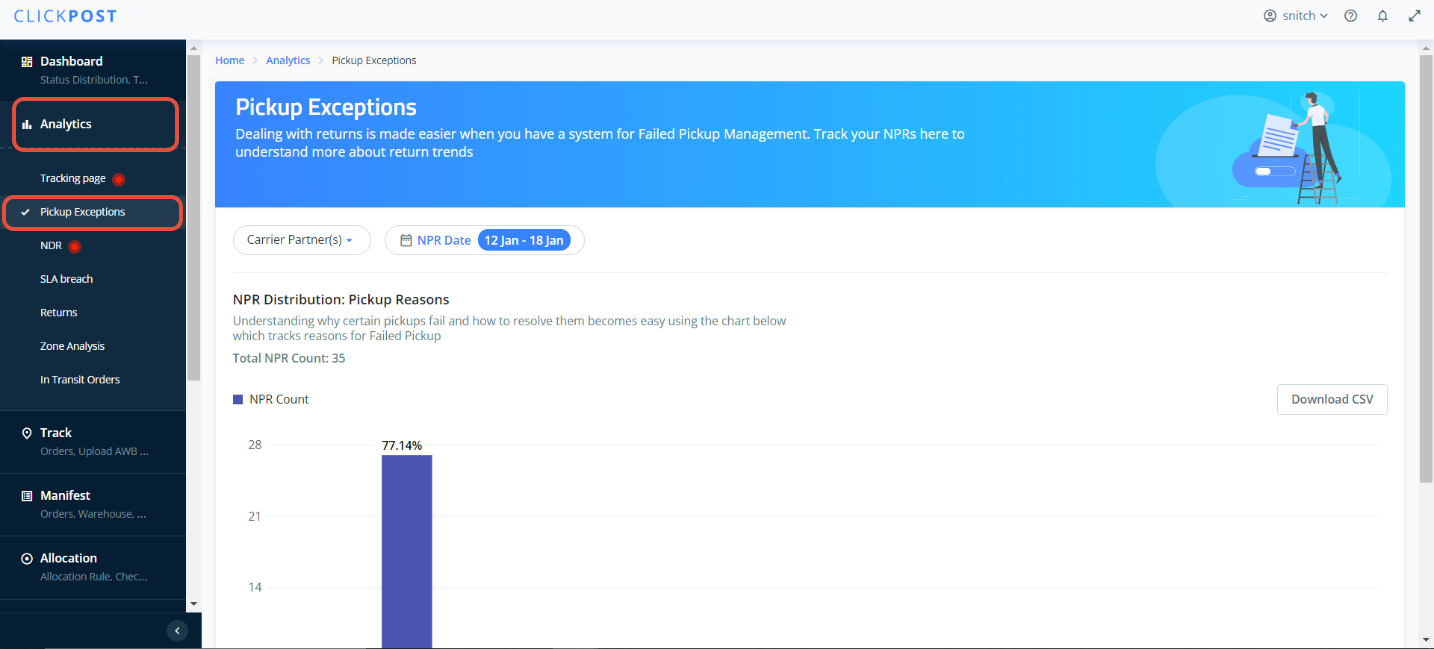
- NPR Distribution: Pickup Reasons: Analyzing the chart below makes it straightforward to comprehend the reasons behind failed pickups and provides insights on how to address them.
You can filter out the data based on "Courier Partner", NPR Date for richer analytics. Additionally, you will get an option to downlod the data in .CSV file as shared in the snapshot below.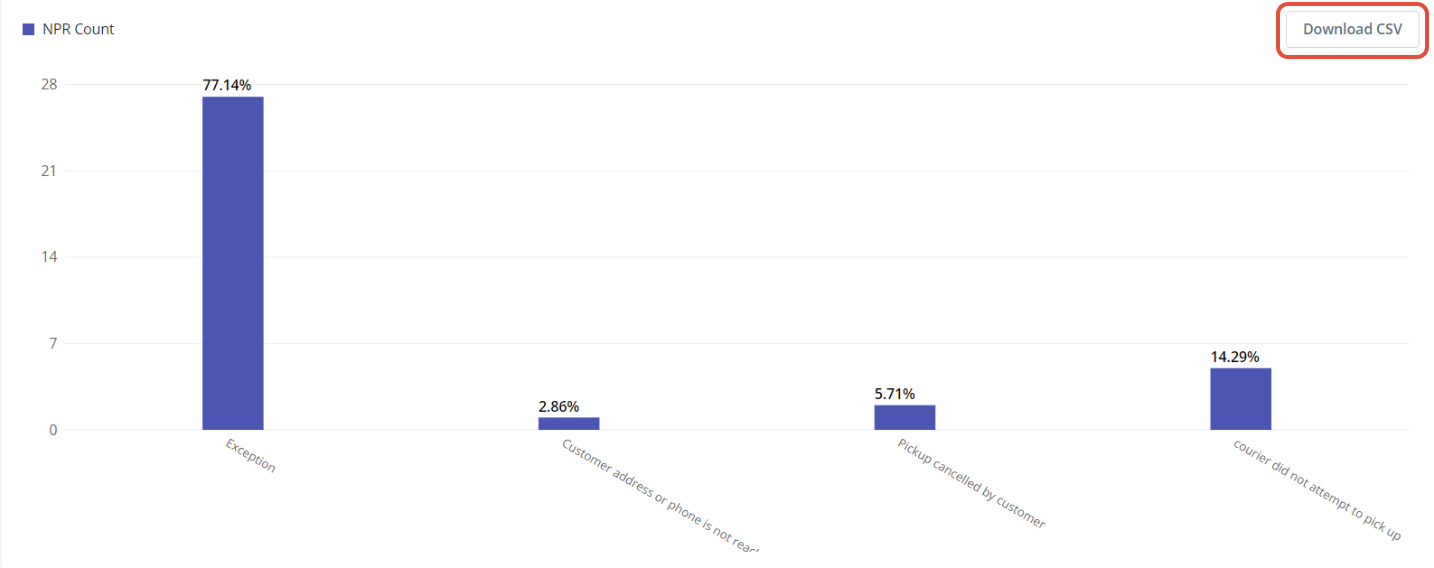
Was this article helpful?
That’s Great!
Thank you for your feedback
Sorry! We couldn't be helpful
Thank you for your feedback
Feedback sent
We appreciate your effort and will try to fix the article