Clickpost has a dedicated section for to define the exchange policy for the exchange orders wherein the exchange days can be configured based on Order Date, Product Tags, Discount, Order Tag, and, Category.
To access the "Exchange Policy" section. Please follow the below steps.
Dashboard login(dashboard.clickpost.ai)>>Settings>>R&E configs>>Exchange>>Exchange Policy
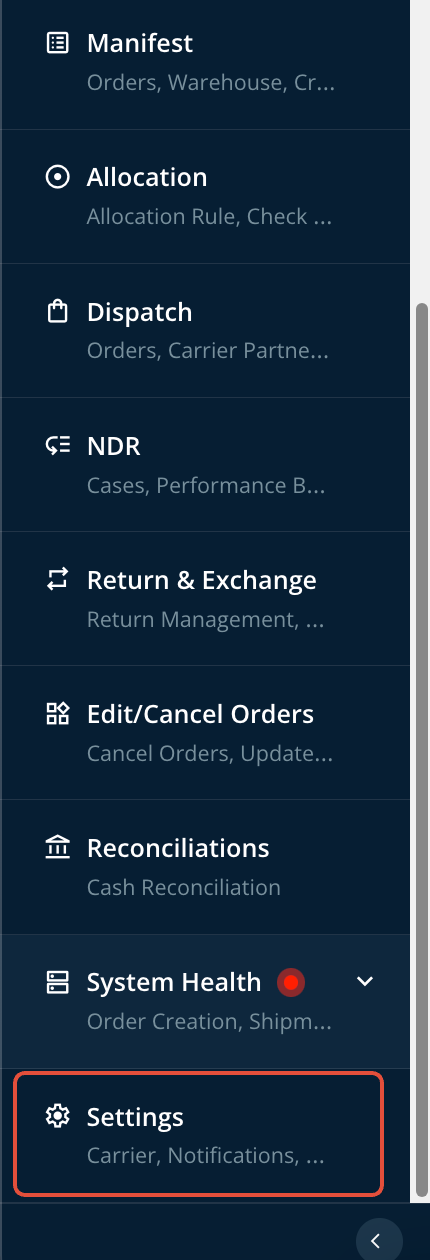
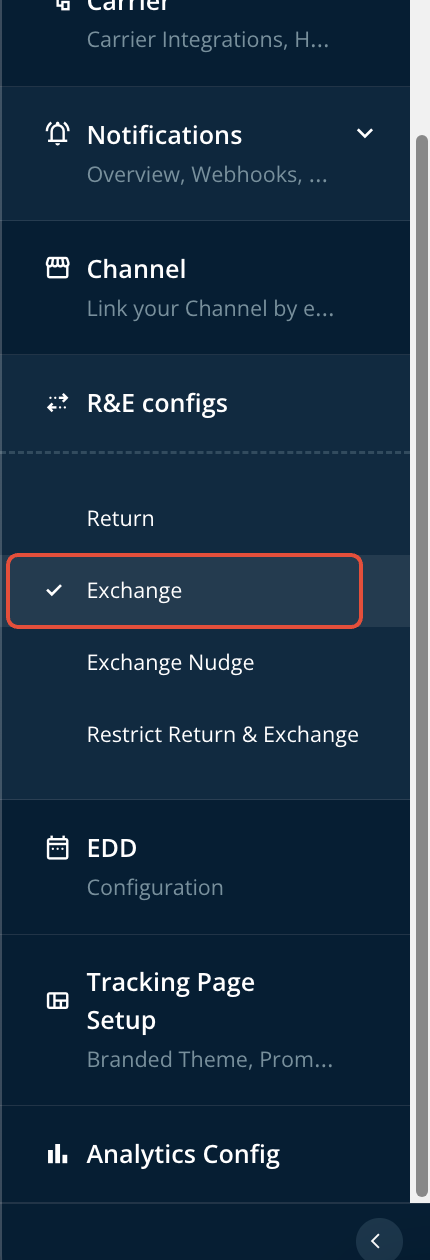
You can tailor the rules for non-exchangeable products to align seamlessly with your specific business requirements.
To configure the rule based on your specific business requirement, you need to click on "Add Another Rule" and select the tag corresponding to which you want to define the policy. Sharing a snapshot below for reference.
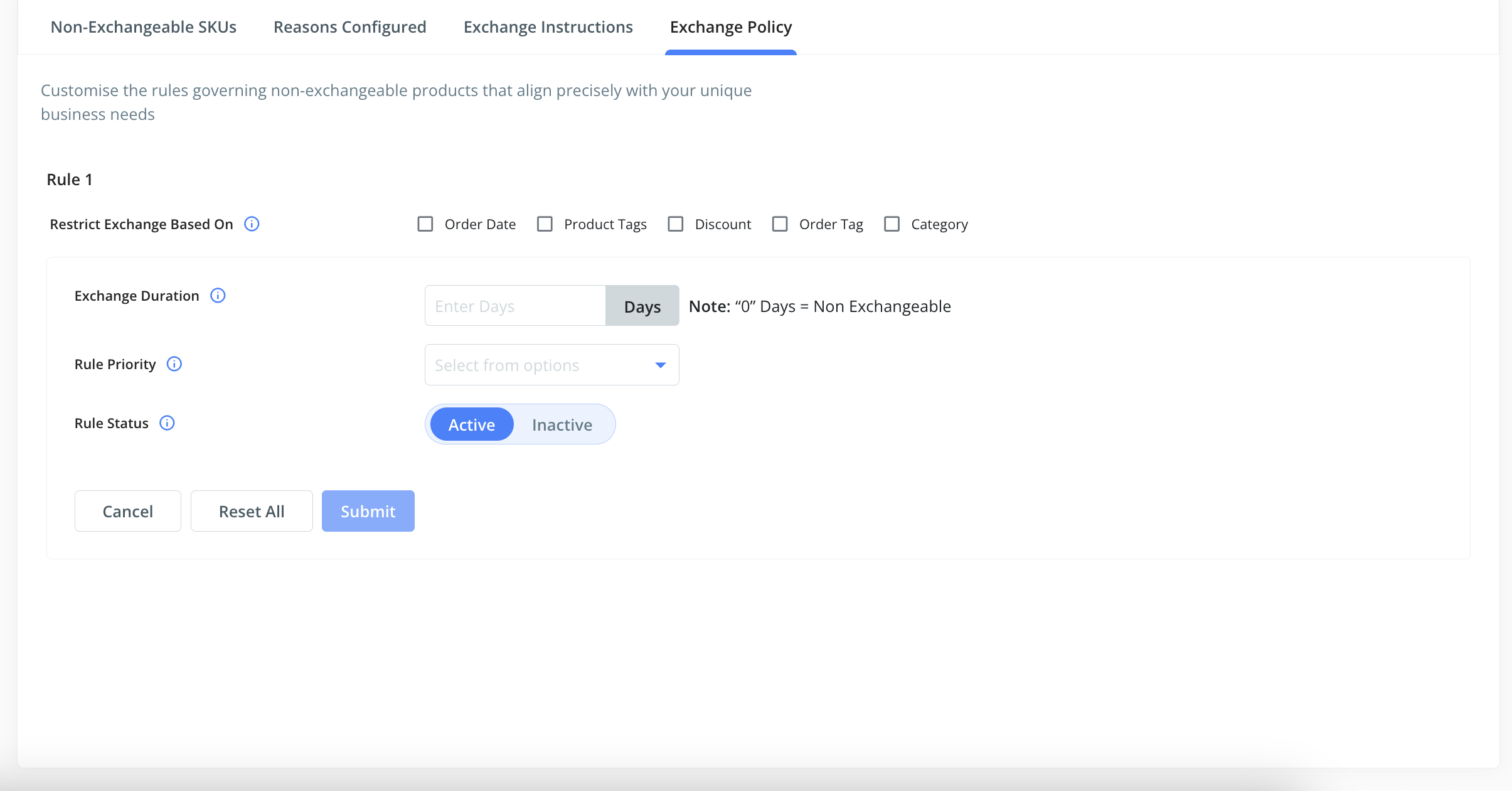
You need to define the rule on the below parameters.
a) Category
b) Exchange Duration
c) Rule Priority
d) Rule Status
A snapshot is shared below for reference.
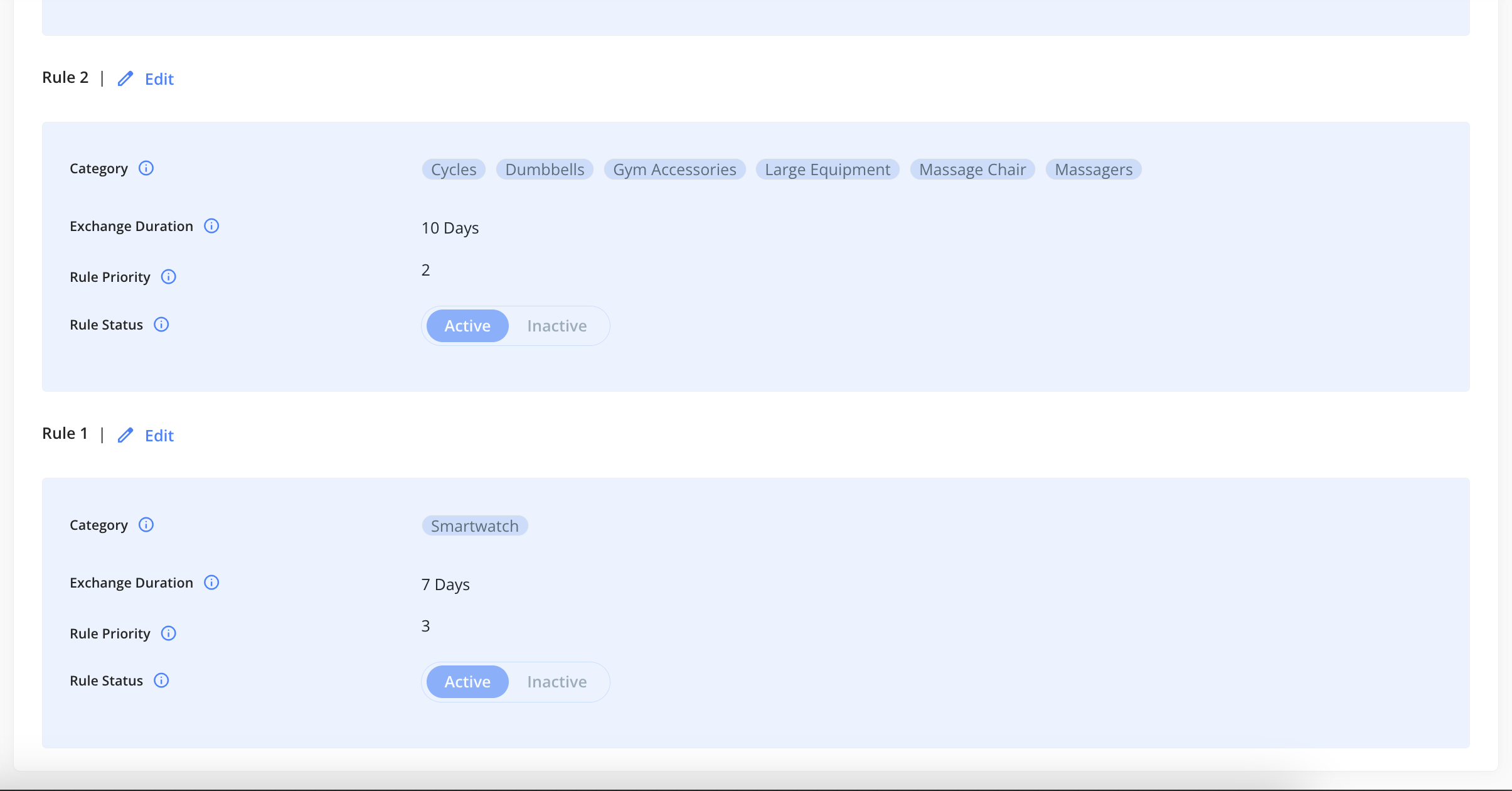
Please note if you have configured the exchange days as "0", the item/category will be considered as "non-exchangeable".
Once the rule has been configured, please click on "submit" to submit the rule.
NOTE: The system first checks the master return/exchange days configuration before proceeding to evaluate the conditions or category policies set under the return-exchange policy on the dashboard.
For example - If the return-exchange days set at the category level are configured for 10 days, but the master return-exchange days are set to 5 days, the system will display that the return/exchange is not available. This is because the end customer would be attempting to raise a request after the return exchange window has expired, as per the master configuration.
Was this article helpful?
That’s Great!
Thank you for your feedback
Sorry! We couldn't be helpful
Thank you for your feedback
Feedback sent
We appreciate your effort and will try to fix the article