We have a config enabled that can be utilized to populate specific collection/product on the site-wide exchange to the end customer.
To enable that, please follow the steps I've included below.
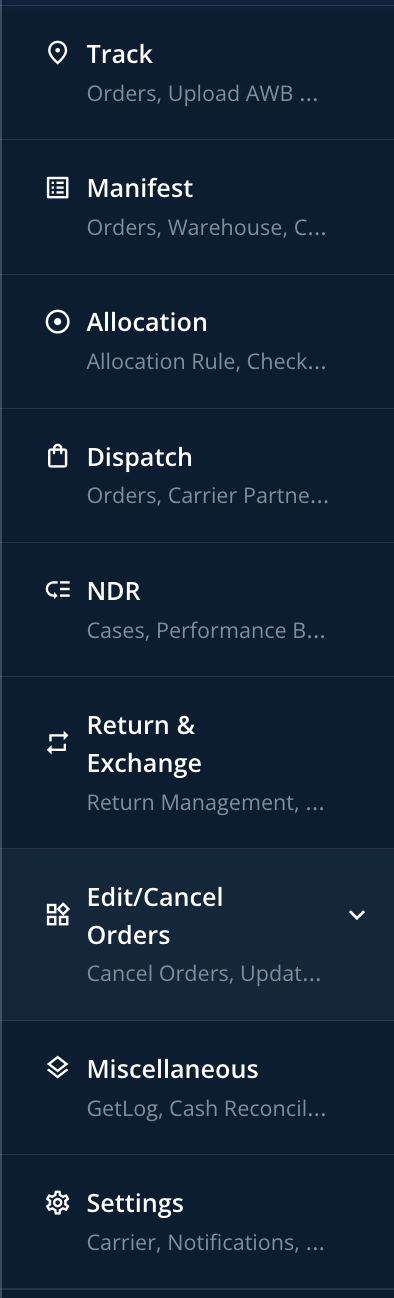
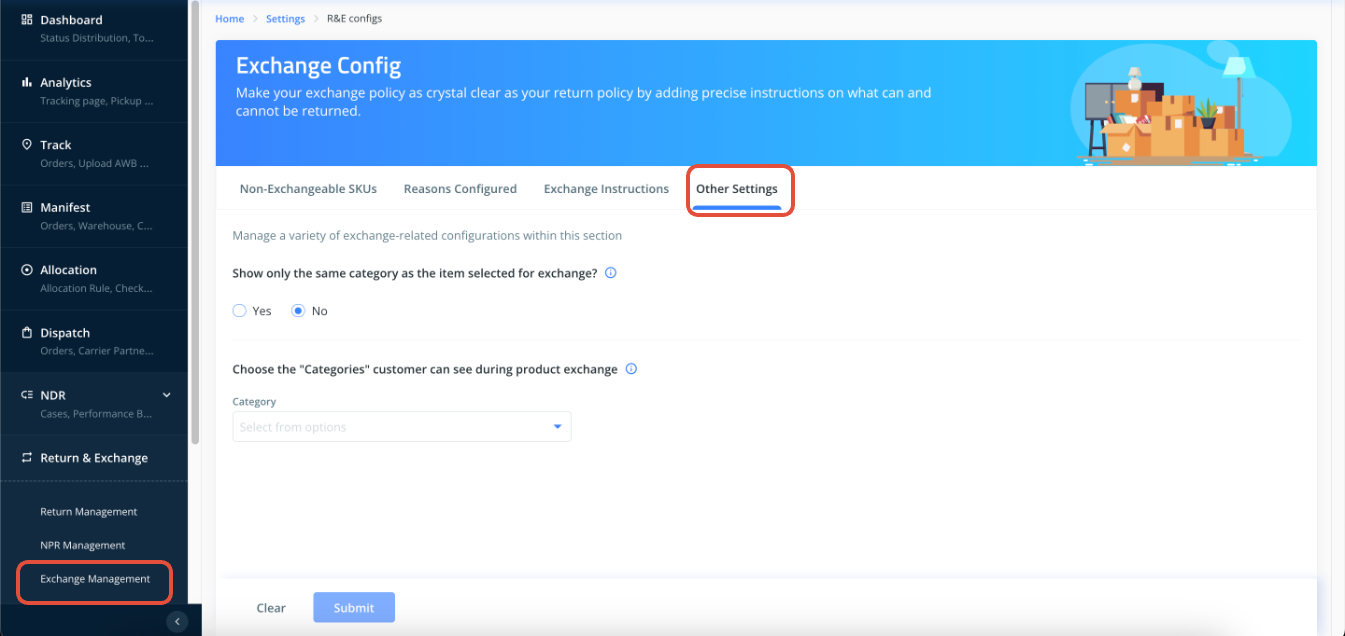
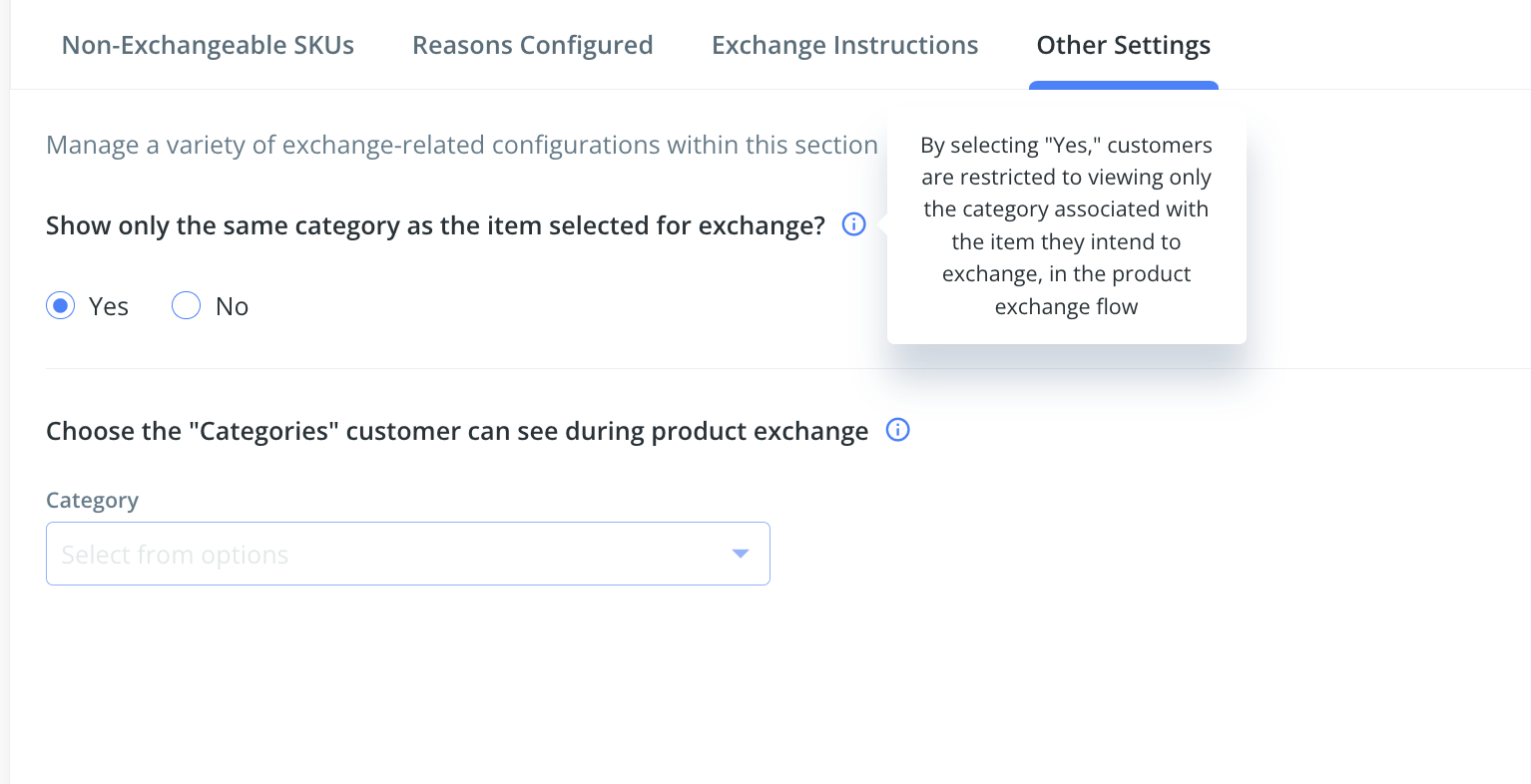
Under the "other settings" option, you can enable this functionality. However, if you have set "Show only the same category as the item selected for exchange?" to Yes, the end customer will only see items related to the one for which they are initiating an exchange or return request.
If the above option is selected as "No" then you can enable the list of collections that you want to be populated on the UI to the end customer. Sharing a snapshot below for reference.
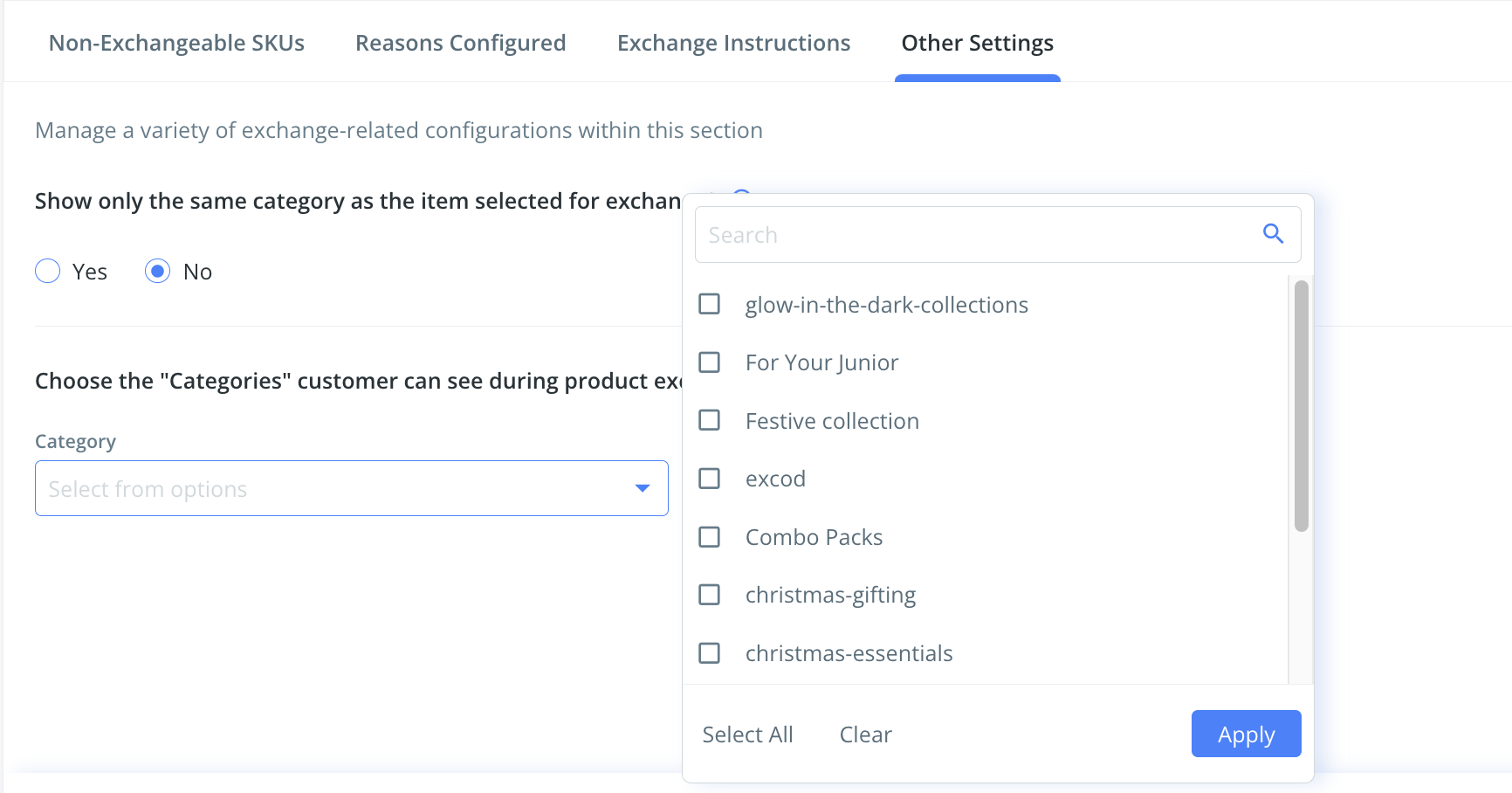
NOTE: Due to limitations in Shopify search functionality API which is global in nature [meaning If you've entered the first 4 letters of your product under a category it will search across all categories and display all the items with the name which reassembles this irrespective of the category URL], this will affect these customers and hence we have come up with this standard solution. Hence, enabling search will be conflicting for those end customers that's the reason we cannot search feature when the specific collection is configured.
Was this article helpful?
That’s Great!
Thank you for your feedback
Sorry! We couldn't be helpful
Thank you for your feedback
Feedback sent
We appreciate your effort and will try to fix the article