We have the funcitonality available via which the Excahgnge text on the Return-Exchange UI can be updated from the dashboard. Sharing a snapshot of the text below that can be updated for reference.
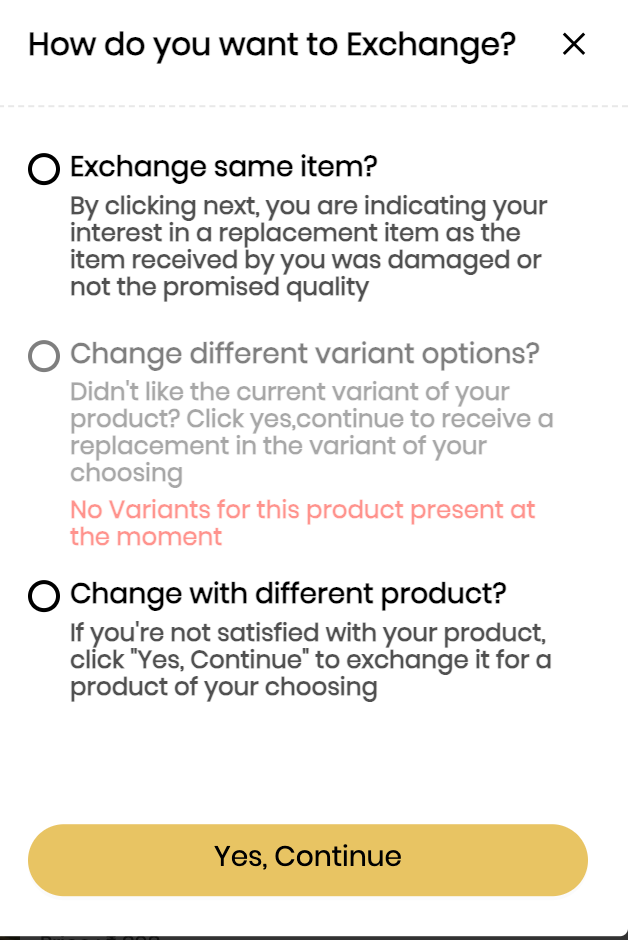
Mentioning the steps that can be referred to do the changes.
Dashboard Login>>Settings>>Tracking Page>>Custom Dimension
a) Under the Custom dimension, you have to click on key and value parameters.
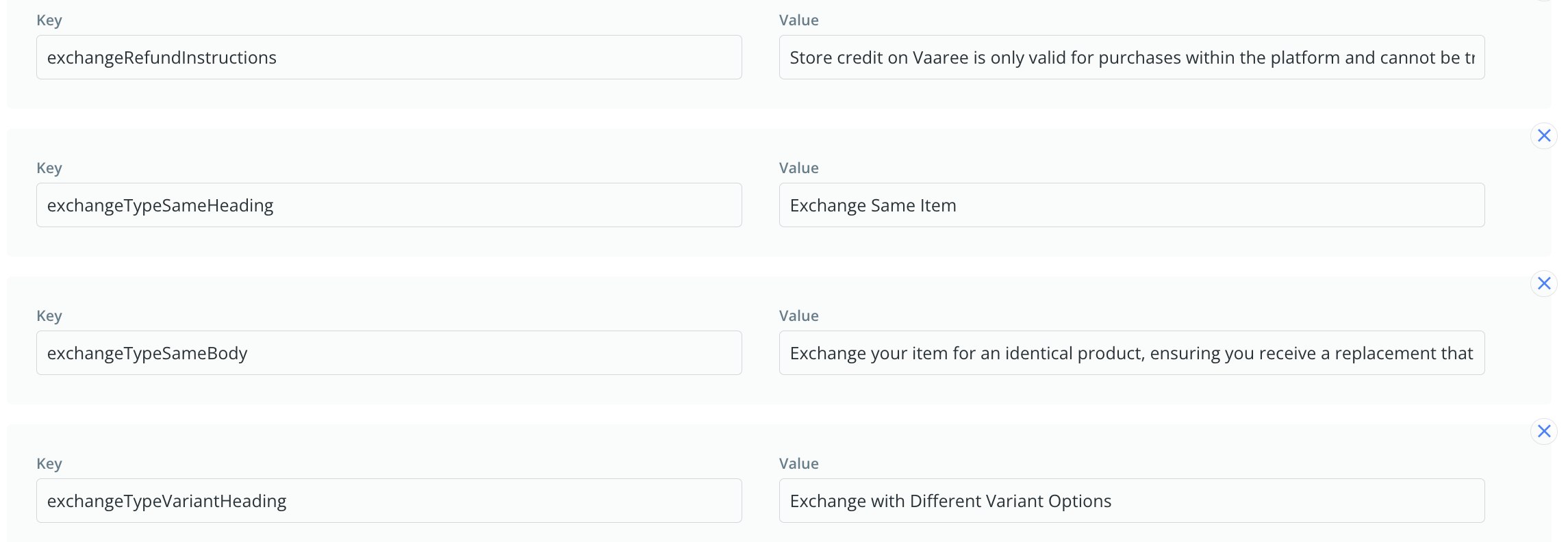
b) You need to define the key and the value. Please note the key for Exchange, variant exchange and site-wide exchange is static. You need to paste as it is mentioned below.
i) Variang exchange - exchangeTypeVariantHeading
ii) Same exchange - exchangeTypeSameHeading
iii) Site-wide exchange - exchangeTypeProductHeading
c) Under the value section any text can be configured there
d) Once the updation is done click on submit
e) It will take sometime to populate the updated data on the UI
f) Sharing a snapshot below for reference.
Was this article helpful?
That’s Great!
Thank you for your feedback
Sorry! We couldn't be helpful
Thank you for your feedback
Feedback sent
We appreciate your effort and will try to fix the article