Kindly follow the below steps to perform an instant test corresponding to the mode of communication to check if it is working as expected.
1. Login on https://dashboard.clickpost.ai
2. Click on the Setting tab at the last option.
3. Click on the notification tab and then overview.
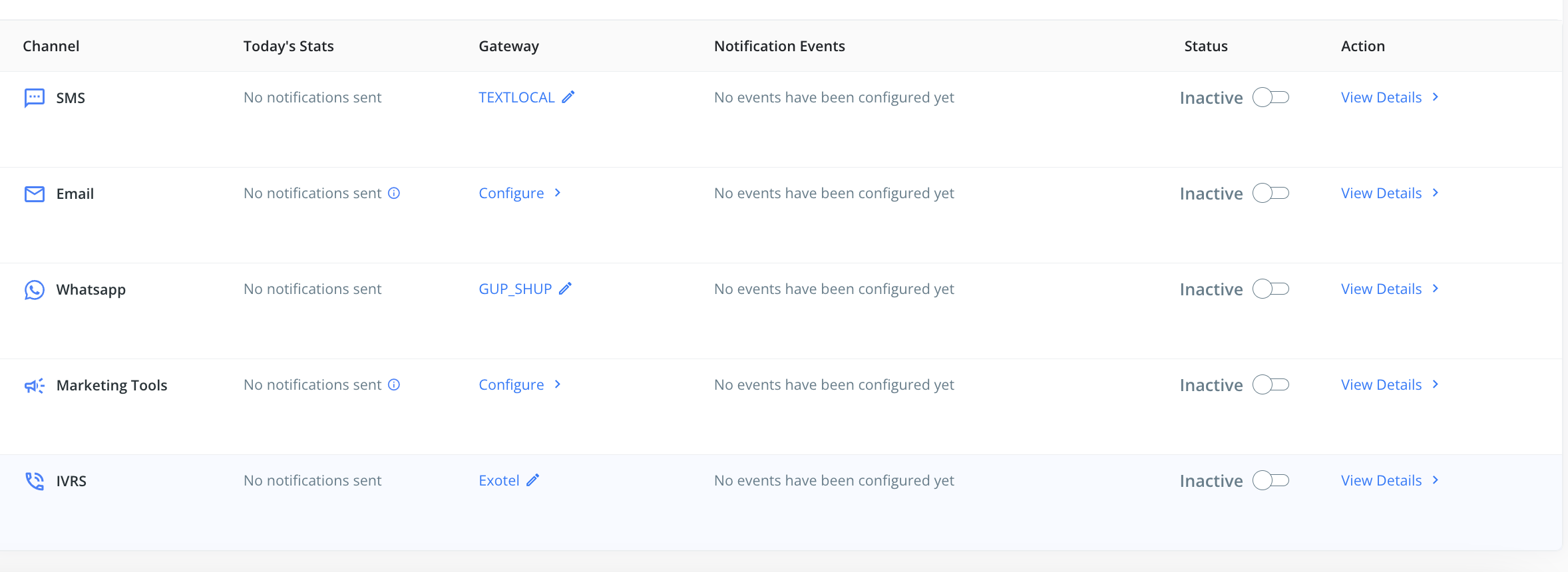
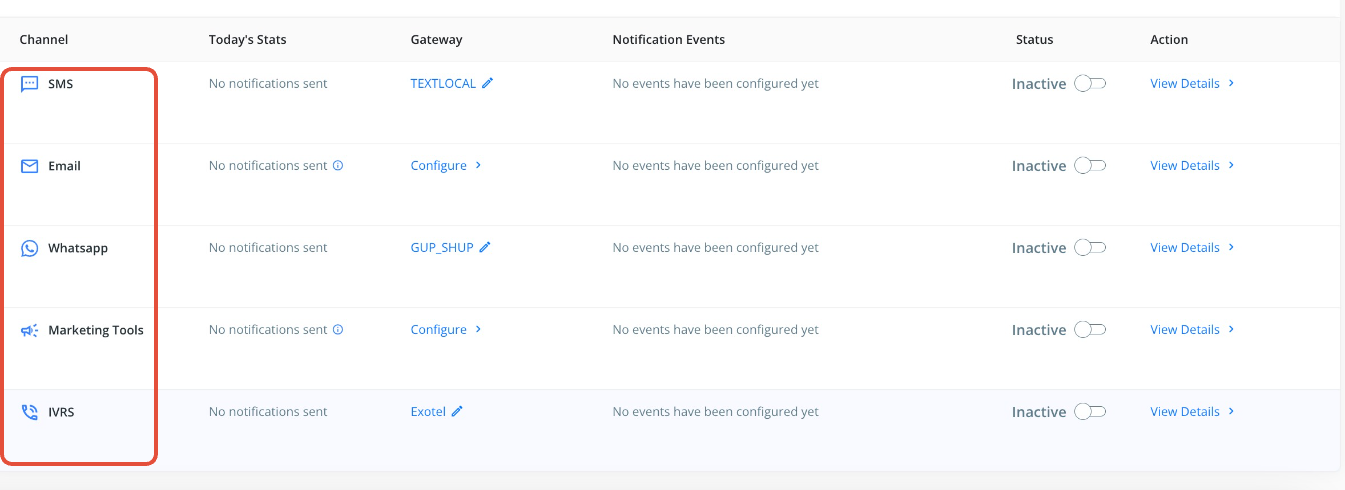
4. Click on view details corresponding to the mode of communication.
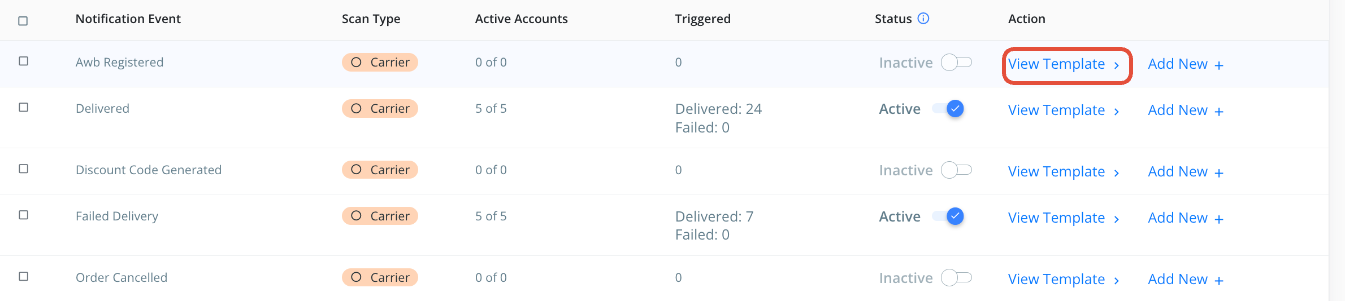
5. If the template is created then click on "view template".
6. Click on "Edit"

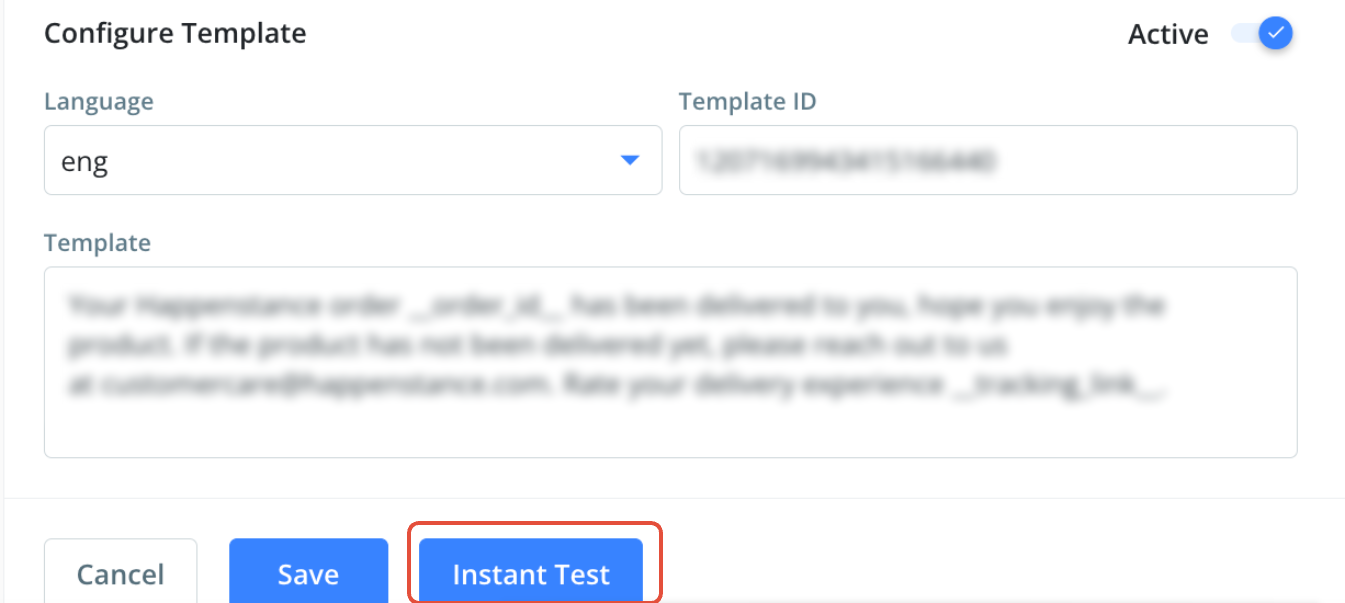
7. Click on the "Instant Test" option.
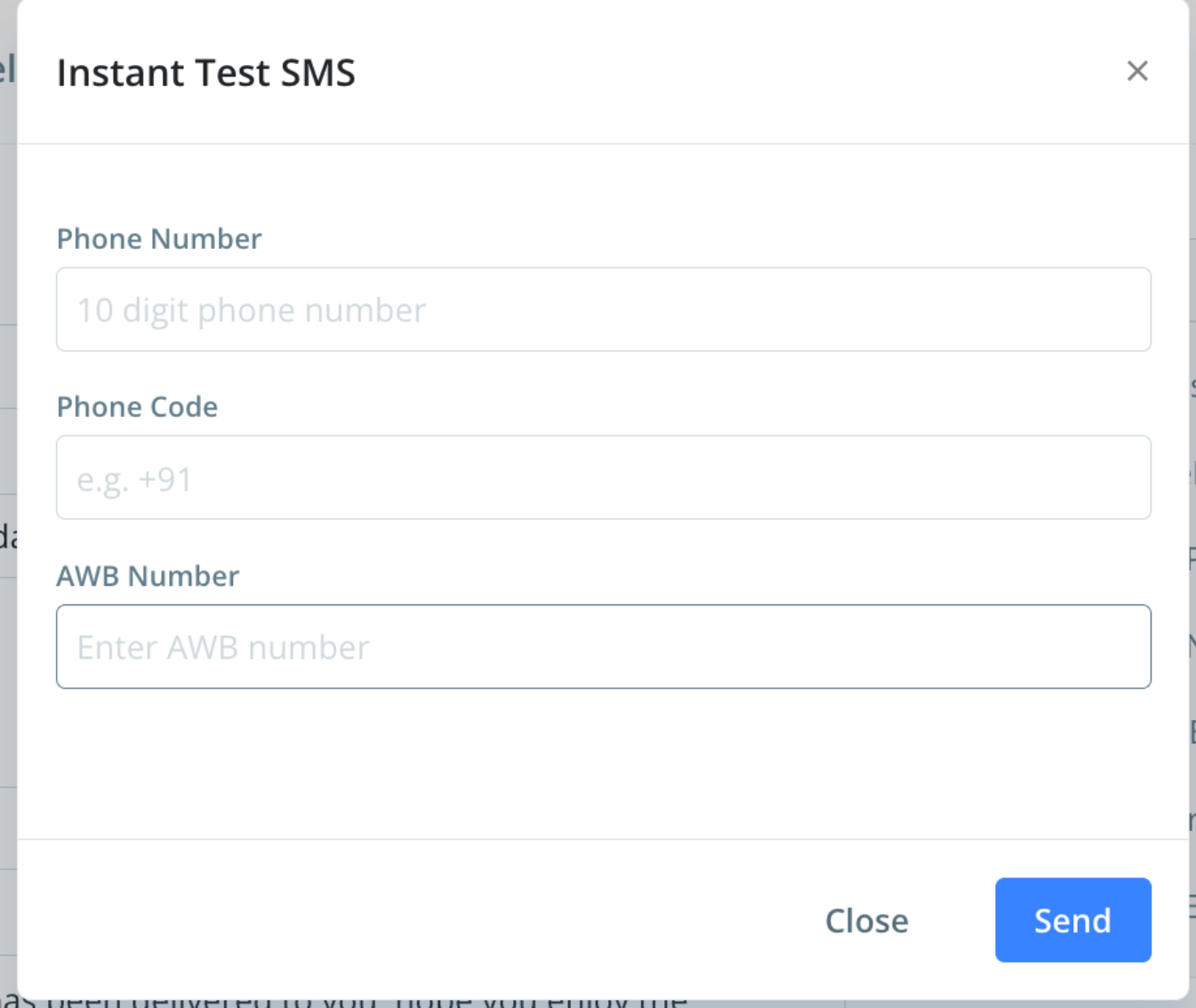
8. After clicking on the Instant test option, you need to enter the "AWB Number", phone number/email id[in case of email] and phone code. Please note a random AWB number can be mentioned but that should be present in the ClickPost system.
Was this article helpful?
That’s Great!
Thank you for your feedback
Sorry! We couldn't be helpful
Thank you for your feedback
Feedback sent
We appreciate your effort and will try to fix the article