Enterprises can create NON-QC shipments directly from the Clickpost Dashboard if the Pre-Dispatch Module is enabled.
Step 1: Navigate to Order Creation
- Go to Manifest Section → Create Order
- Choose one of the following options:
- File Upload
- Form
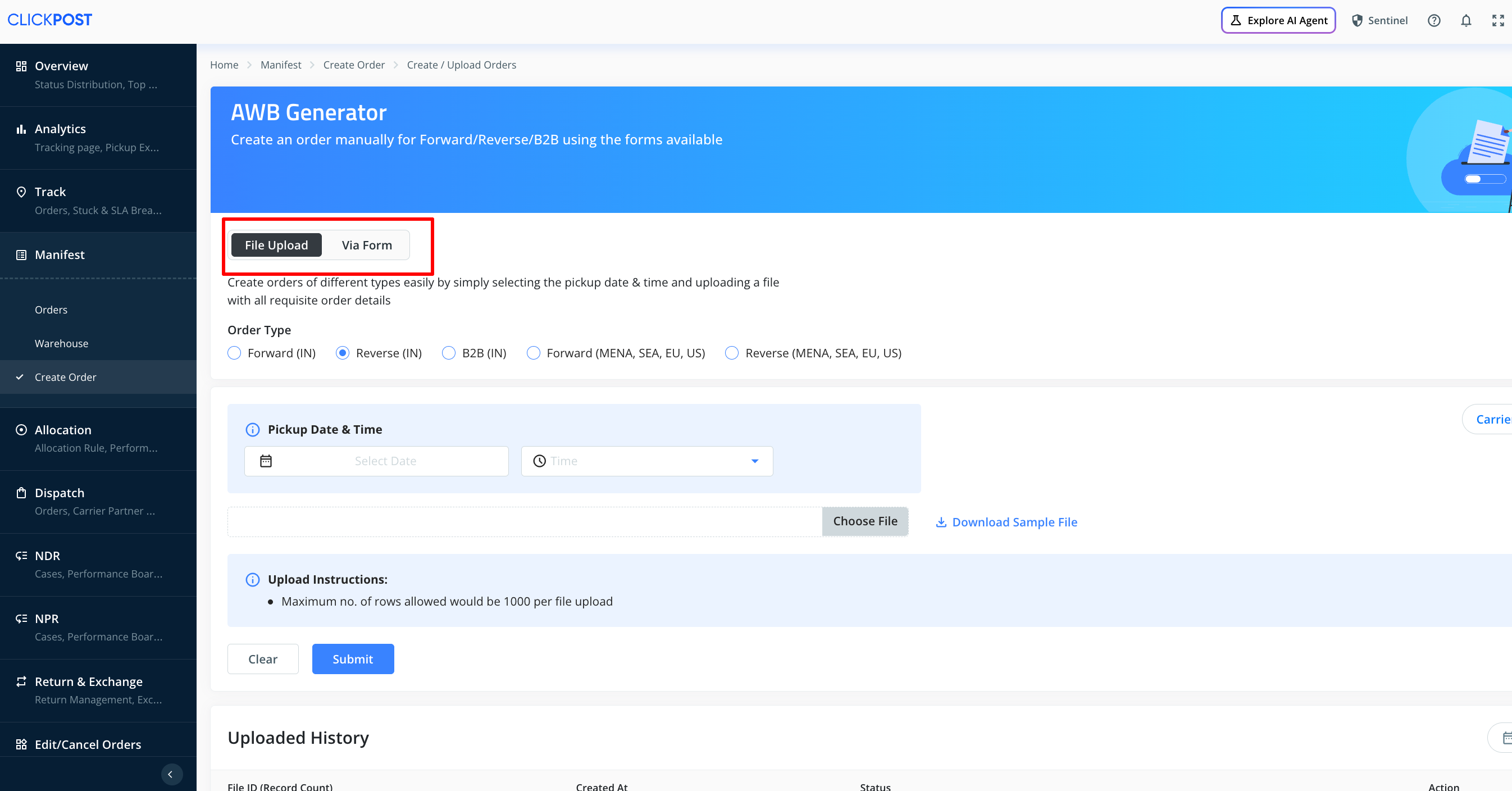
Option A: File Upload
- Download the sample file template
- Fill in all the required details
- Upload the completed file in the same section to manifest shipments
Note: Ensure all mandatory fields are correctly filled to avoid errors during upload.
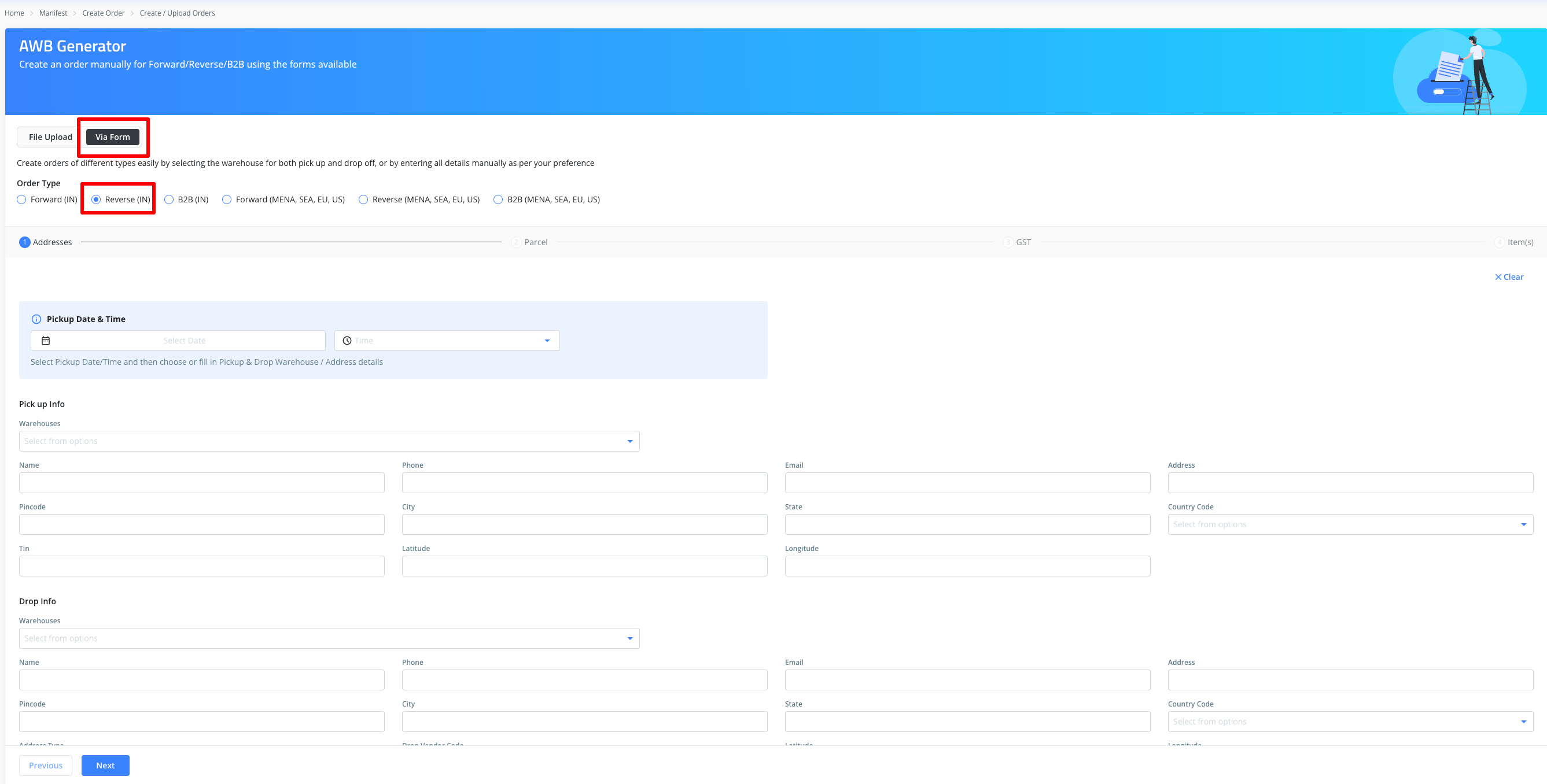
Option B: Manual Entry (Form)
- Select Form → Choose Reverse (IN)
- Fill in the required details on the first page
- Click Next
2.
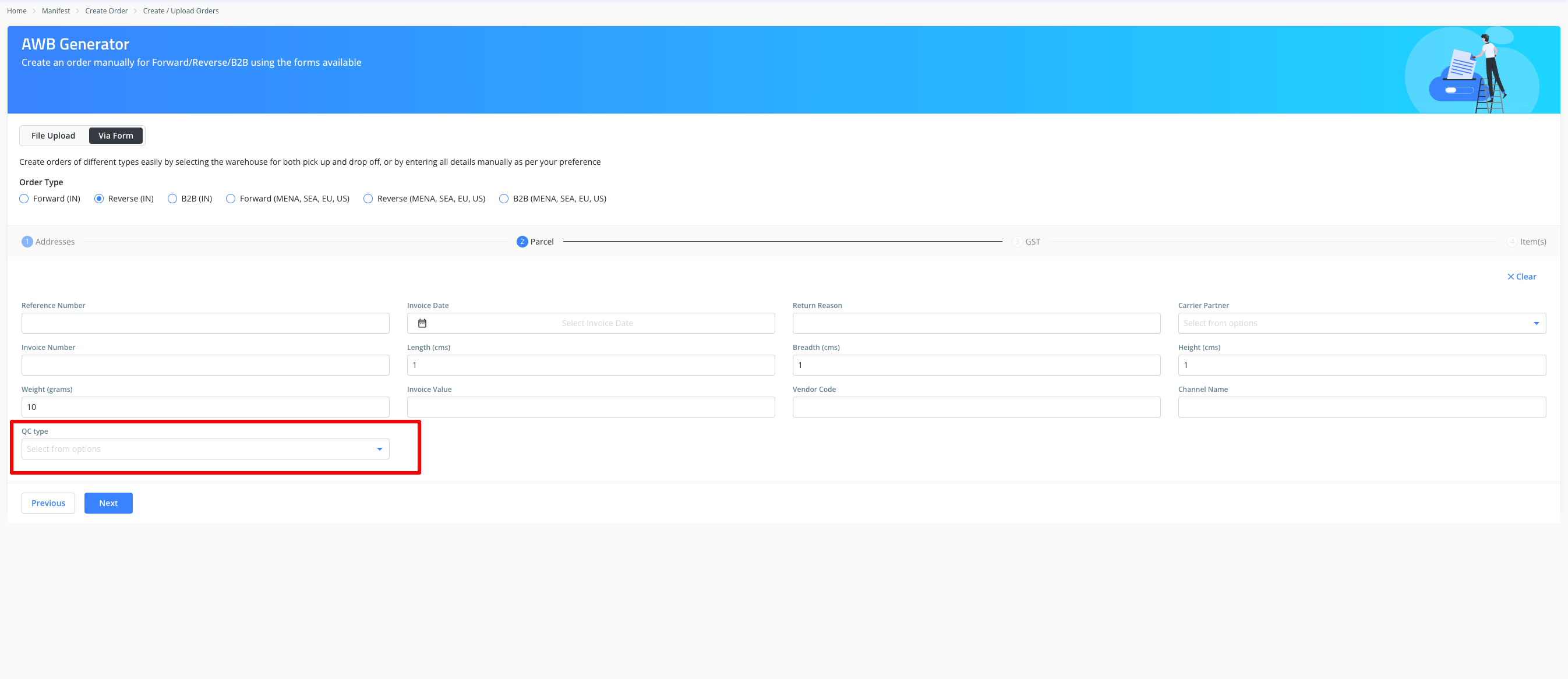
Step 2: Parcel Details
- Enter shipment details in the Parcel section
Important Note on QC Type:
- To create a NON-QC shipment → Do NOT select "Doorstep"
- To create a QC shipment → Select "Doorstep"
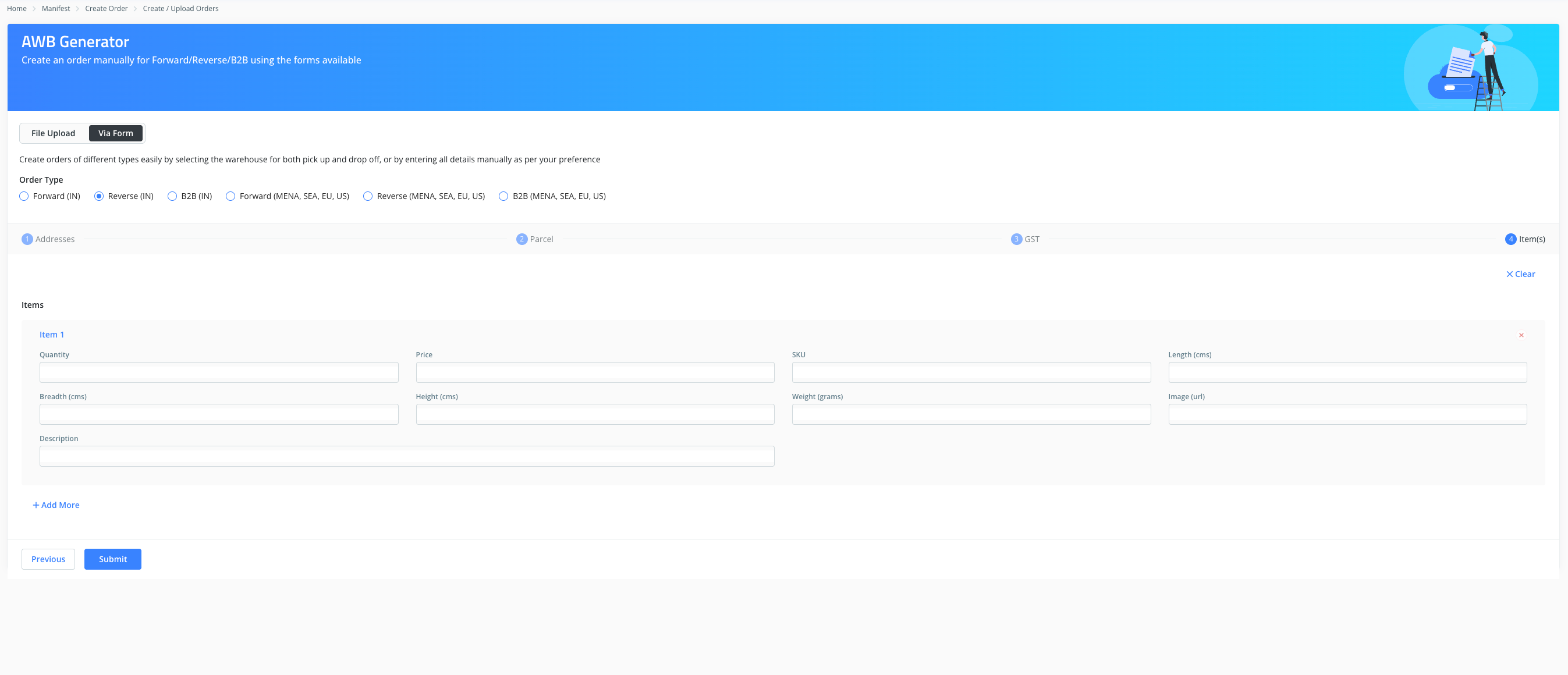
Step 3: GST & Item Details
- Fill in the GST details (optional, can be skipped if not applicable)
- Navigate to the Item section and enter the required information
Step 4: Order Confirmation
- Once completed, submit the order
- If successful, the AWB number will be generated and visible in the Track Order section
Error Handling
- If the order is not created successfully, an error message will be displayed during the process
- In such cases, please reach out to support@clickpost.in with relevant details for further assistance
Was this article helpful?
That’s Great!
Thank you for your feedback
Sorry! We couldn't be helpful
Thank you for your feedback
Feedback sent
We appreciate your effort and will try to fix the article