Use case: When providing refund to an end customer for returns, Enterprices may have to deduct refund charges.
In order to cater this, we have exposed a configuration in the dashboard.
Please follow the below steps:
1. Go to settings tab under Clickpost dashboard: https://dashboard.clickpost.ai/settings
2. Under R&E config, Click on Returns and then select "other settings"
3. You will see two options:
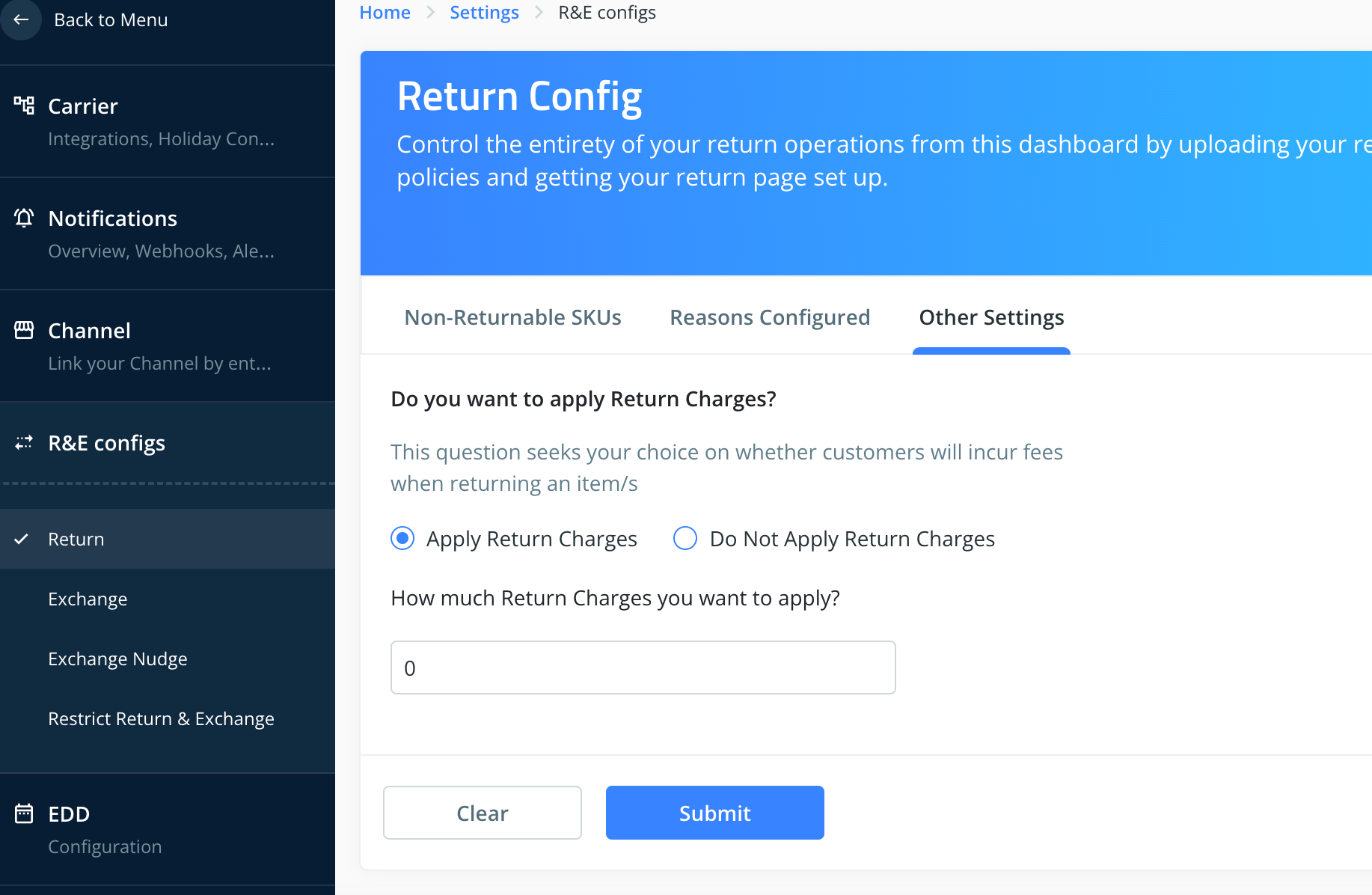
Do Not Apply Return Charges : If you select this no refund charges will be deducted while initiating a refund.
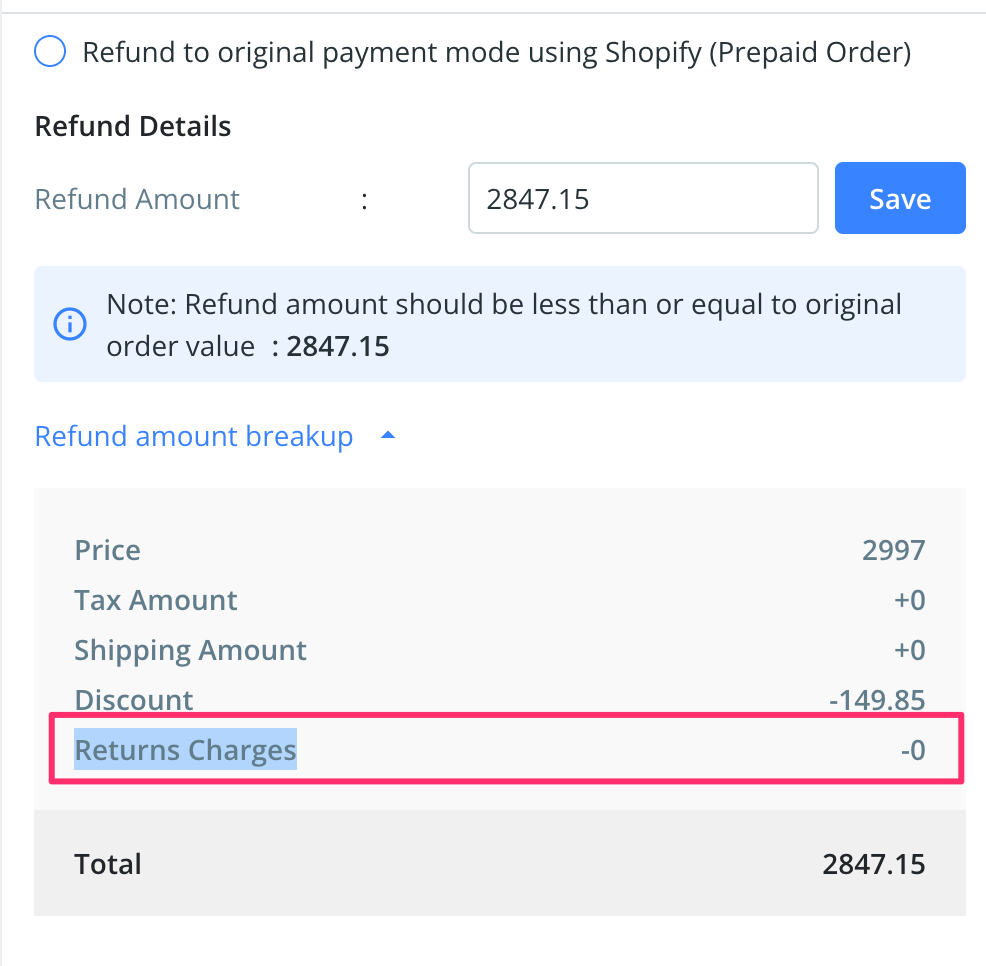
Apply refund charges: Set the amount example "100" which you want to deduct while providing arefund. The set amount will automatically add to the calculation of refund and it will be deducted while refunding via dashboard. Refer to the below screenshot:
4. Click on "Submit" to save the changes.
Was this article helpful?
That’s Great!
Thank you for your feedback
Sorry! We couldn't be helpful
Thank you for your feedback
Feedback sent
We appreciate your effort and will try to fix the article