Use case: If you want to change the end customers to login settings returns UI/returns and exchange UI, the option can be selected by following the simple steps below:
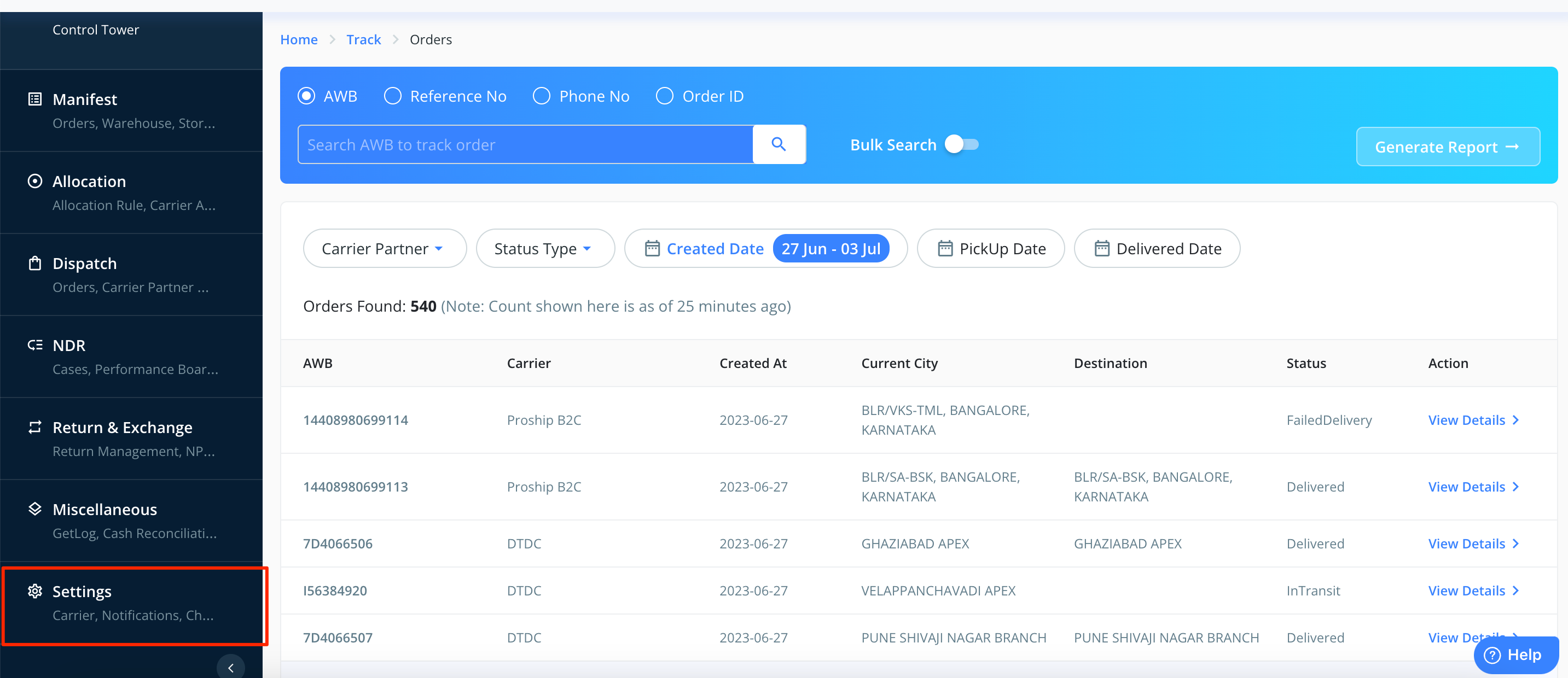
1. Login into the Clickpost dashboard using the URL: https://dashboard.clickpost.ai/ and go to settings.
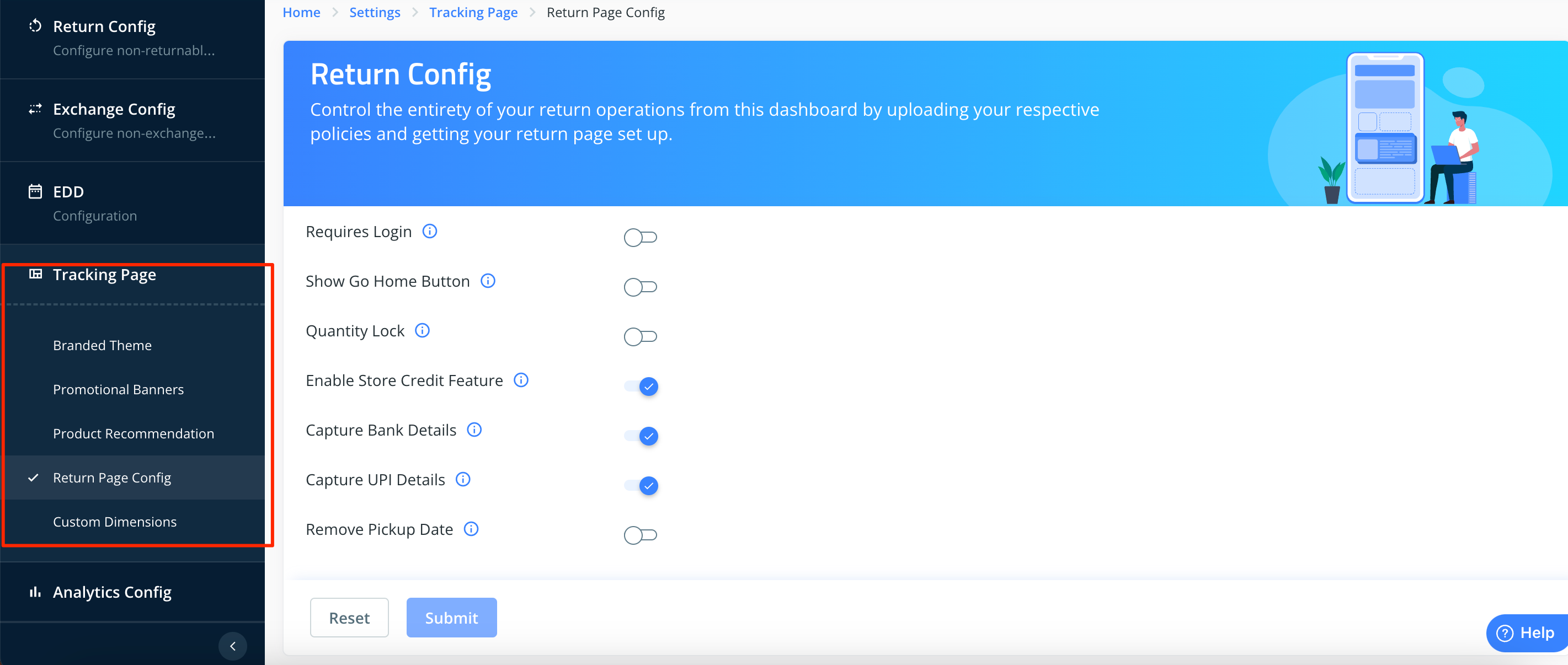
2. Go to tracking page and click on return page config.
3. Go to "Enter User Login Settings" section and select the required option from drop-down and click on submit.
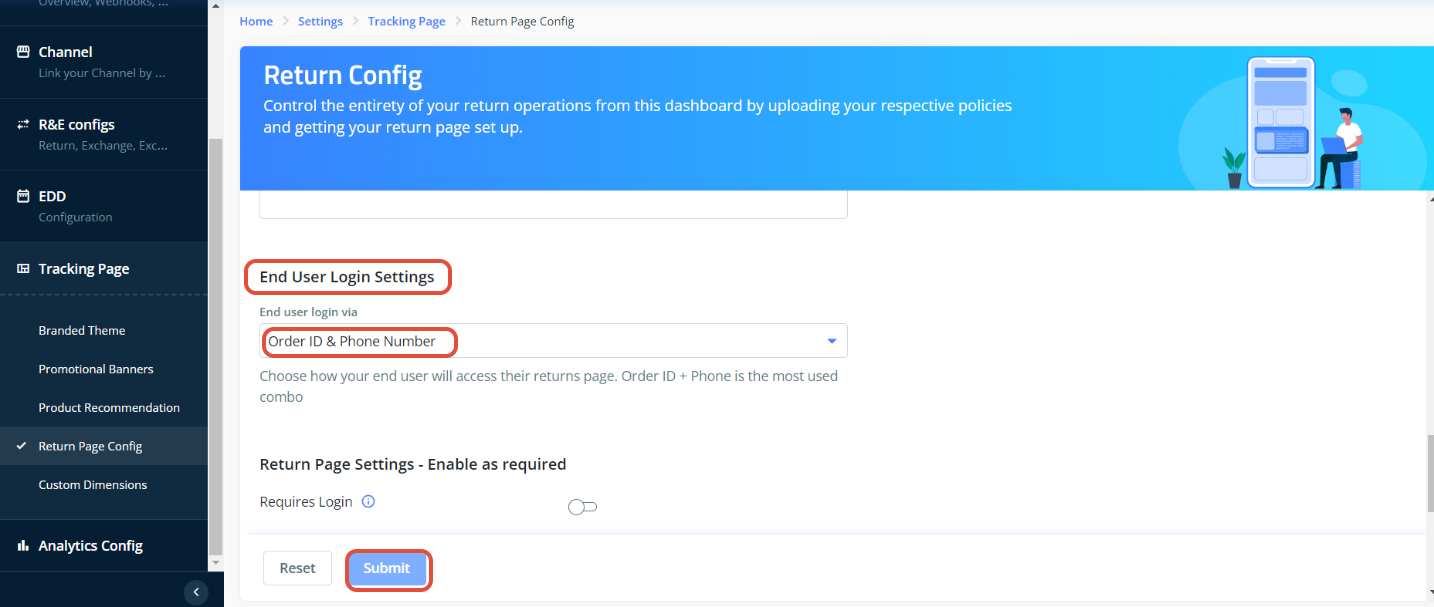
Please find the description for each option below
| Dropdown option | Field Values |
| Order Number & Phone Number | Reference Number + Mobile number |
| Order Number & Email Address | Reference Number + Email id |
| Order ID & Phone Number | Order id + Mobile number |
| Order ID & Email Address | Order id + Email id |
Was this article helpful?
That’s Great!
Thank you for your feedback
Sorry! We couldn't be helpful
Thank you for your feedback
Feedback sent
We appreciate your effort and will try to fix the article