The ClickPost CS Widget enables e-commerce support and operations teams to track shipments across all courier partners, without switching between multiple courier portals. With this widget, teams can also take Reattempt or RTO actions directly in cases of failed deliveries.
Key Capabilities
Seamless Integration with Any CRM
The CS Widget can be embedded into any existing CRM used by your support or operations teams, allowing them to access ClickPost tracking without leaving their workflow.Unique Tracking URLs for Every Shipment
Each shipment includes a unique URL that opens the complete tracking view in a new tab, directly from your CRM.Single Login Per Day
Users only need to log in once per day. They can continue accessing tracking details for multiple shipments without repeated logins.User Management via ClickPost Dashboard
Each team member using the widget must have a ClickPost user account.
If your organization uses Google/Microsoft Workspace, users can simply log in via “Login with Google/Microsoft”New users can be created using this guide:
https://clickpost.freshdesk.com/a/solutions/articles/43000764236- Take NDR Actions from the Tracking Page
Support agents can update customer responses and take NDR actions (Reattempt / RTO) directly from the tracking view. These actions will be shared with the courier just like in the standard NDR Management workflow.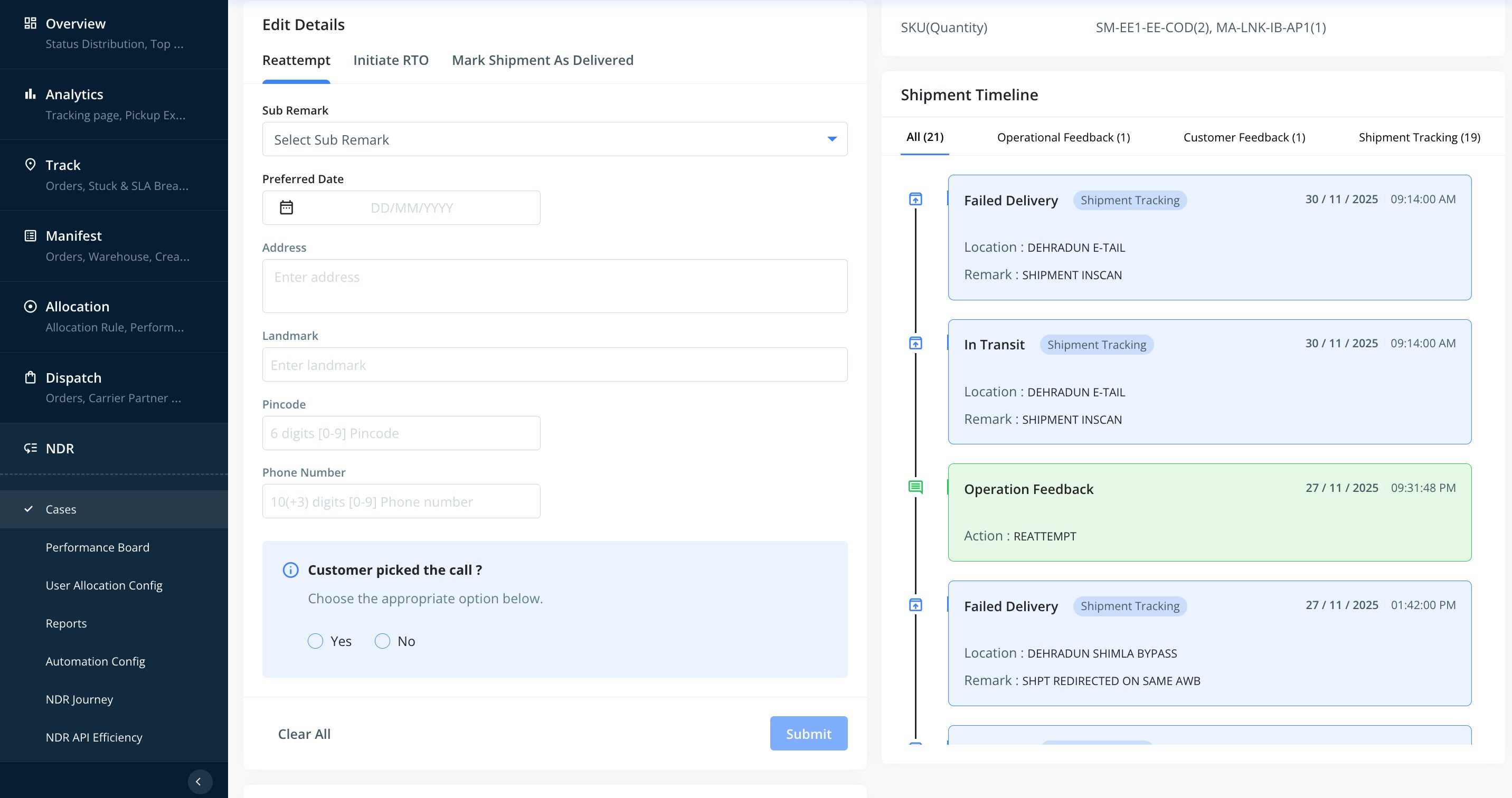
Complete Shipment Journey Visibility
Agents can view the full shipment timeline, including any previous NDR actions taken by different team members. This ensures full context while responding to customer queries.
This functionality significantly reduces the time and effort required to resolve customer issues. It provides end-to-end shipment visibility while ensuring agents only access the information they need, without exposing additional or sensitive data.
Was this article helpful?
That’s Great!
Thank you for your feedback
Sorry! We couldn't be helpful
Thank you for your feedback
Feedback sent
We appreciate your effort and will try to fix the article