This document outlines the step-by-step process to configure Quality Check (QC) settings for courier partners in ClickPost.
Step 1: Login
Log in to your ClickPost account using your credentials.
Step 2: Navigation Path
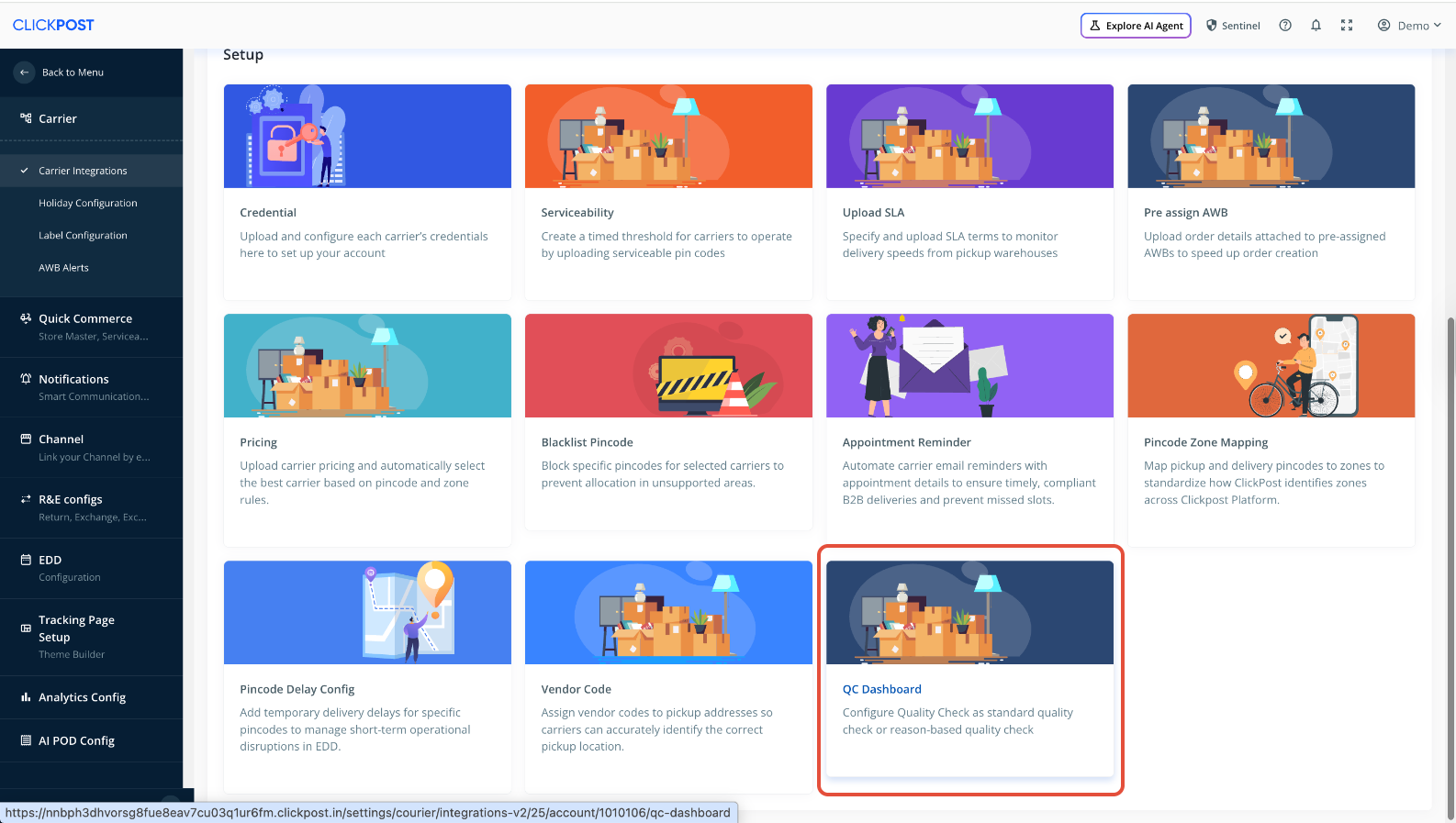
Follow the below path to access the QC Dashboard:
Home → Settings → Carrier → Carrier Integration → Accounts → QC Dashboard
Step 3: Select QC Type
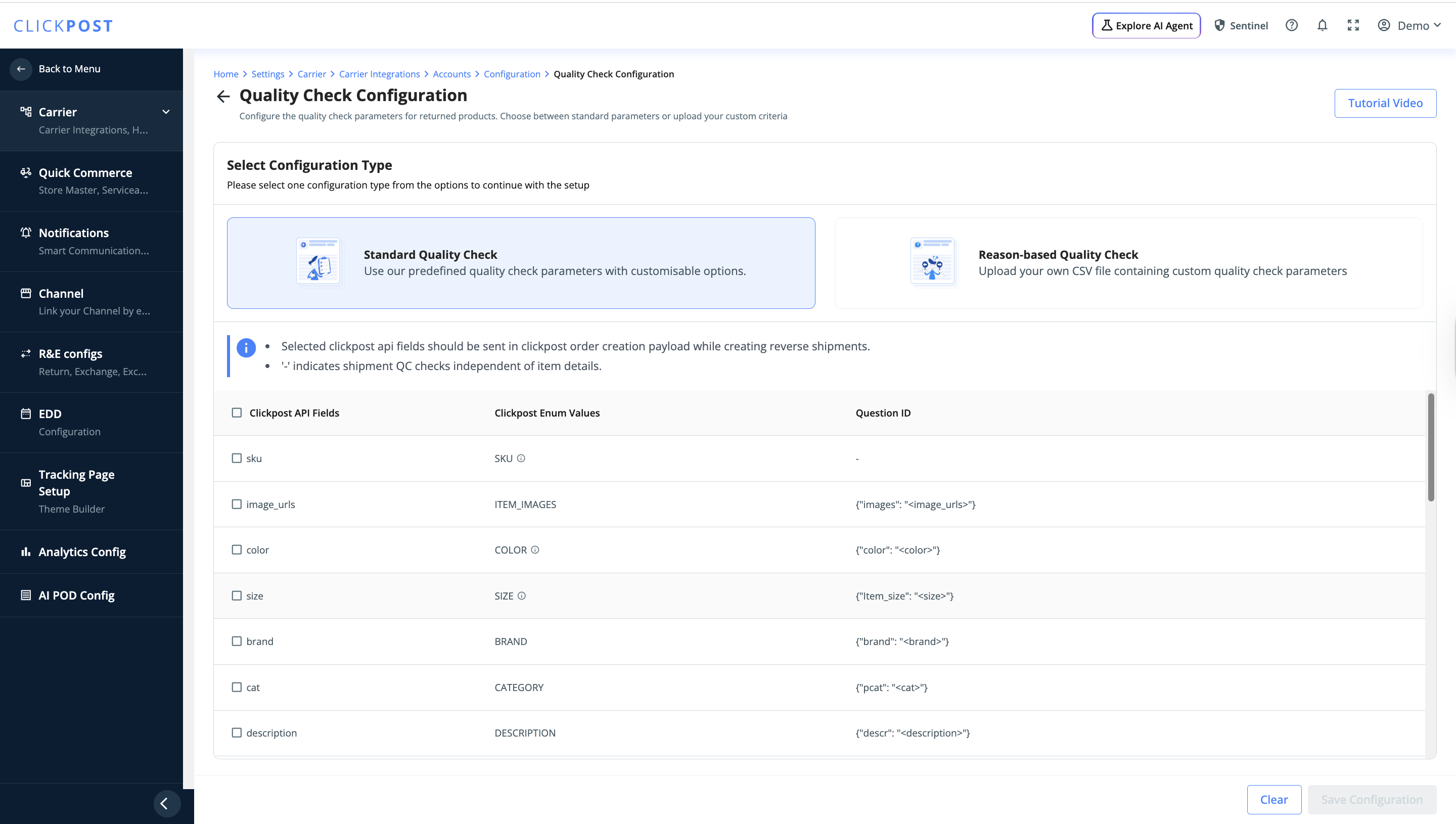
Once you access the QC Dashboard for a specific courier account, you will see two QC configuration options:
a. Standard Quality Check
If this is enabled, all configured QC checks will be applied to every return shipment, regardless of the return reason.
This is useful when you want a uniform QC process across all returns.
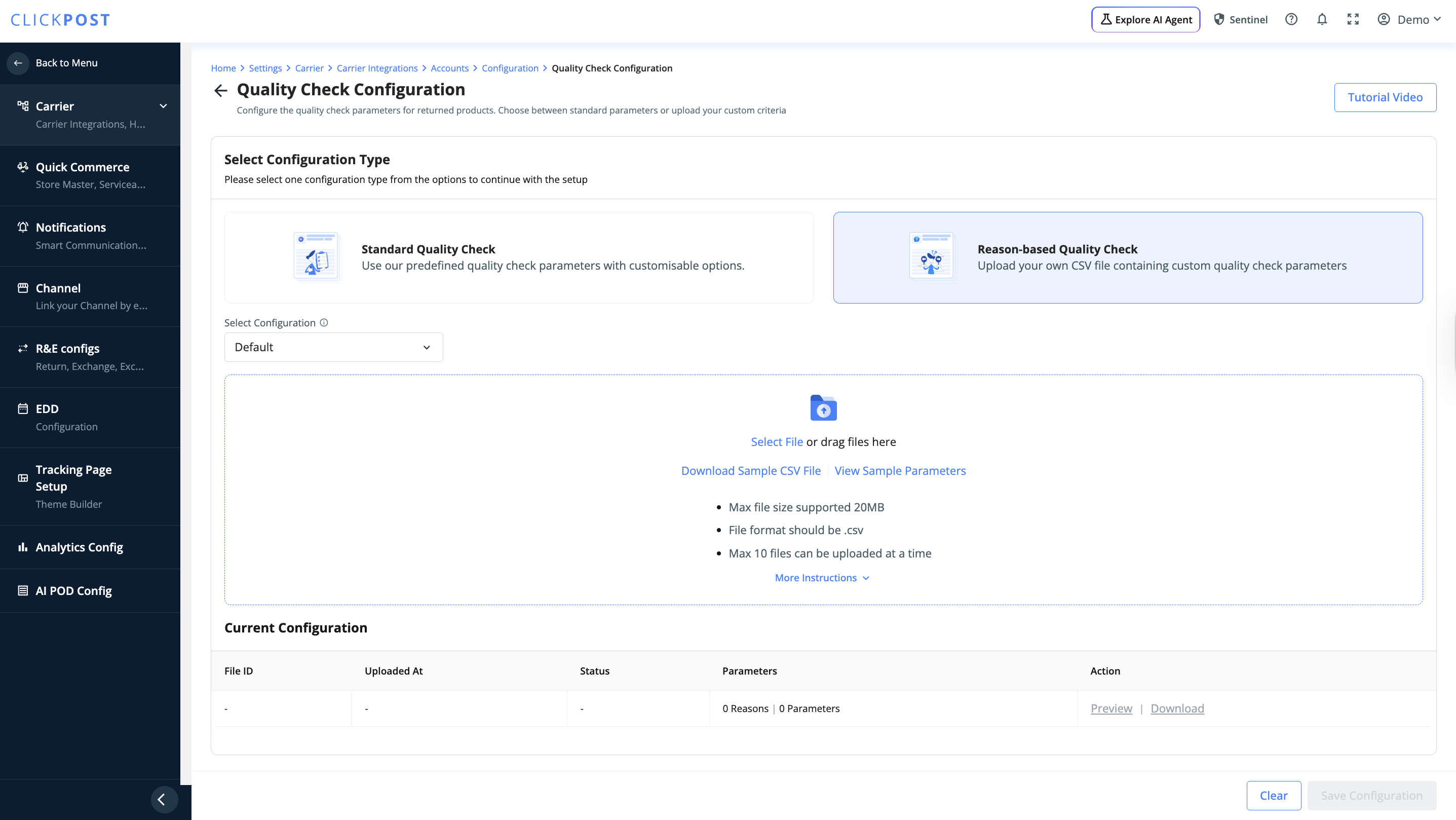
b. Reason-Based QC
If this is enabled, QC checks need to be configured separately for each return reason.
The configured QC checks will be passed to the courier based on the selected return reason.
This provides more granular control over QC workflows.
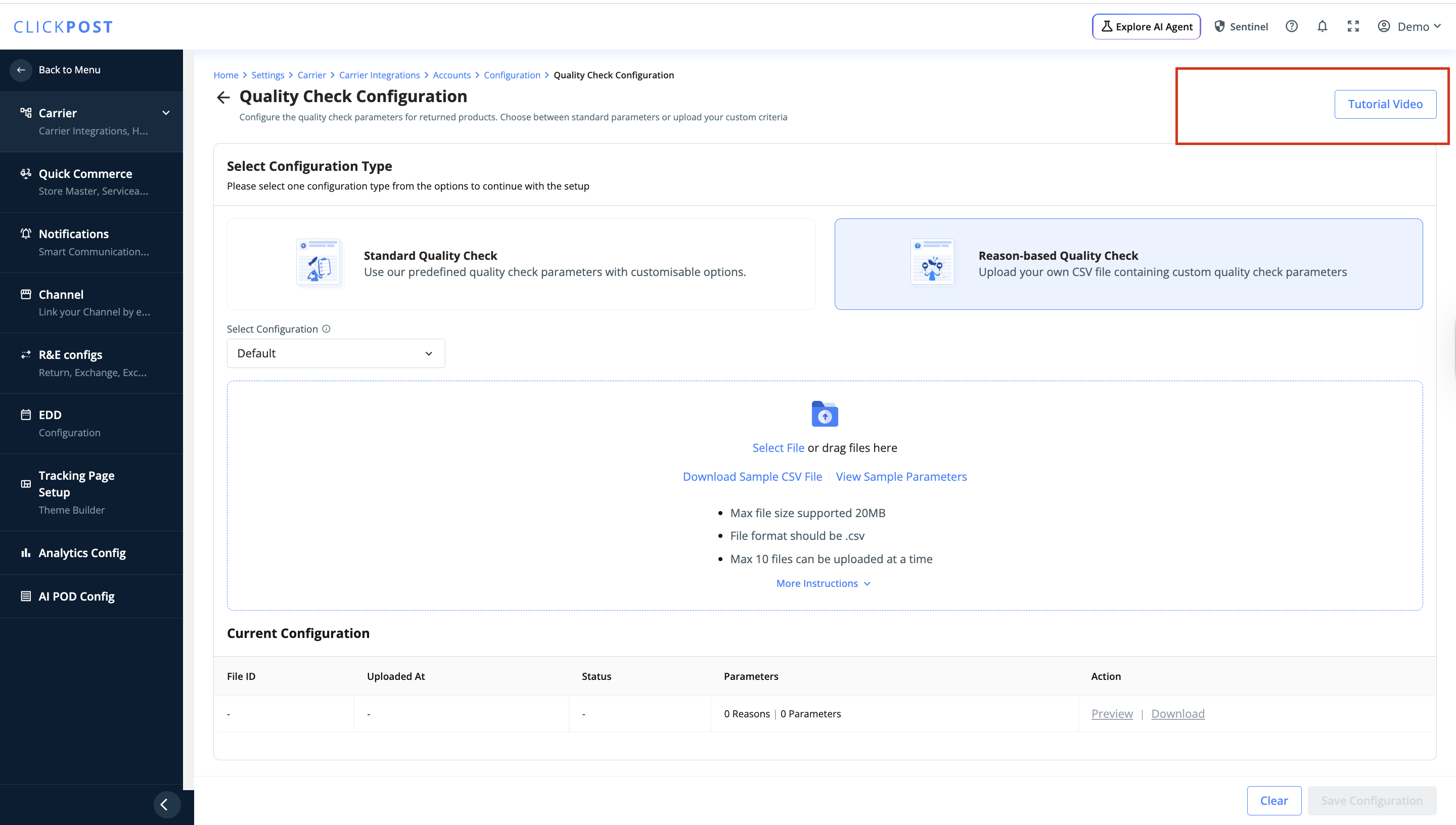
Step 4: Refer to Tutorial Videos
The QC Dashboard includes tutorial videos explaining the configuration process.
It is recommended to review these videos for better understanding and correct setup.
Important Notes
Delhivery supports QC V3.0 only.
A maximum of 6 QC checks can be configured for Delhivery. Exceeding this limit is not supported.
Summary
Use Standard QC for uniform checks across all returns.
Use Reason-Based QC for customized QC per return reason.
Always verify courier-specific limitations before configuring QC.
If you need assistance during setup, please reach out to the support team via Email: support@clickpost.ai
Was this article helpful?
That’s Great!
Thank you for your feedback
Sorry! We couldn't be helpful
Thank you for your feedback
Feedback sent
We appreciate your effort and will try to fix the article