Please find the steps to Generate a Token for Amazon Transportation Services (ATS) -
Courier Partner ID: 212
1. Authentication
The enterprise must have Amazon Seller Central account and need to authenticate ClickPost to fetch the refresh token. This can be done by the following steps
a. Click the below link
b. Click checkbox and Confirm
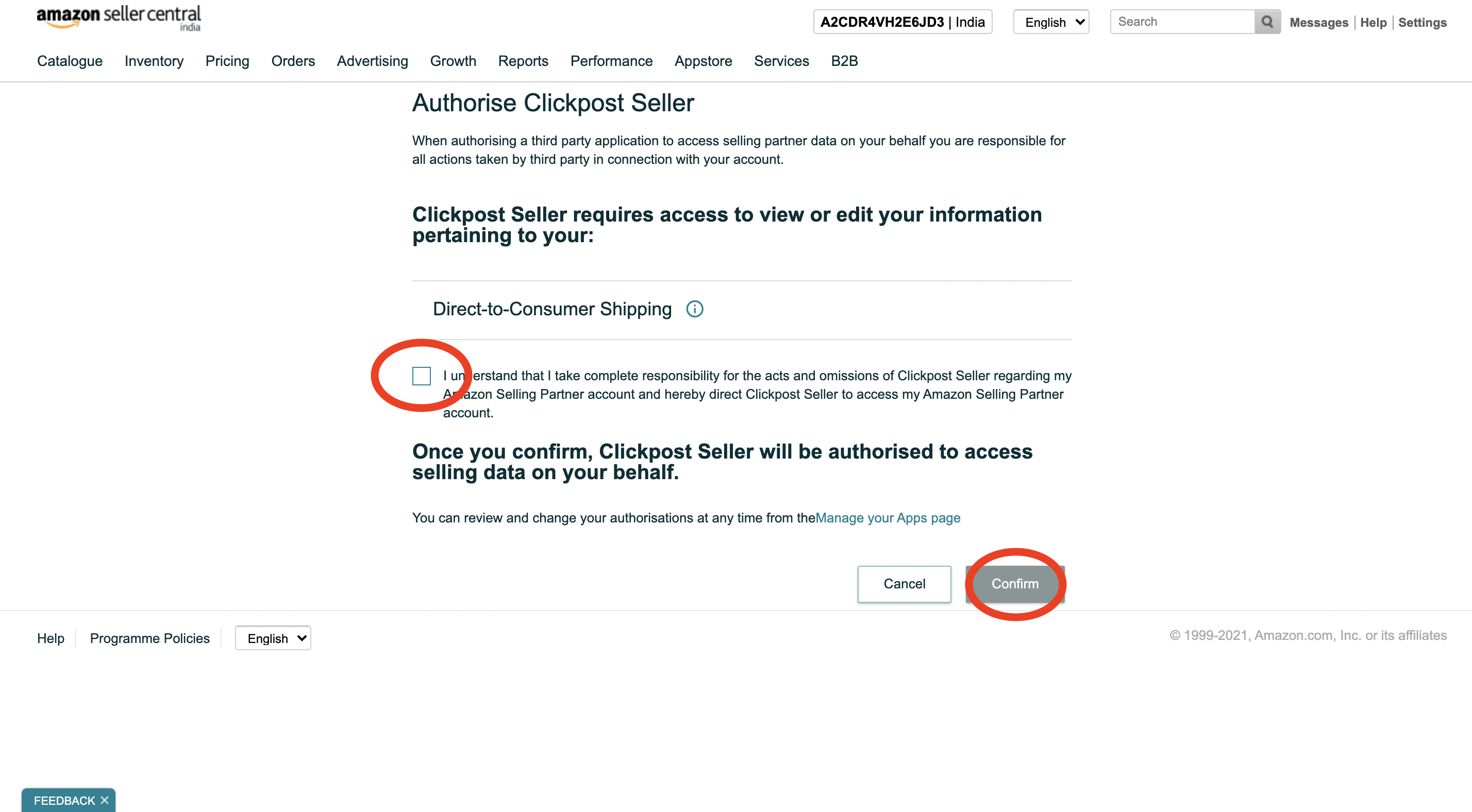
c. Login to the ClickPost dashboard at the redirect
Once Confirm is clicked, it will be redirected to the ClickPost dashboard. Please login to the ClickPost dashboard using email and password, not SSO. Please reach out to Clickpost team on support@clickpost.in in case you face any issues with logging in.
2. Confirmation :
Once the above steps are done, request the enterprise to initiate a thread if not already done and confirm Clickpost about the steps followed on support@clickpost.in. Clickpost will fetch the token and update the same in the ATS the account credentials.
Was this article helpful?
That’s Great!
Thank you for your feedback
Sorry! We couldn't be helpful
Thank you for your feedback
Feedback sent
We appreciate your effort and will try to fix the article
