We've introduced the Store Master section on the dashboard for courier partner-to-store code mapping. This section also allows updating mapped data, such as latitude and longitude, email, and phone number.
To access Store Master:
Log in to the dashboard: https://dashboard.clickpost.ai/
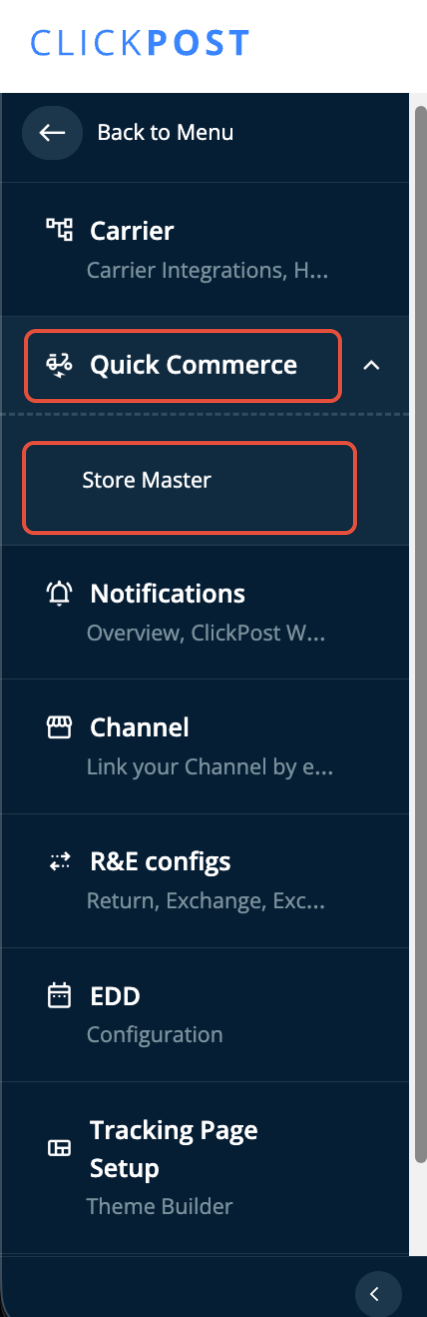
Navigate to Settings > QuickCommerce > Store Master (as shown in the snapshot below).
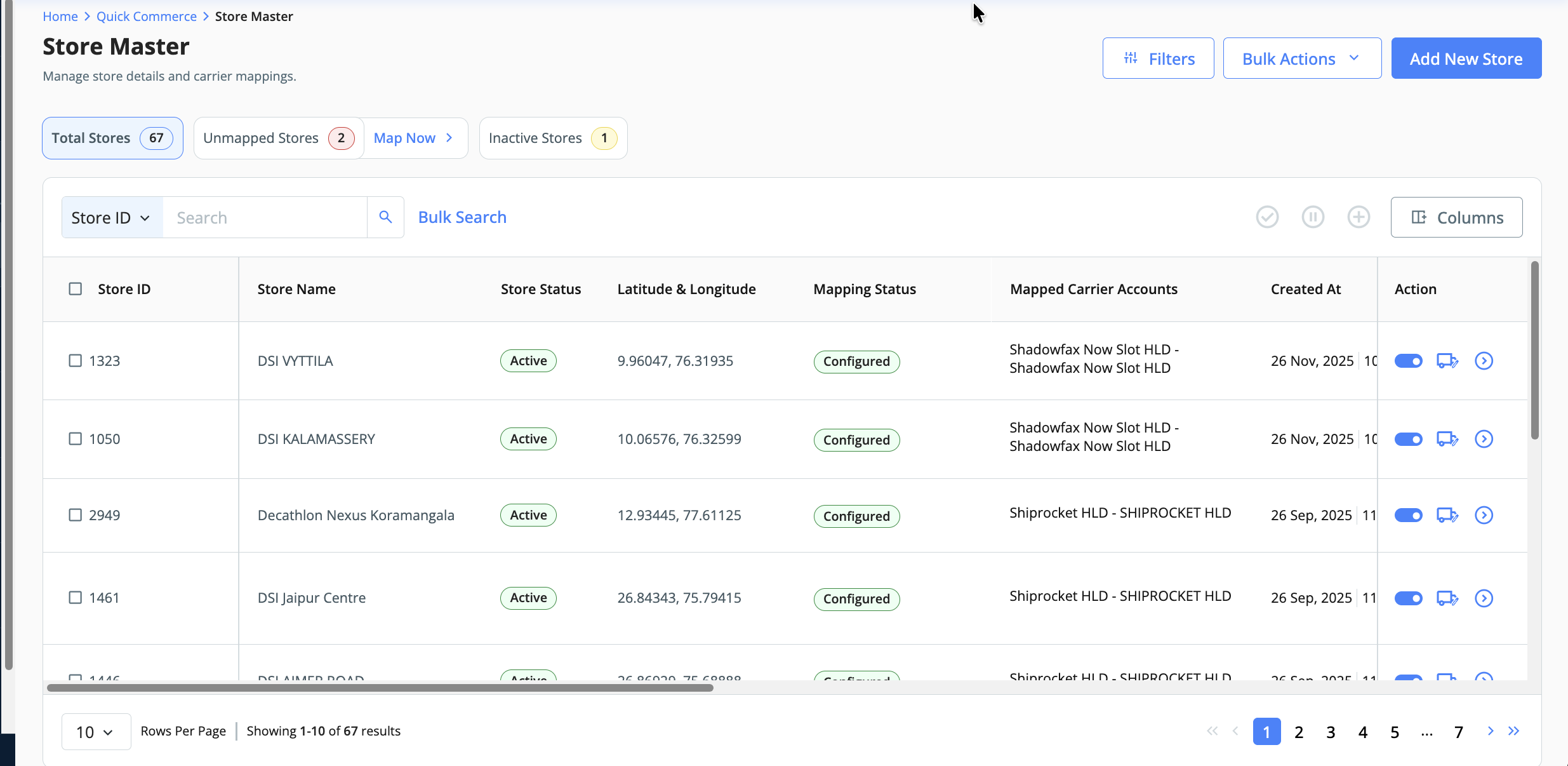
- In the Store Master section, you can view all mapped stores or use the "Add New" option in the top right to configure a new store on the dashboard.
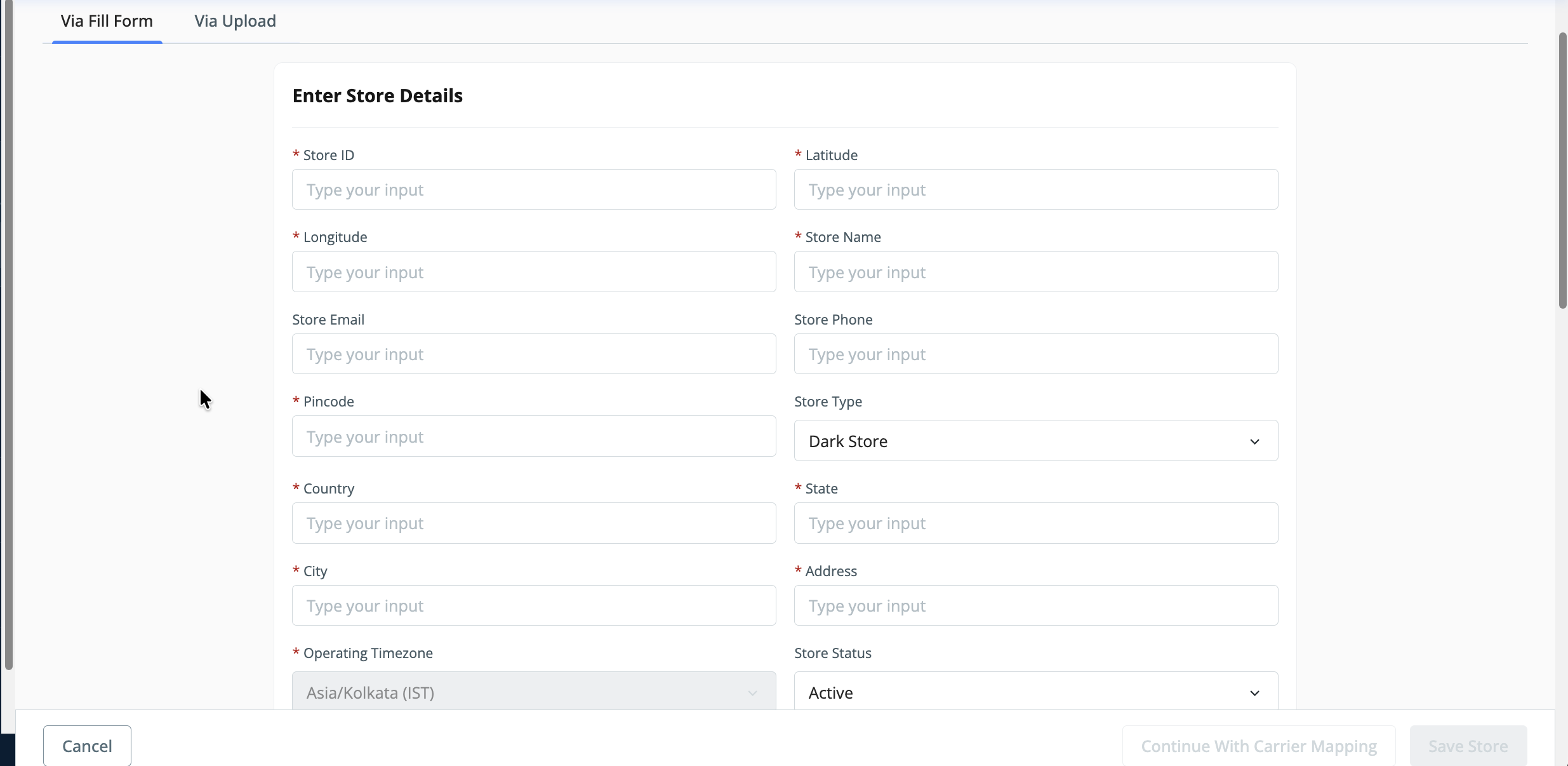
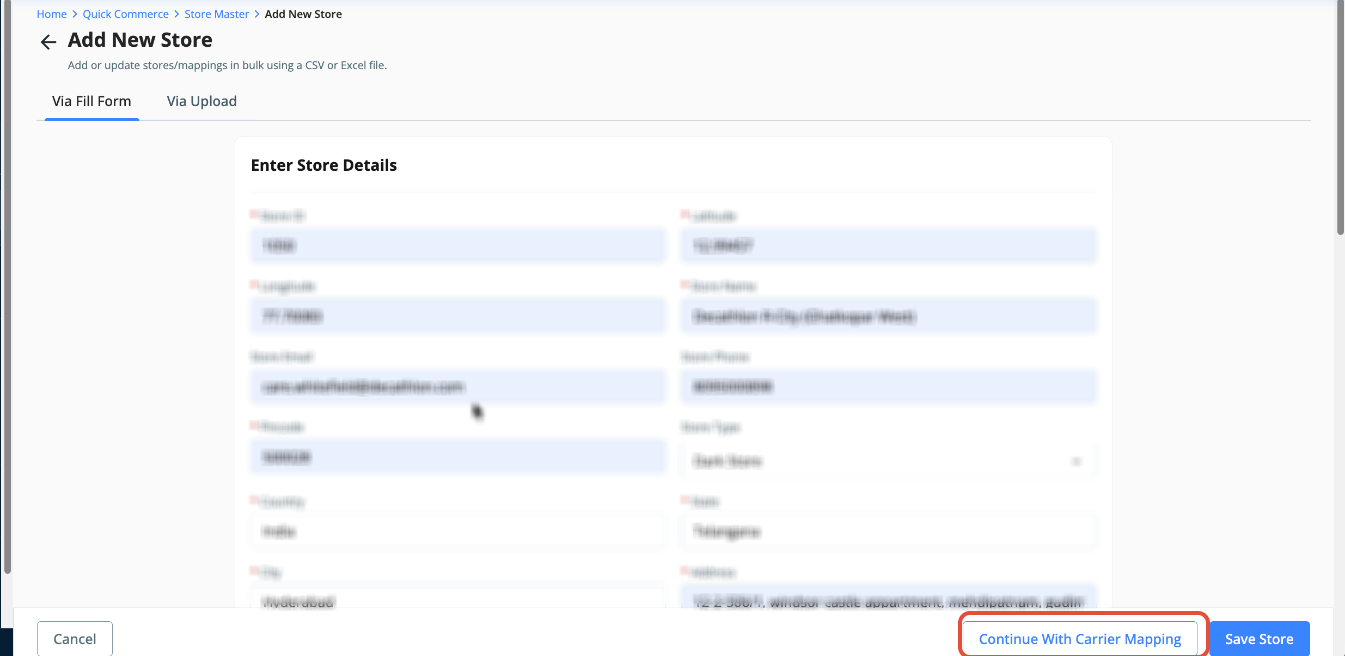
- Once you click "Add New Store", a form will open on the UI where you need to enter the store-level configuration details.
- Also, you need to update the Store's working hours.
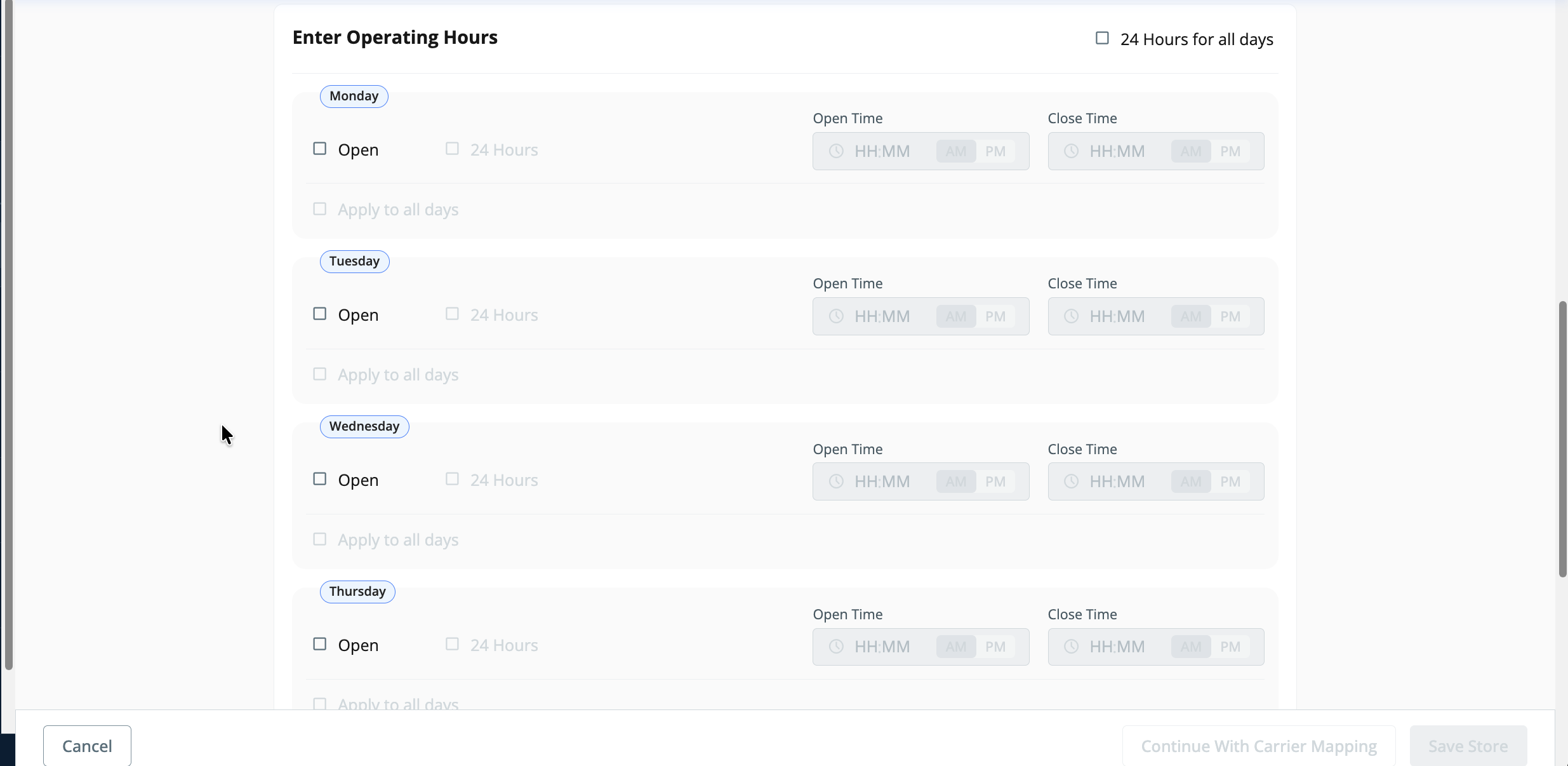
- Once the details are configured and working hours updated, please click "Continue with courier partner mapping".
- In the Carrier Partner Mapping section, select the courier partners you want to associate with the configured store.
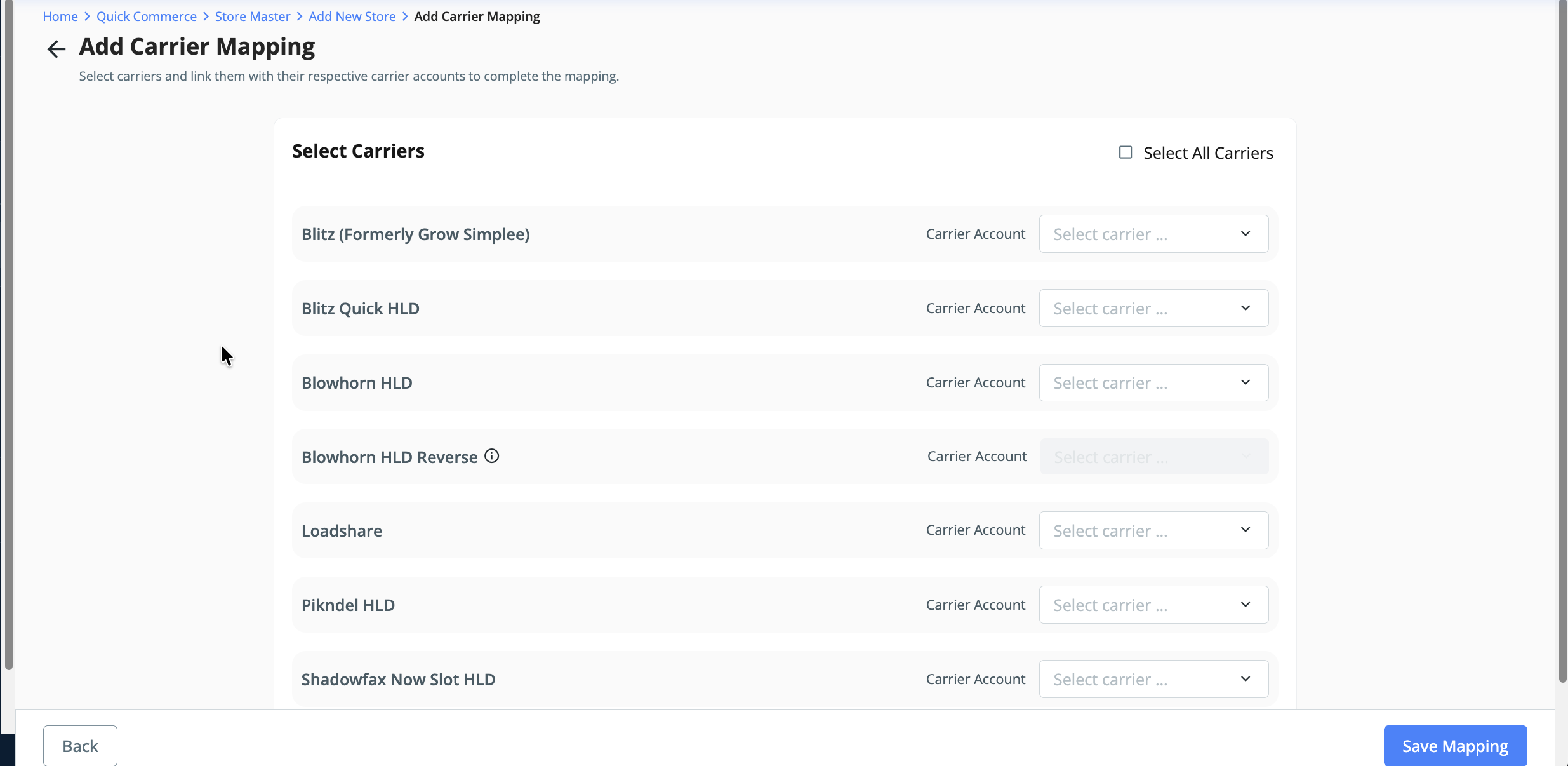
- Once completed, click "Save Mapping" to finalize the configuration.
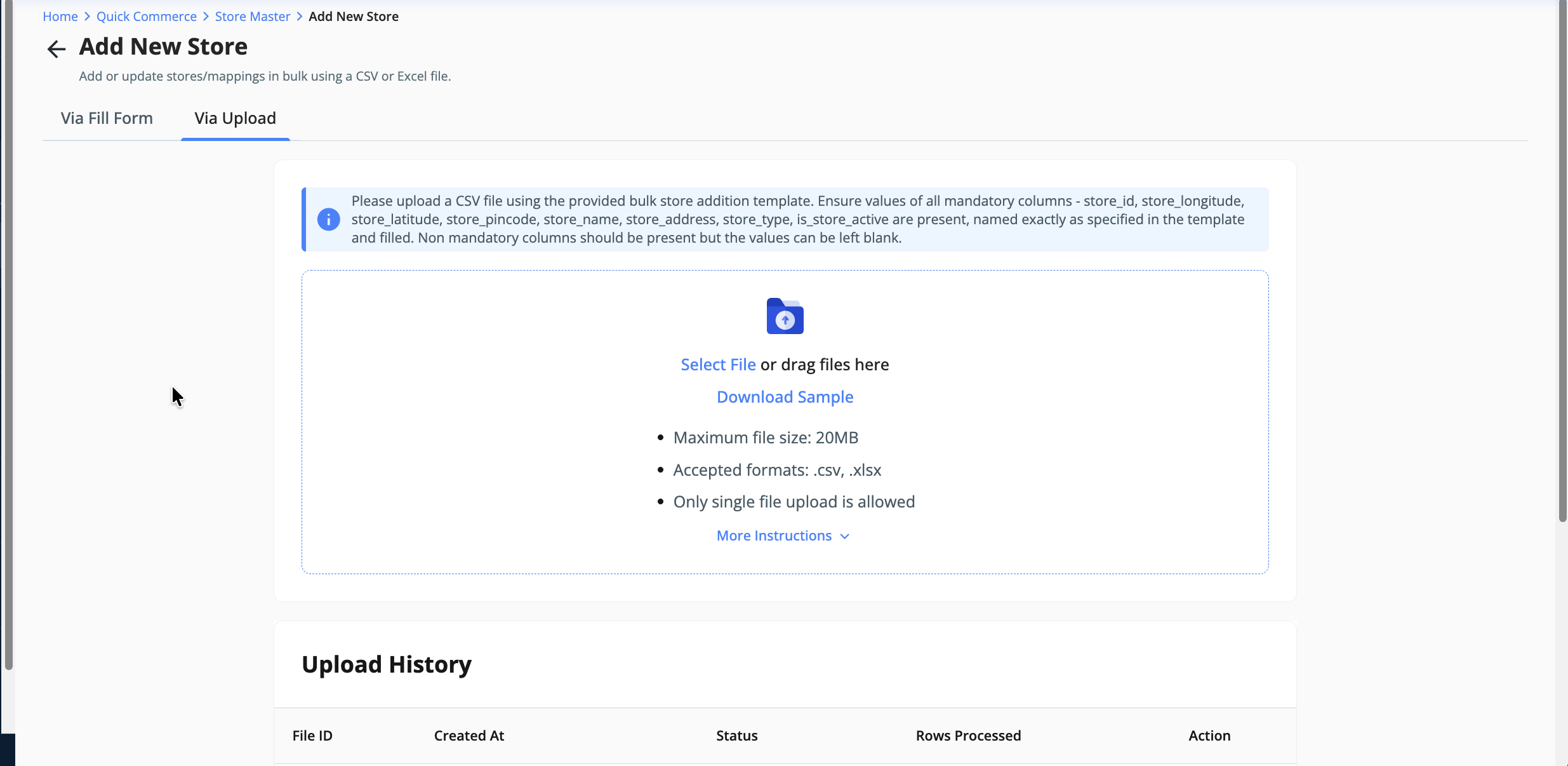
- Note: For multiple stores, use the "File Upload" option available on the dashboard. A sample file is attached below for reference to help you configure and upload.
Steps to update the details for the already configured data:
- To update data for an already configured store, search by store name or store ID on the dashboard.
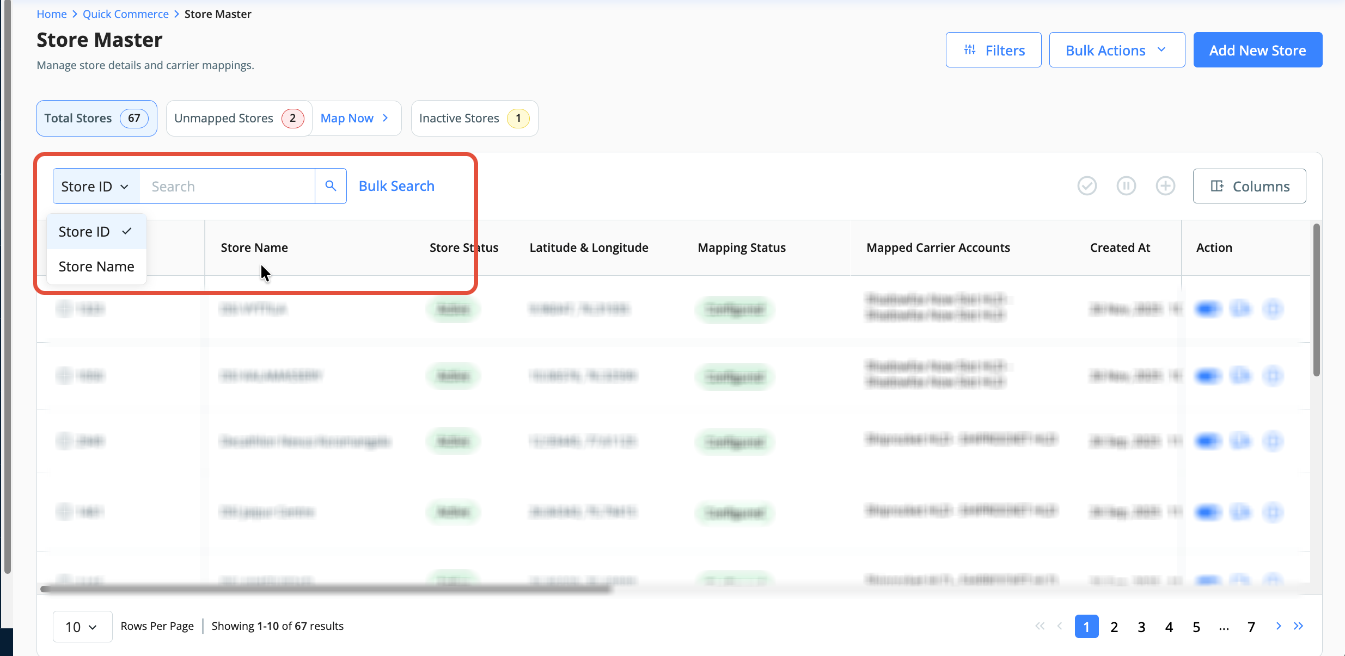
- Click on "View Details" to edit store information. To update courier partner mapping, click the carrier icon [refer to 2nd snapshot below].
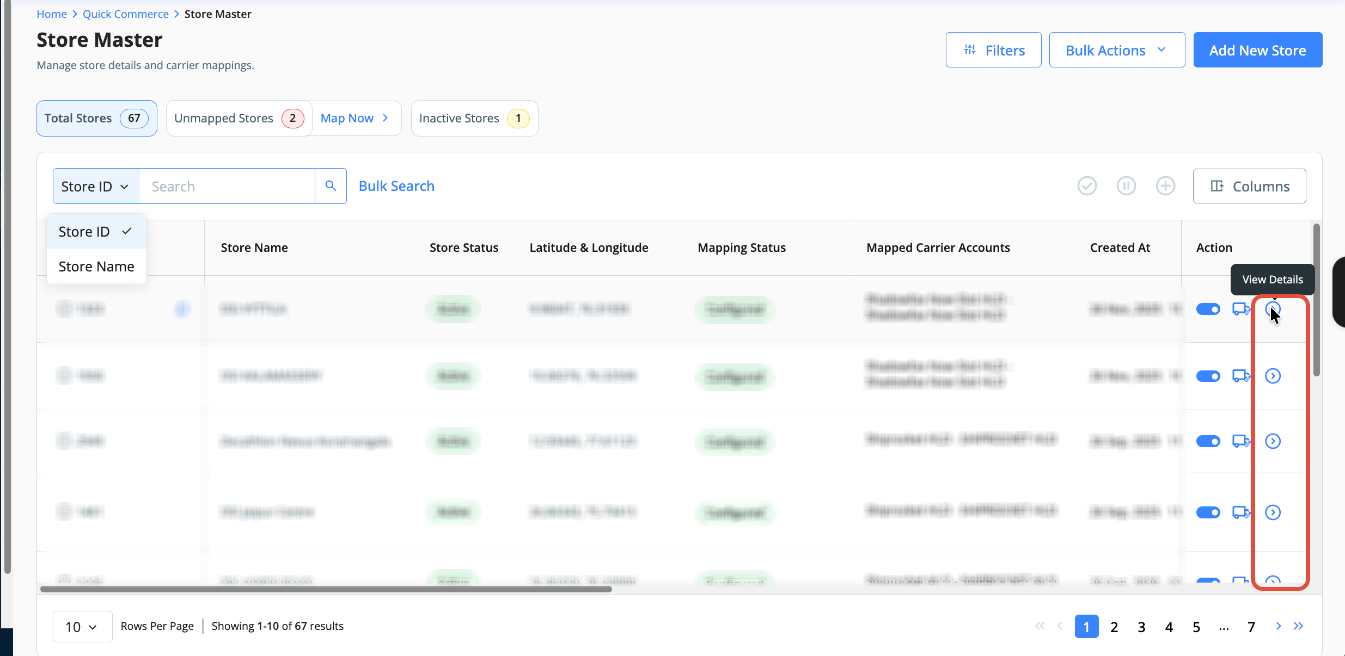
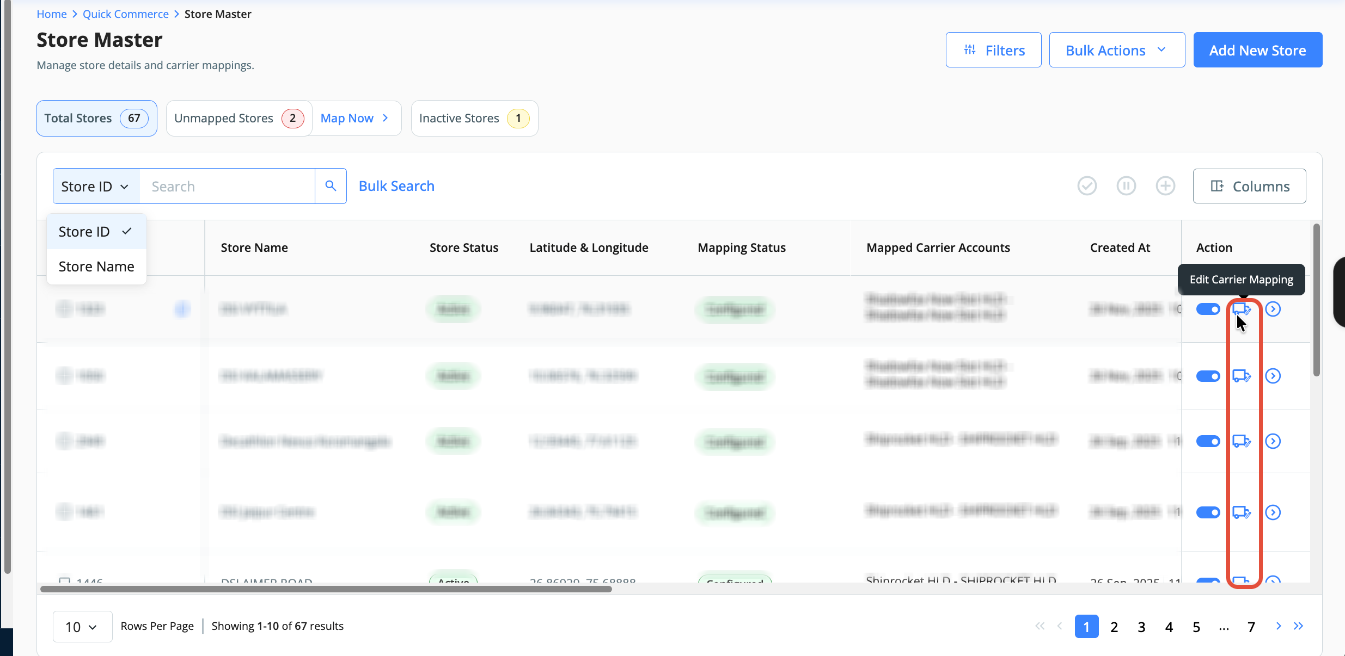
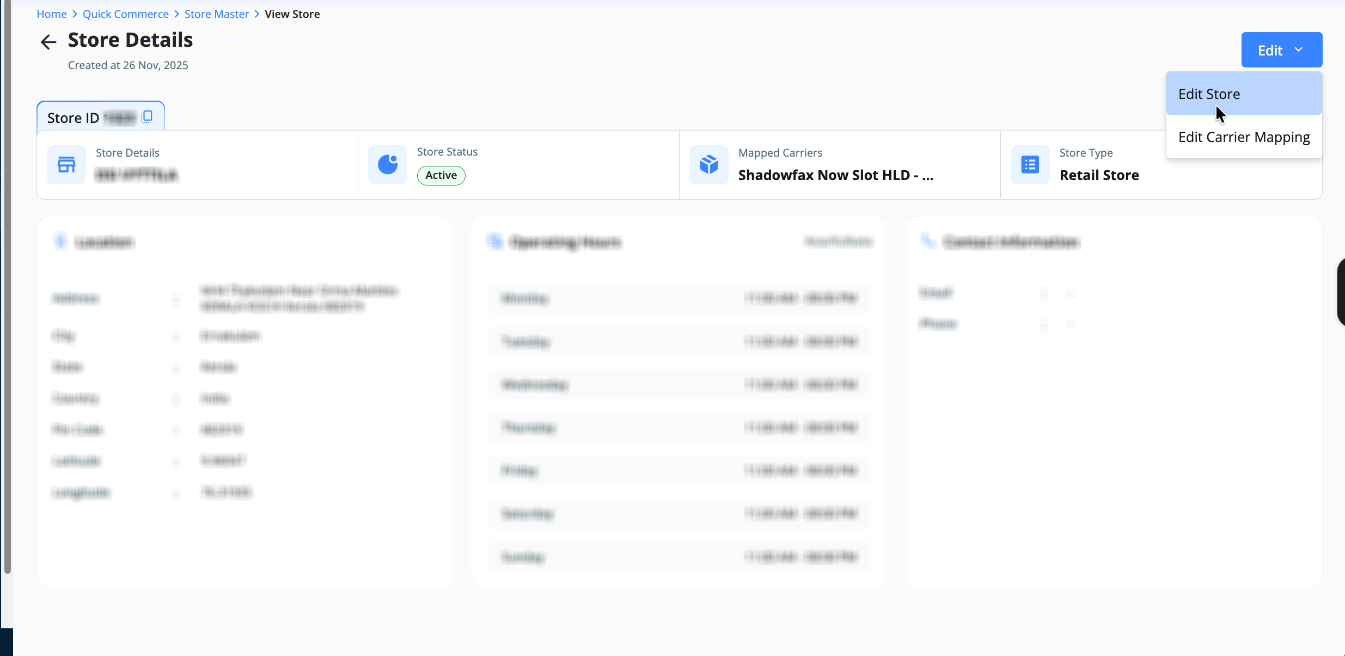
- After clicking "View Details", click "Edit" and select "Edit Store".
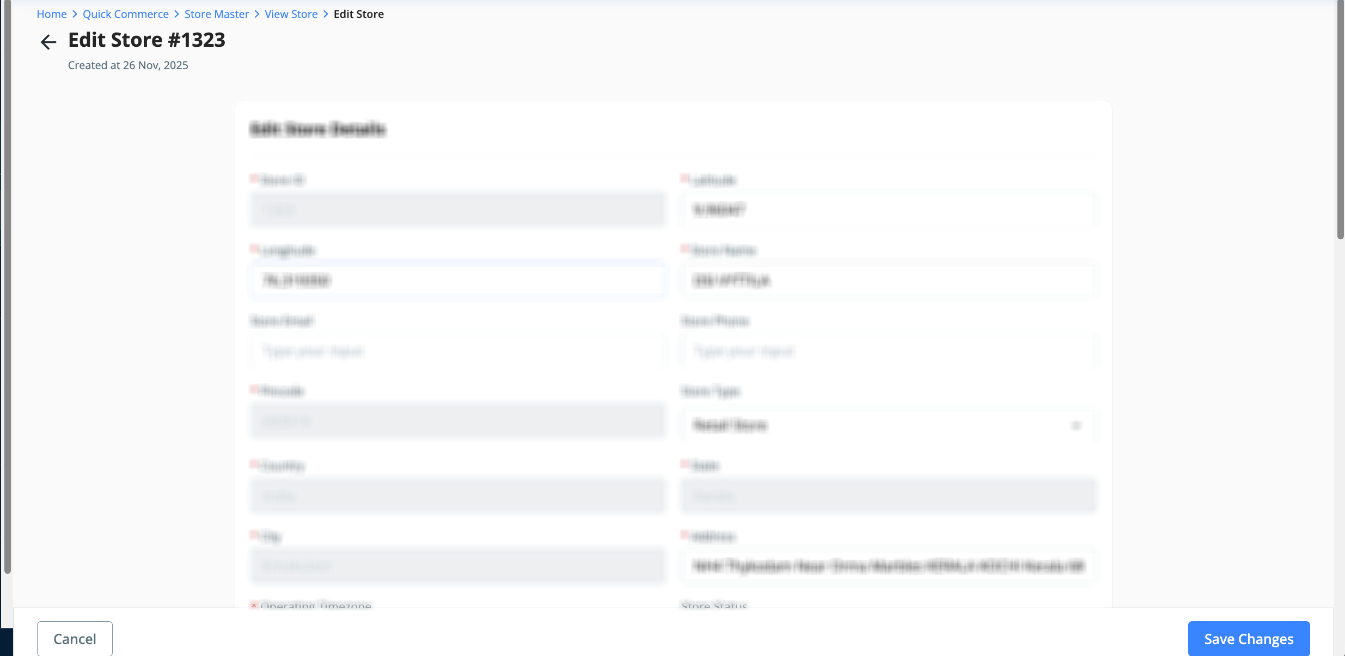
- Accordingly, please make the necessary change and submit the data. The updates will be done on a real-time basis.
NOTE: If you're updating store latitude/longitude, please update it under Vendor Code mapping. This applies specifically to Shadowfax Now Slot and PicoXpress HLD courier partners. This step is mandatory because the courier partner expects the store ID in the order creation request body, which is provided via vendor code mapping. Any mismatch will cause order creation failure.
https://clickpost.freshdesk.com/a/solutions/articles/43000773852
Was this article helpful?
That’s Great!
Thank you for your feedback
Sorry! We couldn't be helpful
Thank you for your feedback
Feedback sent
We appreciate your effort and will try to fix the article