For the Shadowfax HLD Now Slot courier partner, the order creation payload must include the store ID to identify the pickup location.
We've implemented Vendor Code mapping on our end, which combines pickup lat/long, pincode, or pickup address to automatically push the Store Code to the courier partner in their request body for proper pickup alignment.
NOTE: For a single store, configure it directly under Shadowfax NOW Slot credentials; it will be automatically pushed to the courier partner from there.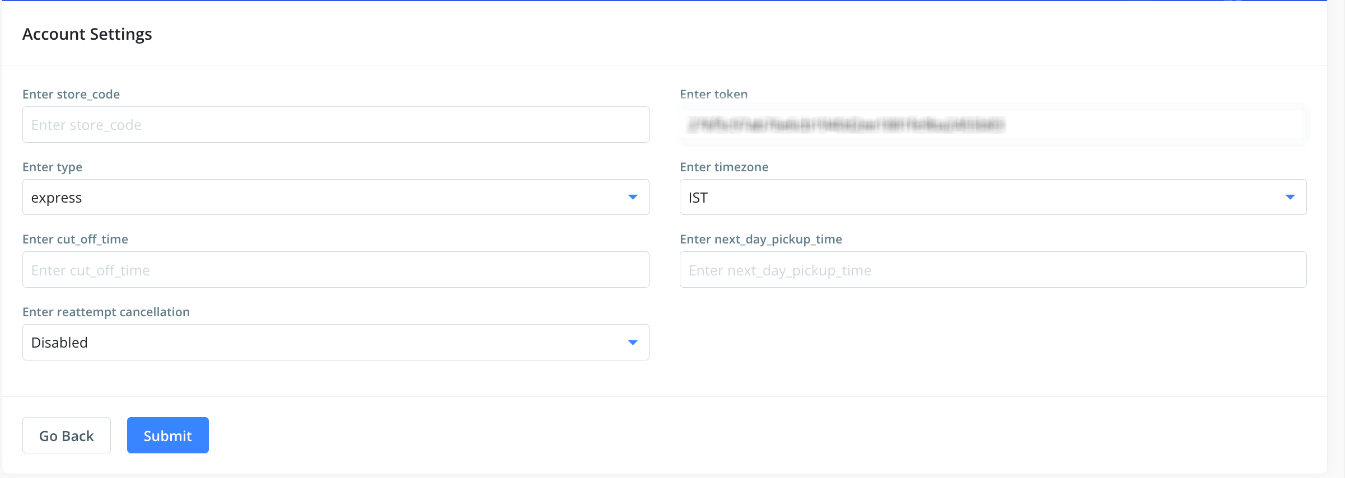
To update the Vendor Code, you can follow the steps below.
Log in to the dashboard: https://dashboard.clickpost.ai/
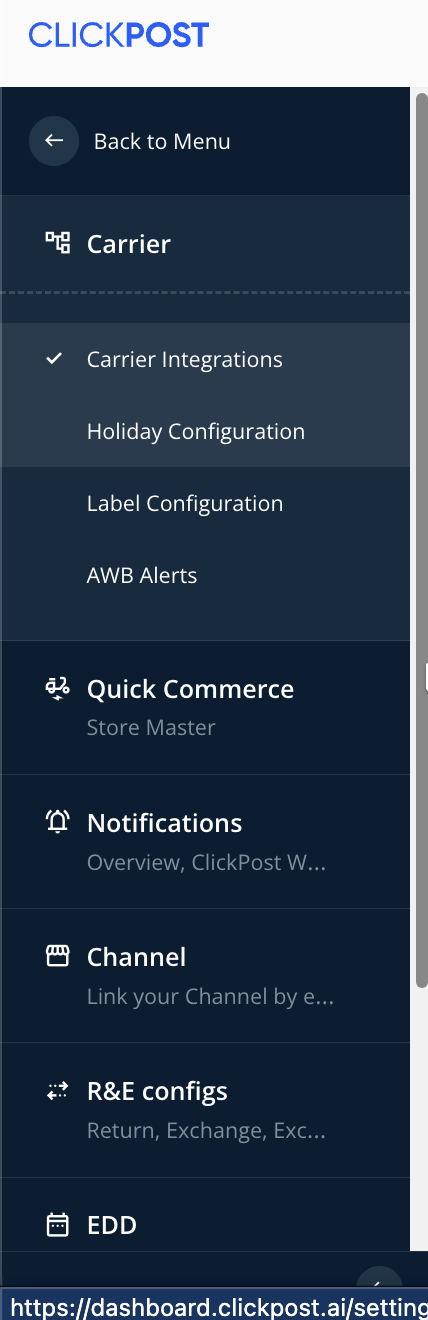
- Navigate to Settings > Carrier > Carrier Integration> search for Shadowfax Now Slot HLD
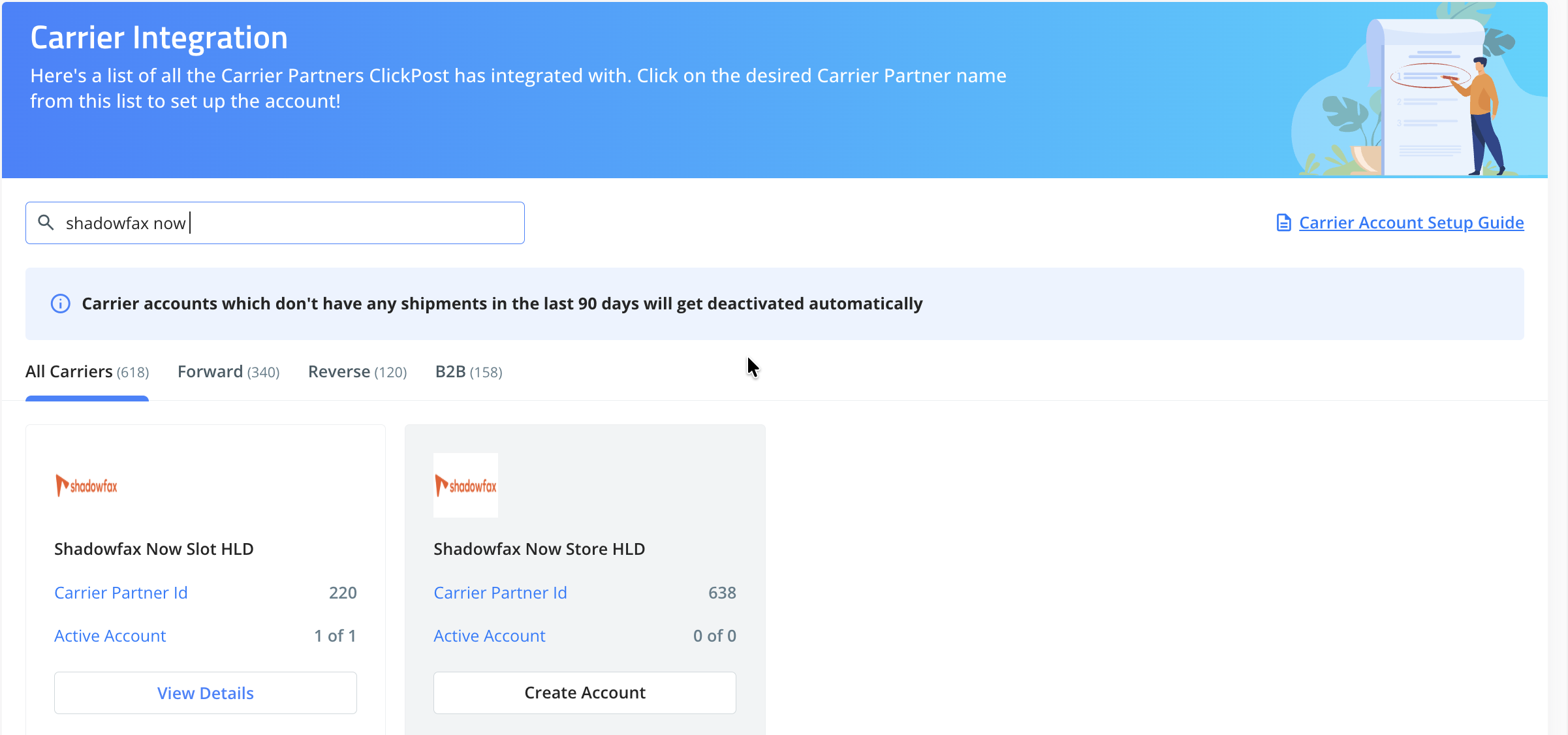
- Search Shadowfax Now Slot HLD under the search box.
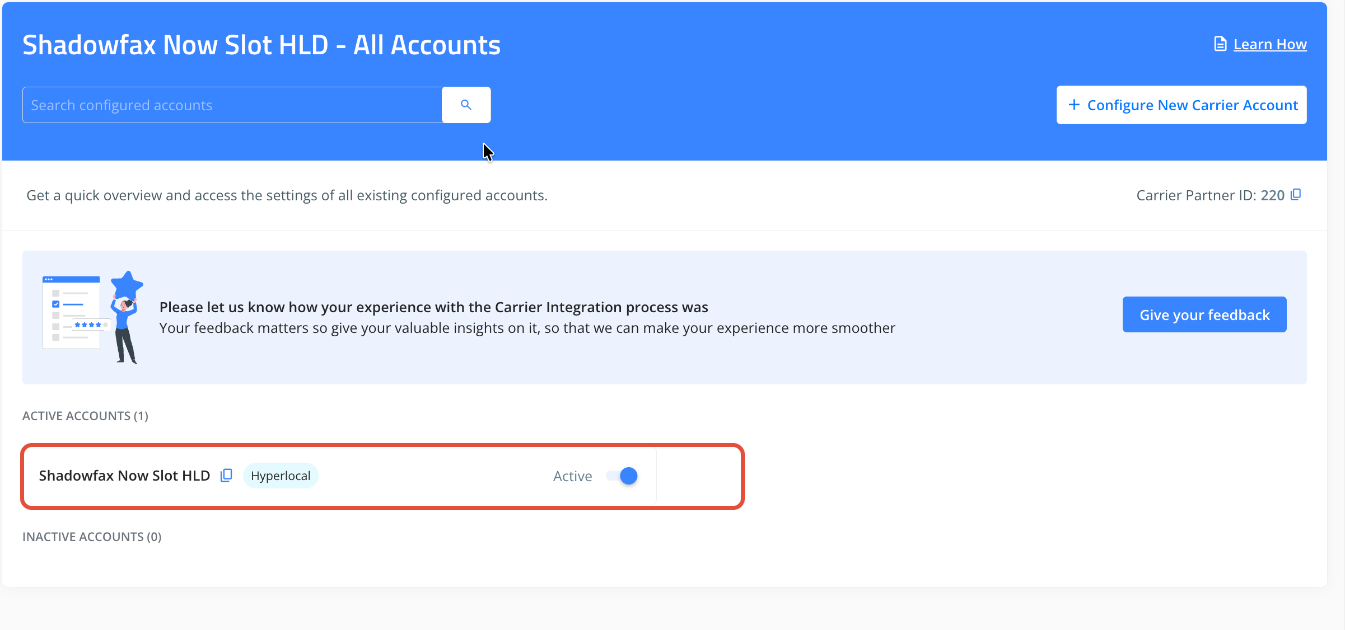
- Click on "View Details", then configured account code.
- Please click on the "Vendor Code" option.
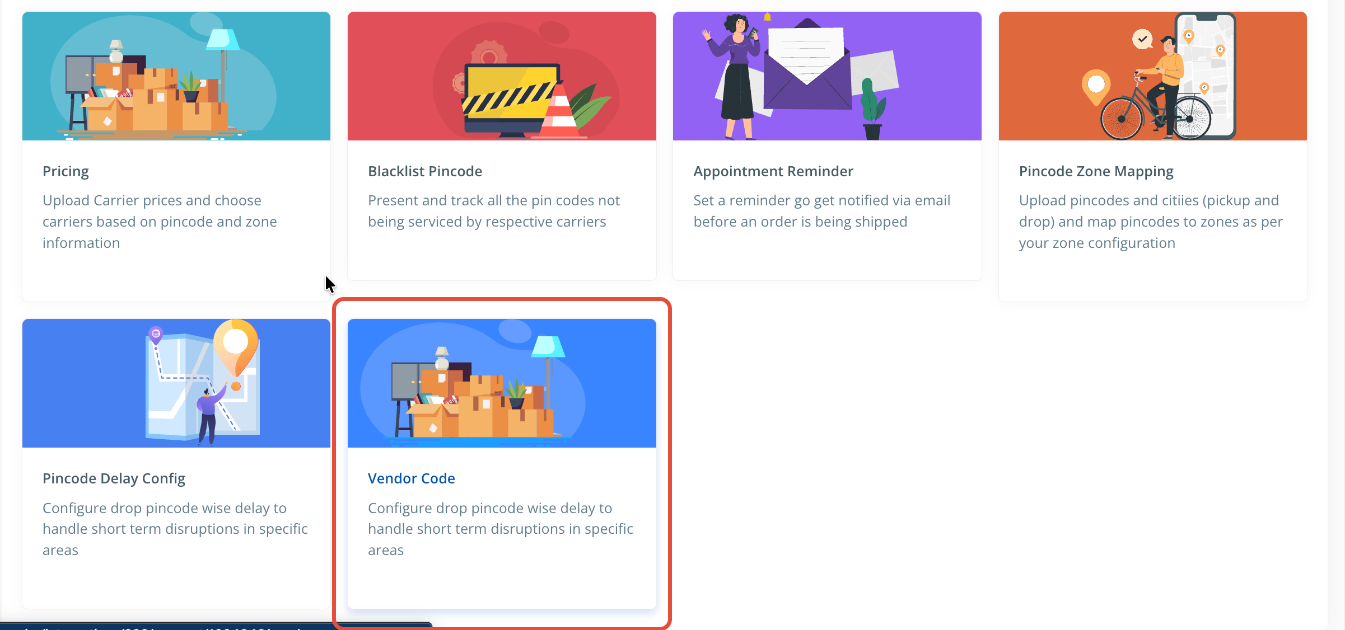
- Once you click on the "Vendor Code" option, you will be able to view an option called "Create New Vendor".
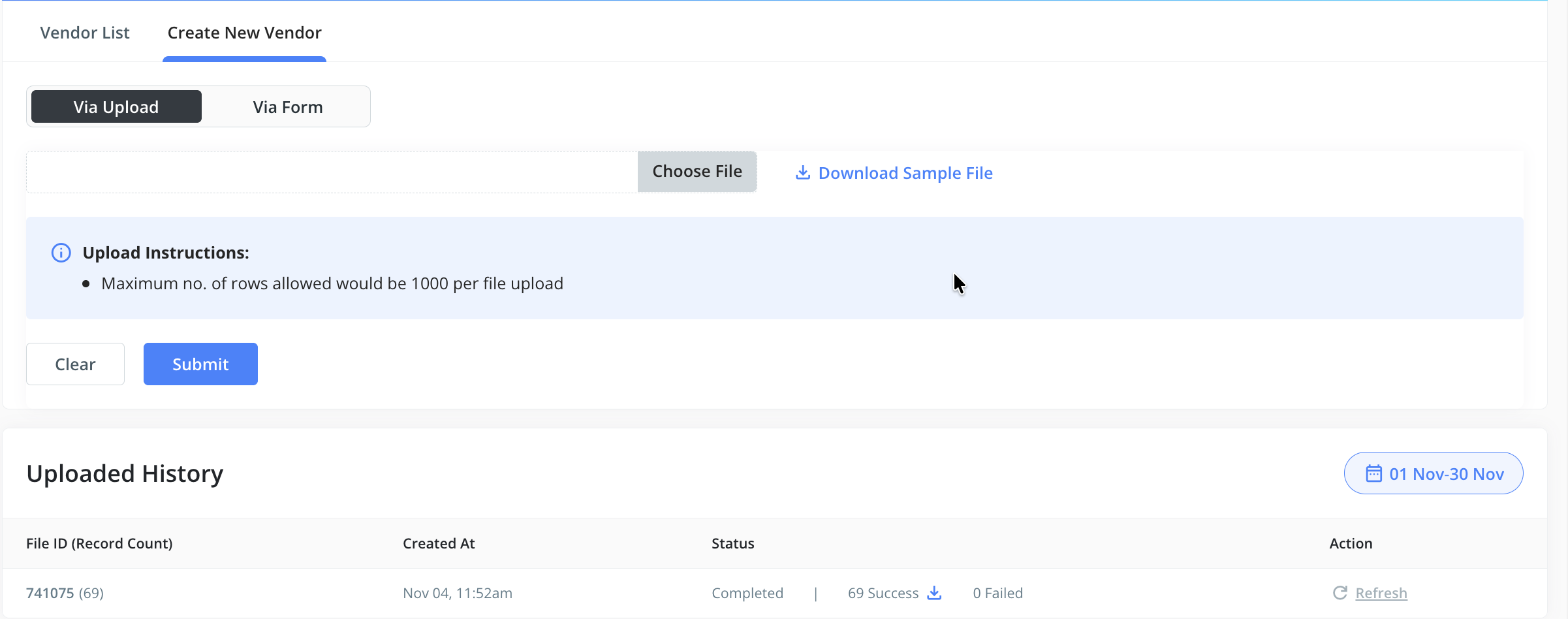
- For multiple vendor/store codes, use the File Upload option. Sample file attached below for reference. Please populate the following fields:
- Vendor Code/Store Code
- Pincode
- Pick Up Latitude
- Pick Up Longitude
- For a single store, use the Form option. Configure the following details in the form:
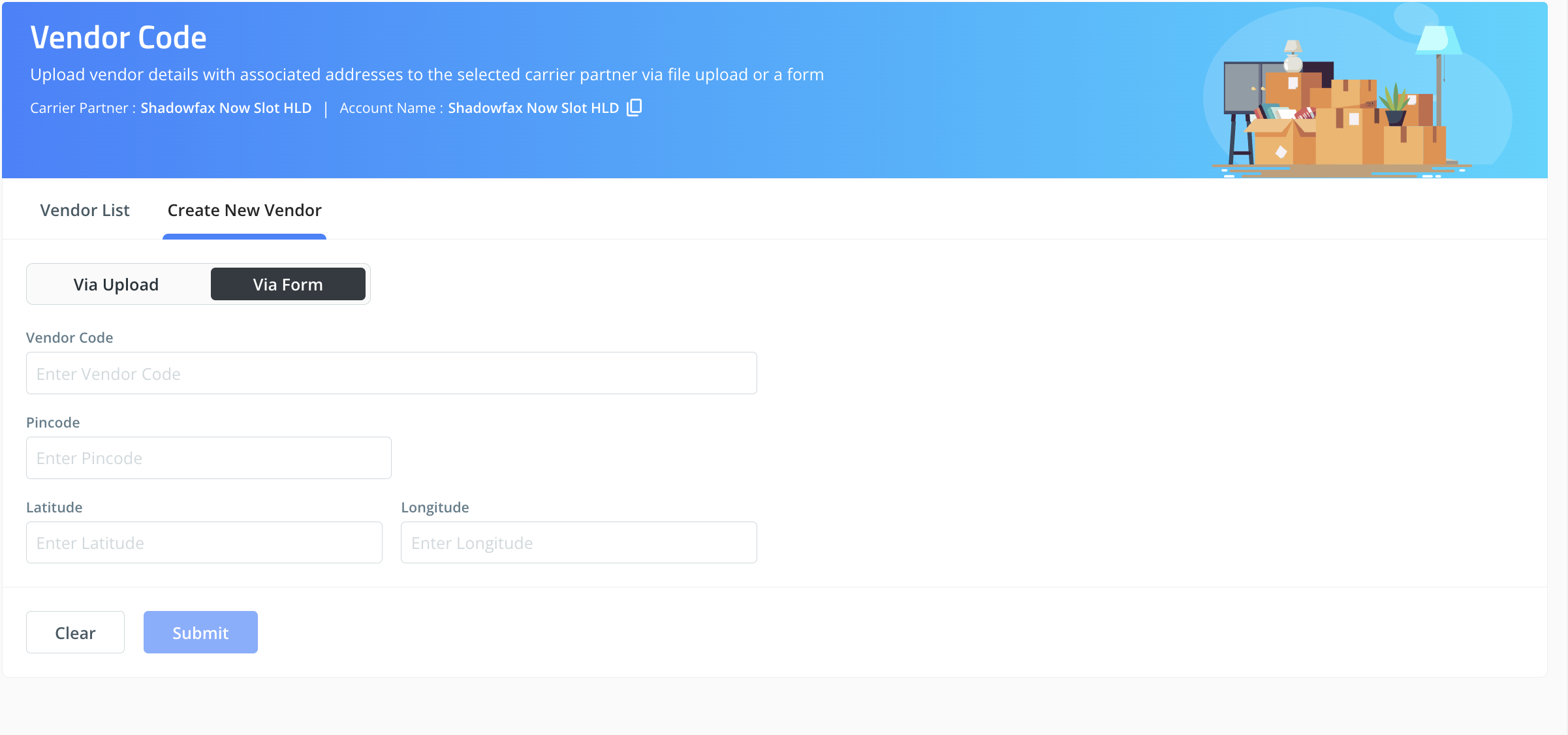
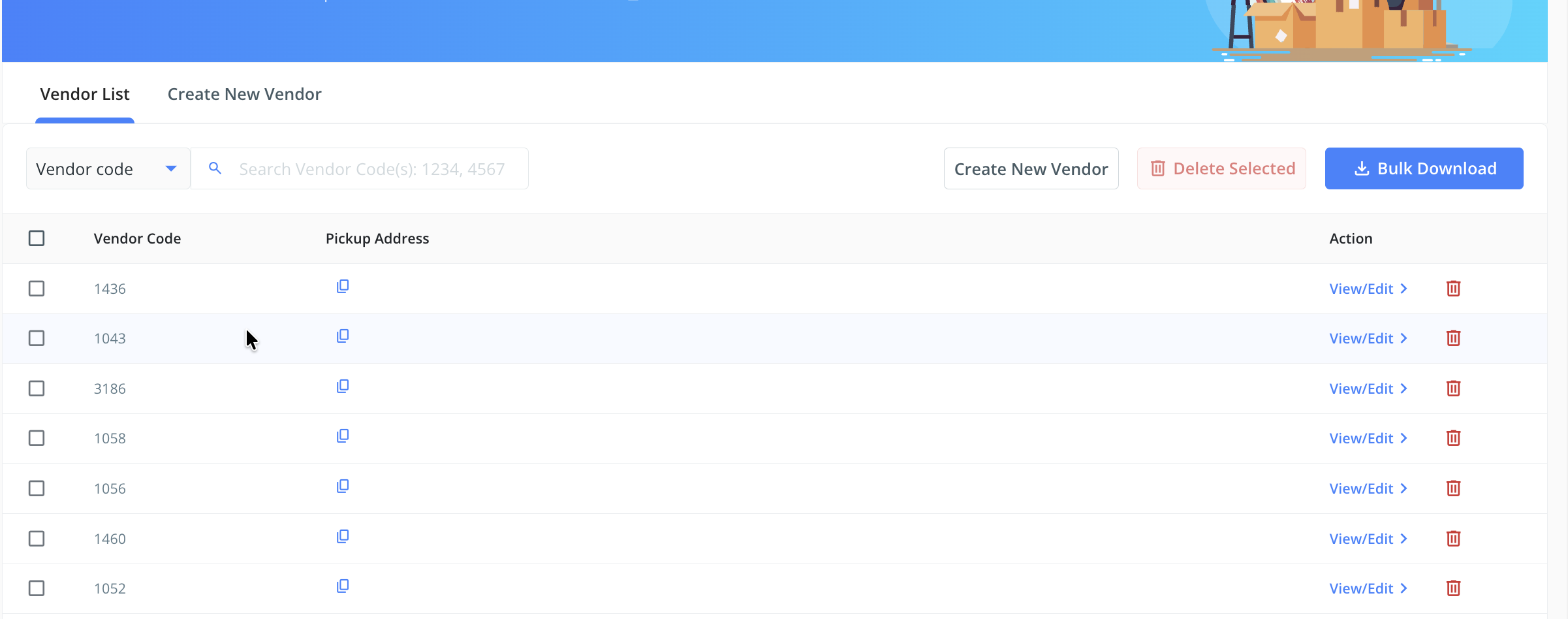
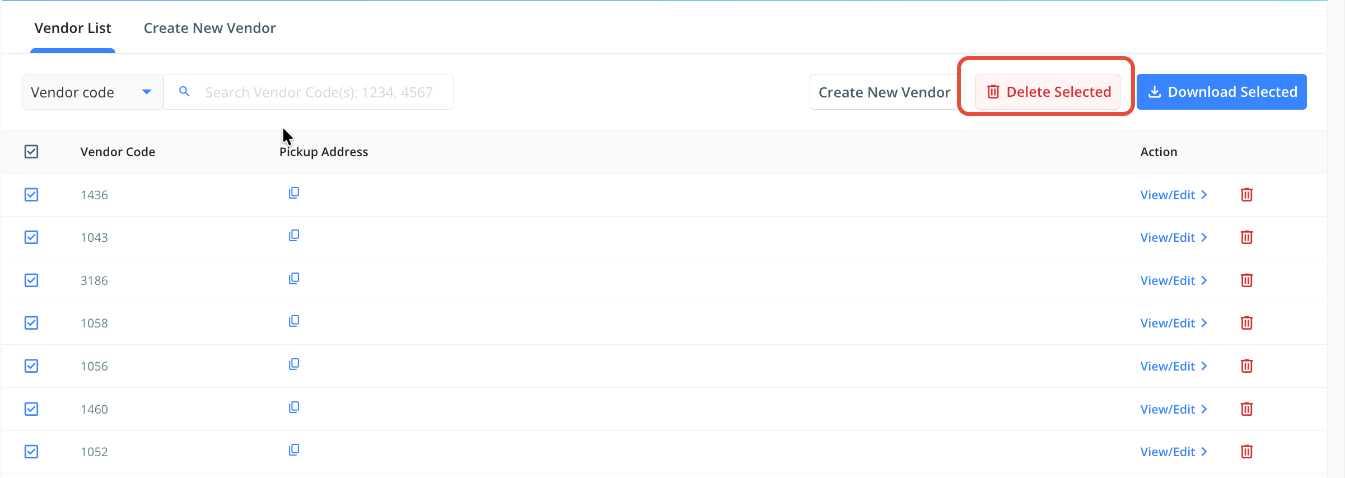
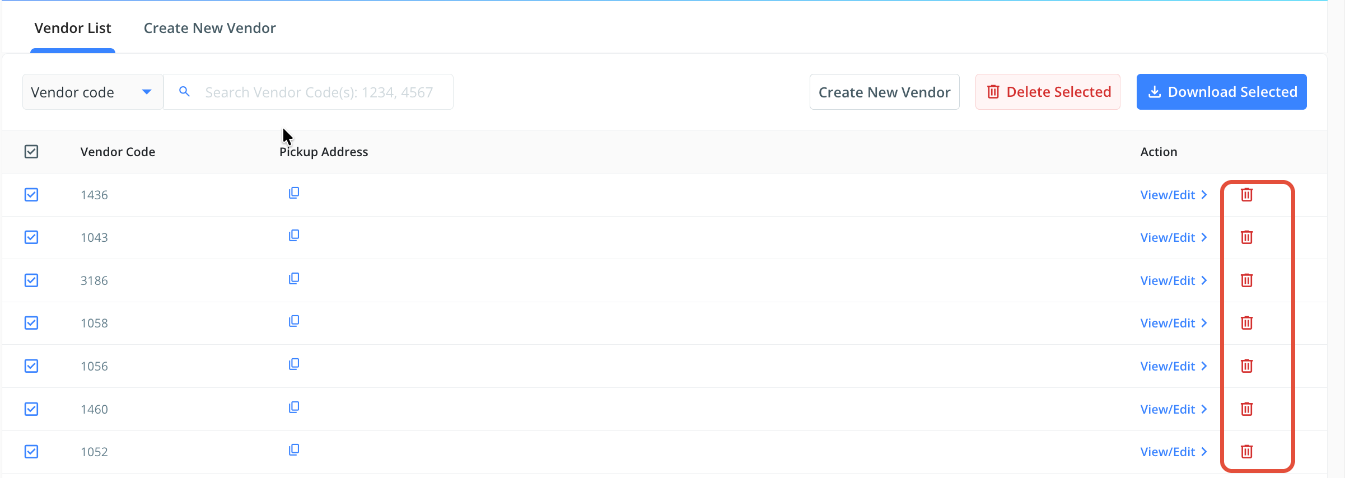
- Once you've filled in the form or uploaded the file, the mapped/updated store code/vendor code mappings will appear under the "Vendor List" section.
- Please note, when uploading data via File, the status will appear at the bottom once successfully uploaded. See snapshot below for reference.
- Please note, to update the latitude/longitude for an existing store, delete the current entry first to prevent duplication. Accordingly, proceed further to update the details for the store, following the steps mentioned above.
Was this article helpful?
That’s Great!
Thank you for your feedback
Sorry! We couldn't be helpful
Thank you for your feedback
Feedback sent
We appreciate your effort and will try to fix the article