Detailed explanation of Expected Delivery Date (EDD) visibility and associated customer-facing messages across different shipment statuses.
Objective: -
The objective of this is to define the logic, conditions, and display rules for showing the Expected Date of Delivery (EDD) and corresponding customer-facing messages on the order tracking page. It outlines:
When and where the EDD should be displayed or hidden based on shipment status and current date.
What specific messages and color codes should be shown to customers for different shipment statuses (e.g., Shipped, In Transit, Out for Delivery, Failed Delivery, RTO).
| Status | EDD Visibility | Displayed Message |
|---|---|---|
| Shipped | ✅ EDD displayed | “Moving as Expected”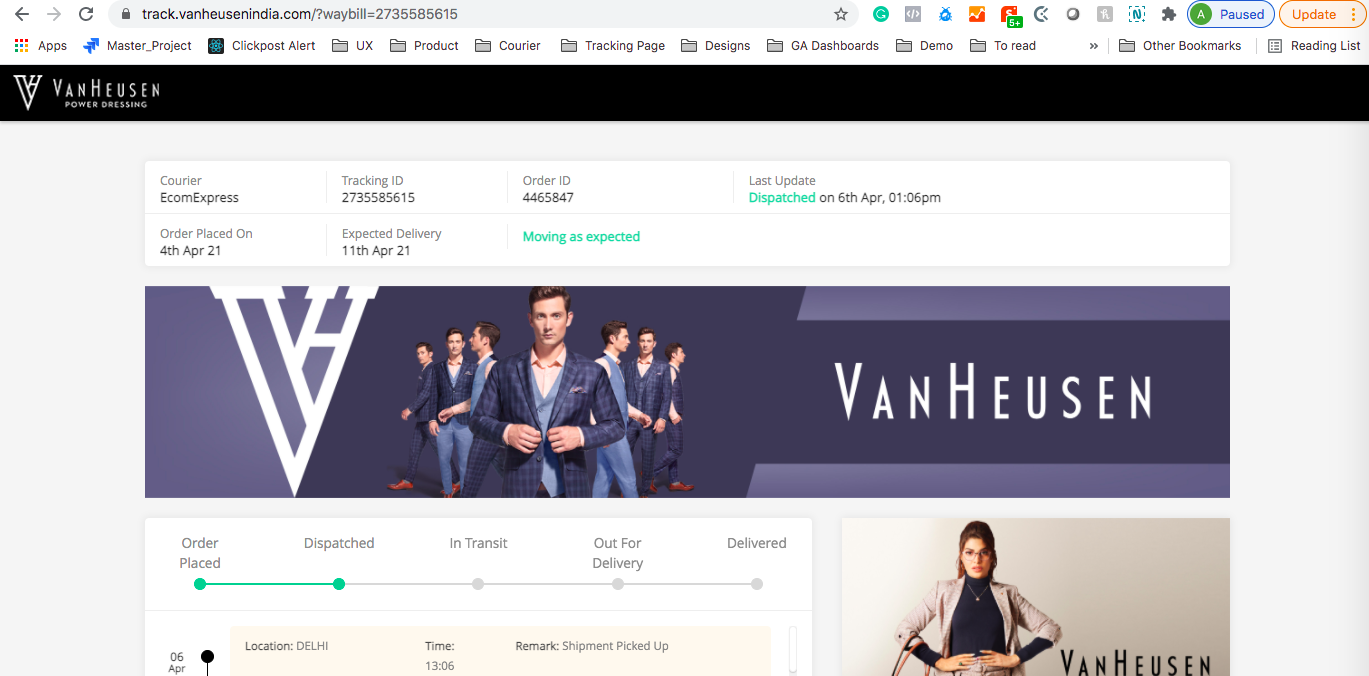 |
| In-Transit | ✅ EDD Displayed (if current_date ≤ EDD) | “Moving as Expected”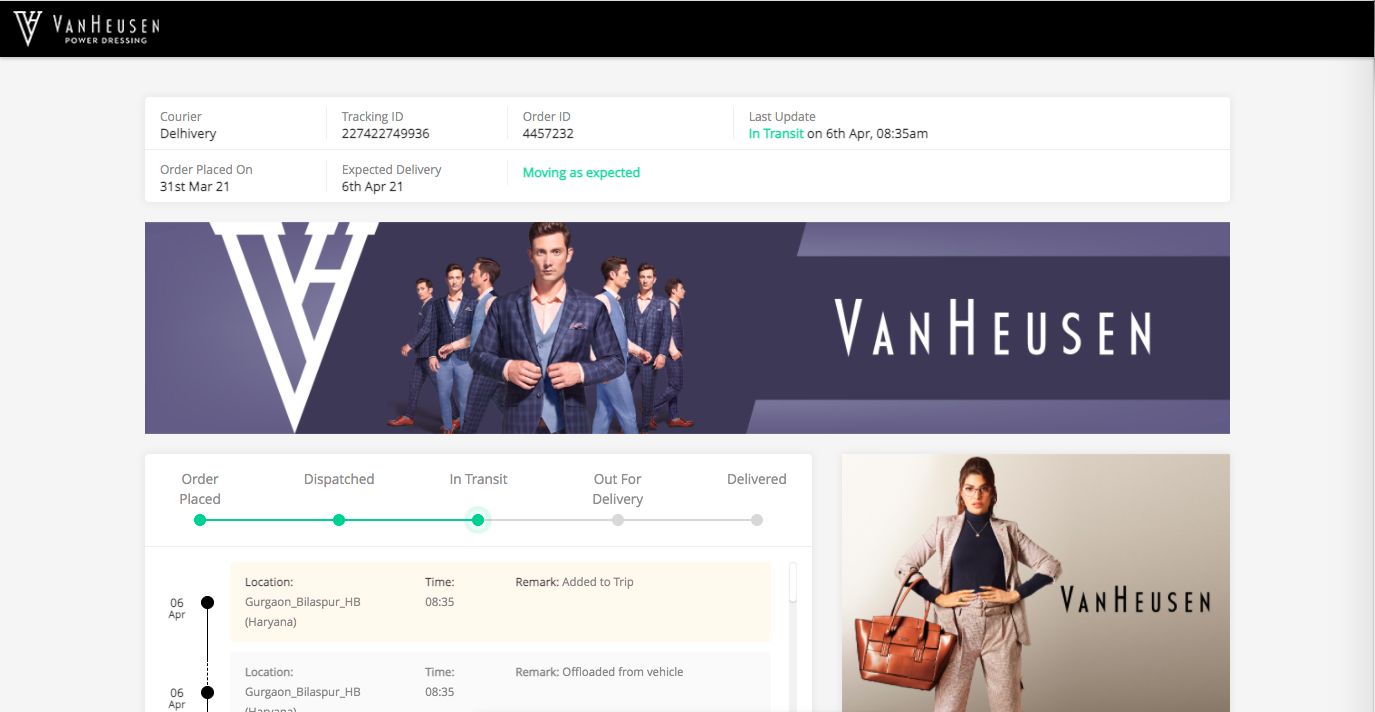 |
| In-Transit | ❌ EDD will not Displayed (if current_date > EDD) | “Shipment Delayed”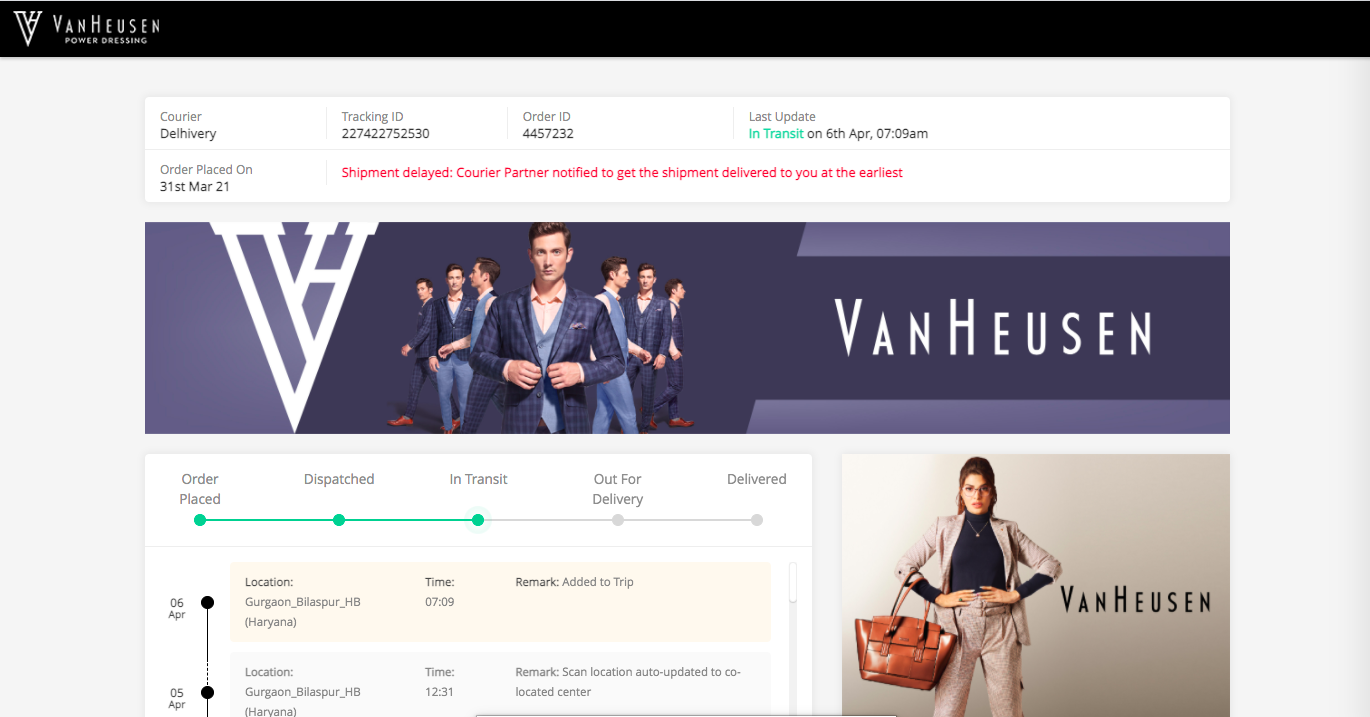 |
| Out for Delivery (OFD) | ✅ (EDD displayed from response) | No custom message (null)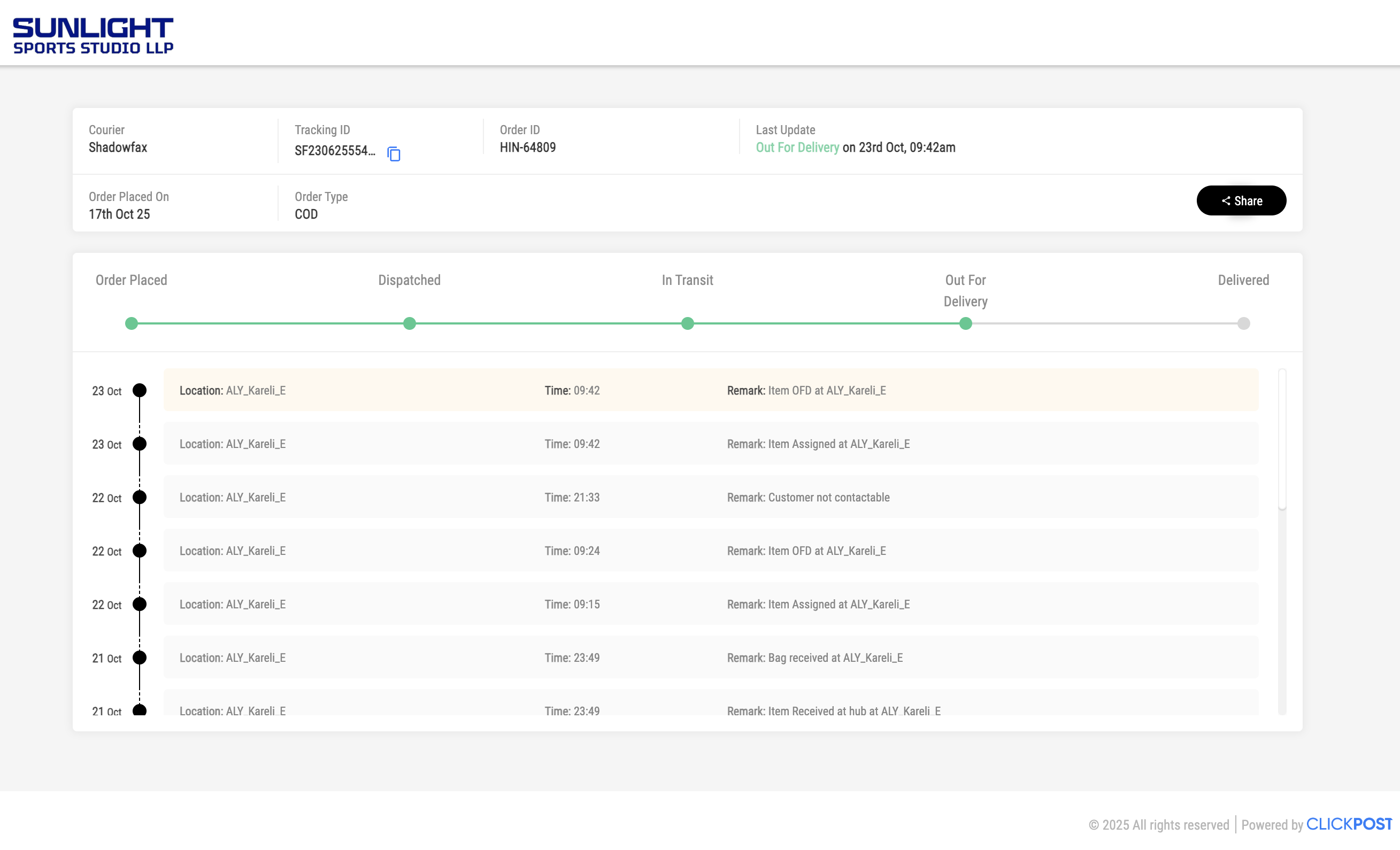 |
| Failed Delivery | ❌ EDD will not displayed | “Will be reattempted in next 24–48 hours based on your delivery preference”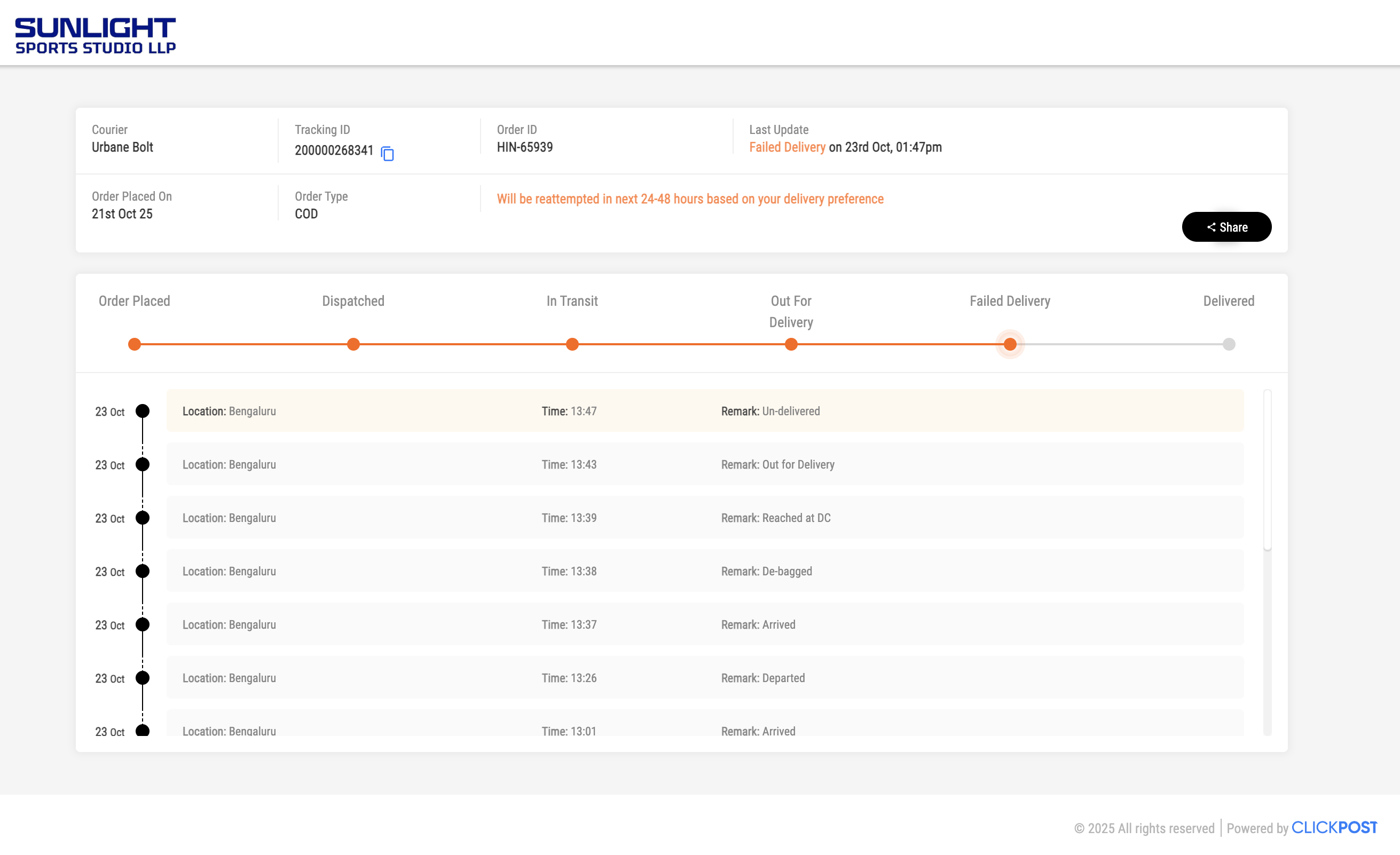 |
Cases Where EDD Is Not Displayed
| Condition | Displayed Message |
|---|---|
| Shipment reached last hub | “Arriving Soon: Reached at a location near you” |
| Shipment marked as Failed Delivery | “Will be reattempted in the next 24–48 hours based on your delivery preference” |
| Shipment not dispatched yet | “Shipment will be delivered within {n} days once dispatched” |
| Shipment marked as RTO | EDD not displayed |
Was this article helpful?
That’s Great!
Thank you for your feedback
Sorry! We couldn't be helpful
Thank you for your feedback
Feedback sent
We appreciate your effort and will try to fix the article