If you want to create new Return or Exchange request for any of the following reasons,
1. The courier partner is not picking up the shipment as 3 times pickup attempts were failed
2. You want to edit/change some details in return or exchange request
Please follow the steps below to create a new Return or Exchange request
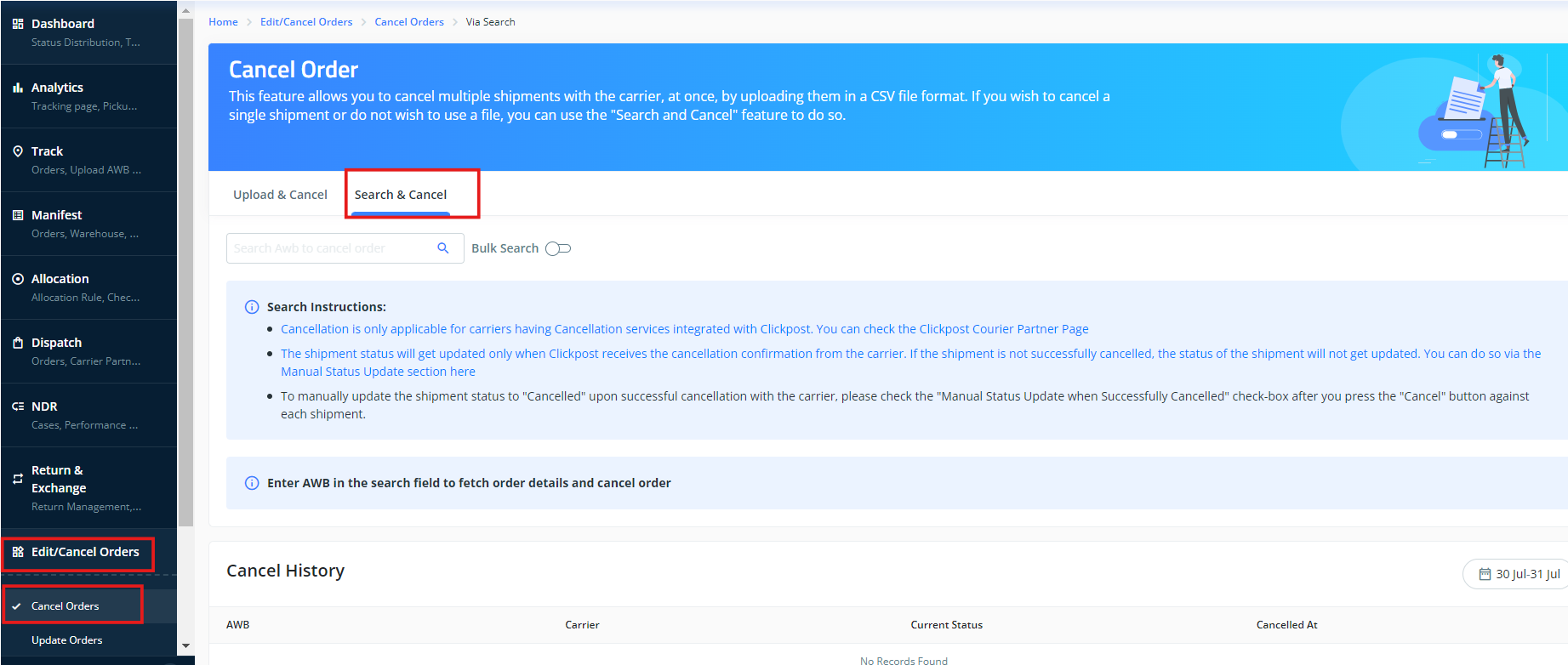
Step 1: First we need to cancel the return AWB that is created for first return/exchange request. Copy the return AWB, then go to "Edit/Cancel Orders" >> "Cancel Orders" >> "Search & Cancel"
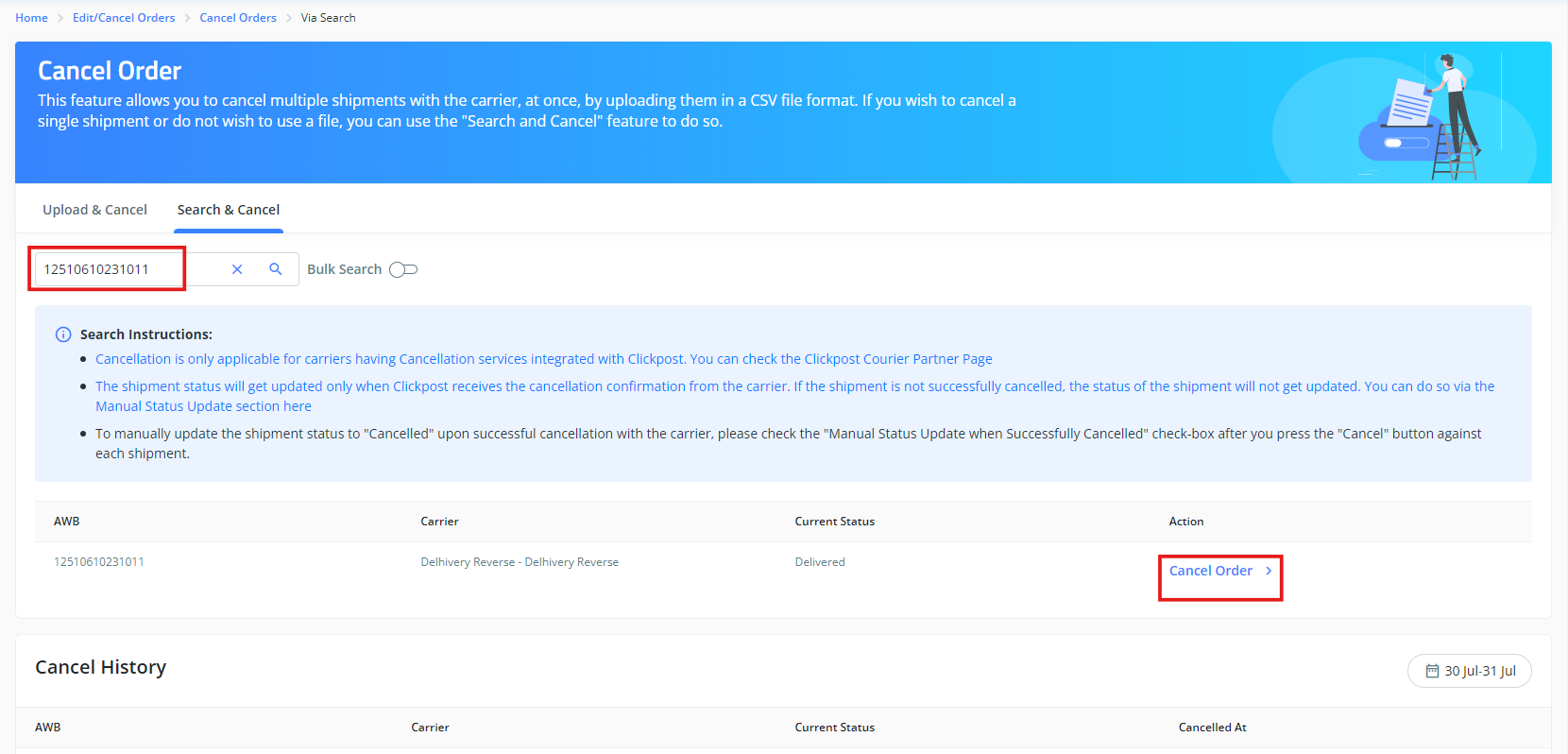
Step2: Add the return AWB in the search bar and click on "Cancel order"
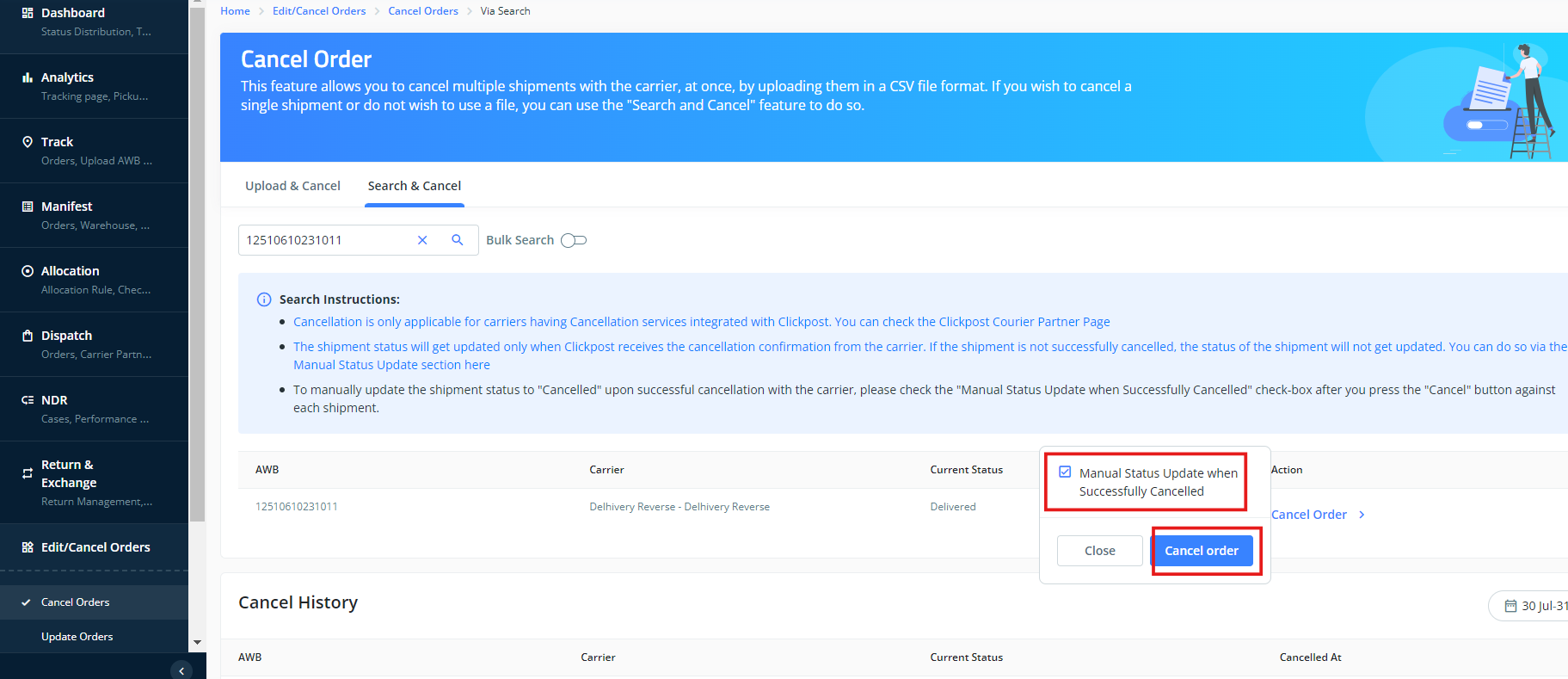
Step 3: Select "Manual Status Update when Successfully Cancelled" option and click on "Cancel request"
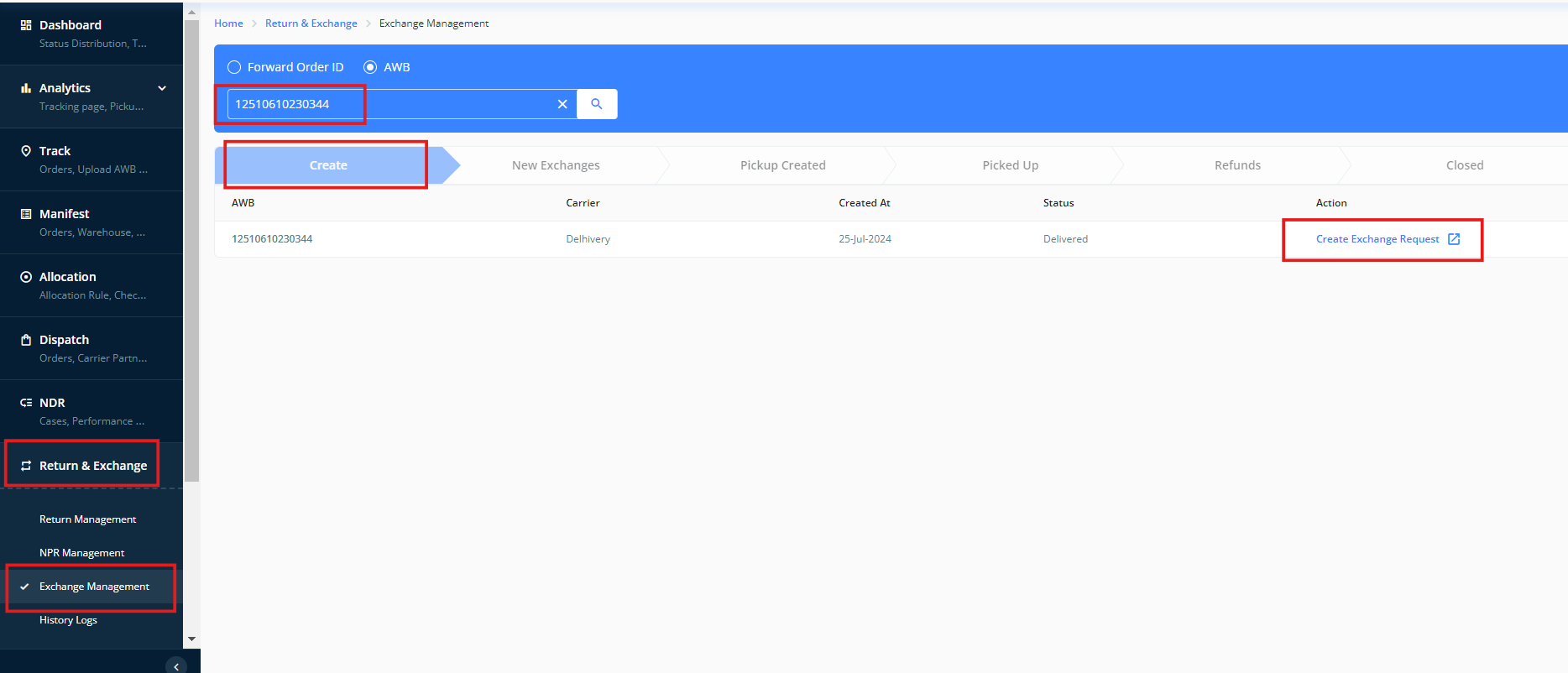
Step 4: Now go to "Return & Exchange">> "Exchange management" >>"Create" >> and create new Return/ exchange request with the help of forward order id or forward AWB number.
Was this article helpful?
That’s Great!
Thank you for your feedback
Sorry! We couldn't be helpful
Thank you for your feedback
Feedback sent
We appreciate your effort and will try to fix the article