You can automate the process of marking Failed Delivery (NDR) cases for Reattempt or RTO by setting up configurable automation rules. This helps eliminate manual intervention and ensures faster, more consistent, and error-free handling of failed deliveries.
Steps to Configure NDR Automation Rules
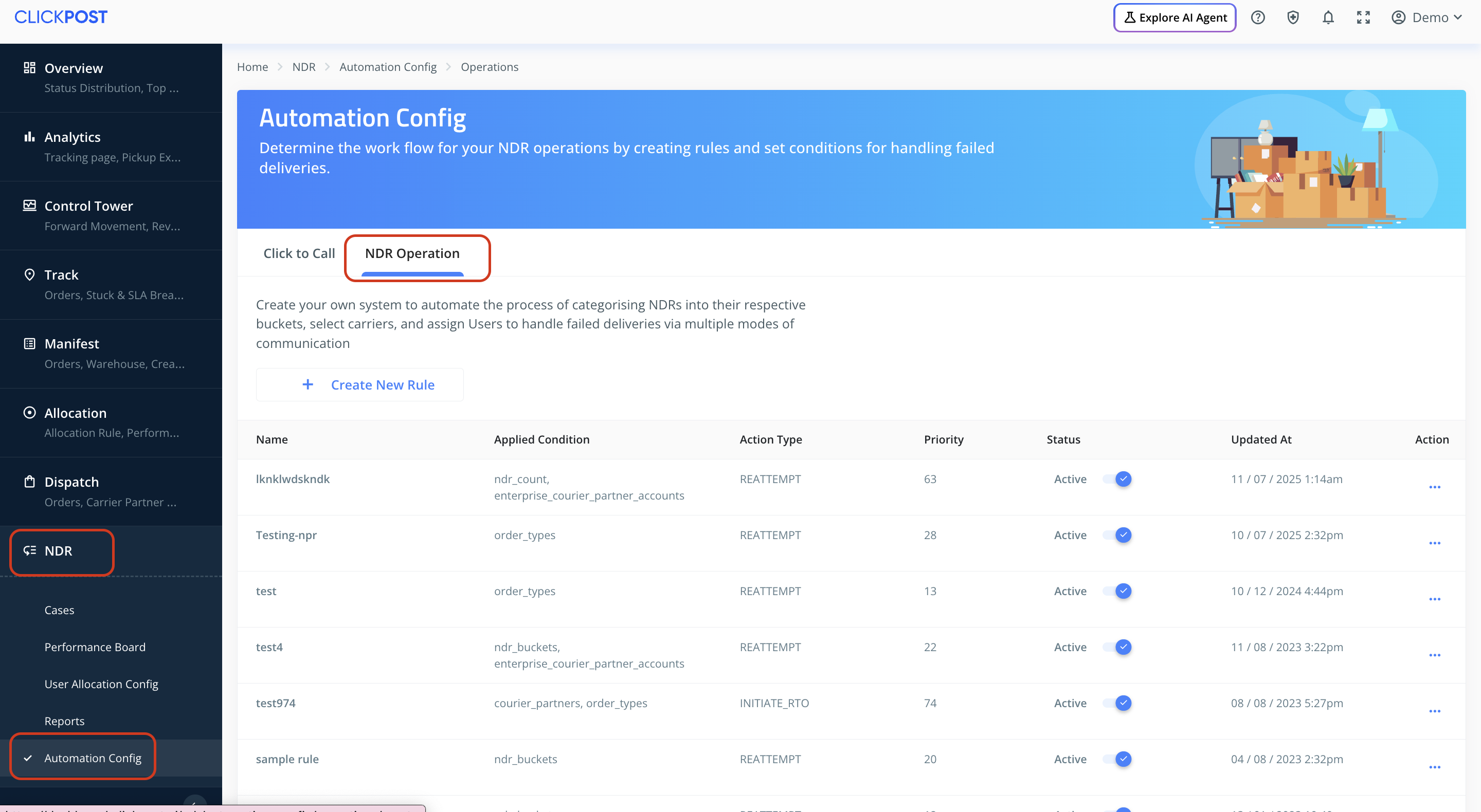
Navigate to: ClickPost Dashboard → NDR → Automation Config → NDR Operation
Click on Create Rule to begin setting up a new automation condition.
Configuring Your Rule
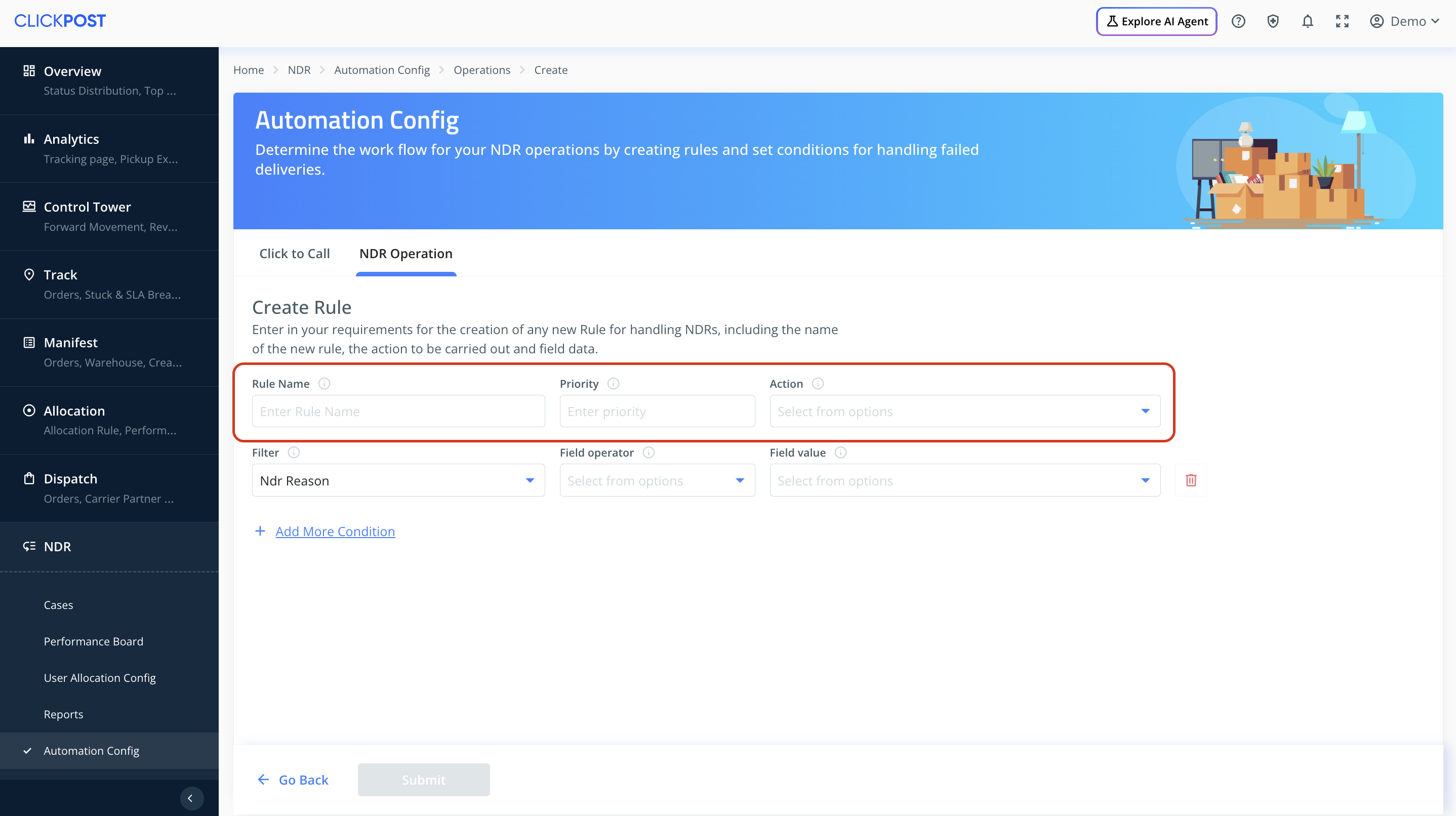
When creating a rule, you’ll need to define the following:
Rule Name: A clear identifier for your rule.
Action: The action to be taken when all configured conditions are met — either Reattempt or RTO.
Priority: Determines the order in which rules are evaluated. (Priority 1 is executed first, followed by Priority 2, and so on.)
Available Parameters for Rule Conditions
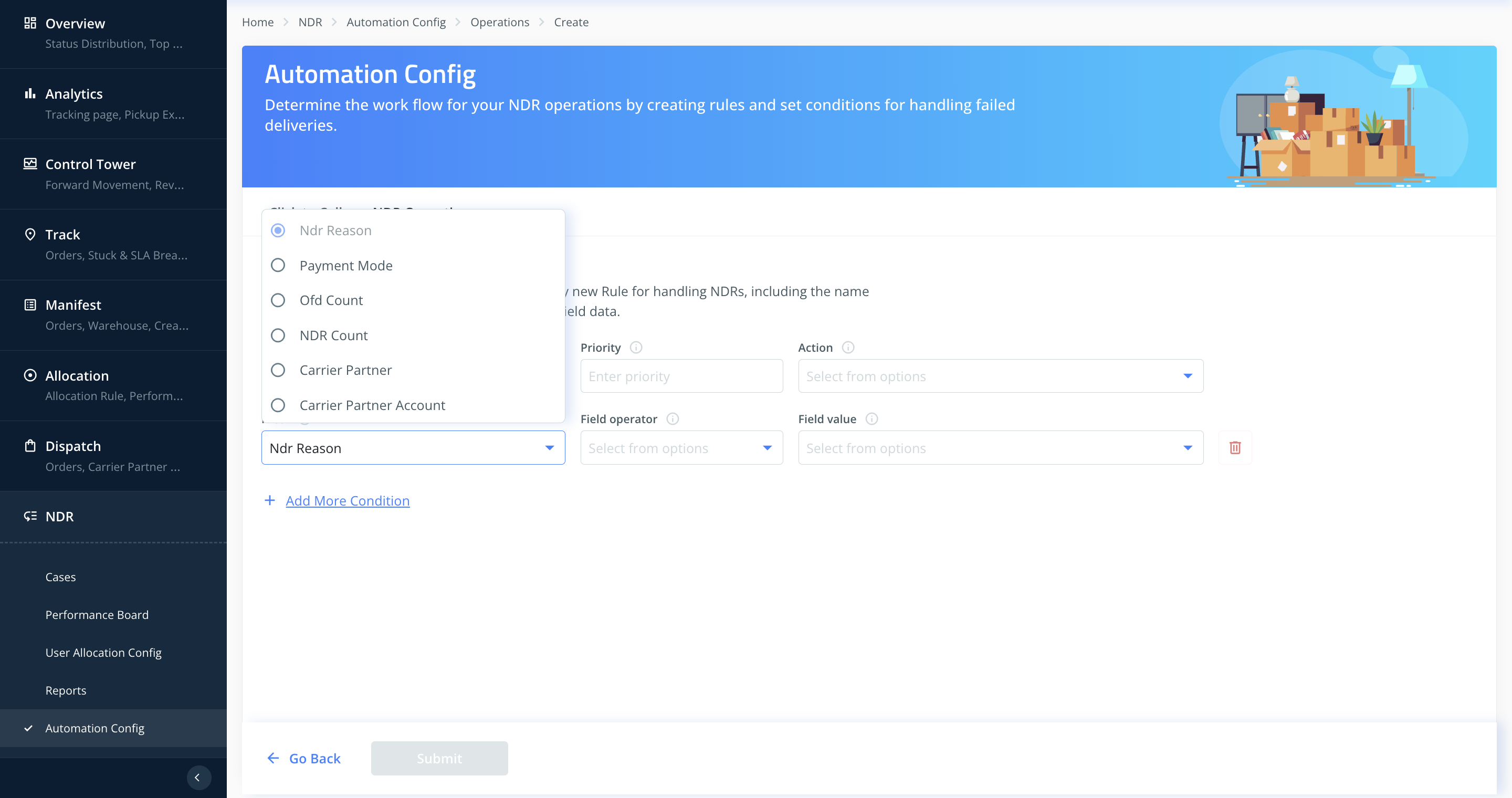
You can build automation rules using multiple parameters:
NDR Reason: Select the relevant failed delivery reasons for which the rule should apply.
Payment Mode: Choose between COD or Prepaid.
OFD Count: Number of Out-for-Delivery attempts already made.
NDR Count: Number of failed delivery events on the shipment.
Carrier Partner: Choose specific courier partners.
Carrier Partner Account: Configure rules for particular account codes if needed.
Example Rule Setup
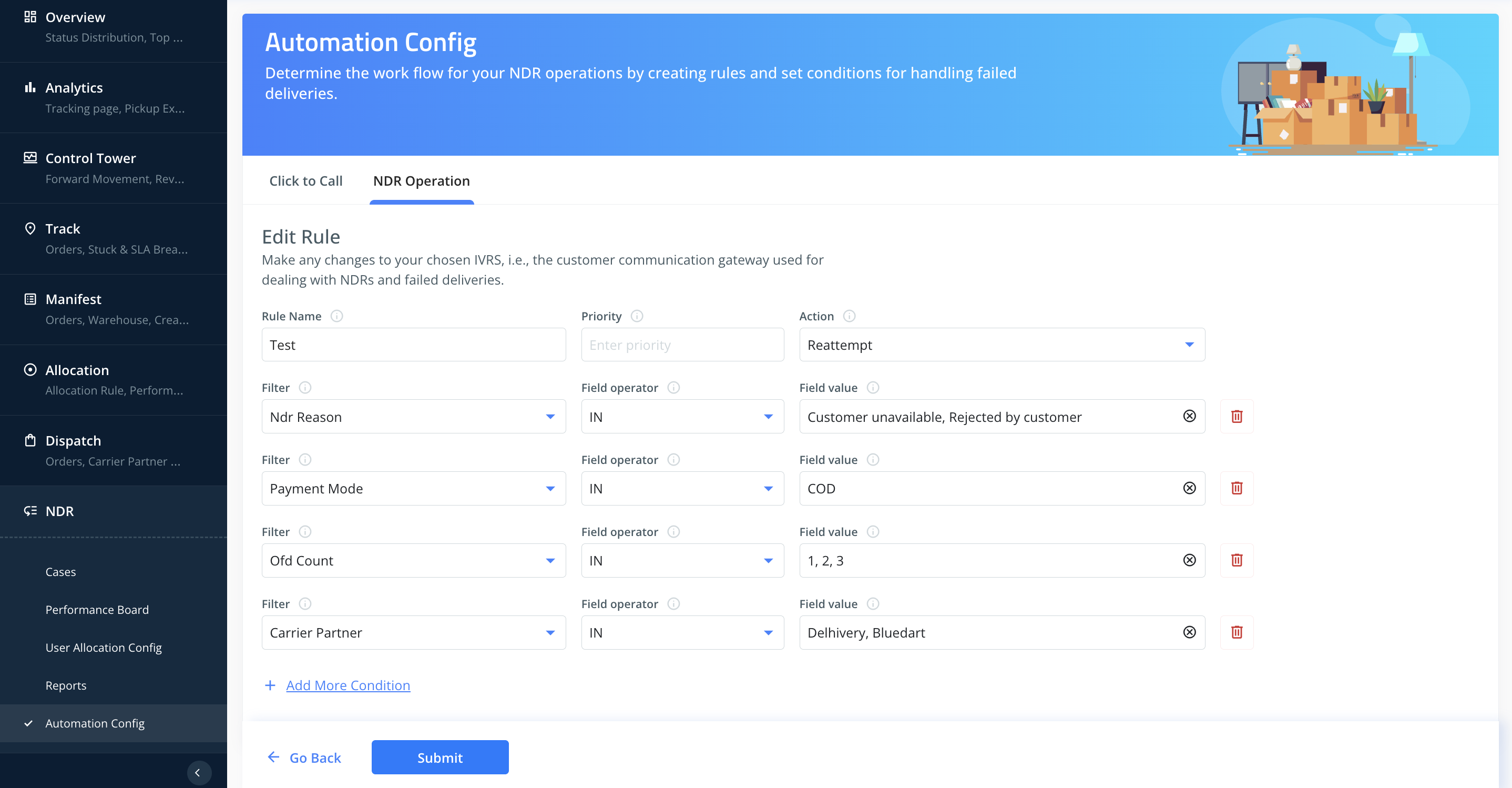
For instance, you can create a rule with Priority 1 that triggers a Reattempt action when all of the following conditions are met:
NDR Reason: Customer unavailable or Rejected by customer
Payment Mode: COD
OFD Count: 1 / 2 / 3
Courier Partner: Delhivery or Bluedart
Important Notes
A rule is applied only when all selected conditions match.
If you want a parameter to be excluded (e.g., you don’t want to filter by courier partner), you can simply click Remove (Bin) for that condition.

You can create multiple rules, covering all combinations of NDR Reason, Payment Mode, OFD attempts, Carrier Partners, or custom account codes to automate Reattempt or RTO actions as required.
Was this article helpful?
That’s Great!
Thank you for your feedback
Sorry! We couldn't be helpful
Thank you for your feedback
Feedback sent
We appreciate your effort and will try to fix the article