The Performance Board gives you a detailed view of how each sub-user is managing their assigned NDR cases.
To access it:
Navigate to: Menu → NDR → Performance Board
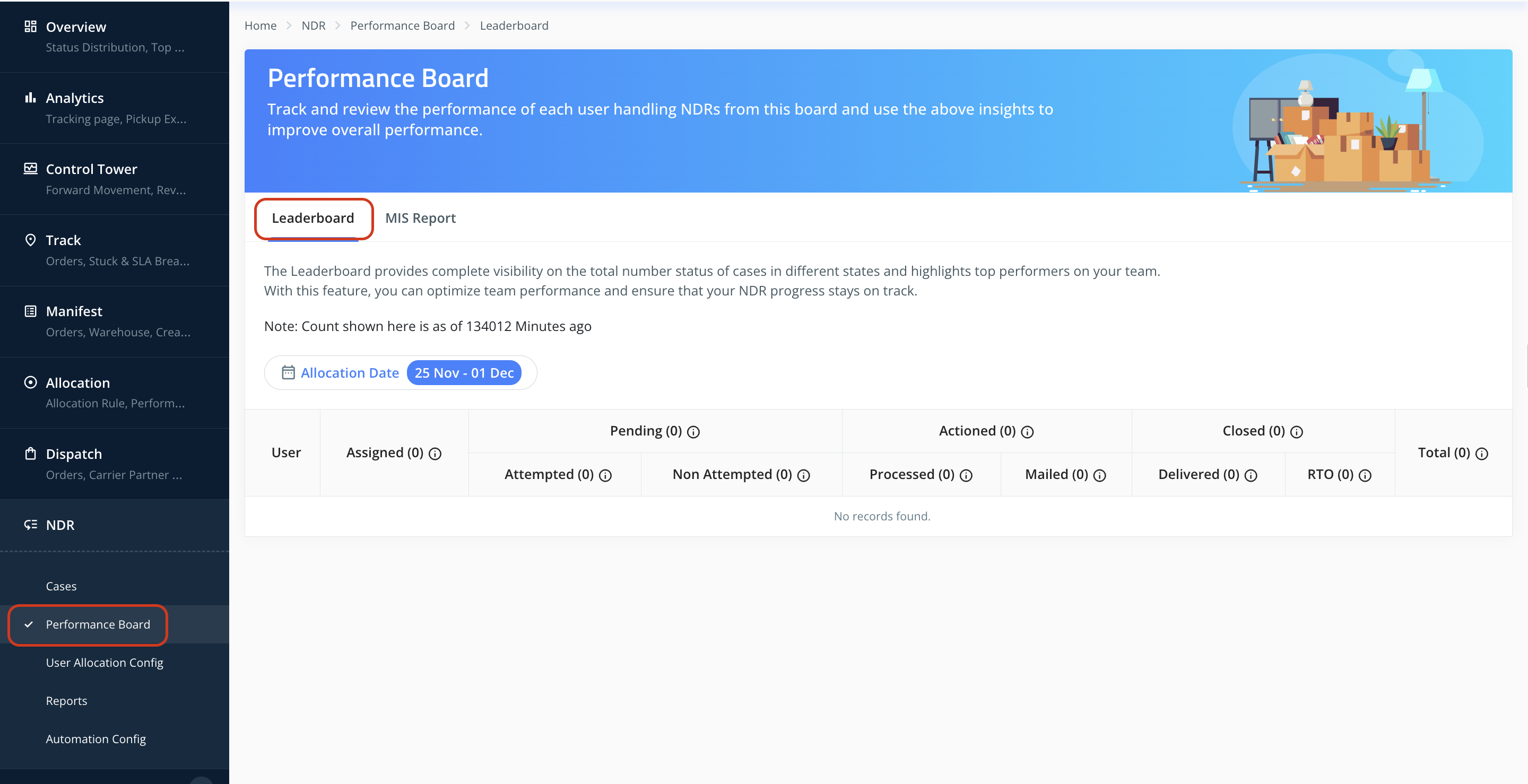
You will land on the Leaderboard section by default. Below is an explanation of the metrics displayed on this dashboard, which summarize NDR handling performance for the selected date range (based on allocation date).
Date Filter
This filter lets you select the allocation date range. Only NDR cases marked and allocated within this period will appear in the dashboard.

Assigned
The total number of NDR cases allocated to the sub-user within the selected date range. This shall include both automatically assigned (via rules, round robin, file upload etc.) and manually assigned cases.
Pending
Cases assigned to a user where Reattaempt/RTO action has not been completed.
Attempted:
Cases where the user attempted follow-up or initiated next steps, but the case is still pending.Not Attempted:
Cases where the user has not taken any action on the failed delivery case.
Actioned
Cases assigned to the sub-user where an RTO/Reattempt action has already been taken by the user. This data is further bifurcated to
Processed:
User actions have been recorded, but not yet shared with the courier partner.Mailed:
Actions have been successfully shared with courier partners via API or scheduled NDR reports.
Closed
Cases that have reached a final/terminal status and will no longer appear in the NDR workflow.
Delivered:
Cases where the shipment has been successfully delivered.RTO–Delivered:
Cases where the shipment has returned to origin and the RTO delivery status has been received.
Was this article helpful?
That’s Great!
Thank you for your feedback
Sorry! We couldn't be helpful
Thank you for your feedback
Feedback sent
We appreciate your effort and will try to fix the article