Clickpost provides a specialized platform designed to assist you in managing unsuccessful deliveries, also known as NDR (Non-Delivery Report) cases within the system. These instances occur when a delivery personnel attempts delivery but is unable to complete it due to various reasons.
Managing NDRs via Clickpost : Following is the screenshot of default view when you visit NDR Management section on Clickpost: 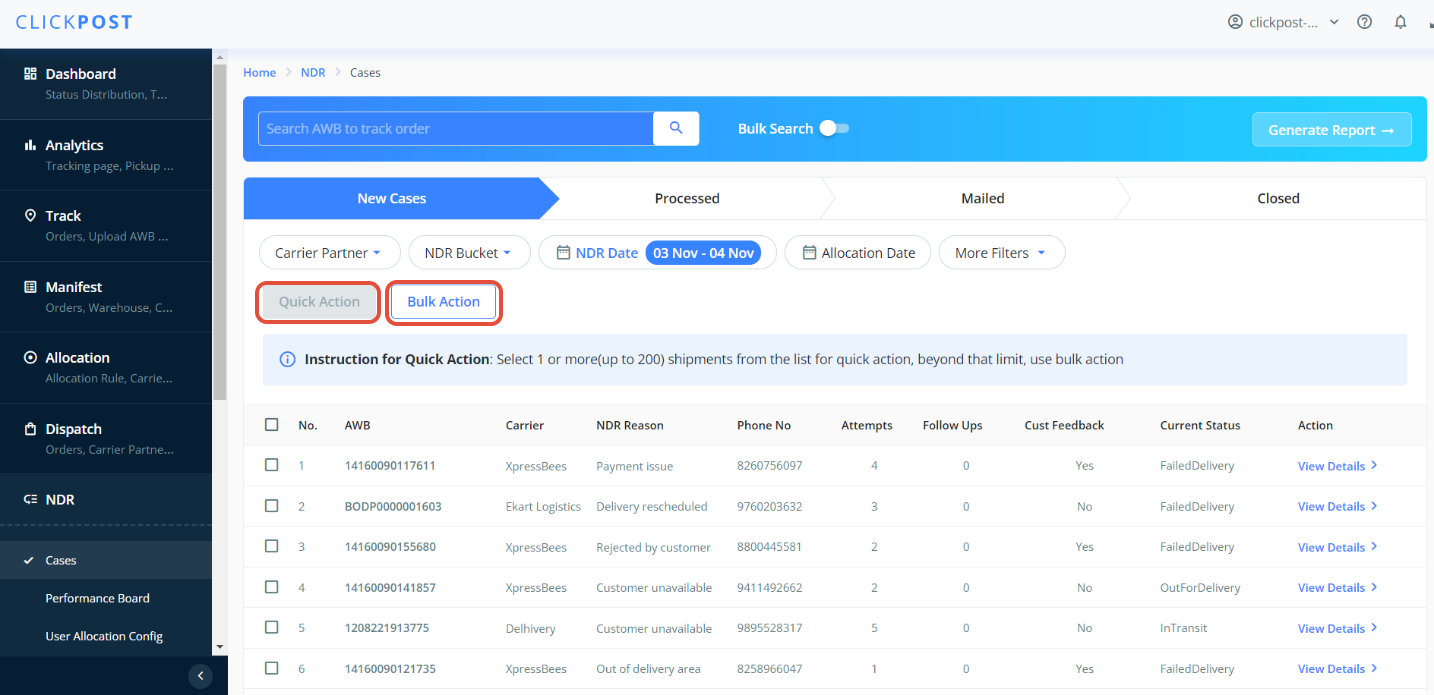
There are 2 ways to update Reattempt, RTO and marked delivered.
i) By Quick Action
ii) By Bulk action
Let's start by using Quick Action to update Reattempt, RTO and marked delivered.
Here there are two ways to take Quick Action ,
1. Apply filters and filer out NDR cases on which you want to take action
2.. Bulk search option can be seen in the middle of the dashboard. Enable it and one window pops up by pressing it. please fill n all the AWB(enter one AWB in each line) you want to search and click the Search button.
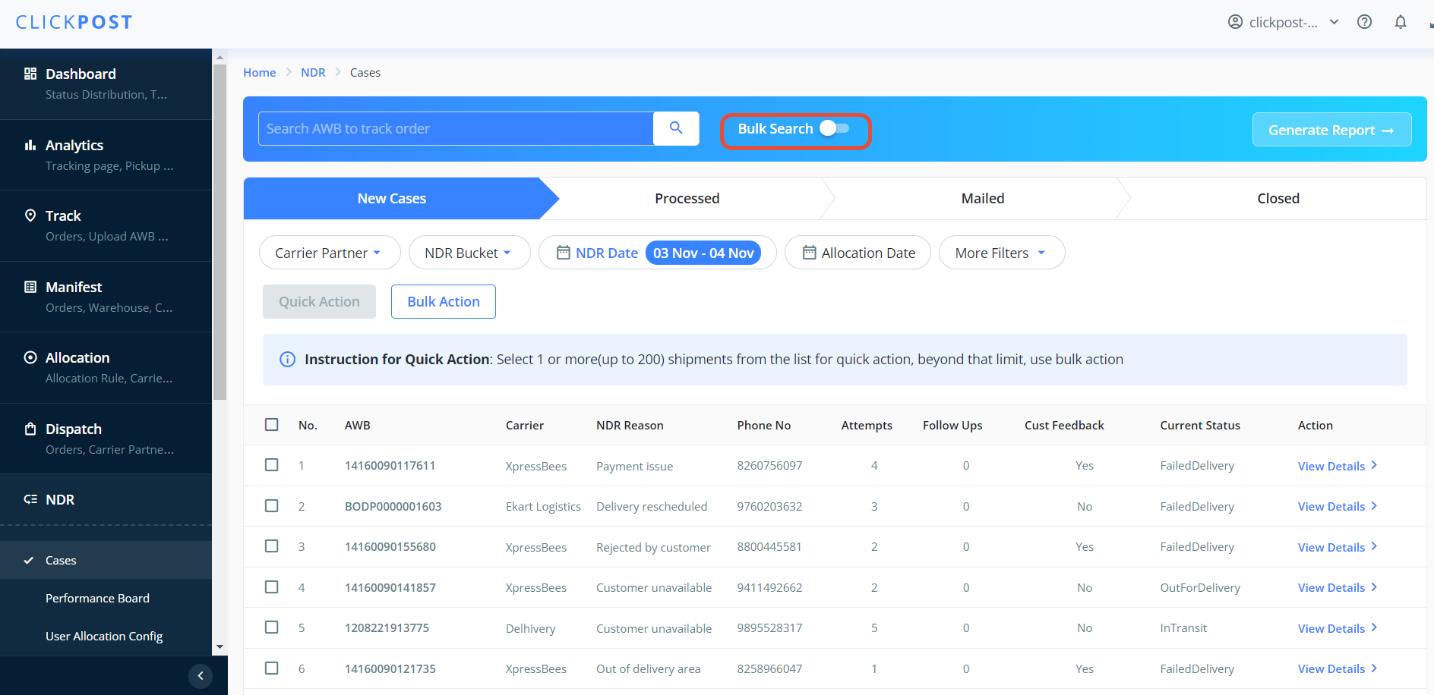
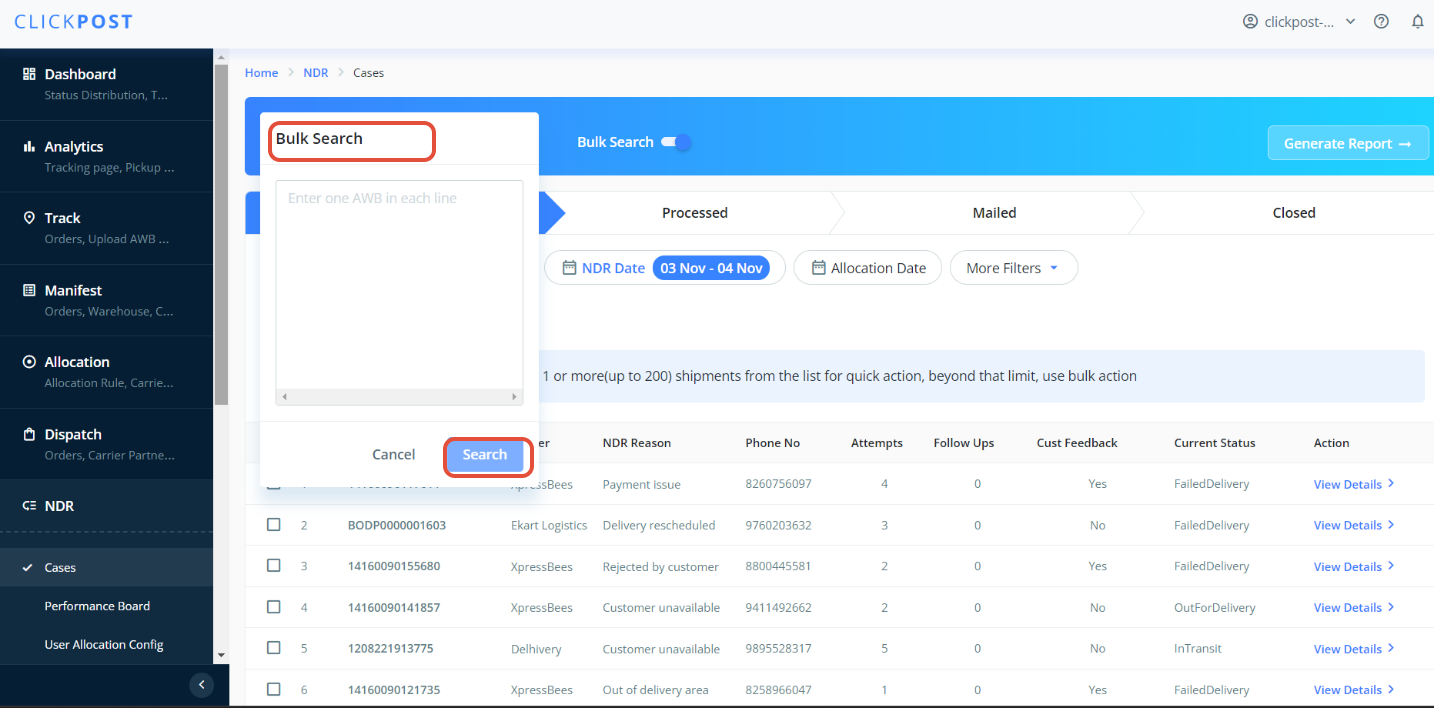
Select the shipments you want to take action on and click on "Quick Action" then select the action from drop down list of quick action and submit the action.
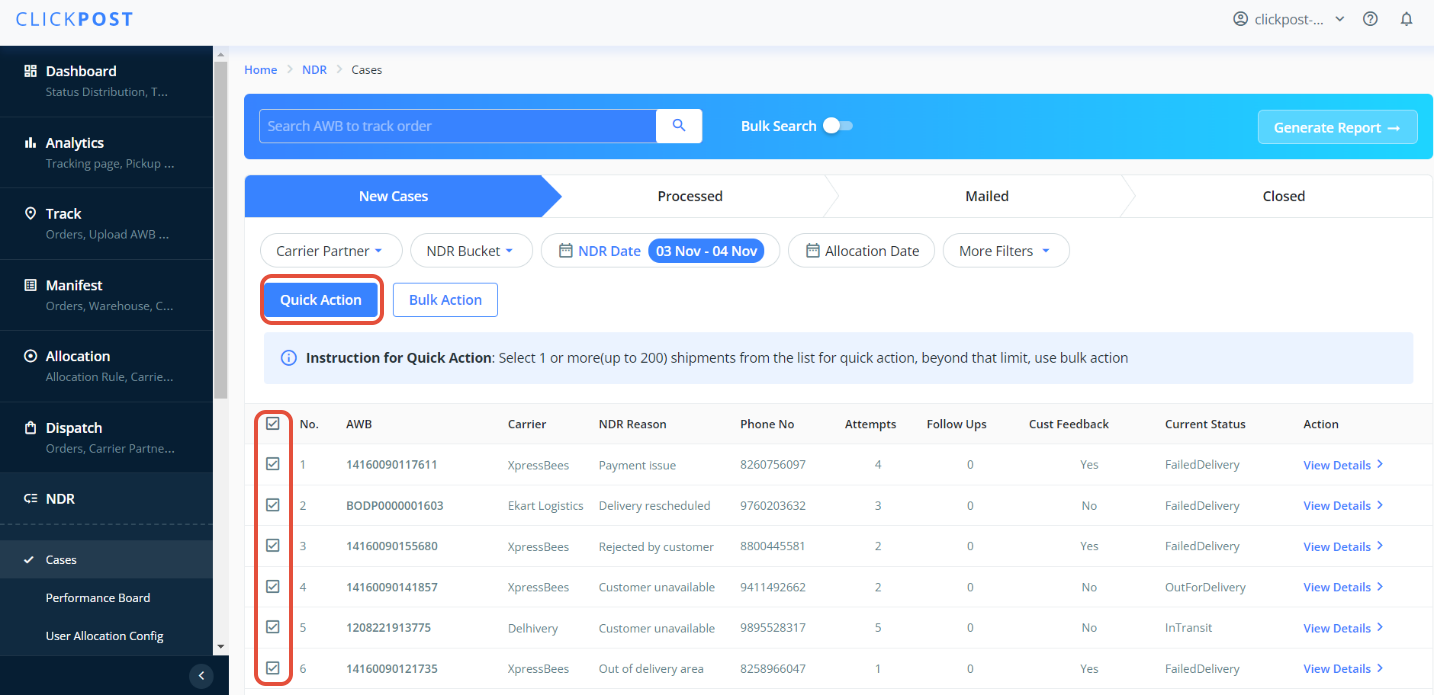
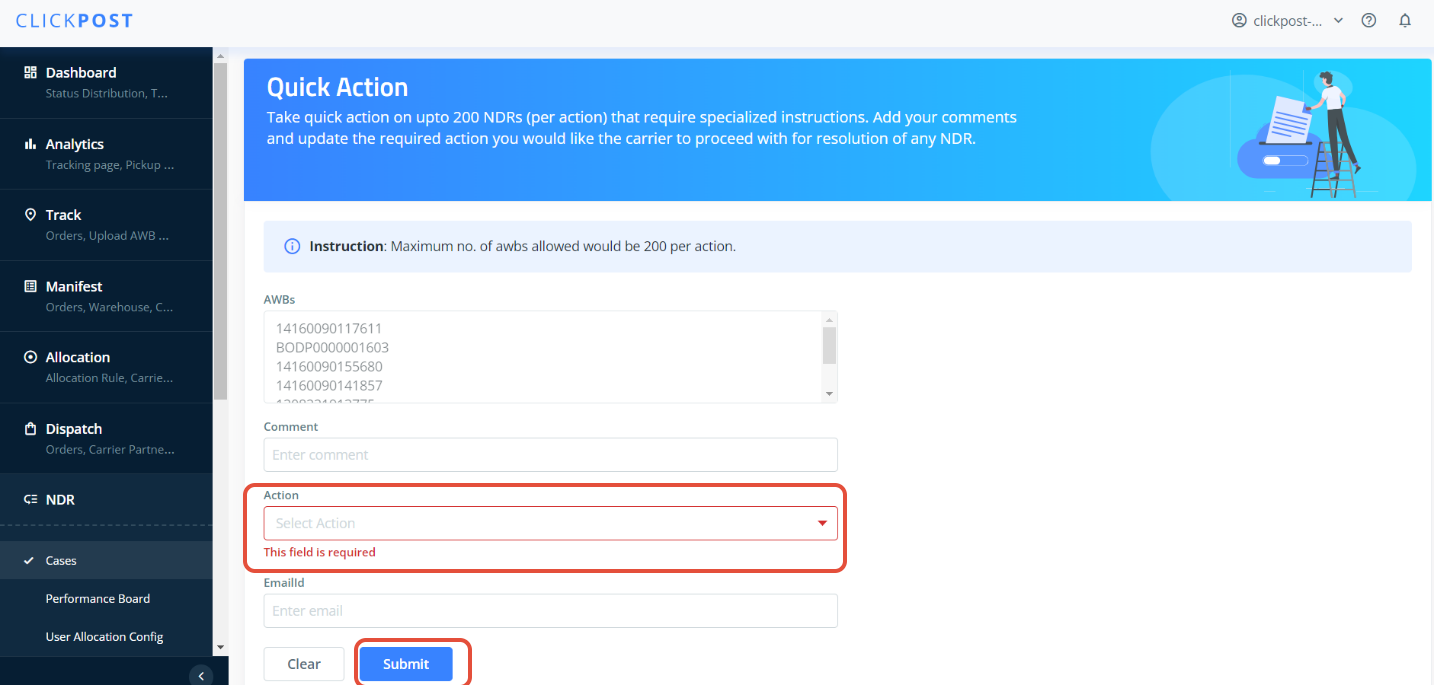
This will update the selected action.
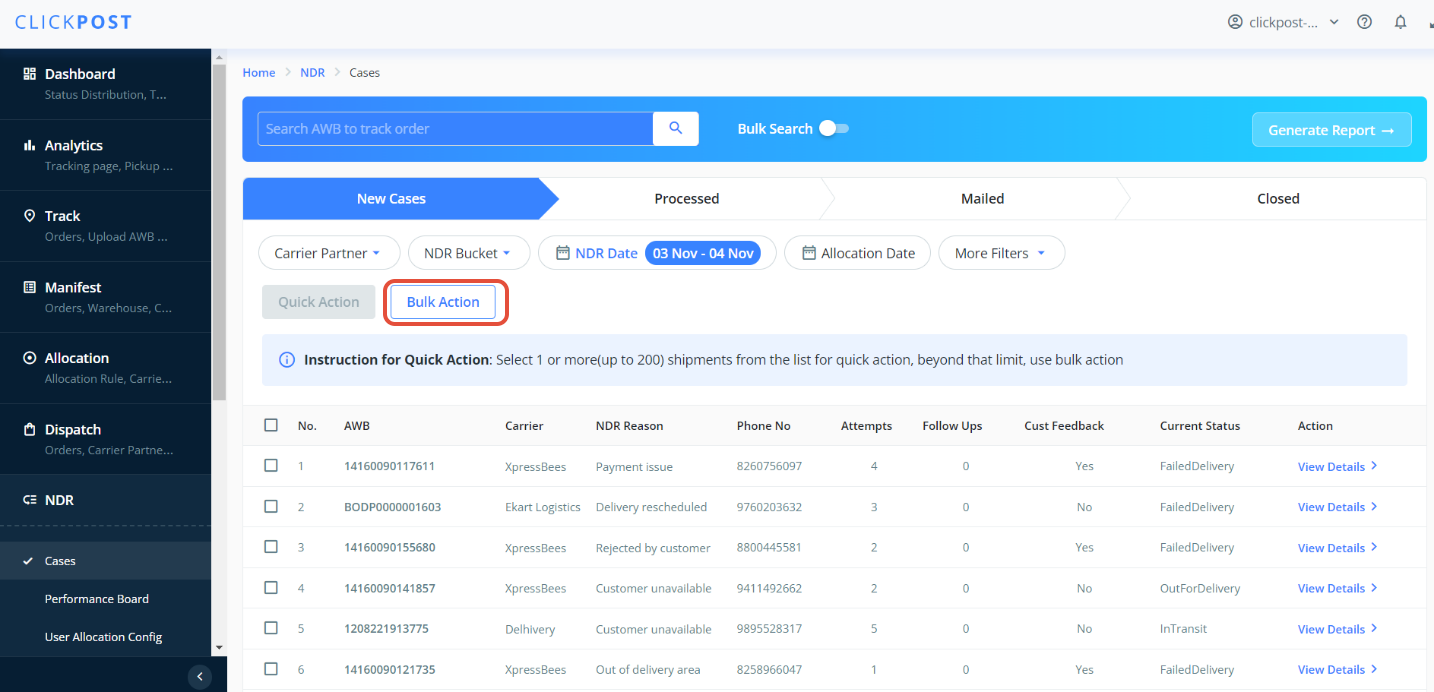
Bulk Action can also be used to update Reattempt & initiate RTO. Bulk action option can be seen in the middle of the dashboard. A window pops up by pressing it. Upload the file and enter email ID that you would like the report to be sent for the chosen action.
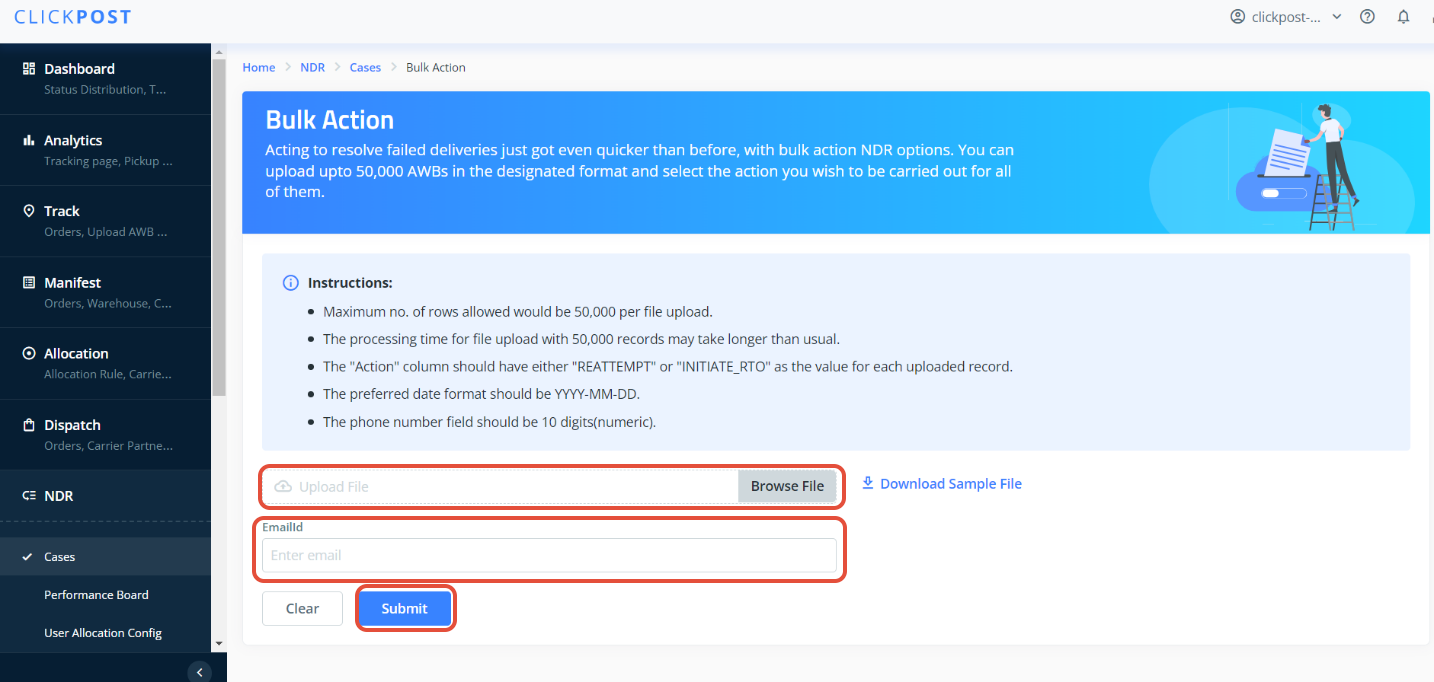
Here in one time, you can take action for 50,000 AWBs per file upload.
Sample file format
| awb_number | comment | action | preferred_date | address | phone |
| 77701069530 | testing... | REATTEMPT | 23-05-2023 | Connaught Place | 9876543210 |
Was this article helpful?
That’s Great!
Thank you for your feedback
Sorry! We couldn't be helpful
Thank you for your feedback
Feedback sent
We appreciate your effort and will try to fix the article