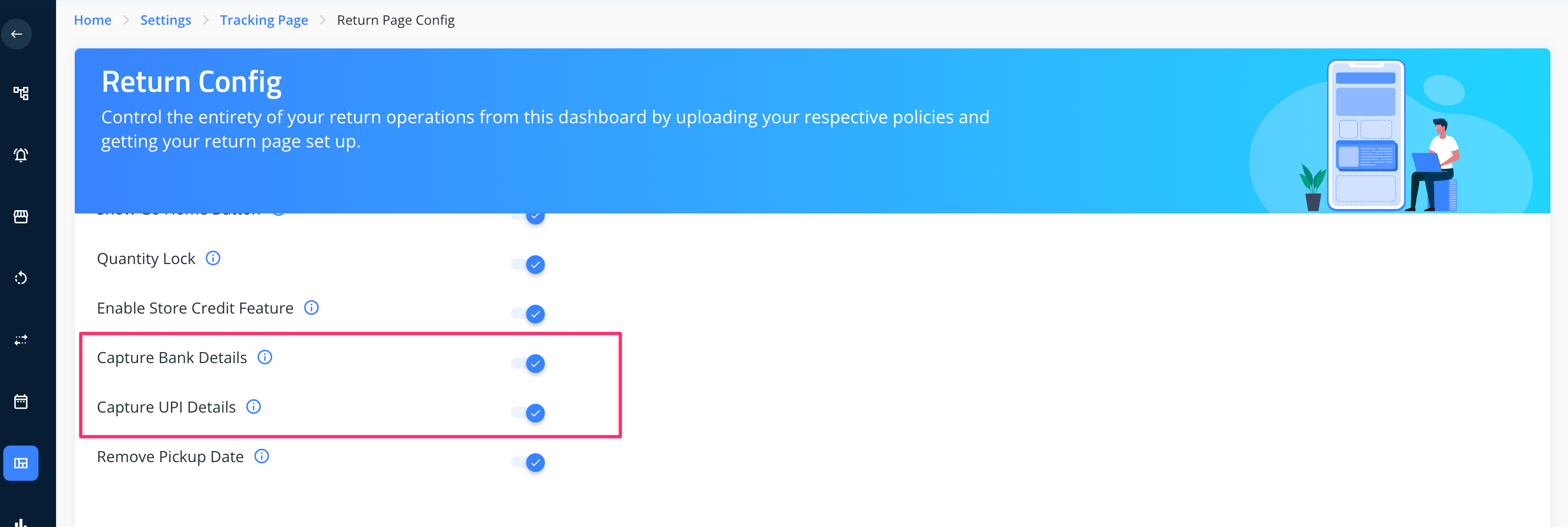
Use case: For COD orders, you may have to provide an option to fill bank or UPI details on the returns UI for processing the refunds. Please find the steps below to enable the same.
1. Go to https://dashboard.clickpost.ai/
2. Click on settings > Tracking page> Return page config.
https://dashboard.clickpost.ai/settings/tracking-page/return-page
3. Enable the toggle corresponding to Capture bank details and Capture UPI details.
4. Click on Submit.
Was this article helpful?
That’s Great!
Thank you for your feedback
Sorry! We couldn't be helpful
Thank you for your feedback
Feedback sent
We appreciate your effort and will try to fix the article