To change the recipients for NDR reports , please follow the below steps.
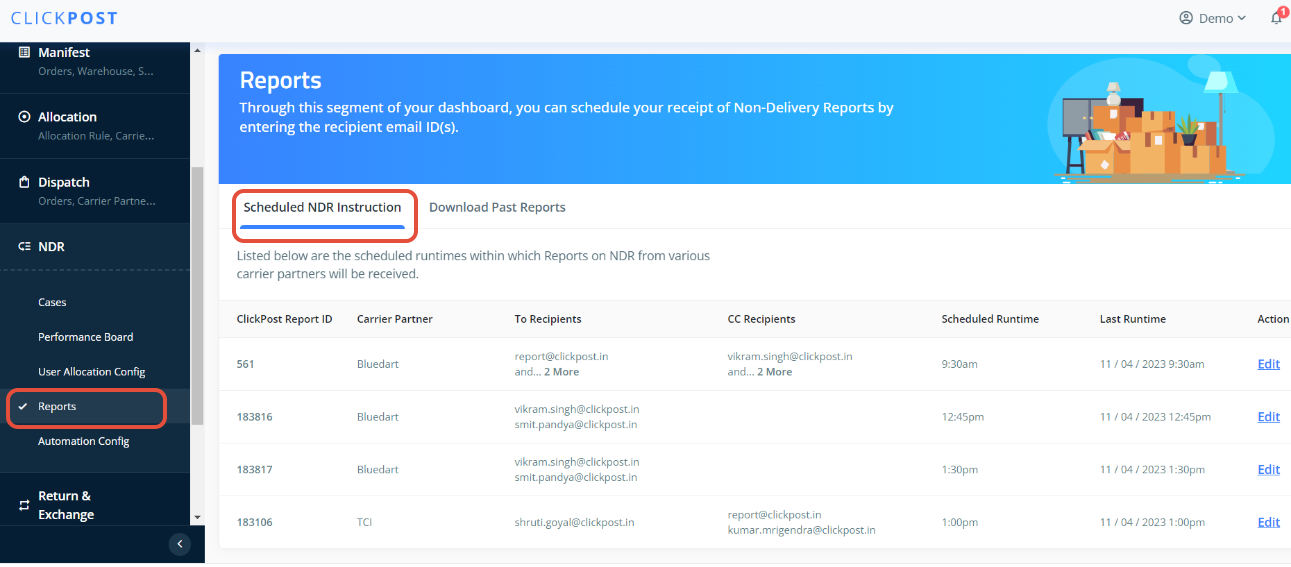
1. Go to "Reports" in NDR section
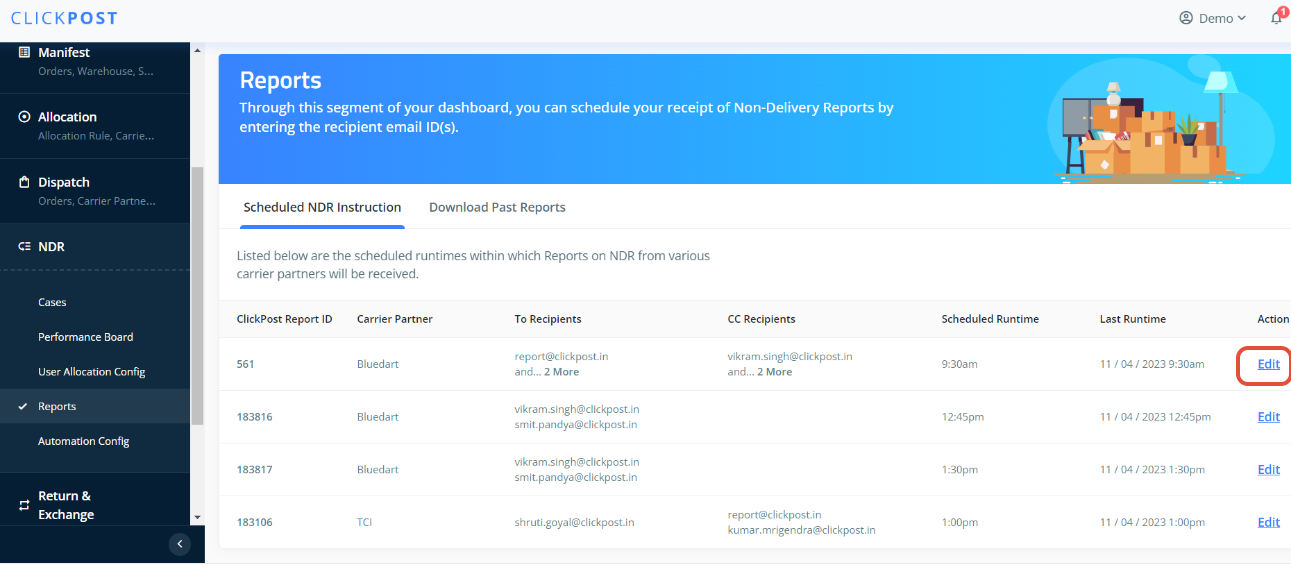
2. Click on "Edit" open for the report you wanted to change the recipients
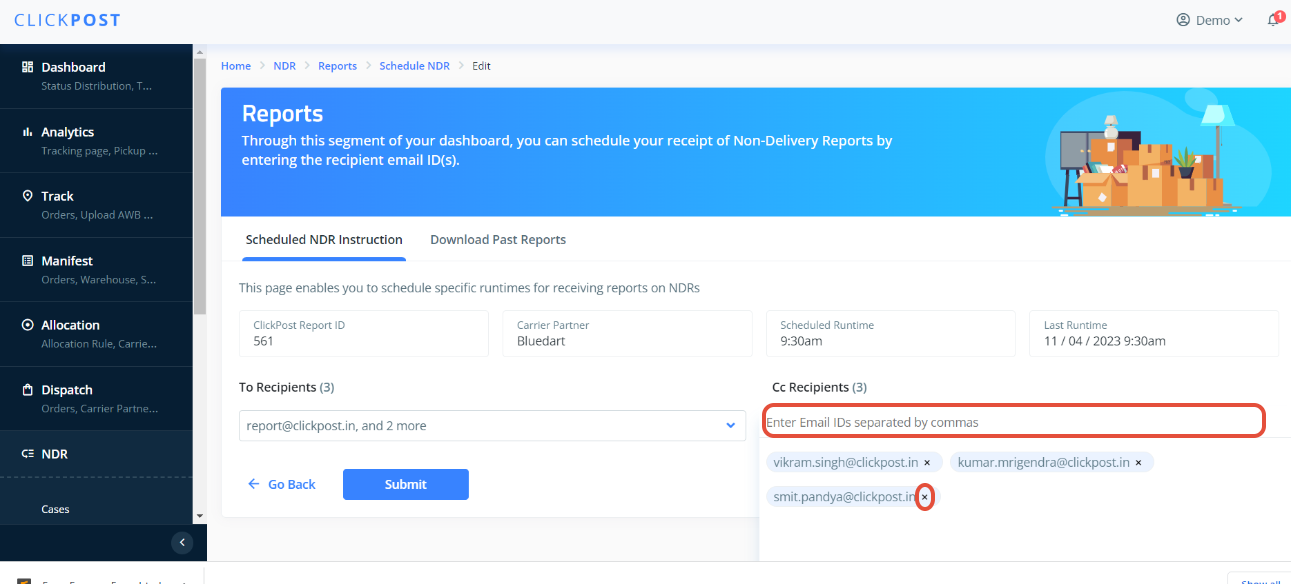
3. Add or remove the email id from the highlighted section.
4. Request you to please raise a mail to "support@clickpost.in" if you are facing any issue here.
Was this article helpful?
That’s Great!
Thank you for your feedback
Sorry! We couldn't be helpful
Thank you for your feedback
Feedback sent
We appreciate your effort and will try to fix the article