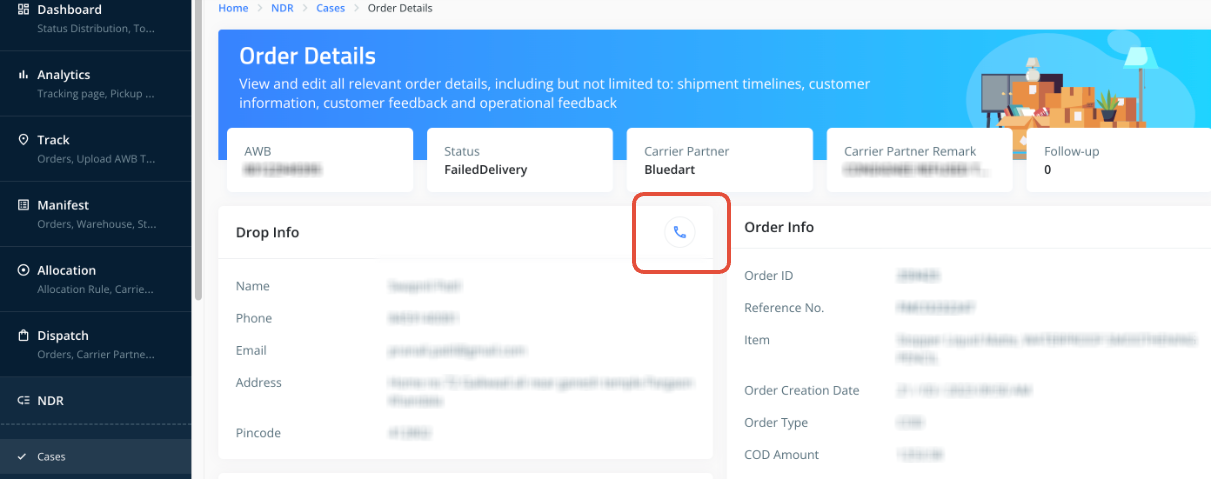
You can trigger customer calls for NDR cases directly from the ClickPost dashboard using the Click-to-Call option. This allows your team to instantly connect with end customers and gather the required feedback to resolve failed deliveries faster.
How to Set It Up
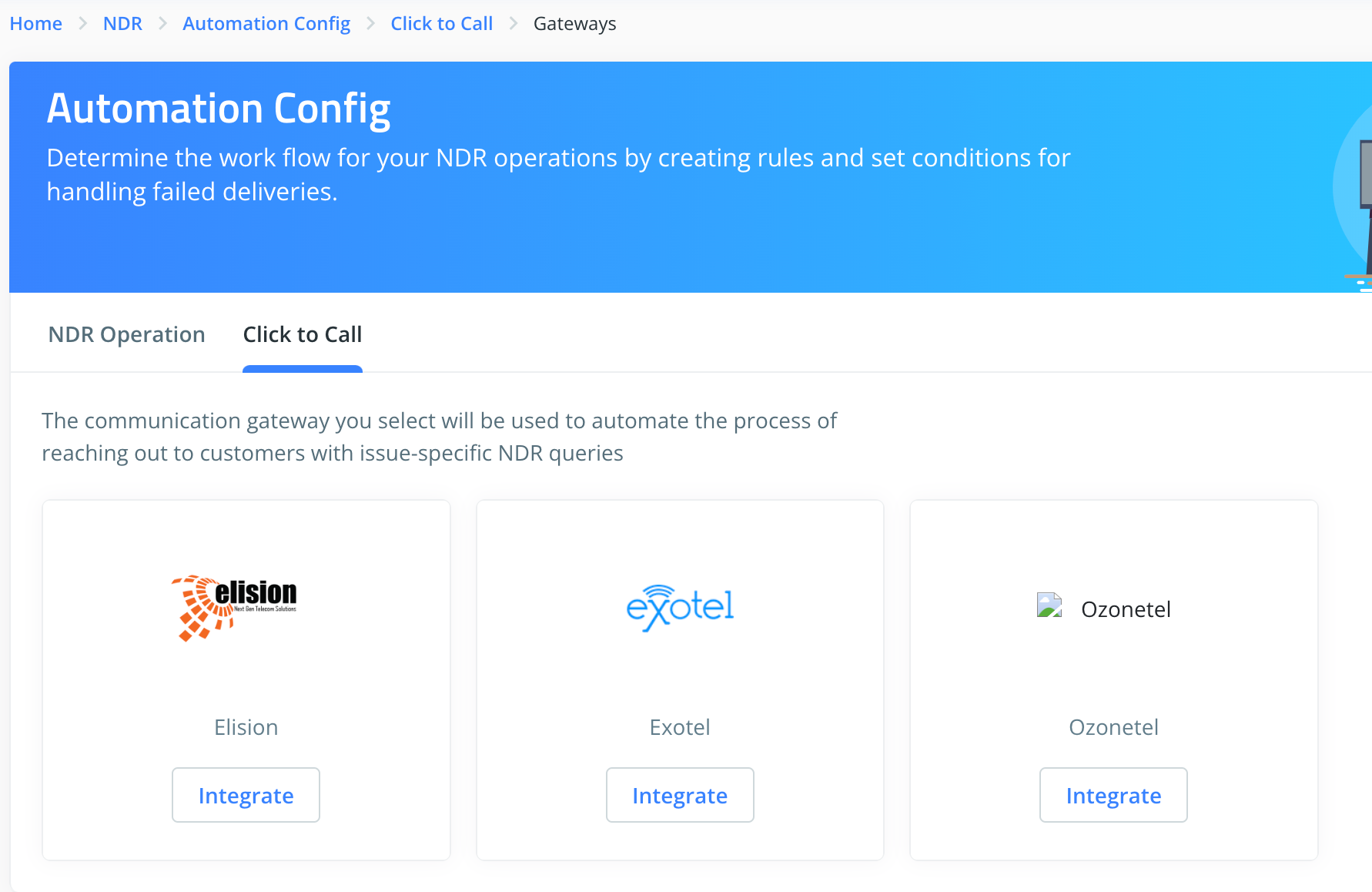
Dashboard → NDR → Automation Config → Click to Call
2. Integrate Your Calling Gateway:
Click on ‘Integrate’ and enter the credentials shared by your gateway provider.
Supported Gateways: Elision, Exotel, and Ozonetel.
3. Configure Sub-Users (If applicable)
Make sure sub-users are added to your account before enabling click-to-call for them.
If not, follow this guide to add sub-users:
https://clickpost.freshdesk.com/a/solutions/articles/43000764236
4. Assign Users & Phone Numbers
Add the sub-user, enter their phone number, and set their status to Active.
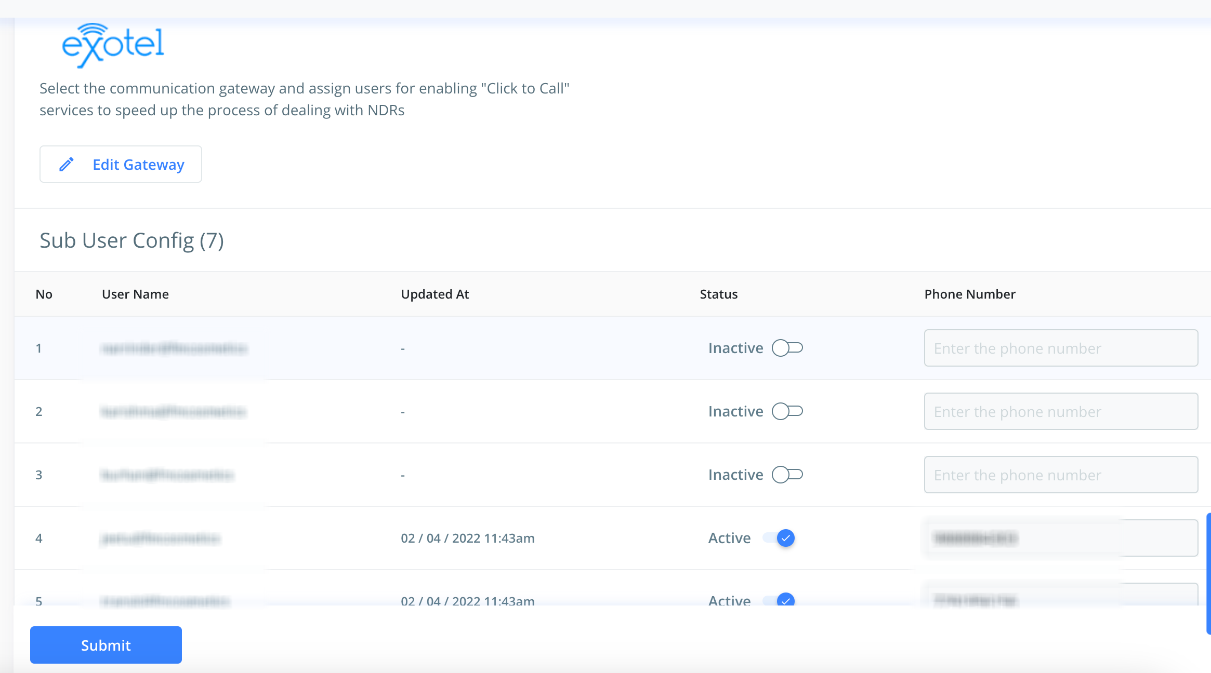
5. Click ‘Submit’ to complete the setup.
Was this article helpful?
That’s Great!
Thank you for your feedback
Sorry! We couldn't be helpful
Thank you for your feedback
Feedback sent
We appreciate your effort and will try to fix the article